moxon-frame-generator
simple generator for 3D-printed frames for a moxon rectangle antenna
OpenSCAD★ 50
Web CAD library with exact B-Rep geometry
 andymai
CAD modeling for JavaScript.

▶ Try the live playground: write code, watch the solid render, and export STEP, all in your browser.
Getting Started · Cheat Sheet · Docs
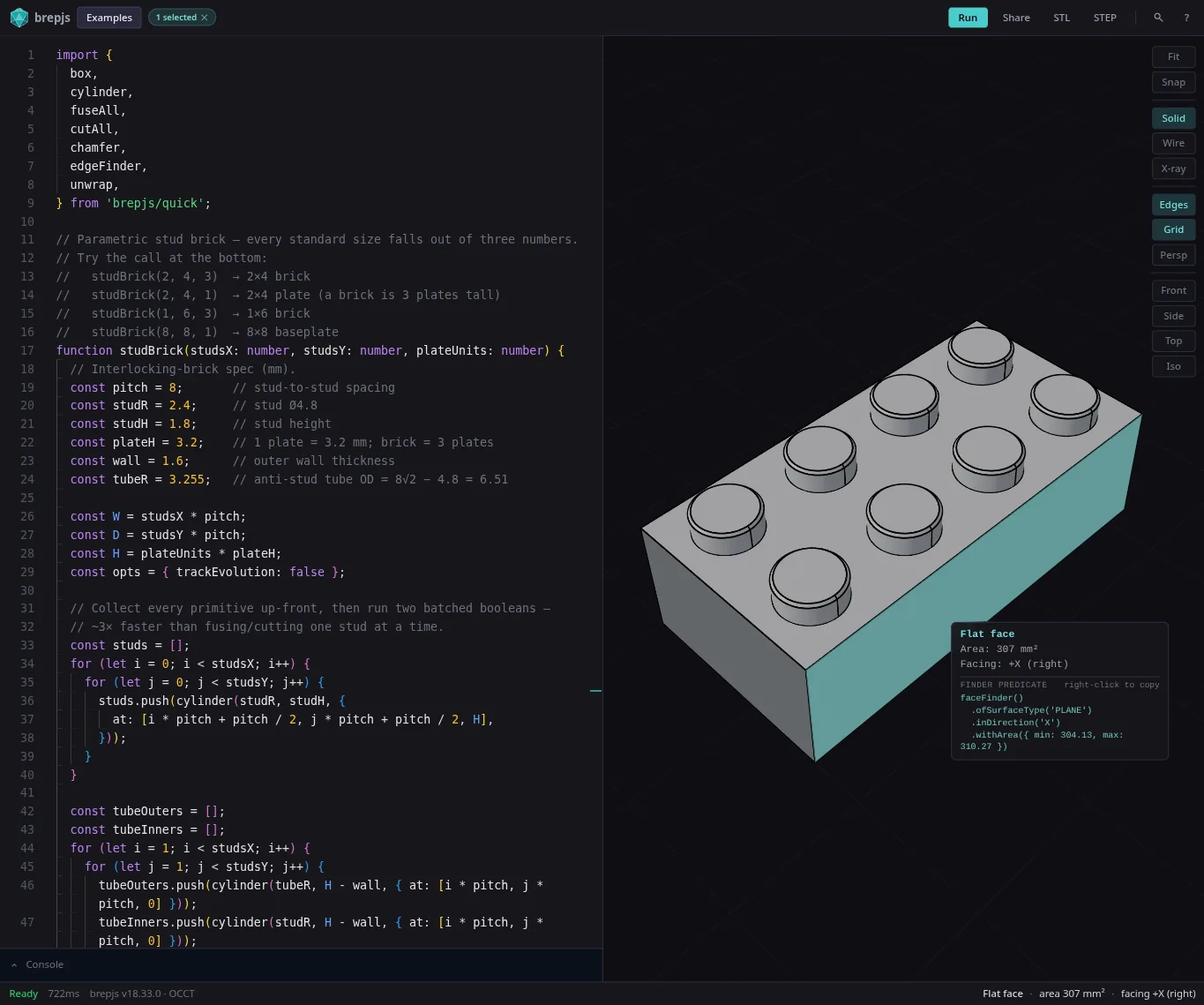
Shapes are exact mathematical boundaries (not triangle meshes), so booleans are precise, measurements are real, and you can export to STEP. TypeScript types prove the geometry is valid at compile time.
// Drill a hole, fillet the vertical edges, export to STEP
import { box, cut, cylinder, fillet, edgeFinder, exportSTEP, unwrap } from 'brepjs/quick';

const b = box(30, 20, 10);
const hole = cylinder(5, 15, { at: [15, 10, -2] });
const drilled = unwrap(cut(b, hole));

const edges = edgeFinder().inDirection('Z').findAll(drilled);
const part = unwrap(fillet(drilled, edges, 1.5));

const step = unwrap(exportSTEP(part));
brepjs grew out of the love and care I put into gridfinitylayouttool.com. I needed parametric CAD in the browser and I'm not a 3D modeler, but I know TypeScript. OpenSCAD nailed code-first CAD but lives outside the JS ecosystem. replicad proved OpenCascade works in JS but I kept hitting performance walls and fighting the API.
Neither had the type safety I wanted, so brepjs leans hard on it: branded types, Result<T,E>, phantom types that prove invariants at compile time. If it compiles, the geometry is valid. It's strongest at exact, manufacturable geometry — precise booleans, fillets, chamfers and shells; real volumes, areas and clearances; watertight solids that round-trip through STEP — from a single part to a full assembly (enclosures, brackets, fixtures, gridfinity bins, machined and molded parts). It isn't built for organic sculpting or dense lattices; that's what field-based (implicit/voxel) modeling is for.
To set expectations, this project deliberately does not:
occt-wasm (OpenCascade compiled to WebAssembly) is the default kernel. brepkit, a Rust-based kernel, is in active development as a faster replacement but not yet ready for production use. The kernel abstraction layer means switching is a one-line change. See benchmarks for performance comparisons.
npm install brepjs occt-wasm
brepjs/quick handles WASM init automatically via top-level await (ESM only). Other options:
// Auto-detect kernel
import { init } from 'brepjs';
await init();

// Or manual setup
import { OcctKernel } from 'occt-wasm';
import { registerKernel, OcctWasmAdapter } from 'brepjs';
const kernel = await OcctKernel.init();
registerKernel('occt-wasm', OcctWasmAdapter.fromKernel(kernel));
The chapter-based guide is the recommended starting point:
Legacy single-page docs in ./docs/ remain available; the chapter site is the canonical location going forward.
Layer 3  sketching/, text/, projection/   High-level API
Layer 2  topology/, operations/, 2d/ ...  Domain logic
Layer 1  core/                            Types, memory, errors
Layer 0  kernel/, utils/                  WASM bindings
Imports flow downward only. Boundaries are enforced in CI.
brepjs-cad helps an AI agent (or you) author CAD in brepjs and prove it is correct before handing it off. An LLM can't see geometry, so it writes a .brep.ts part, runs it on a real kernel, and reads a deterministic report instead of guessing from how the code reads. It ships as two cooperating pieces: a Claude Code skill (the authoring loop) and a verification CLI (validity + measured dimensions + multi-view snapshots + STEP export).
Install both; they ride on two rails:
# 1. The skill - Claude Code plugin (delivered via this repo's marketplace)
#    In a Claude Code session:
/plugin marketplace add andymai/brepjs
/plugin install brepjs@brepjs
#    …or from a terminal, non-interactively:
claude plugin marketplace add andymai/brepjs
claude plugin install brepjs@brepjs

# 2. The runtime - the CLI the skill drives
npm i -D brepjs-cad
With the skill installed, ask Claude for a part in plain English, or drive the pipeline explicitly with /brepjs:cad "a 40×20×10 mm bracket with two M4 holes".
brepjs-cad bundles its own brepjs + occt-wasm, so it runs in an empty directory; inside an existing brepjs project it prefers your installed versions so verified parts match what you ship. A model is a module that default-exports a zero-arg function returning a shape:
// bracket.brep.ts
import { box } from 'brepjs';
export const expected = { volume: 8000, tolerancePct: 1 }; // optional: assert intent
export default () => box(40, 20, 10, { centered: true });
npx -y -p brepjs-cad brep bracket.brep.ts --check --step bracket.step --json report.json
The command exits non-zero unless the report is ok (valid and every declared dimension within tolerance), so it drops straight into CI or an agent loop. For MCP-capable agents the package also ships a stdio MCP server (brep-mcp) exposing the same build-and-verify step as a run_program tool. See the Authoring with AI guide for the full loop, CLI reference, the MCP server, examples, and the measurement eval.
I'm Andy Aragon — I build and maintain brepjs and the geometry kernels beneath it (occt-wasm, brepkit). Building something on brepjs and want a hand, or just have a question? Get in touch →
See CONTRIBUTING.md for development setup and guidelines.
brepjs.dev and the playground are hosted on Vercel through its Open Source Program.
more like this
simple generator for 3D-printed frames for a moxon rectangle antenna
GPX 轨迹转 3D 可打印地形模型 | Hiking trail to 3D printable terrain | Electron + Vue。 一款面向户外爱好者与 3D 打印玩家的 Web 工具。将 GPX 徒步/骑行轨迹一键转…
Install and monitor KlipperScreen on Android via DroidKlipp APK, USB ADB forwarding, and WiFi fallback
search projects, people, and tags