ula
μLA: Micro Logic Analyzer for RP2040
 dotcypress
git clone https://github.com/dotcypress/ula.gitdotcypress/ulaμLA: Micro Logic Analyzer
SUMP/OLS compatible logic analyzer firmware for RP2040 based boards.
Features
- 16 channels
- 100 MHz sampling rate, 1 sample per sys tick
- 200 KB sample memory
- Fast triggers using PIO
- Input channels mapped to GPIO 0-15
Supported hardware
- Raspberry Pi Pico
- uPico
- Virtually all RP2040 based boards with USB connection and GPIO 0-15 available
- Bring your own RP2040 hardware with proper frontend and protection
Installation
- Download latest firmware build from Releases page
- Hold the BOOTSEL button while connecting your board to the computer
- Copy firmware file downloaded earlier to the RPi-RP2 disk
- Use PulseView of SigrokCli to connect to probe
- Enjoy
Client software
PulseView
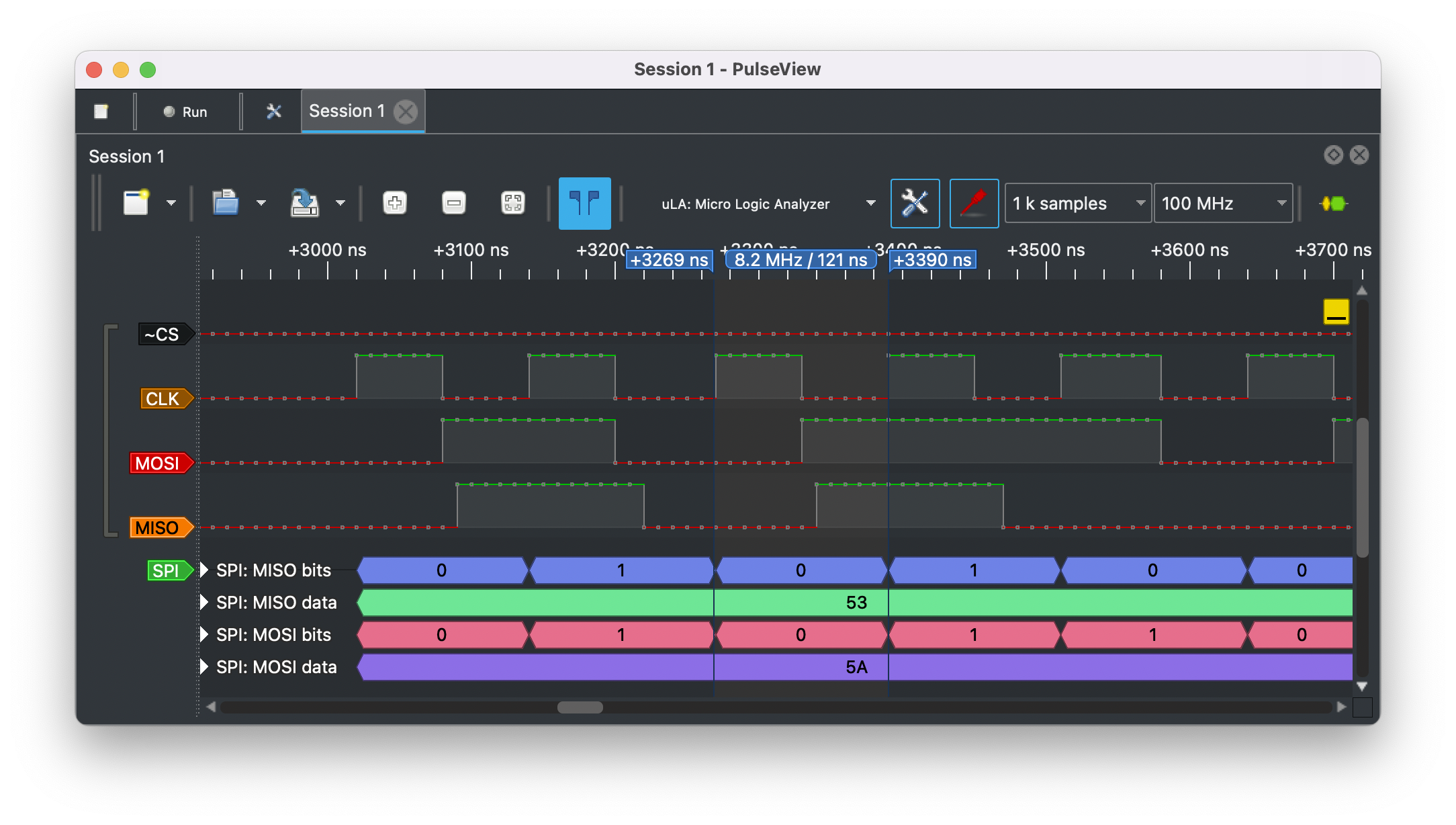
PulseView is a Qt based logic analyzer GUI for sigrok.
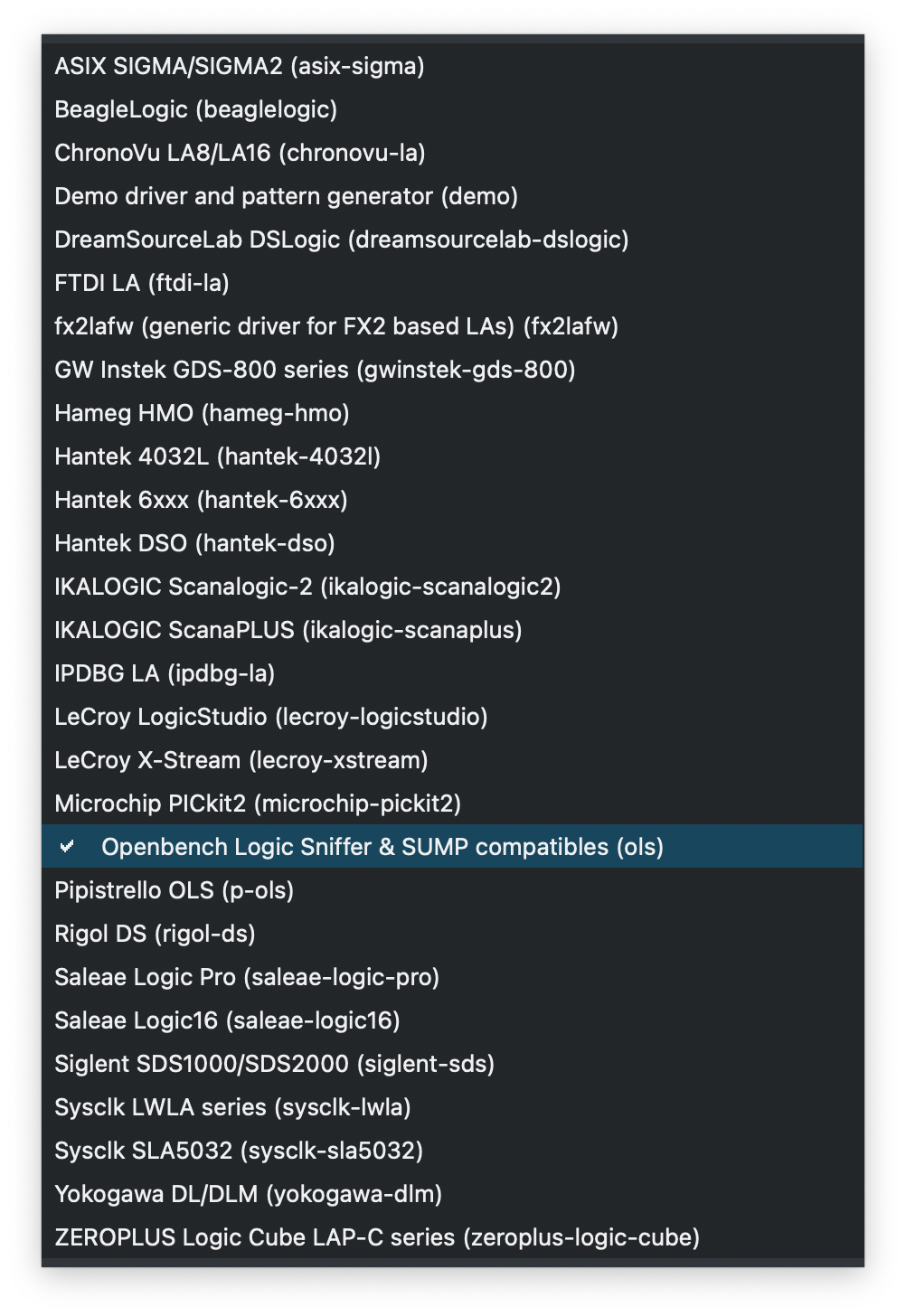
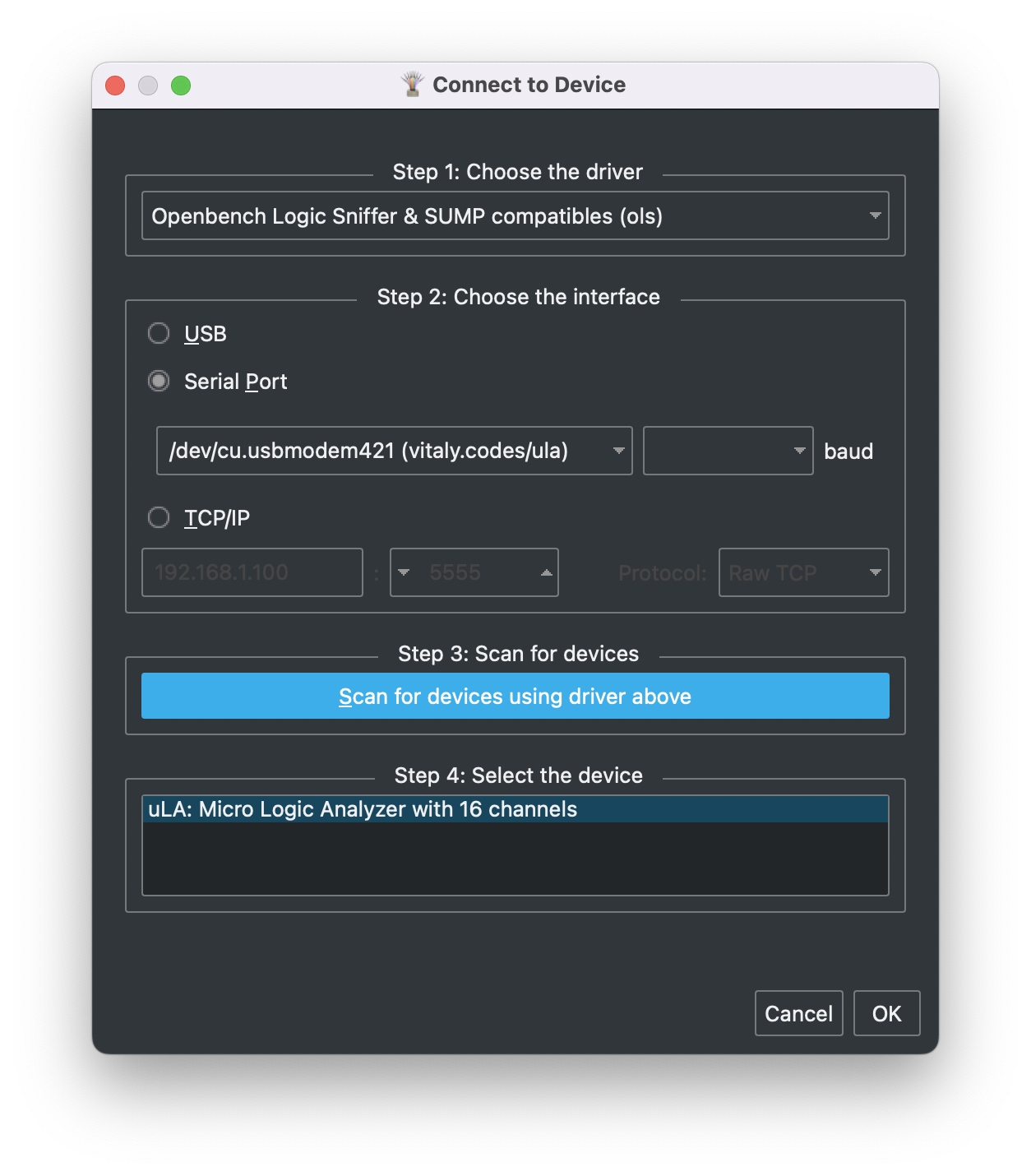
Select Openbench Logic Sniffer & SUMP compatible protocol when connecting to μLA.
| Protocol selection | Connect window |
|---|---|
 |
 |
SigrokCli
SigrokCli is a command-line frontend for sigrok.
Scan for devices
$ sigrok-cli -d ols:conn=/dev/tty.usbmodem_ula_1 --scan

  The following devices were found:
  ols - uLA: Micro Logic Analyzer with 16 channels: 0 1 2 3 4 5 6 7 8 9 10 11 12 13 14 15
Sample two 10 MHz square waves with 90° phase shift
$ sigrok-cli -d ols:conn=/dev/tty.usbmodem_ula_1
    -O ascii:charset='_`\/'
    --config samplerate=100m
    --samples 70

  libsigrok 0.5.2
  Acquisition with 16/16 channels at 100 MHz
  0:``\____/`````\___/`````\___/`````\___/`````\___/`````\___/`````\___/``
  1:____/`````\____/````\____/````\____/````\____/````\____/````\____/````
  2:______________________________________________________________________
Building firmware
- Install rustup by following the instructions at https://rustup.rs
- Install Cortex-M0, M0+, and M1 (ARMv6-M architecture) target:
rustup target add thumbv6m-none-eabi - Install LLVM tools:
rustup component add llvm-tools-preview - Install cargo-binutils:
cargo install cargo-binutils(Note: on some Linux distros (e.g. Ubuntu) you may need to install the packages build-essential, gcc-arm-none-eabi, libssl-dev and pkg-config prior to installing cargo-binutils) - Install elf2uf2:
cargo install elf2uf2-rs - Clone this repo:
git clone git@github.com:dotcypress/ula.git && cd ula - Hold the BOOTSEL button while connecting your board to the computer
- Flash microcontroller:
cargo run --release
License
Licensed under either of
- Apache License, Version 2.0 (LICENSE-APACHE or http://www.apache.org/licenses/LICENSE-2.0)
- MIT license (LICENSE-MIT or http://opensource.org/licenses/MIT)
at your option.
Contribution
Unless you explicitly state otherwise, any contribution intentionally submitted for inclusion in the work by you, as defined in the Apache-2.0 license, shall be dual licensed as above, without any additional terms or conditions.
more like this
TachiSnap
TachiSnap — Pixel Snapper for animation pixel artists. Rust + WebAssembly client-side tool for cleaning up AI-generated…
bit_gossip
Pathfinding library for calculating all node pairs' shortest paths in an unweighted undirected graph.