emskin
Nested Wayland compositor for Emacs
 emskin
git clone https://github.com/emskin/emskin.gitemskin/emskin
emskin
Dress Emacs in a Wayland skin.
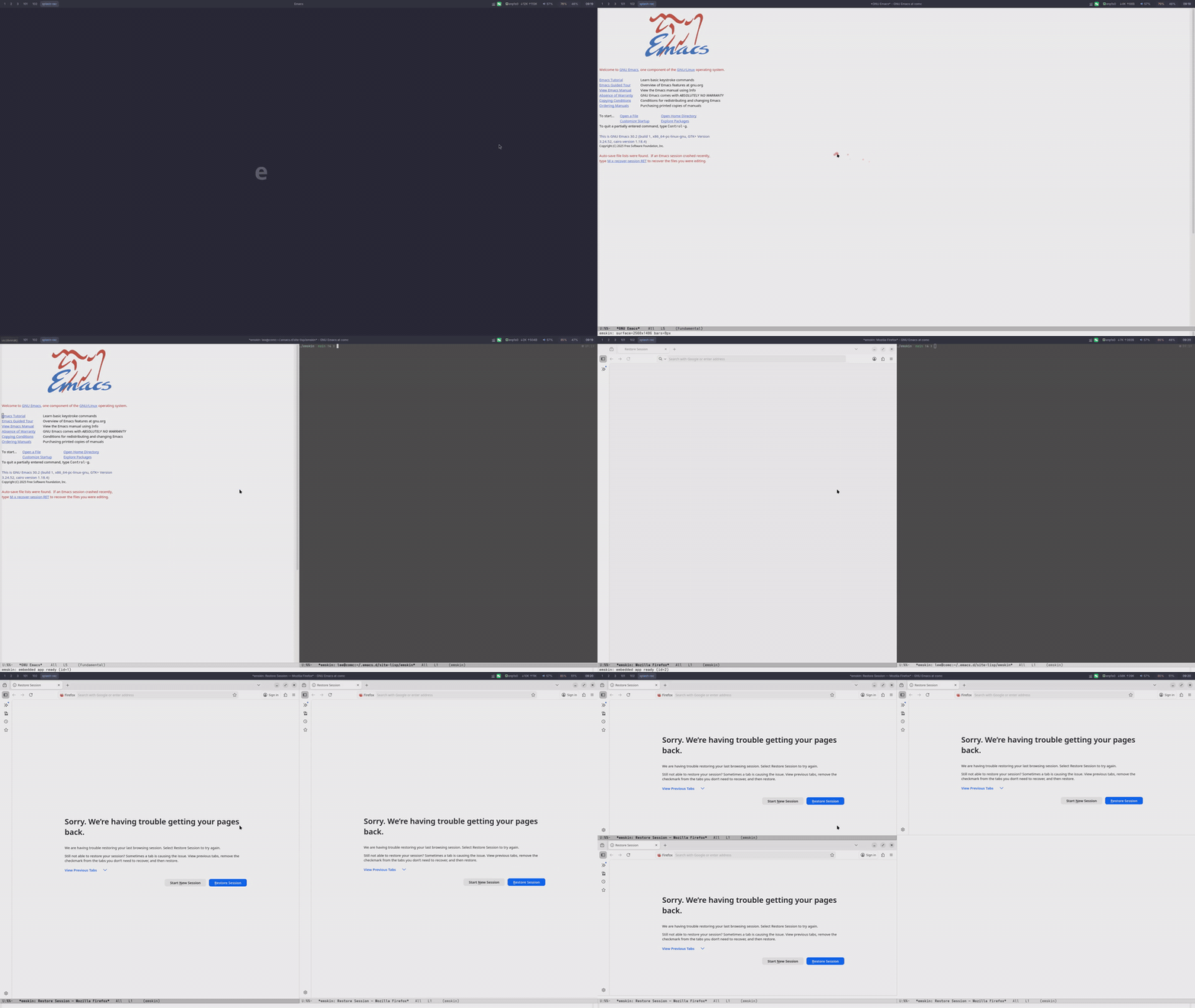
emskin wraps Emacs inside a nested Wayland compositor so that any program — browsers, terminals, video players, etc. — can be embedded into Emacs windows as if they were native buffers.
Vision
Embedding is the first 5%. The endgame is Emacs deeply scripting the native apps it hosts — querying and orchestrating them with the same uniformity Emacs already gives its own buffers. Concretely:
- Browser — read the focused tab's DOM into a buffer, eval JS, drive forms from Elisp, route LLM tool calls into the live page.
- Terminal — file/line heuristics in output become clickable jumps back into Emacs; rerun the last command into a fresh buffer.
- Video / image apps — scriptable seek, frame extraction, OCR — all exposed as Elisp commands.
- Anything with a surface — that surface becomes addressable from Elisp.
Same IPC layer (compositor ↔ Elisp) that powers embedding today; each future integration adds one IPC verb on top.
Features
- Embed any program — Wayland and X11 apps alike, including FPS games / browser Pointer Lock (pointer constraints + raw mouse delta)
- Window mirroring — display the same app in multiple Emacs windows
- Input method support — shares the host IM with precise cursor positioning
- Clipboard sync — bidirectional between host and embedded apps
- Launcher support — rofi / wofi / zofi work out of the box
- Automatic focus management — new windows auto-focus; focus falls back on close
- Built-in screen recording & screenshots — toggle MP4 capture or snap a PNG, no external tools
Compatibility
Hosts we've actually tested emskin under. The columns indicate which
kind of desktop session you launched emskin from, not which kinds
of clients it can embed — emskin always embeds both Wayland and X11
clients (X11 via the external xwayland-satellite process, spawned
on demand when an X client connects), regardless of host. n/a just
means that compositor or window manager doesn't have a session of
that type to nest into.
| Host | Wayland session | X11 session |
|---|---|---|
| GNOME | ✓ | ✓ |
| KDE | ✓ | ✓ |
| Sway | ✓ | n/a |
| COSMIC | ✓ | n/a |
| niri | ✓ | n/a |
| i3wm | n/a | ✓ |
pgtk Emacs (--with-pgtk) is recommended. GTK3 X11 Emacs also works when xwayland-satellite is installed (it's spawned lazily the moment an X client first connects).
Install
Requires Rust ≥ 1.89 (rust-toolchain.toml pins 1.92.0). If your distro ships an older rustc, install via rustup:
curl --proto '=https' --tlsv1.2 -sSf https://sh.rustup.rs | sh
Arch Linux (AUR)
yay -S emskin-bin
From source
# Dependencies (Arch Linux)
sudo pacman -S wayland libxkbcommon mesa

# Optional: embed X11 applications via xwayland-satellite.
# Without it, X clients (gtk3 Emacs, xterm, …) can't be embedded
# inside emskin — they fall back to the host X server if one is
# running, otherwise to TUI. Everything else (pgtk Emacs, Wayland
# apps, clipboard, IME) works regardless.
#
# On Arch:
yay -S xwayland-satellite

# On distros that don't package it yet (UOS, older Debian, RHEL …),
# build from upstream — Rust toolchain only:
cargo install --git https://github.com/Supreeeme/xwayland-satellite.git

# Option 1: cargo install
cargo install --git https://github.com/emskin/emskin.git

# Option 2: build from source
git clone https://github.com/emskin/emskin.git
cd emskin && cargo build --release
Quick Start
Recommended. --standalone is non-invasive:
emskin --standalone
What it does:
- Pre-loads the bundled
emskin.elfrom$XDG_RUNTIME_DIR/emskin-<pid>/elisp/so you don't need a(require 'emskin)of your own. - Your
~/.emacs.d/init.elstill loads as usual — no-Q, no--no-init-file. Your packages, keybindings, themes,(setq emskin-cursor-trail t)etc. all keep working. - Cleans up the extracted elisp dir on exit.
The only edge case: if you separately cloned emskin and added (require 'emskin) from your own load-path, the bundled copy will have already been loaded and your require becomes a no-op. Developers working on emskin itself should skip --standalone and load the elisp manually (see Emacs Configuration).
Usage
Open embedded apps
Inside Emacs running in emskin:
M-x emskin-open-native-app RET firefox
M-x emskin-open-native-app RET foot
The app embeds into the current Emacs window and receives keyboard focus.
Keyboard interaction
When an embedded app has focus, keystrokes go directly to it. Emacs prefix keys (C-x, C-c, M-x) are intercepted and sent back to Emacs; focus restores automatically after the key sequence completes.
C-x o— switch Emacs windows (embedded apps follow buffer switches)C-x 1/C-x 2/C-x 3— normal window operations; embedded apps resize automatically
Effects
emskin ships five live-toggleable effects, plus a non-toggleable startup splash.
| Effect | Variable | Toggle | What it does |
|---|---|---|---|
| measure | emskin-measure |
M-x emskin-toggle-measure |
Figma-style pixel inspector: crosshair, coordinates, rulers |
| skeleton | emskin-skeleton |
M-x emskin-toggle-skeleton |
Frame-layout wireframes (debug overlay, clickable labels) |
| cursor trail | emskin-cursor-trail |
M-x emskin-toggle-cursor-trail |
Elastic spring trail behind the mouse pointer |
| jelly cursor | emskin-jelly-cursor |
M-x emskin-toggle-jelly-cursor |
Jelly-style animation on Emacs's text caret (pgtk-only color sync) |
| recorder | emskin-record |
M-x emskin-toggle-record |
MP4 screen capture with on-screen indicator (red dot + MM:SS timer) |
All default to off. Configure in ~/.emacs.d/init.el:
(setq emskin-cursor-trail t
      emskin-jelly-cursor t)
Values sync automatically on IPC connect, so setq works unchanged. After changing a variable mid-session, run M-x emskin-apply-config to push it immediately.
Recording & screenshots
Two independent commands; either one works while the other is active:
| Command | Output | Customize |
|---|---|---|
M-x emskin-toggle-record |
~/Videos/emskin/emskin-YYYYMMDD-HHMMSS.mp4 |
emskin-record-dir, emskin-record-fps (default 30) |
M-x emskin-screenshot |
~/Videos/emskin/emskin-YYYYMMDD-HHMMSS.png |
emskin-screenshot-dir (defaults to emskin-record-dir) |
The recorder is also exposed as a regular toggle (above), so it picks up the same setq + emskin-apply-config lifecycle as the other effects. Bind to your key of choice — for example:
(global-set-key (kbd "C-c C-r") #'emskin-toggle-record)
Workspaces
Each Emacs frame maps to a workspace:
C-x 5 2— create workspaceC-x 5 o— switch workspaceC-x 5 0— close current workspace
A top-anchored workspace bar (emskin-bar) appears automatically once a
second workspace exists and disappears when you drop back to one. Control it
via --bar=<mode> on the emskin CLI:
--bar=auto(default) — findemskin-barnext to the emskin binary, falling back toPATH--bar=none— don't launch a bar (e.g. you run waybar yourself)--bar=/path/to/binary— launch a custom bar instead (anything speakingzwlr-layer-shell-v1 + ext-workspace-v1, such as waybar with the right modules)
The bar is a standalone Wayland client — it never talks to emskin's private IPC, only standard Wayland protocols — and its lifecycle follows the compositor: it starts when emskin starts and exits when the Wayland socket closes.
Launchers
Bind a key to launch rofi / zofi:
;; zofi — a launcher designed for emskin, see https://github.com/emskin/zskins
(defun my/emskin-zofi ()
  (interactive)
  (start-process "zofi" nil "setsid" "zofi"))
(global-set-key (kbd "C-c z") #'my/emskin-zofi)

;; rofi
(defun my/emskin-rofi ()
  (interactive)
  (start-process "rofi" nil
                 "setsid" "rofi"
                 "-show" "combi"
                 "-combi-modi" "drun,ssh"
                 "-terminal" "foot"
                 "-show-icons" "-i"))
(global-set-key (kbd "C-c r") #'my/emskin-rofi)
Emacs Configuration
Without --standalone, load the elisp manually:
(add-to-list 'load-path "/path/to/emskin/elisp")
(require 'emskin)
CLI Options
emskin [OPTIONS]

  --standalone            Standalone mode: auto-load built-in elisp
  --fullscreen            Request fullscreen for the host compositor window on startup
  --no-spawn              Don't start Emacs; wait for external connection
  --command <CMD>         Program to launch (default: "emacs")
  --arg <ARG>             Arguments for --command (repeatable)
  --ipc-path <PATH>       IPC socket path (default: $XDG_RUNTIME_DIR/emskin-<pid>.ipc)
  --wayland-socket <NAME> Pin Wayland display socket name (default: wayland-N, auto)
  --bar <MODE>            Workspace bar: "auto" (default), "none", or a path
  --xkb-layout <LAYOUT>   Keyboard layout (e.g. "us", "cn")
  --xkb-model <MODEL>     Keyboard model (e.g. "pc105")
  --xkb-variant <VAR>     Layout variant (e.g. "nodeadkeys")
  --xkb-options <OPTS>    XKB options (e.g. "ctrl:nocaps")
  --log-file <PATH>       Write tracing logs to this file instead of stderr
  --dbus-isolated         Spawn a private dbus-daemon for embedded apps so portal
                          activations and GApplication single-instance stay inside
                          emskin (experimental; host notifications/tray/secrets
                          unreachable in this mode)
FAQ
--dbus-isolated notes for GNOME / KDE
--dbus-isolated spawns a private dbus-daemon so embedded apps stop
leaking out to the host compositor on portal / GApplication
activation. The mechanics are identical on GNOME and KDE (both speak
the same session bus), but the trade-offs land differently:
- GNOME — heaviest payoff: portal-mediated launches (
xdg-open, GTK file dialogs) and GApplication single-instance apps now stay in emskin instead of attaching to the host shell. Loss: notifications fired from emskin children don't reach the GNOME notification panel, saved passwords ingnome-keyringare unreachable, and tray icons viaorg.kde.StatusNotifierWatcherwon't appear in any extension that proxies host tray. - KDE Plasma — same payoff for portal/GApplication. KDE users feel
the tray loss more (more apps surface via
KStatusNotifierItem), andkwalletbecomes unreachable instead ofgnome-keyring. KDE's own portal backend (xdg-desktop-portal-kde) activates locally inside emskin, so file dialogs match Plasma styling without leaking to host.
If you find a host service whose loss is unacceptable in your
workflow, the next step is per-name bridging or a local
activation-.service shim — file an issue.
Crash on startup in a VM
emskin supports software rendering (llvmpipe), but older Mesa (< 21.0) may crash at high resolutions:
# Check renderer
glxinfo | grep "OpenGL renderer"

# If llvmpipe at high resolution, reduce it
xrandr --output Virtual-1 --mode 1920x1080
Make sure mesa is installed: sudo pacman -S mesa mesa-utils (Arch) or sudo apt install mesa-utils (Debian/Ubuntu).
Acknowledgements
emskin began as a purpose-built Wayland compositor for the
Emacs Application Framework (EAF).
The original goal was narrow: get EAF's apps running properly under
Wayland. The broader "embed any Wayland or X11 client into an Emacs
window" capability you see here today grew out of solving that one
problem. Huge thanks to @manateelazycat
for EAF and for years of pushing what an Emacs UI can be — and again
for holo-layer, from
which the jelly text-cursor effect and the elisp caret-tracking
pattern (post-command-hook + pos-visible-in-window-p) are adapted.
emskin is built on Smithay — the Rust Wayland compositor library that does most of the heavy protocol work.
The on-demand XWayland path (crates/emskin/src/xwayland_satellite/) is
ported from niri (src/utils/xwayland/,
GPL-3.0-or-later) — attribution and original license preserved in each
file header. The external X server process itself is
xwayland-satellite
by Shawn Wallace — it shoulders the whole X ↔ Wayland protocol
translation so emskin never has to speak X.
License
GPL-3.0
more like this
TachiSnap
TachiSnap — Pixel Snapper for animation pixel artists. Rust + WebAssembly client-side tool for cleaning up AI-generated…
bit_gossip
Pathfinding library for calculating all node pairs' shortest paths in an unweighted undirected graph.