Friflo.Engine.ECS
High-performance C# ECS
 friflo

friflo ECS
Friflo ECS is a high performance C# ECS with focus on simplicity and reliability.
The library is designed for easy integration and a smooth developer experience.
Among various C# ECS projects, it is currently the only one fully implemented in Managed C#.
By this no use of unsafe code preventing crashes due to memory corruption.
What is ECS - Entity Component System?
An ECS is a software architecture pattern. See [ECS ⋅ Wikipedia](https://en.wikipedia.org/wiki/Entity_component_system). It is often used in the Gaming industry - e.g. Minecraft - and used for high performant data processing. An ECS provide two strengths:-
It enables writing highly decoupled code. Data is stored in Components which are assigned to objects - aka Entities - at runtime.
Code decoupling is accomplished by dividing implementation in pure data structures (Component types) - and code (Systems) to process them. -
It enables high performant system execution by storing components in continuous memory to leverage CPU caches L1, L2 & L3.
It improves CPU branch prediction by minimizing conditional branches when processing components in tight loops.
Highlights
- 🔥 Top Performance - C/C++/Rust speed and memory efficiency. Various benchmarks below.
- 🧩 Bare Essentials - Provide only ECS core concepts: components, tags, relations and systems. Thats it!
- 🎯 Simple - Clean & Simple API. No boilerplate. Check the Documentation with many examples.
- 🛡️ Reliable - Built for production. Fully Managed C# - No unsafe code. High test coverage.
- 🙏 Community - Helpful and welcoming support on Discord and Github.
Features
🚀 New in v3.5.0
Map components to enums
and Map tags to enums.
Introduced new pattern to process events on adding/removing components or tags more performant and concise.
🚀 New in v3.6.0
New feature: Query Generator
Generates high-performance query code and reduces boilerplate code to a minimum.
- High performant / type-safe queries
- Efficient multithreaded queries
- Fast batch / bulk operations
- Command buffers aka deferred operations
- Clone / Copy entities
- Entity hierarchy aka scene tree
- Relationships and relations
- Component Search in O(1)
- Entity / component events
- Allocation free enumerators
- Systems and groups
- JSON Serialization
- SIMD Support
- Type-safe Add/Remove/Get component. No potential memory corruption like in Arch.
- Single library. No exclusive feature combinations such as events, assertions or debug/release.
- Zero allocations after buffers are large enough.
- Automatic component type registration
- Supports .NET Standard 2.1 .NET 5 .NET 6 .NET 7 .NET 8 .NET 9 .NET 10 WASM / WebAssembly, Unity (Mono, AOT/IL2CPP, WebGL), Godot, MonoGame
- Native AOT
- CLS Compliant API - supporting all .NET languages: C#, F#, VB.NET, ...
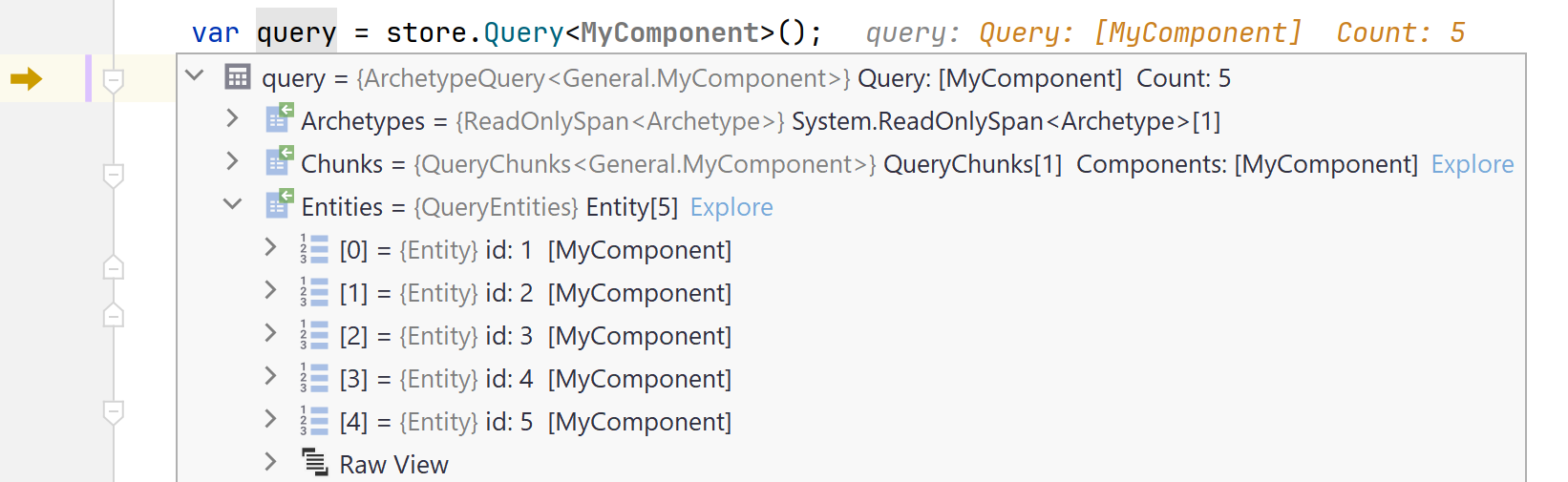
- Debug Tools: Watch entities, components, tags, relations, query results, systems, ...
Screenshot - Watch ad-hoc query result in debugger
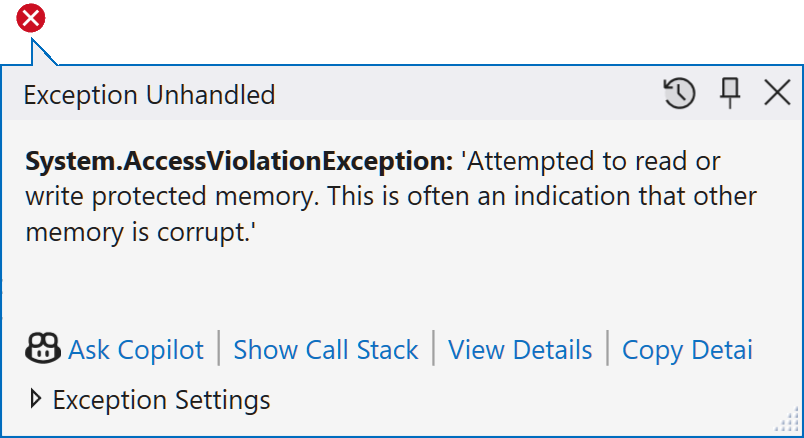
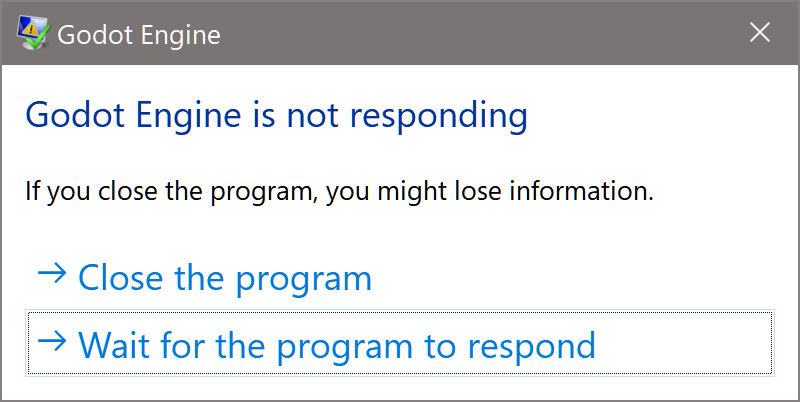
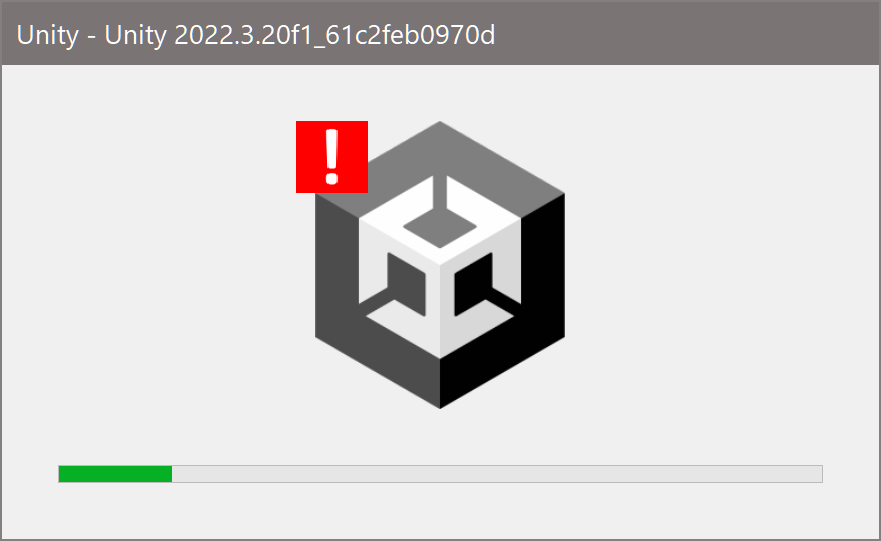
- Fully Managed C#. No unsafe code,
native dll bindings and access violations.
Behavior of access violation bugs using unsafe code
Get package on nuget or use the dotnet CLI.
dotnet add package Friflo.Engine.ECS
Projects using friflo ECS
Vanguard Tides
A survivors-like game exploiting the strength of ECS controlling a very high amount of AI units.
A Godot MultiMesh is used to enable reliable 2000 FPS.
It uses a single MultiMeshInstance2D node with a single material and shader.
Louis Adventure

Play in Browser
Tech Demo of a 2D platformer with focus on movement mechanics.
ECS is used for core game logic, component-base abilities, physics / collisions & triggers,
state machines / behavior logic, gameplay events and UI integration. more ...
RaygueLike Challenge
Play in Browser ·
GitHub
Project is hosted on GitHub and supports Desktop and WASM.
Rendering of 3D environment and 2D sprites is implemented with Raylib.
Interesting note: It combines behavior trees with ECS. more ...
Horse Runner DX

Quote from developer: "Just wanted to let you know that Friflo ECS 2.0.0 works like a charm in my little game.
I use it for basically everything (landscape segments, vegetation, players, animations, collisions and even the floating dust particles are entities).
After some optimization there is no object allocation during gameplay - the allocation graph just stays flat - no garbage collection."
Want to add a project?
Create a GitHub Discussion or message on Discord.
Demos
MonoGame Demo is available as WASM / WebAssembly app. Try Demo in your browser.
Demo projects on GitHub below.
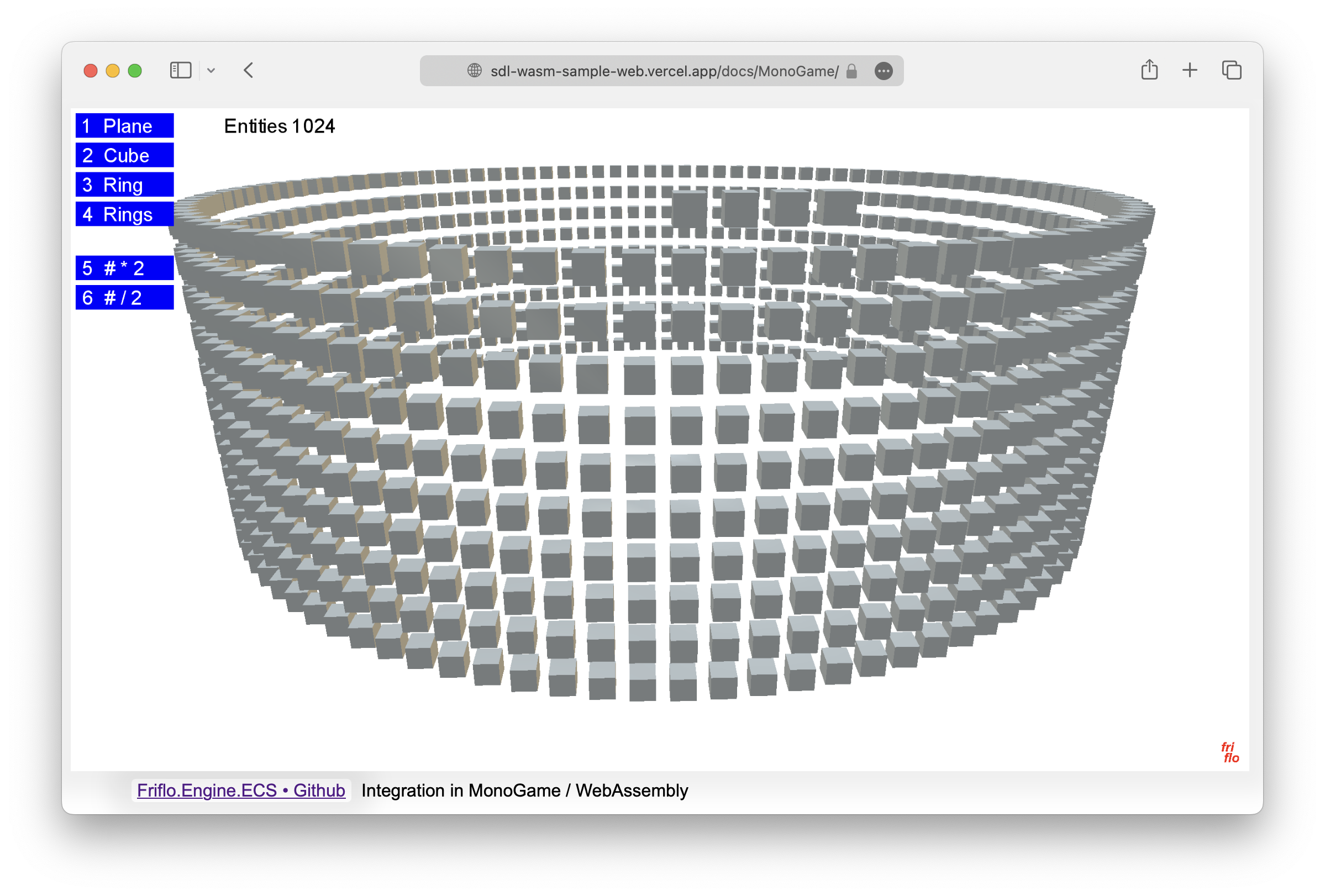 |
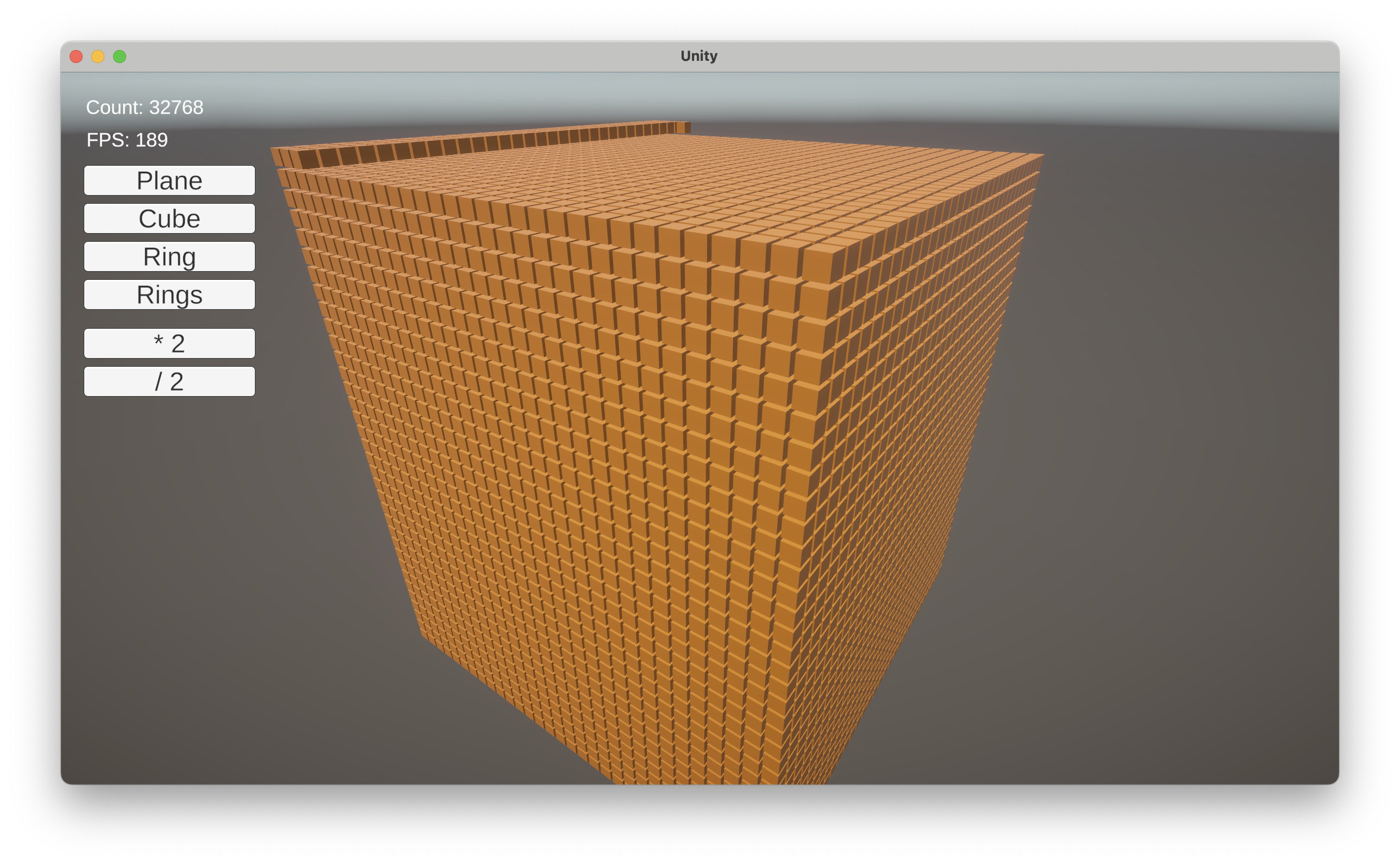 |
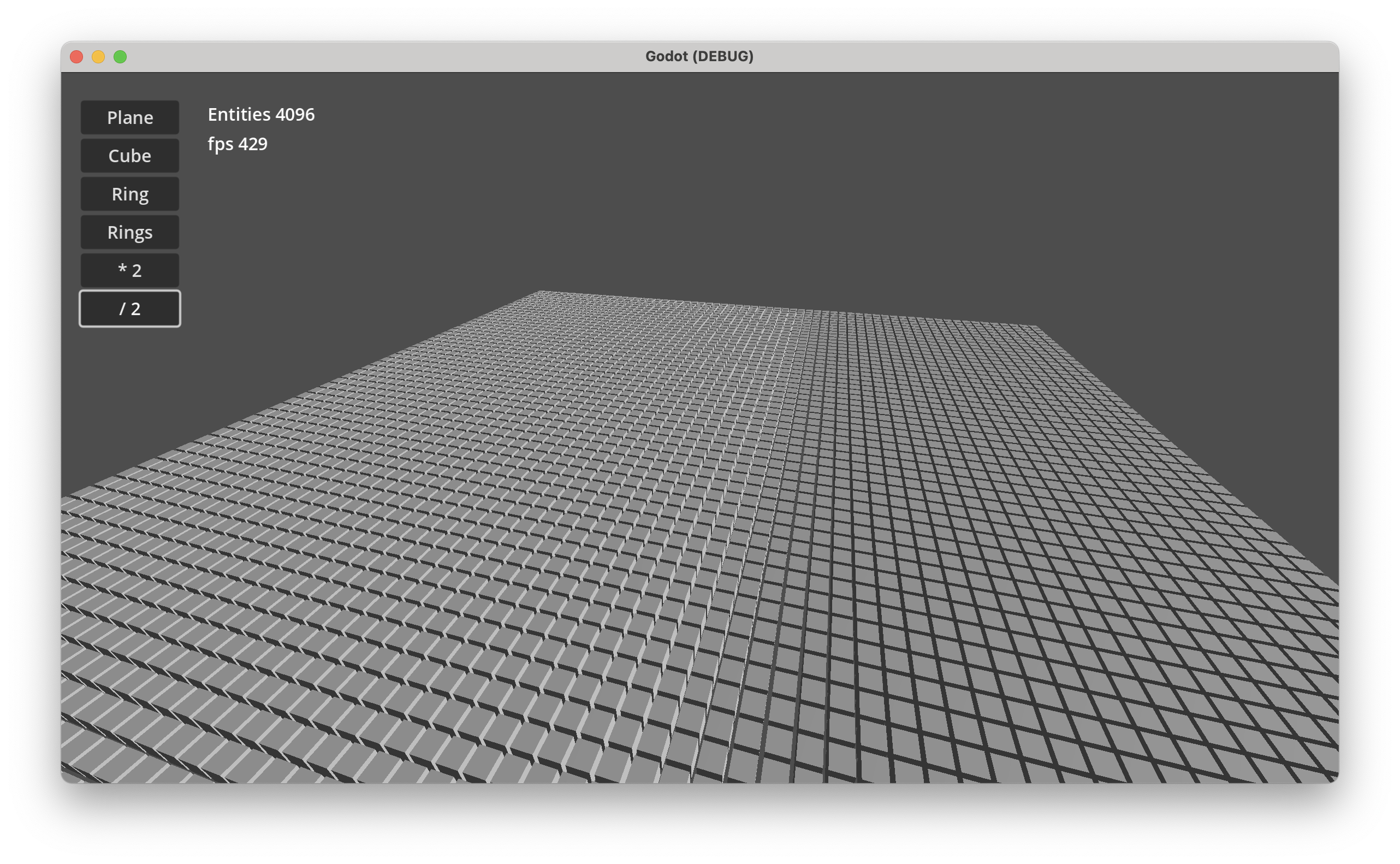 |
| MonoGame | Unity | Godot |
Desktop Demo performance: Godot 202 FPS, Unity 100 FPS at 65536 entities.
All example Demos - Windows, macOS & Linux - available as projects for MonoGame, Unity and Godot.
See Demos · GitHub
New features in 3.0.0
-
Index / Search used to search entities with specific component values in O(1). E.g
- To lookup entities having a TileComponent with a specific tile id.
- To lookup network entities with a NetComponent using a custom identifier like a
Guid,longor astring.
-
Relationships to create links / connections between entities. Used for:
- Attack systems
- Path finding / Route tracing
- Model social networks. E.g friendship, alliances or rivalries
- Build any type of a directed graph using entities as nodes and links or relations as edges
-
Relations to add multiple "components" of the same type to a single entity. E.g.
- Inventory systems
- To model one-to-many data structures
Big shout out to fennecs and flecs for the challenge to improve the feature set and performance of this project!
⏩ Examples
This section contains two typical use cases when using an ECS.
More examples describing use of various features are at friflo ECS - Documentation.
🚀 Hello World
The hello world examples demonstrates the creation of a world, some entities with components
and their movement using a simple ForEachEntity() call.
public struct Velocity : IComponent { public Vector3 value; }

public static void HelloWorld()
{
    var world = new EntityStore();
    for (int n = 0; n < 10; n++) {
        world.CreateEntity(new Position(n, 0, 0), new Velocity{ value = new Vector3(0, n, 0)});
    }
    var query = world.Query<Position, Velocity>();
    query.ForEachEntity((ref Position position, ref Velocity velocity, Entity entity) => {
        position.value += velocity.value;
    });
}
In case of moving (updating) thousands or millions of entities an optimized approach can be used.
See:
Enumerate Query Chunks,
Parallel Query Job and
Query Vectorization - SIMD.
All query optimizations are using the same query but with different enumeration techniques.
⚙️ Systems
Systems are new in Friflo.Engine.ECS v2.0.0
Systems in ECS are typically queries.
So you can still use the world.Query<Position, Velocity>() shown in the "Hello World" example.
Using Systems is optional but they have some significant advantages.
System features
-
Enable chaining multiple decoupled QuerySystem classes in a SystemGroup.
Each group provide a CommandBuffer. -
A system can have state - fields or properties - which can be used as parameters in
OnUpdate().
The system state can be serialized to JSON. -
Systems can be enabled/disabled or removed.
The order of systems in a group can be changed. -
Systems have performance monitoring build-in to measure execution times and memory allocations.
If enabled systems detected as bottleneck can be optimized.
A perf log (see example below) provide a clear overview of all systems their amount of entities and impact on performance. -
Multiple worlds can be added to a single SystemRoot instance.
root.Update()will execute every system on all worlds.
public static void HelloSystem()
{
    var world = new EntityStore();
    for (int n = 0; n < 10; n++) {
        world.CreateEntity(new Position(n, 0, 0), new Velocity(), new Scale3());
    }
    var root = new SystemRoot(world) {
        new MoveSystem(),
    //  new PulseSystem(),
    //  new ... multiple systems can be added. The execution order still remains clear.
    };
    root.Update(default);
}

class MoveSystem : QuerySystem<Position, Velocity>
{
    protected override void OnUpdate() {
        Query.ForEachEntity((ref Position position, ref Velocity velocity, Entity entity) => {
            position.value += velocity.value;
        });
    }
}
A valuable strength of an ECS is establishing a clear and decoupled code structure.
Adding the PulseSystem below to the SystemRoot above is trivial.
This system uses a foreach (var entity in Query.Entities) as an alternative to Query.ForEachEntity((...) => {...})
to iterate the query result.
struct Pulsating : ITag { }

class PulseSystem : QuerySystem<Scale3>
{
    float frequency = 4f;

    public PulseSystem() => Filter.AnyTags(Tags.Get<Pulsating>());

    protected override void OnUpdate() {
        foreach (var entity in Query.Entities) {
            ref var scale = ref entity.GetComponent<Scale3>().value;
            scale = Vector3.One * (1 + 0.2f * MathF.Sin(frequency * Tick.time));
        }
    }
}
⏱ System monitoring
System performance monitoring is disabled by default.
To enable monitoring call:
root.SetMonitorPerf(true);
When enabled system monitoring captures
- Number of system executions.
- System execution duration in ms.
- Memory heap allocations per system in bytes.
- The number of entities matching a query system.
Realtime monitoring
In a game editor like Unity system monitoring is available in the ECS System Set component.
Screenshot: ECS System Set component in Play mode
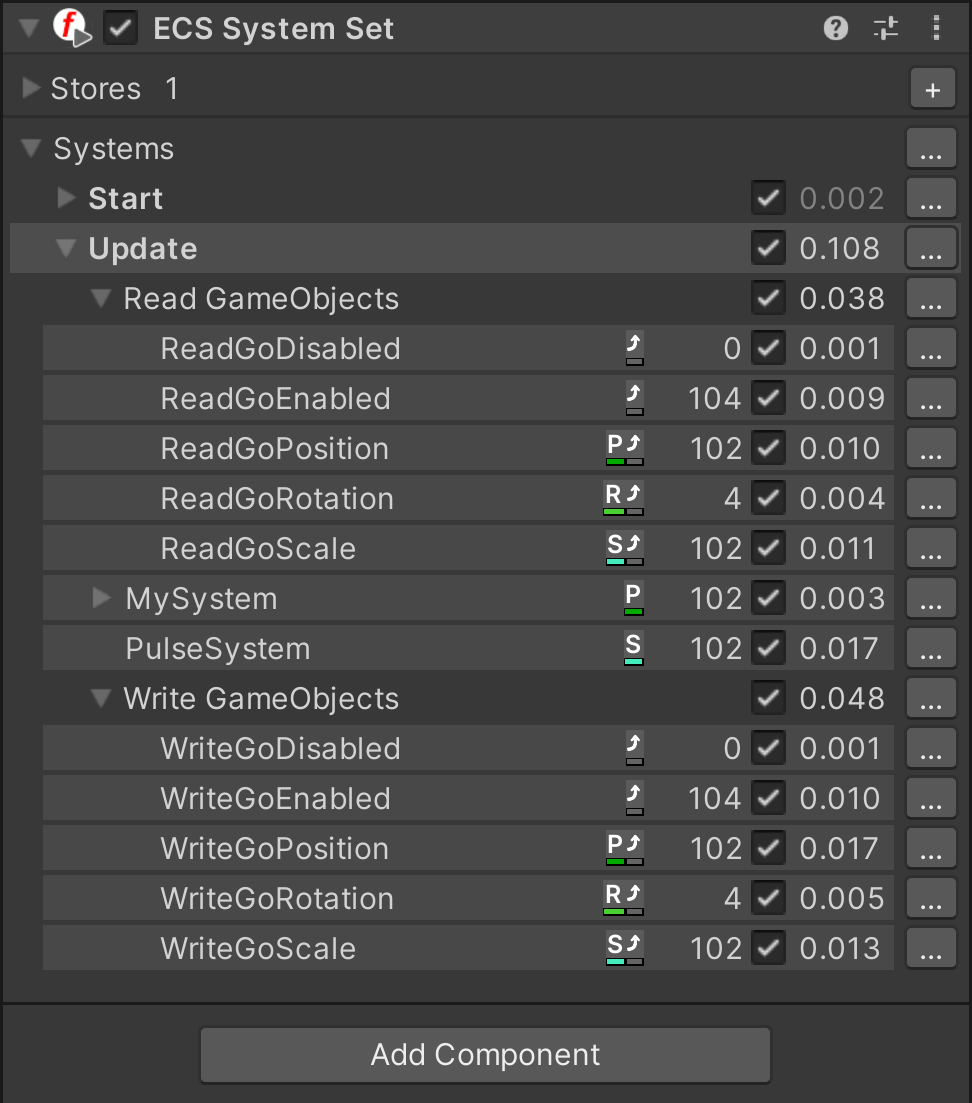
Log monitoring
The performance statistics available at SystemPerf.
To get performance statistics on console use:
root.Update(default);
Console.WriteLine(root.GetPerfLog());
The log result will look like:
stores: 1                  on   last ms    sum ms   updates  last mem   sum mem  entities
---------------------      --  --------  --------  --------  --------  --------  --------
Systems [2]                 +     0.076     3.322        10       128      1392
| ScaleSystem               +     0.038     2.088        10        64       696     10000
| PositionSystem            +     0.038     1.222        10        64       696     10000
on                  + enabled  - disabled
last ms, sum ms     last/sum system execution time in ms
updates             number of executions
last mem, sum mem   last/sum allocated bytes
entities            number of entities matching a QuerySystem
🏁 ECS Benchmarks
ECS.CSharp.Benchmark - Common use-cases
Created a new GitHub repository ECS.CSharp.Benchmark - Common use-cases.
It compares the performance of multiple ECS projects with simple benchmarks.
So they can be used as a guide to migrate form one ECS to another.
See discussion of reddit announcement Post.
Performance Ratio Overview - see C# ECS Benchmark
| friflo | Flecs.NET | TinyEcs | Arch | fennecs | Leopotam | DefaultEcs | Morpeh | |
|---|---|---|---|---|---|---|---|---|
| Ratio | 1.00 | 2.55 | 3.42 | 6.96 | 19.02 | 2.57 | 3.81 | 21.09 |
ECS.CSharp.Benchmark
Performance comparison using popular ECS C# benchmark on GitHub.
Two benchmarks - subset of GitHub ⋅ Ecs.CSharp.Benchmark + PR #38
running on a Mac Mini M2.
See Benchmark results.
You Like this project?
Leave a ⭐ at friflo ECS
License
This project is licensed under MIT.
Friflo.Engine.ECS
Copyright © 2026 Ullrich Praetz - https://github.com/friflo
more like this
Scythe
SCYTHE is a lightweight, C#-based game engine focused on modifiability and rapid iteration using Raylib.
RaylibWasm
.Net 10 (.Net 8+) webassembly starter project using raylib-cs nuget 7.0.2 and raylib 5.5
JamSoft.AvaloniaUI.Dialogs
Provides the ability to show various dialogs and child windows in a DI injectable application dialog service ready to p…