perplexity-cli
🧠 A simple command-line client for the Perplexity API. Ask questions and receive answers directly from the terminal! 🚀🚀🚀
Python★ 176
Production-grade MCP server and AI tools for the Godot engine. A Snap to install. Totally free and fun.
 hi-godot
git clone https://github.com/hi-godot/godot-ai.githi-godot/godot-ai

Connect MCP clients directly to a live Godot editor via the Model Context Protocol. Over 120 ops across ~43 MCP tools (full list) let AI assistants (Claude Code, Codex, Grok Build, Antigravity, Hermes Agent, etc.) build scenes, edit nodes and scripts, wire signals, and configure UI, materials, animations, particles, cameras, and environments.
🎉 Now on the Godot Asset Library and the new Godot Asset Store — one-click install from Godot's AssetLib tab. You'll still need uv for the Python server (see Quick Start).

💬 Join the Discord — questions, showcases, and contributor chat.
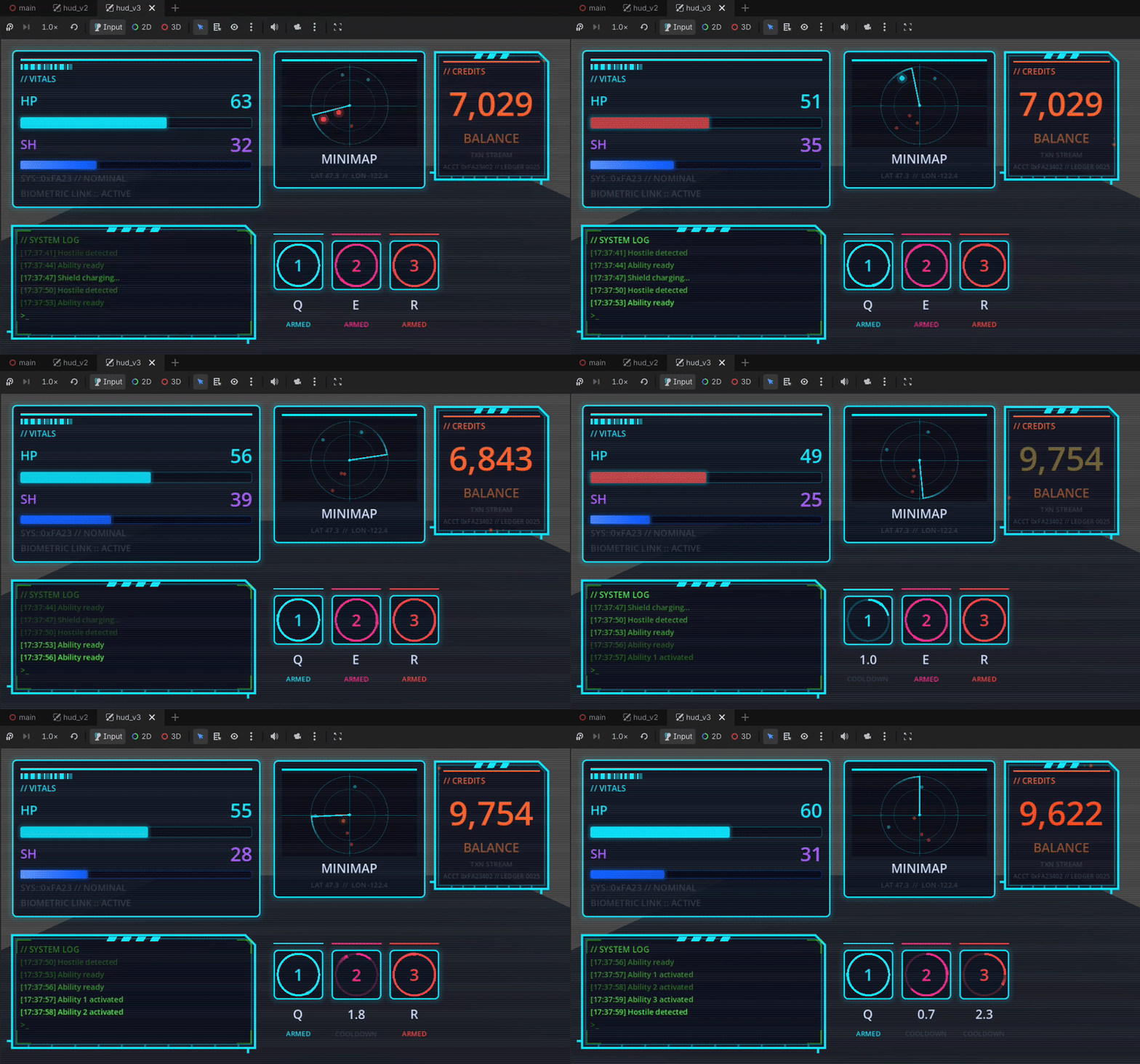
UI demo built in ~2 hours with zero coding, zero image gen, all programmatically drawn by Godot AI — source
Godot 4.5+ (4.7+ recommended)
uv (for the Python server)
curl -LsSf https://astral.sh/uv/install.sh | shpowershell -ExecutionPolicy ByPass -c "irm https://astral.sh/uv/install.ps1 | iex"uv is a popular open-source tool packaged in
most distro repos, so you don't have to pipe a script from the web:
sudo pacman -S uvsudo apt install uv (older releases: pipx install uv or the script above)sudo dnf install uvbrew install uvAn MCP client (Claude Code | Codex | Antigravity)
Recommended — install from source (always the latest):
git clone https://github.com/hi-godot/godot-ai.git
cp -r godot-ai/plugin/addons/godot_ai your-project/addons/
Or download the latest release ZIP and extract addons/godot_ai into your project's addons/ folder.
In Godot, open the AssetLib tab, search for Godot AI, click Download, then Install. Note: Asset Library updates lag behind GitHub, so this version may not be the most recent.
🚨 If installing from the Asset Library, most issues can be resolved by disabling and re-enabling the plugin in Project > Project Settings > Plugins.
In Godot: Project > Project Settings > Plugins — enable Godot AI.
The plugin will automatically start the MCP server, connect over WebSocket, and show status in the Godot AI dock.
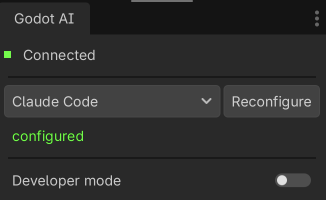
The dock lists every supported client with a status dot and per-row Configure / Remove buttons, or press Configure all. Auto-configure covers:
Codex, Grok Build, Cursor, Devin Desktop (formerly Windsurf), VS Code, VS Code Insiders, Zed, Gemini CLI, Cline, Kilo Code, Roo Code, Zoo Code, Kiro, Trae, Cherry Studio, OpenCode, Qwen Code, Kimi Code.
Most clients connect to http://127.0.0.1:8000/mcp. Codex is configured with
the client-owned godot-ai attach stdio bridge instead, so Codex can discover
the tools before Godot opens and keep using them across same-version editor
restarts. If auto-configure can't find a compatible local launcher, each dock
row exposes a Run this manually panel with a copyable snippet and the
advanced URL fallback.
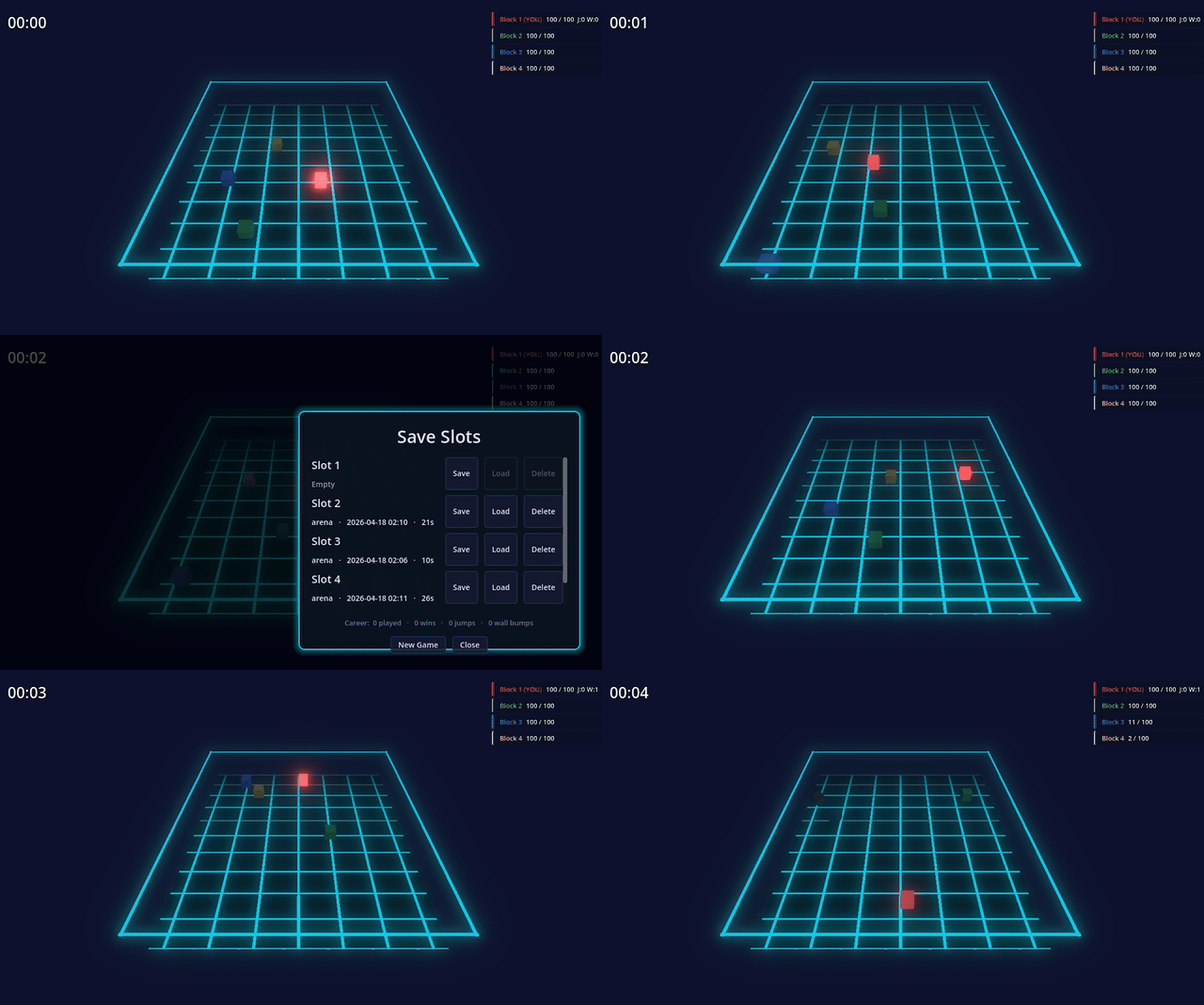
Demo gamelet with sophisticated save system built from a handful of Godot AI MCP prompts. Code and Godot project available free here.
Tools and resources: see docs/TOOLS.md for the full tool, op, and resource list (~43 tools exposing 120+ ops, plus read-only godot:// resources), grouped by domain.
Testing: the plugin ships an in-editor GDScript test framework — your AI client (or you) can write McpTestSuite suites for your own game under res://tests/ and run them with test_run. See docs/testing.md.
Claude Code
claude mcp add --scope user --transport http godot-ai http://127.0.0.1:8000/mcp
Codex (~/.codex/config.toml)
[mcp_servers."godot-ai"]
command = "godot-ai"
args = [
  "attach",
  "--port", "8000",
  "--ws-port", "9500",
]
enabled = true
startup_timeout_sec = 60
tool_timeout_sec = 360
The dock chooses a compatible launcher automatically: a development venv,
an exact-version uvx --link-mode copy --from godot-ai==VERSION ... command,
or a matching system godot-ai install. Re-run Configure after changing
ports, excluded tool domains, or plugin versions so those launch arguments
stay synchronized.
On Windows, Configure writes a pythonw.exe launch (and, for uvx/system
tiers, a small stdio-preserving CREATE_NO_WINDOW bootstrap). This prevents a
terminal window from opening with Codex while keeping the MCP process attached
to Codex's stdin/stdout pipes. Do not simplify that generated entry back to a
console-subsystem python.exe, uvx.exe, or godot-ai.exe command.
Advanced fallback for clients intentionally kept in URL mode:
[mcp_servers."godot-ai"]
url = "http://127.0.0.1:8000/mcp"
enabled = true
URL mode depends on the client's own reconnect behavior. If Godot AI is not running when the client starts, a client restart may still be required.
Grok Build (~/.grok/config.toml)
[mcp_servers.godot-ai]
url = "http://127.0.0.1:8000/mcp"
enabled = true
Or dock → Clients → Grok Build → Configure.
Antigravity (~/.gemini/config/mcp_config.json)
{
  "mcpServers": {
    "godot-ai": {
      "serverUrl": "http://127.0.0.1:8000/mcp",
      "disabled": false
    }
  }
}
MCP Client
   | HTTP (/mcp)
   v
Python Server (FastMCP)      port 8000
   | WebSocket               port 9500
   v
Godot Editor Plugin
   | EditorInterface + SceneTree APIs
   v
Godot Editor
The plugin starts or reuses the Python server, connects over WebSocket, and exposes editor capabilities as MCP tools and resources over HTTP.
--allow-host)The MCP server binds to 127.0.0.1 by default. To reach it from another
machine on your network (e.g. a remote coding agent), pass --allow-host
with one or more CIDRs or bare IPs (repeat the flag or comma-separate
values) when launching the server:
godot-ai --allow-host 192.168.1.0/24
This binds the HTTP transport off loopback and gates every request on the real (unforgeable) socket peer address, so only hosts inside the named range(s) get in — DNS-rebinding defenses (Origin / Host / Sec-Fetch-Site checks) stay active. The plugin's WebSocket bridge to the editor always stays loopback-only since it's unauthenticated. Only name ranges you trust; prefer an SSH tunnel or Tailscale on untrusted networks.
uvx mcp-proxy won't start (pywin32 install fails)Symptom (in your MCP client's server log):
error: Failed to install: pywin32-311-cp313-cp313-win_amd64.whl (pywin32==311)
  Caused by: failed to remove directory `C:\Users\<you>\AppData\Local\uv\cache\builds-v0\.tmpXXXXXX\Lib\site-packages\pywin32-311.data`: ... os error 32
Cause: uv hard-links shared .pyd files (notably
pydantic_core/_pydantic_core.cp313-win_amd64.pyd) from archive-v0\ into
each new builds-v0\.tmpXXXXXX\ build venv. The running godot-ai Python
process has the same .pyd mapped via LoadLibrary — and because hard
links share the inode, Windows refuses to delete it under any path until
every process unmaps it. uv's post-install cleanup of the build venv then
dies on a stale lock; the misleading pywin32 mention is just the last
package in the resolution order, not the actual lock holder.
Mitigation in this plugin:
_stop_server and force_restart_server both call
McpUvCacheCleanup.purge_stale_builds() immediately after killing the
server children, while the .pyd is briefly unmapped. See
plugin/addons/godot_ai/utils/uv_cache_cleanup.gd.UV_LINK_MODE=copy into the bridged
entry's env block for every uvx-bridge client (currently Claude Desktop),
telling uv to copy shared C extensions instead of hard-linking them.
That removes the reverse race where an MCP client spawns uvx mcp-proxy
while a server child still holds the .pyd. Existing entries written
by older plugin versions surface in the dock as drift (amber banner)
so a single Configure click rewrites them with the env pin.The shape client_configure writes for Claude Desktop is now:
{
  "mcpServers": {
    "godot-ai": {
      "command": "uvx",
      "args": ["mcp-proxy==0.11.0", "--transport", "streamablehttp", "http://127.0.0.1:8000/mcp"],
      "env": { "UV_LINK_MODE": "copy" }
    }
  }
}
If you've already hit the lock on an older config, click Configure
on the affected uvx-bridge client (Claude Desktop) in the
godot-ai dock to rewrite the entry with the env pin, then quit and
reopen that client. If the lock persists (rare — pre-existing orphans
the cache sweeper couldn't reach), kill stray python.exe children
whose command line contains spawn_main(parent_pid=...) and delete
%LOCALAPPDATA%\uv\cache\builds-v0\.tmp* manually before retrying.
See CONTRIBUTING.md for development setup, testing, and PR guidelines. AI assistants should also read AGENTS.md.
Windows contributors: run .\script\setup-dev.ps1 in PowerShell. It builds test_project\addons\godot_ai as a directory junction — no admin rights and no Windows Developer Mode required.
Godot AI ships anonymous, privacy-focused telemetry (no code, no scene contents, no project or file names, no personal data). Project-directory slugs are sha256-hashed before any event leaves your machine; only an anonymous installation UUID, the tool/event name, success/duration, and platform/version fields are sent.
Opt out by setting either environment variable to true:
export GODOT_AI_DISABLE_TELEMETRY=true
# or the cross-tool convention
export DISABLE_TELEMETRY=true
Opt-out is fully side-effect-free — no UUID generated, no worker thread, no files written.
Full details (what's collected, where data lives, how to self-host the endpoint): docs/TELEMETRY.md.
more like this
🧠 A simple command-line client for the Perplexity API. Ask questions and receive answers directly from the terminal! 🚀🚀🚀
Pathfinding library for calculating all node pairs' shortest paths in an unweighted undirected graph.
search projects, people, and tags