agentlytics
Comprehensive analytics dashboard for AI coding agents — Cursor, Windsurf, Claude Code, VS Code Copilot, Zed, Antigravi…
JavaScript★ 555
Manage and track your subscriptions and expenses easily.
 huhusmang
git clone https://github.com/huhusmang/Subscription-Management.githuhusmang/Subscription-ManagementA modern subscription management system that helps users easily manage and track expenses and renewals for various subscription services.
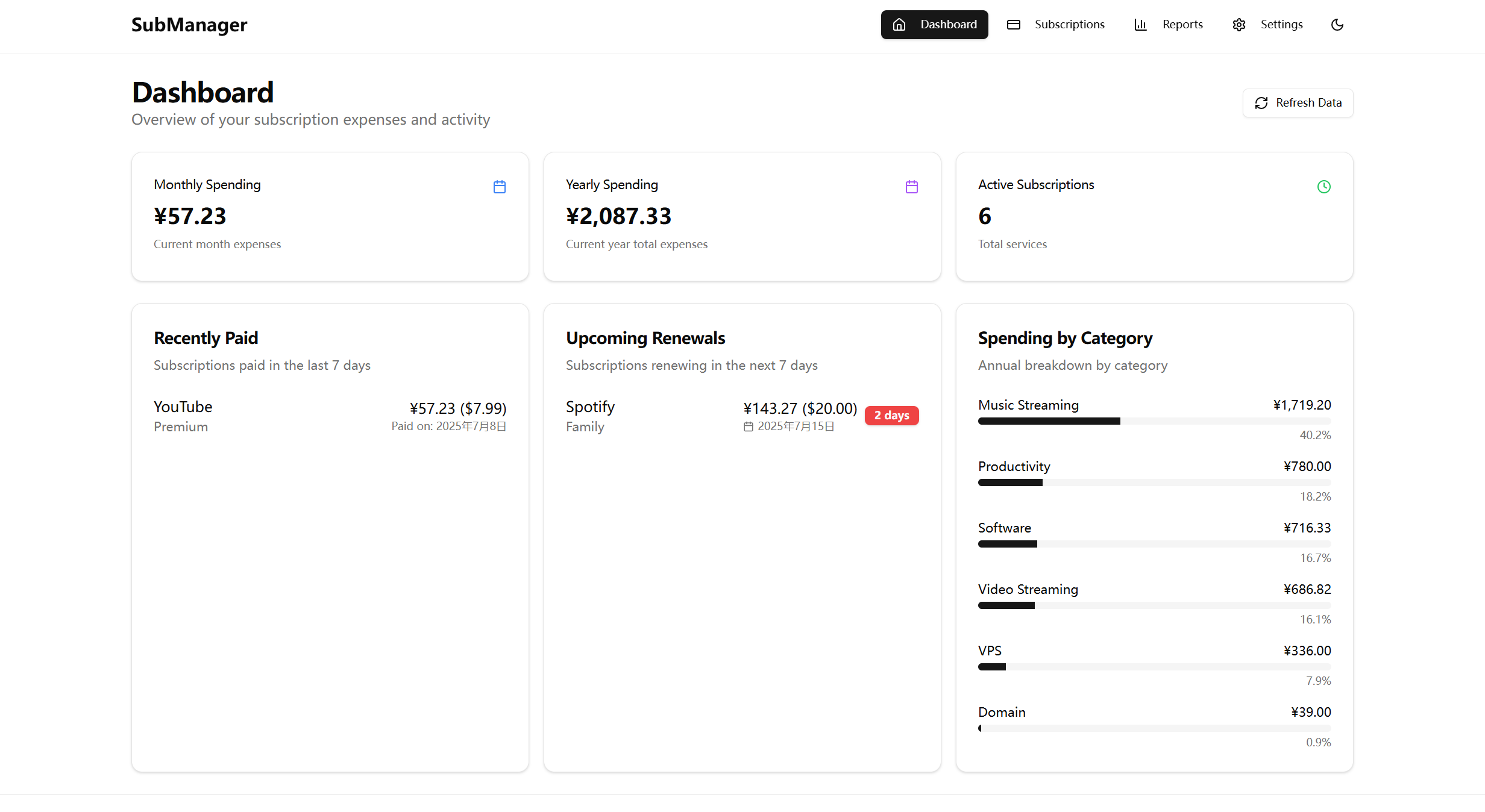 Smart dashboard displaying monthly/yearly expense statistics, upcoming subscription reminders, and categorized expense analysis
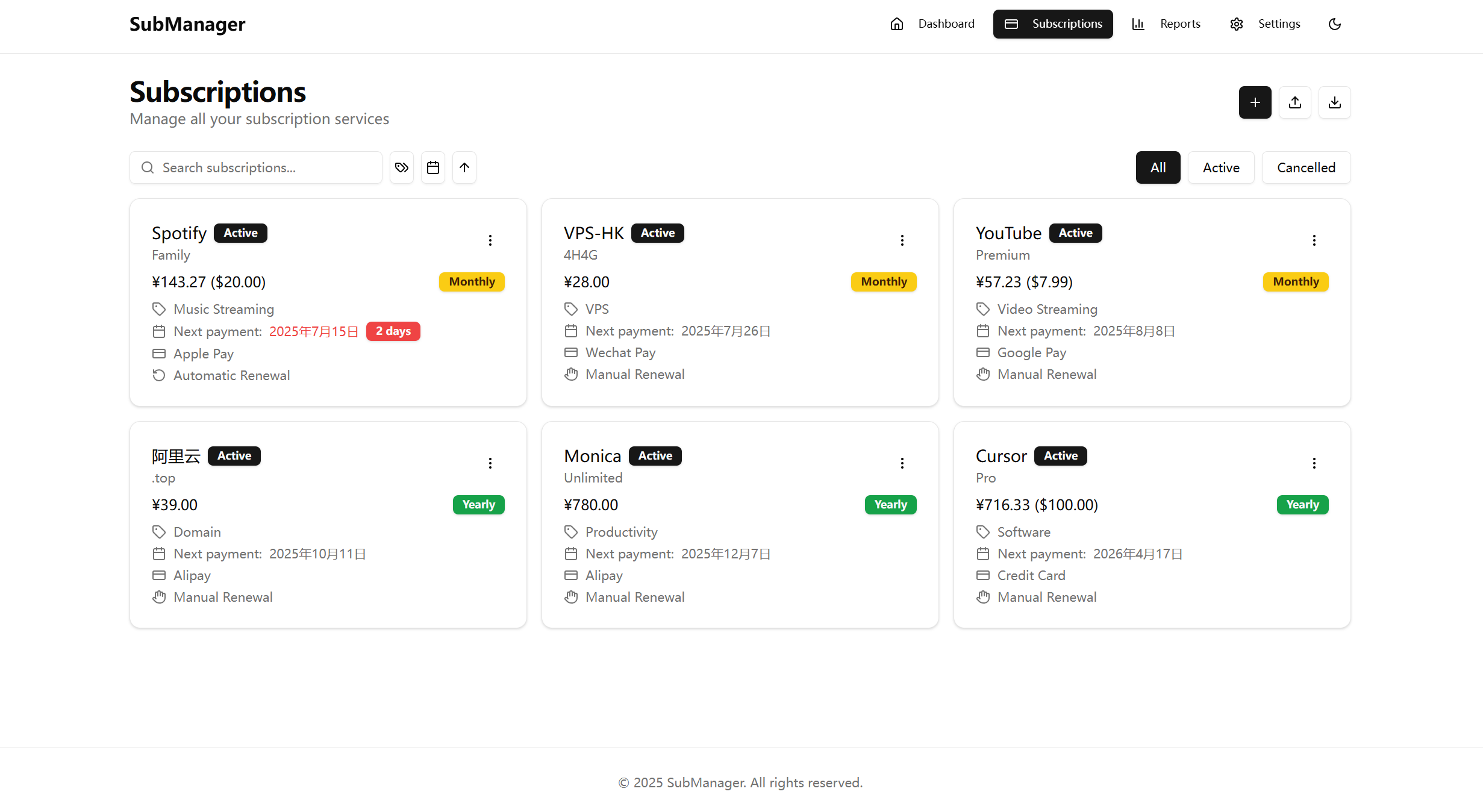 Complete subscription lifecycle management with support for adding, editing, status management, and batch import
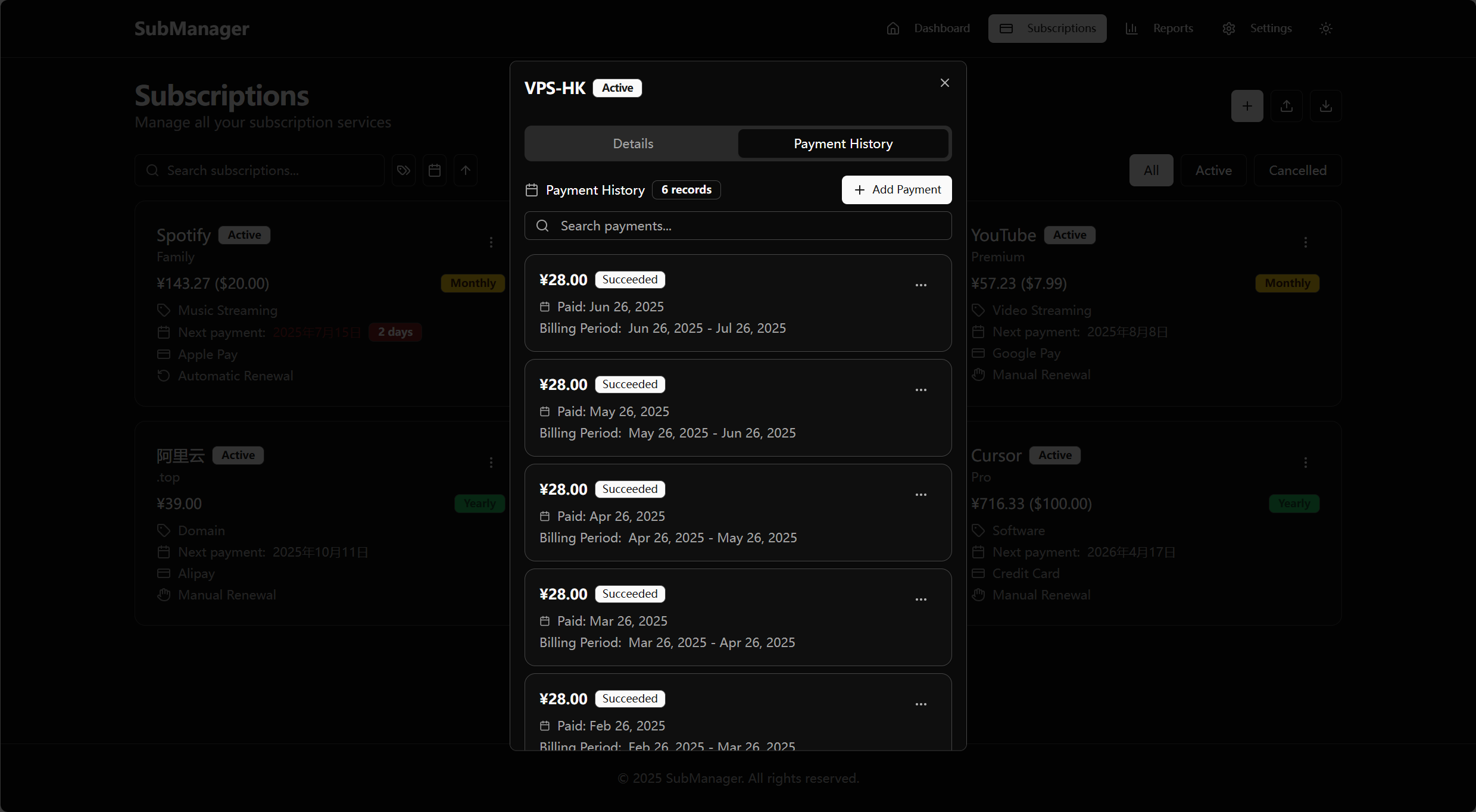 Complete payment history records with search support and CRUD operations for orders
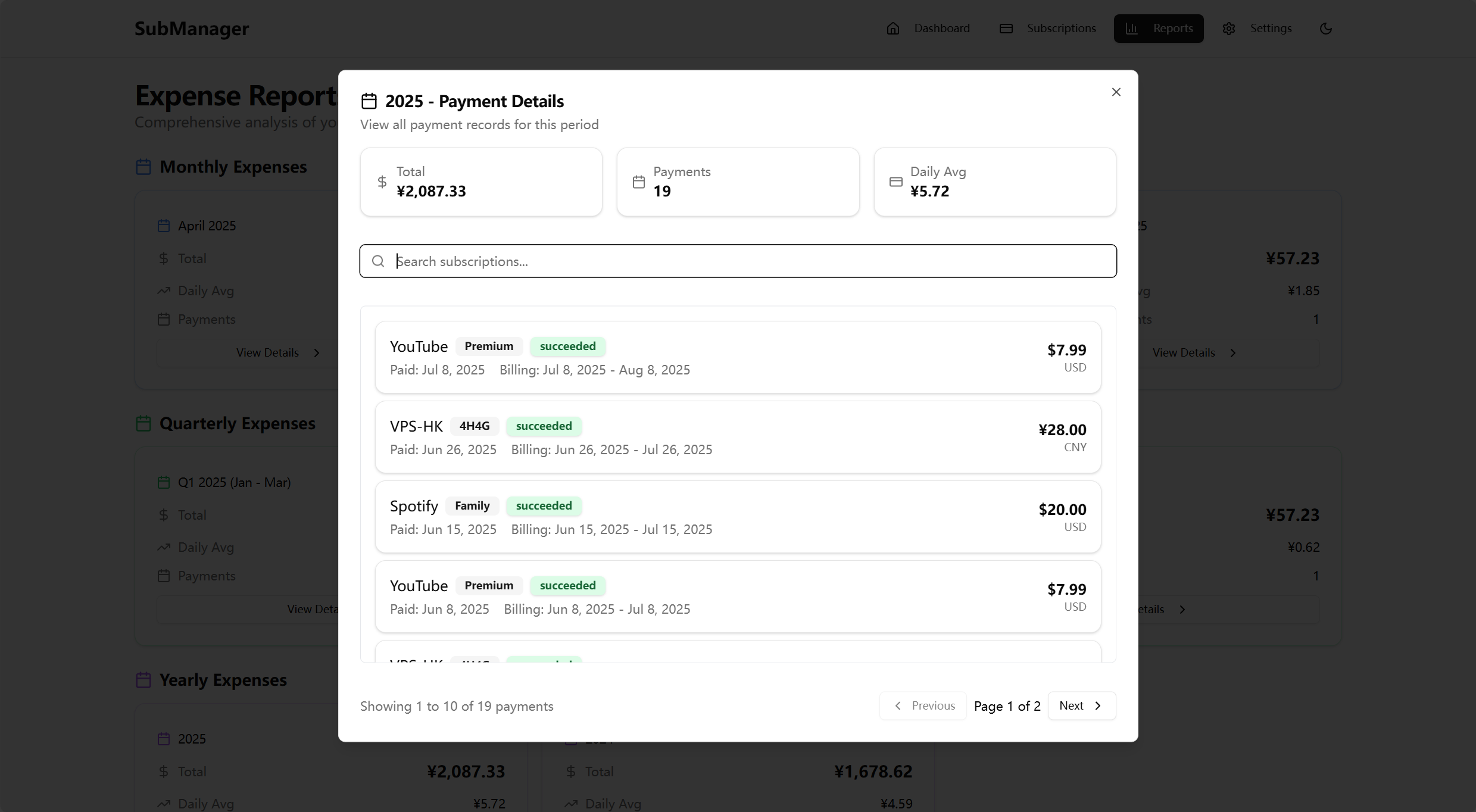 Monthly expense orders with intuitive display of spending details
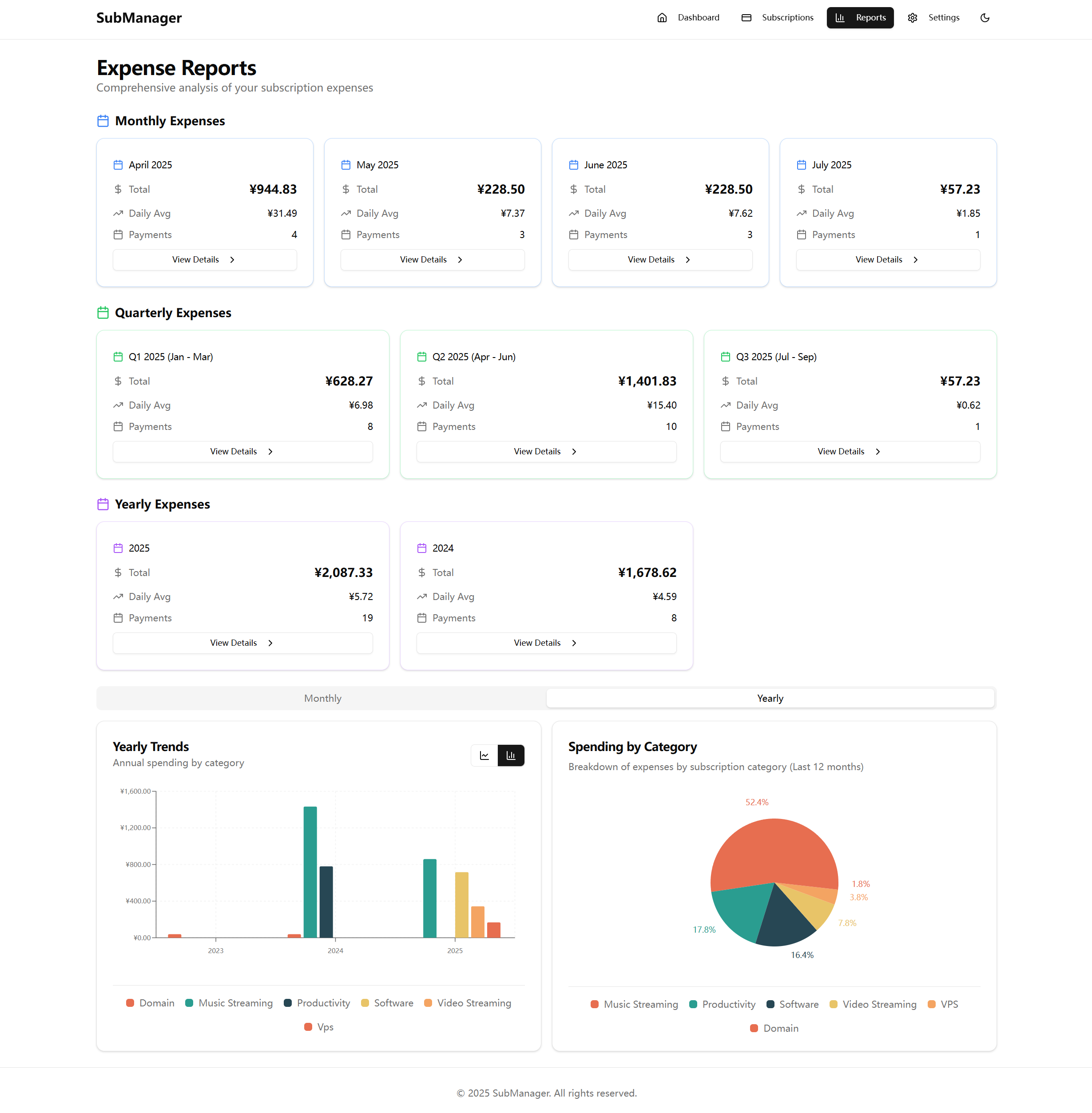 Powerful expense analysis features including trend charts, category statistics, and multi-dimensional data display
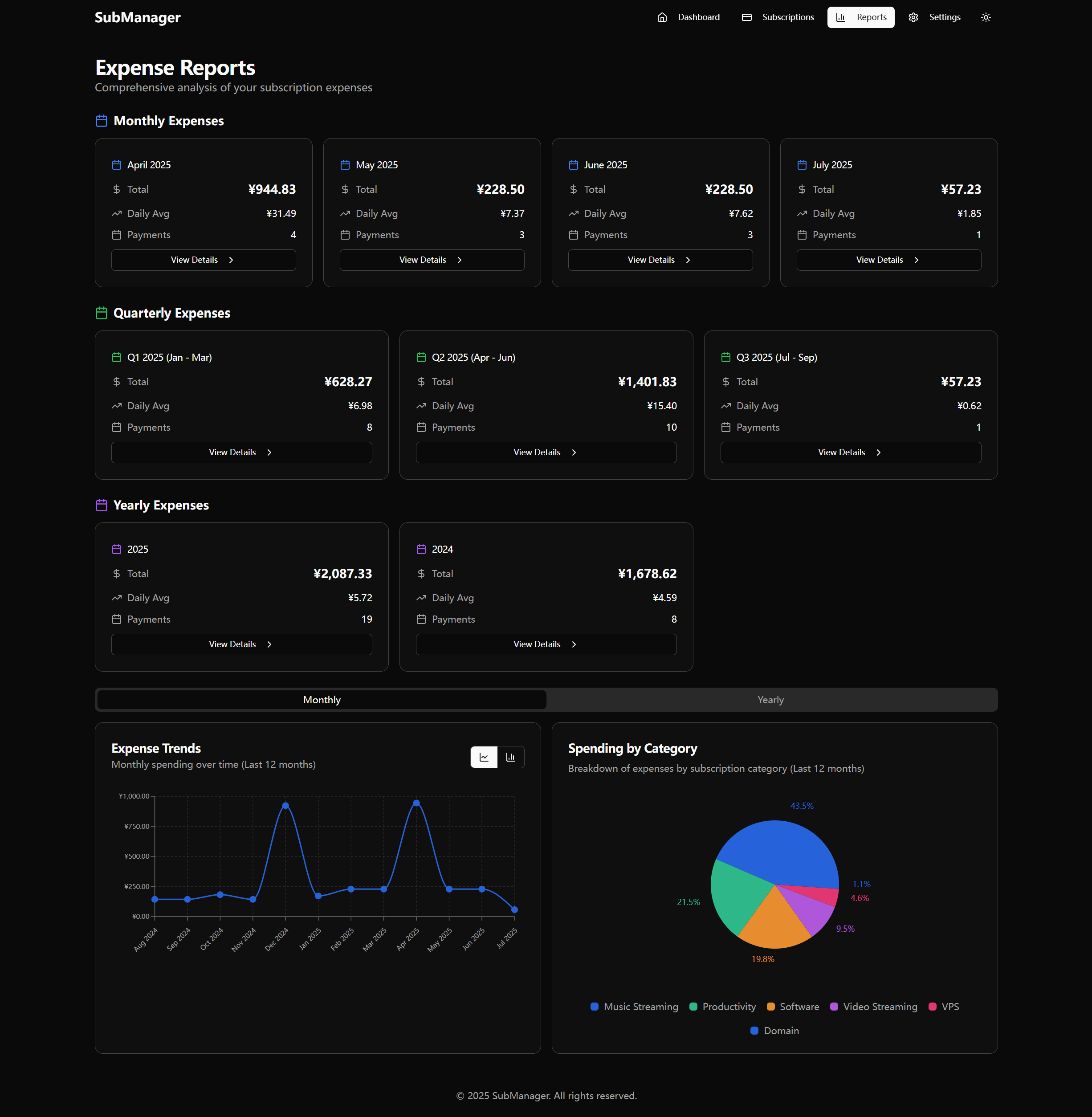 Dark theme support
Clone the repository
git clone <repository-url>
cd subscription-management
Configure environment variables
cp .env.production.example .env
# Open the .env file to fill in or modify parameters (such as port, database path, Telegram settings, etc.)
Choose image source and start the service
A. Start with the latest published image (fastest and simplest)
docker compose up -d
ghcr.io/huhusmang/subscription-management:latest) will be used.image: field in docker-compose.yml, or pull manually:
docker pull ghcr.io/huhusmang/subscription-management:<tag>
B. Build the image locally (optional)
image line and uncomment the build section in docker-compose.yml, then:
docker compose build && docker compose up -d
C. Run with docker run
docker run -d \
  --name subscription-manager \
  -e SESSION_SECRET=your_session_secret \
  -e ADMIN_USERNAME=admin \
  -e ADMIN_PASSWORD=your_admin_password \
  -e PORT=3001 \
  -v subscription-data:/app/data \
  -p 3001:3001 \
  ghcr.io/huhusmang/subscription-management:latest
-e flags for optional settings (e.g. -e TIANAPI_KEY=..., -e BASE_CURRENCY=USD) as needed..env file in production; you can swap the -e flags for --env-file /absolute/path/to/.env if your environment supports it.Access the application
.env file (if you change it, make sure to update the ports setting accordingly)# Frontend dependencies npm install # Backend dependencies cd server npm install cd ..
cd server
npm run db:init
cd ..
# Start backend (Terminal 1)
cd server
npm start

# Start frontend (Terminal 2)
npm run dev
Frontend interface: http://localhost:5173 Backend service: http://localhost:3001/api
Create a .env file and configure the following variables:
Regarding the generation methods for SESSION_SECRET and ADMIN_PASSWORD_HASH:
SESSION_SECRET (you can generate one using openssl rand -base64 48).ADMIN_PASSWORD_HASH, it is recommended to have the system automatically generate it upon first startup, or to generate it offline using a bcrypt tool (with a cost factor ≥12).# Service port (optional, default 3001) PORT=3001 # Base currency (optional, default CNY) # Supported: USD, EUR, GBP, CNY, JPY, CAD, AUD, TRY, HKD BASE_CURRENCY=CNY # Database path (used for Docker deployment) DATABASE_PATH=/app/data/database.sqlite # Tianapi API key (optional, for real-time exchange rate updates) # Get your key from: https://www.tianapi.com/ TIANAPI_KEY=your_tianapi_key_here # Session auth (required) SESSION_SECRET=your_random_session_secret ADMIN_USERNAME=admin ADMIN_PASSWORD=your_secure_password # ADMIN_PASSWORD_HASH=your_password_hash (optional) # TRUST_PROXY=1 # Set when running behind reverse proxies/CDNs # SESSION_COOKIE_SECURE=auto # Override secure cookie behavior (auto|true|false) # SESSION_COOKIE_SAMESITE=lax # Adjust SameSite policy (lax|strict|none) # On first start the server will print a derived ADMIN_PASSWORD_HASH. Copy that hash into your .env and remove ADMIN_PASSWORD when you deploy. # Telegram notification settings (optional, for Telegram notifications) # Get from @BotFather on Telegram TELEGRAM_BOT_TOKEN=your_telegram_bot_token_here # Email notification settings (optional, for Email notifications) # SMTP server configuration (Gmail example) EMAIL_HOST=smtp.gmail.com EMAIL_PORT=587 EMAIL_SECURE=false EMAIL_USER=your_email@gmail.com EMAIL_PASSWORD=your_app_password EMAIL_FROM=Subscription Manager <no-reply@example.com> EMAIL_LOCALE=zh-CN # notification settings NOTIFICATION_DEFAULT_CHANNELS=["telegram"] NOTIFICATION_DEFAULT_LANGUAGE=en SCHEDULER_TIMEZONE=UTC SCHEDULER_CHECK_TIME=09:00 NOTIFICATION_DEFAULT_ADVANCE_DAYS=7 NOTIFICATION_DEFAULT_REPEAT_NOTIFICATION=false # Container image selection (optional) # IMAGE_TAG controls which published image tag docker compose uses # e.g. IMAGE_TAG=sha-d025f79 or IMAGE_TAG=main or IMAGE_TAG=latest # IMAGE_TAG=latest
# Initialize database
npm run db:init

# Run migrations
npm run db:migrate

# Reset database
npm run db:reset
git checkout -b feature/AmazingFeature)git commit -m 'Add some AmazingFeature')git push origin feature/AmazingFeature)This project is licensed under the MIT License - see the LICENSE file for details
more like this
Comprehensive analytics dashboard for AI coding agents — Cursor, Windsurf, Claude Code, VS Code Copilot, Zed, Antigravi…
an efficient and user friendly OTA server equipped with a powerful WEB UI, designed to effortlessly manage both your ES…
PlexWatch is a Discord bot that provides a real-time dashboard for your Plex media server, featuring active stream moni…
search projects, people, and tags