zsh-iterm-touchbar
Display feedback of terminal in the 🍏 Touchbar
 iam4x
iam4xgit clone https://github.com/iam4x/zsh-iterm-touchbar.gitiam4x/zsh-iterm-touchbarzsh iTerm Touchbar
Display feedback of terminal in the 🍏 Touchbar
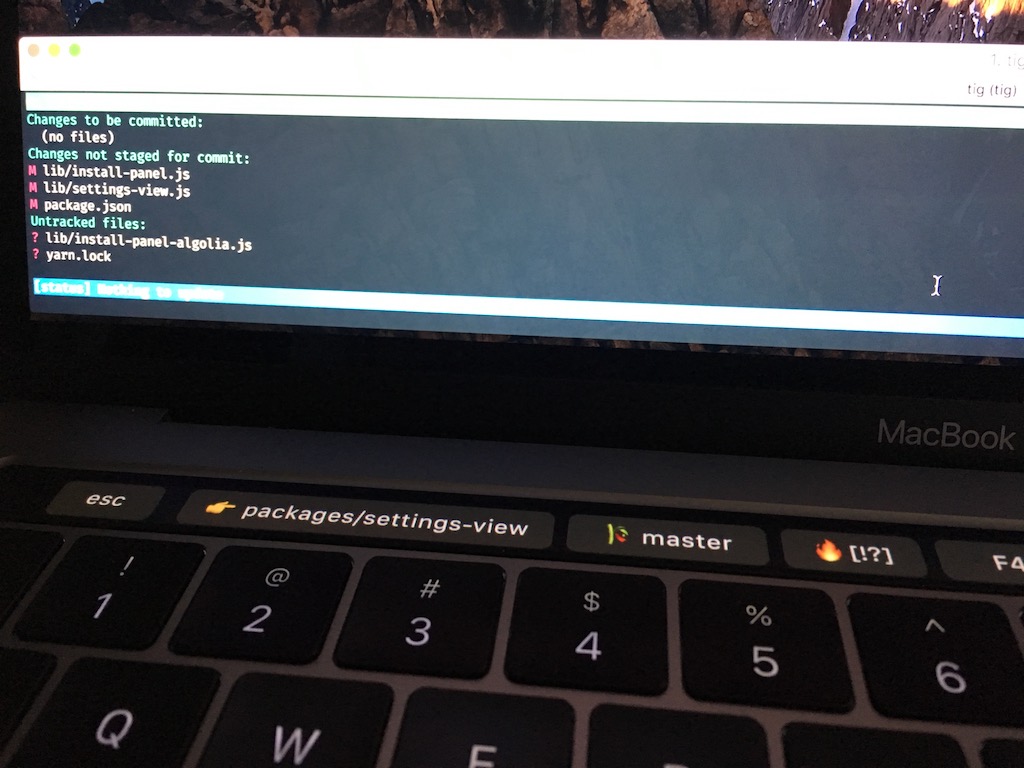
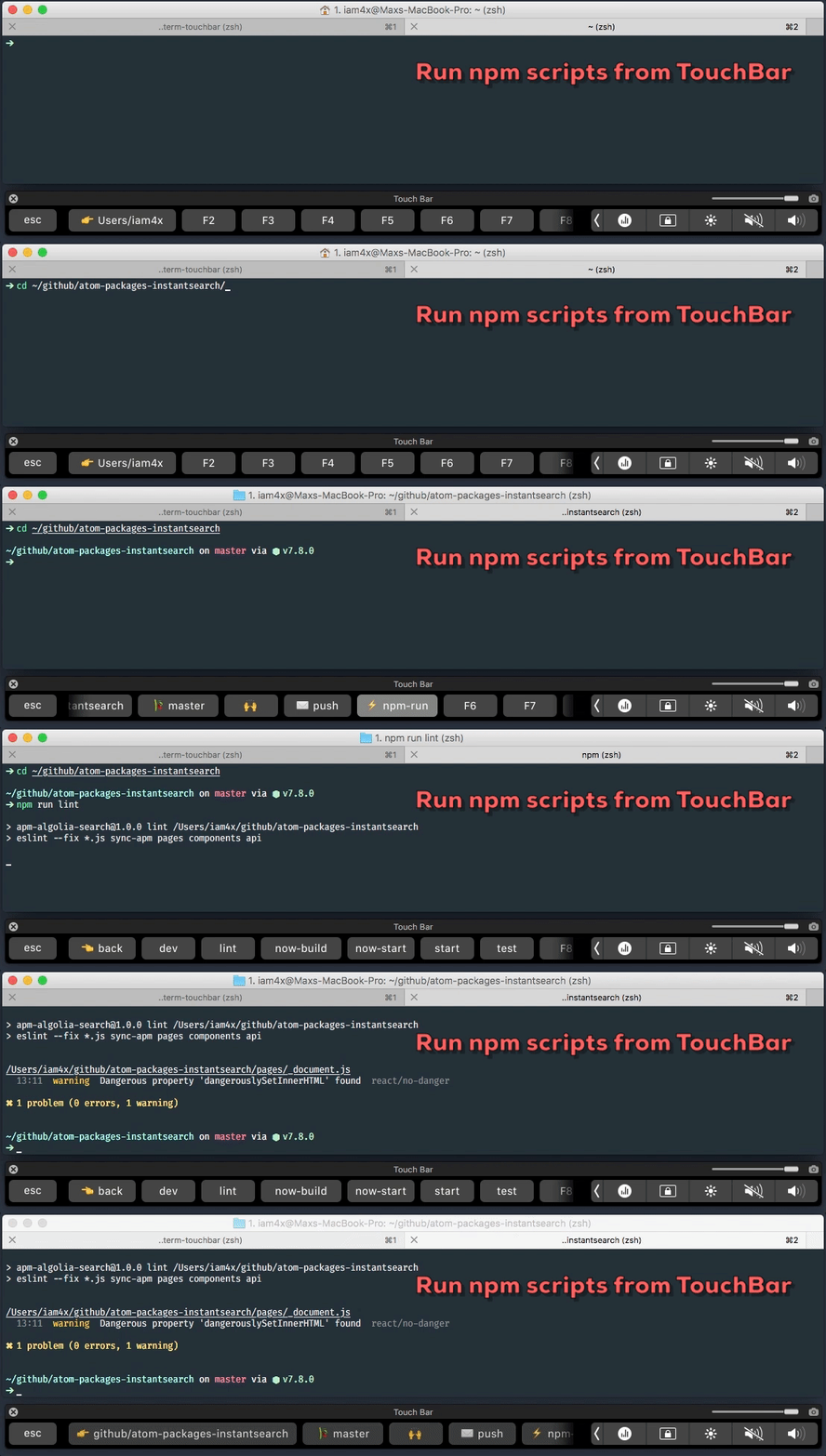
Currently it shows:
- F1 - Current directory 👉
- F2 - Current git branch, press to display all branches and switch between them 🎋
- F3 - Current git repo status 🔥 / 🙌
+— uncommitted changes in the index;!— unstaged changes;?— untracked changes;$— stashed changes;⇣— unpulled commits;⇡— unpushed commits.
- F4 - Push to origin branch (git push origin [branch]) ✉️
- F5 - Display
npm-runoryarn-runscripts frompackage.json⚡️ /🐱
Requirements
- iTerm2 3.1.beta.3 (OS 10.10+) - Download
- zsh shell
- a zsh-framework like antigen or zgen
- node (
brew install node)
Into iterm2: Go into View -> Customize Tool Bar... and drag & drop the Fn module
Installing plugin
For oh-my-zsh users
Clone the repo in your plugins directory:
$ cd ${ZSH_CUSTOM1:-$ZSH/custom}/plugins$ git clone https://github.com/iam4x/zsh-iterm-touchbar.git
Then add the plugin into your ~/.zshrc:
plugins=(... zsh-iterm-touchbar)
For antigen users
Add the following snippet ~/.zshrc after the line antigen use oh-my-zsh:
antigen theme https://github.com/iam4x/zsh-iterm-touchbar
For Zgen users
Add the following line to your ~/.zshrc where you're adding your other zsh plugins:
zgen load iam4x/zsh-iterm-touchbar
Customize
ENV variables to enable or disable git:
TOUCHBAR_GIT_ENABLED=true
ENV variables for git icons:
GIT_UNCOMMITTED="+"
GIT_UNSTAGED="!"
GIT_UNTRACKED="?"
GIT_STASHED="$"
GIT_UNPULLED="⇣"
GIT_UNPUSHED="⇡"
ENV variables to enable or disable yarn:
YARN_ENABLED=true
Read more / Credits
more like this
tobira.nvim
Open the next door in your Vim journey — personalized command discovery based on your actual usage
MTT-File-Manager-RUST
MTT File Manager is a Rust-based Windows file manager with tabbed navigation, rich media previews, deep system integrat…