ForwardWidgets
Widgets for Douban and Trakt watchlists plus personalized recommendations, live TV streaming including PlutoTV, Yatu ra…
JavaScript★ 247
Schedule your day visually, using timeblocking technique inside Emacs
 ichernyshovvv
git clone https://github.com/ichernyshovvv/org-timeblock.gitichernyshovvv/org-timeblock
Emacs package that provides interactive multiple-day timeblock view for orgmode tasks.
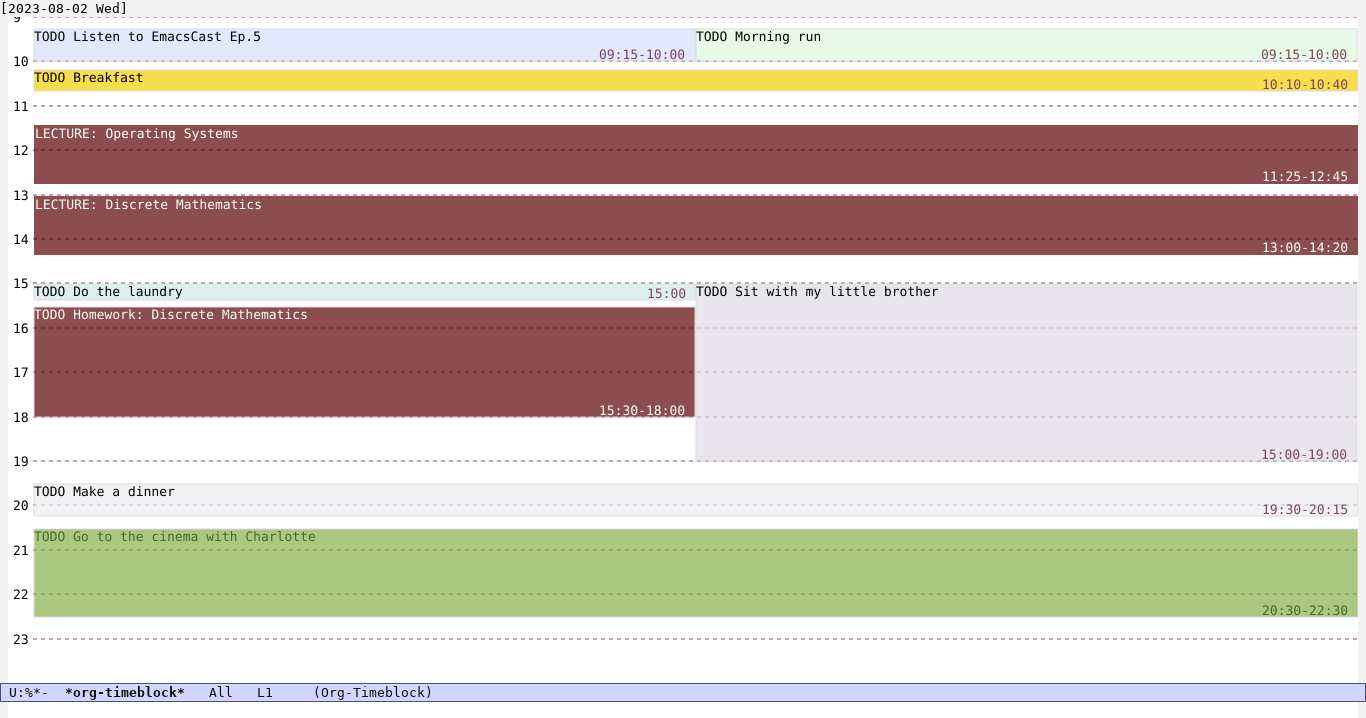
org-timeblock-mode buffer:
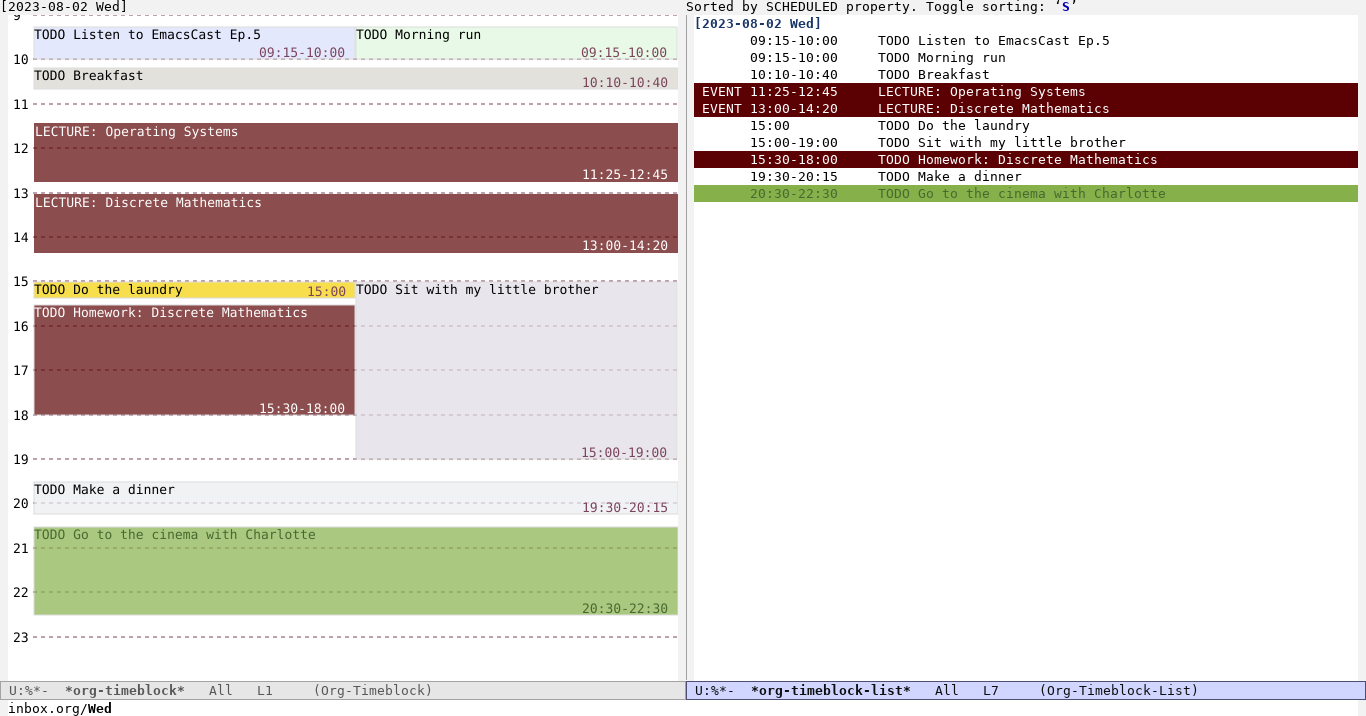
You can press [T] to toggle the display of org-timeblock-list-mode
buffer. Foreground colors for timeblocks are generated randomly, but
you can assign specific background and foreground colors in
customizable variable org-timeblock-tag-colors:
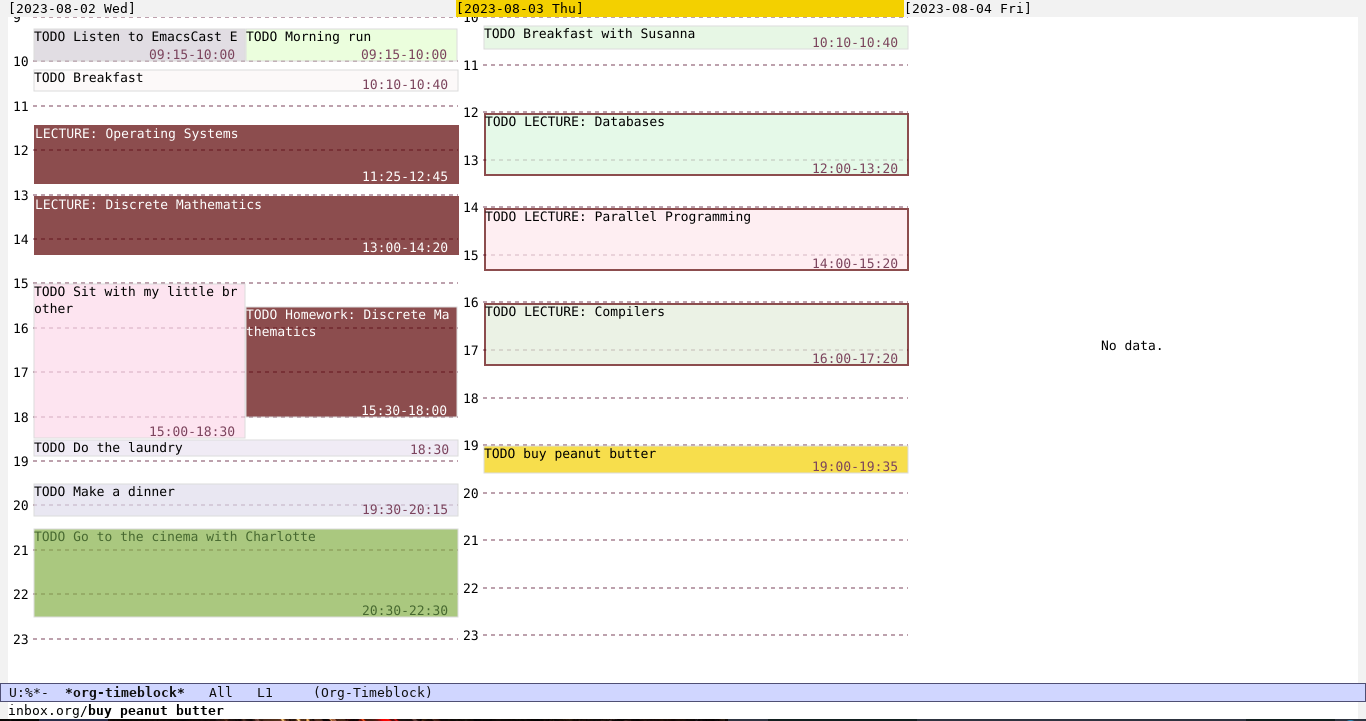
You can switch to a multi-day view using org-timeblock-change-span [V]:
The builtin orgmode package for collecting and displaying open tasks/events/deadlines relevant for a particular set of dates, org-agenda, does not have a timeblock representation which is available in almost all modern calendars.
Sometimes, a list representation (like in org-agenda) is not sufficient, because it can be difficult to quickly get an overview of a day or week schedule.
Requirements:
You can install the package from MELPA using M-x package-install org-timeblock
If you use Emacs 29, you can install the package via
M-x package-vc-install RET https://github.com/ichernyshovvv/org-timeblock/ RET
If you use Guix, you can install the package from the official Guix channel.
quelpa-use-package (which can be installed directly from MELPA).(use-package org-timeblock :quelpa (org-timeblock :fetcher github :repo "ichernyshovvv/org-timeblock"))
Add this form to your init file:
(use-package org-timeblock
  :straight (org-timeblock :type git
              :host github
              :repo "ichernyshovvv/org-timeblock"))
There are two major modes provided by the package:
org-timeblock-mode. Displays timeblock view of SCHEDULED/DEADLINE org
tasks or events (entries that have active timestamps in the body or heading)
for specific days.org-timeblock-list-mode. Displays a list of tasks (including those that are
not time-specific).Run M-x org-timeblock to open 3-day view that starts from today’s date. The
default days span can be customized via org-timeblock-span variable. In the
view you will see only entries that have time specified in their timestamps. To
see other found tasks/events (entries that have timestamps without time), press
T (M-x org-timeblock-toggle-timeblock-list).
Tasks and events are searched in org-timeblock-files which defaults to
(org-agenda-files).
To navigate between the blocks, use [fbpn], arrow keys or mouse (yes, the
blocks are clickable).
To open other dates, you can run the following the following commands:
[C-<right> / C-f][C-<left> / C-b]jVTo reschedule or change the duration of the task bound to the selected block, use these commands:
sdAlso, you can mark the blocks and operate on them via M-x org-timeblock-schedule [s]:
m%uUIf you want to add a new task, press + (M-x org-timeblock-new-task).
Almost all commands with the same bindings are available in
org-timeblock-list.
M-x customize-group org-timeblock to see available customizable variables.
*org-timeblock* buffer redisplay
444GDw7rkd3Mj5hi6ZzEXZ4QN565TFw4J5ithFcywsMnJn7dFsxWTEQ4vtSMQC1sckFBu7neS8yZZRLnY8EYpS4UNMEAvpL

First tagged release.
mark-block, unmark-block, mark-by-regexp) for
timeblocks that can be used to reschedule multiple tasks at oncemore like this
Widgets for Douban and Trakt watchlists plus personalized recommendations, live TV streaming including PlutoTV, Yatu ra…
Jasspa's MicroEmacs is a powerful and efficient terminal and window based text editor. Designed to be lightweight yet f…
search projects, people, and tags