moxon-frame-generator
simple generator for 3D-printed frames for a moxon rectangle antenna
OpenSCAD★ 50
Self-hosted print farm manager for multi-brand 3D printer fleets — Prusa, Bambu, Elegoo, Klipper. Live fleet monitoring…
 joeltelling
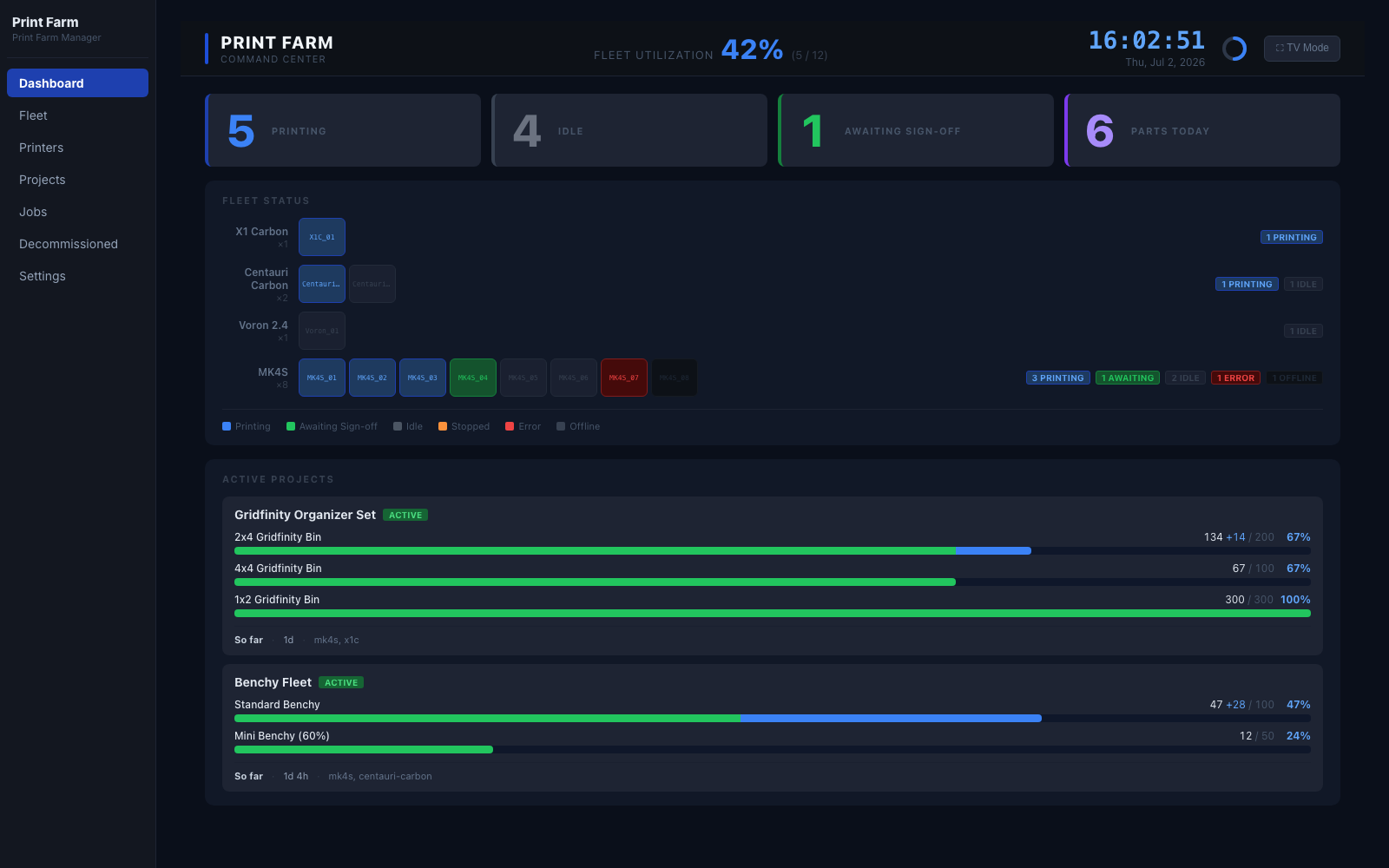
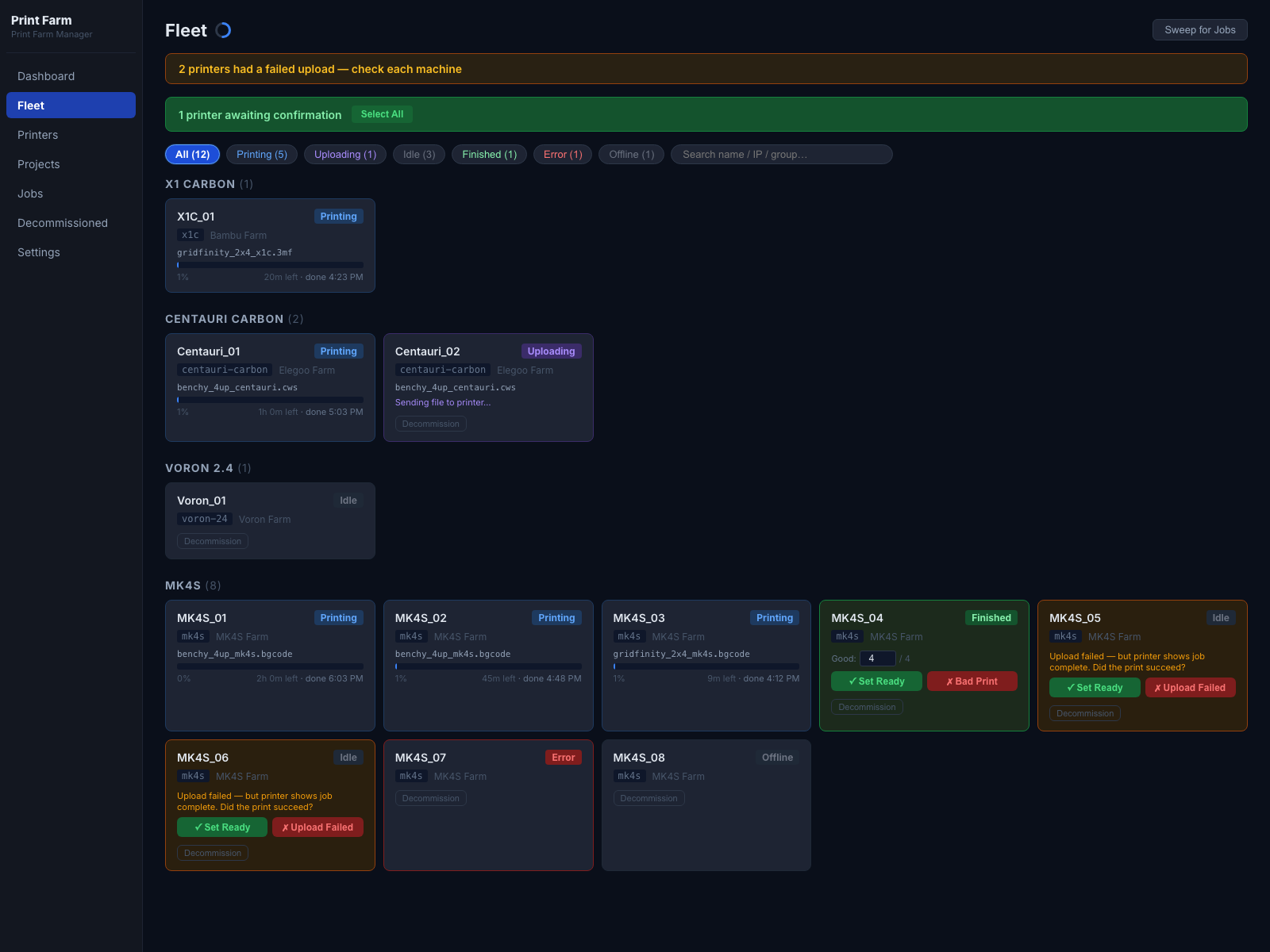
git clone https://github.com/joeltelling/print-farm-manager.gitjoeltelling/print-farm-managerA self-hosted web app for managing a multi-brand 3D printer farm. Replaces manual USB job distribution with centralized status monitoring and automated job dispatch — built to run 24/7 on a dedicated machine on your local network.
No cloud. No subscriptions. No vendor lock-in.
Security note: This app has no built-in authentication. It is designed to run on a trusted local network only. Do not expose port 3000 (or 5173 in dev) to the internet — your printer API keys are served to any client that can reach the server. Run it behind your router's firewall or a local VPN.
| Brand | Protocol | Models |
|---|---|---|
| Prusa | PrusaLink REST API | MK4S, XL, and other PrusaLink-compatible models |
| Elegoo | SDCP WebSocket (Centauri Carbon) · MQTT (Centauri Carbon 2) | Centauri Carbon, Centauri Carbon 2 |
| Bambu Lab | MQTT + FTPS | X1C, P1S, and other Bambu models (with AMS slot selection) |
| Klipper | Moonraker REST API | Voron and any Klipper-firmware printer |
| OctoPrint | OctoPrint REST API | Any printer running OctoPrint / OctoPi |
| Package | Role |
|---|---|
| Node.js + Express | HTTP API server |
| better-sqlite3 | Embedded SQLite database — synchronous, zero configuration |
| axios | HTTP communication with Prusa, Klipper, and OctoPrint printers |
| mqtt | MQTT over TLS for Bambu printer communication |
| basic-ftp | FTPS file transfer to Bambu printers |
| sdcp | WebSocket protocol driver for Elegoo SDCP printers |
| multer | G-code file upload handling |
| papaparse | CSV fleet import |
| form-data | Multipart upload for Klipper/Moonraker |
| PM2 | Process manager — auto-start on boot, crash recovery |
| Package | Role |
|---|---|
| React 18 | UI framework |
| React Router v6 | Client-side routing |
| Vite | Build tool and dev server |
| Technology | Role |
|---|---|
| SQLite (via better-sqlite3) | Single-file embedded database — no database server required |
Requires Node.js 22 LTS — Node 24+ has known issues compiling the native SQLite dependency on Windows (see the Installation Guide for details).
git clone https://github.com/joeltelling/print-farm-manager.git
cd print-farm-manager
npm install
cd client && npm install && cd ..
npm run build
npm run dev
http://localhost:3000http://localhost:5173git clone https://github.com/joeltelling/print-farm-manager.git cd print-farm-manager docker compose up --build print-farm-manager-dev
http://localhost:3000http://localhost:5173Run tests with docker compose exec print-farm-manager-dev npm test. See the dev service in docker-compose.yml for details.
Requires Docker (and Compose, bundled with Docker Desktop and modern Docker Engine installs).
No clone, no local build. A multi-arch image (linux/amd64 + linux/arm64) is published automatically to GitHub Container Registry on every release — see docs/docker-publish.md. Save this as docker-compose.yml:
services:
  print-farm-manager:
    image: ghcr.io/joeltelling/print-farm-manager:latest
    container_name: print-farm-manager
    restart: unless-stopped
    ports:
      - "3000:3000"
    volumes:
      - farm-data:/app/server/data
      - farm-gcode:/app/server/gcode

volumes:
  farm-data:
  farm-gcode:
docker compose up -d
This same file works as a drop-in stack in Portainer (Stacks → Add stack → Web editor, paste it in, deploy) — no repo checkout needed there either.
Open http://localhost:3000 in a browser, or replace localhost with the machine's LAN IP to access it from any device on the network.
Updating to the latest published image:
docker compose pull
docker compose up -d
Useful commands:
| Command | What it does |
|---|---|
docker compose logs -f |
Follow server logs |
docker compose stop |
Stop the container (data is preserved) |
docker compose up -d |
Start it again |
docker compose down |
Stop and remove the container (volumes are preserved) |
Pin to a specific release instead of always tracking latest by using a version tag, e.g. ghcr.io/joeltelling/print-farm-manager:1.2.0. edge tracks the latest build of main between releases.
If you're testing local changes rather than running a release, clone the repo and build with the docker-compose.yml at its root (uses build: instead of image:):
git clone https://github.com/joeltelling/print-farm-manager.git
cd print-farm-manager
docker compose up -d --build
Updating this path pulls new source and rebuilds:
git pull
docker compose up -d --build
Without Compose, the equivalent docker run (published image) is:
docker run -d --name print-farm-manager --restart unless-stopped \
  -p 3000:3000 \
  -v farm-data:/app/server/data \
  -v farm-gcode:/app/server/gcode \
  ghcr.io/joeltelling/print-farm-manager:latest
Same security note as above applies inside Docker: only publish port 3000 to interfaces on your trusted LAN, not
0.0.0.0on an internet-facing host.
For a full walkthrough covering prerequisites, network setup, auto-start with PM2, backup, updating, and troubleshooting on both Windows and macOS, see the Installation Guide.
The short version:
npm install
cd client && npm install && cd ..
npm run build
npm start
Open http://localhost:3000 in a browser, or replace localhost with the machine's LAN IP to access it from any device on the network.
The fastest way to add a large fleet is via CSV import on the Settings page.
| Column | Required | Example |
|---|---|---|
name |
Yes | MK4S_01 |
ip |
Yes | 192.168.1.100 |
type |
Yes | prusa / elegoo-centauri / elegoo-centauri2 / bambu / klipper / octoprint |
api_key |
Prusa and OctoPrint (API key), Bambu and Centauri Carbon 2 (LAN access code) | aK3jR7xQ2pLm9vN |
serial_number |
Bambu and Centauri Carbon 2 | 01S00C123456789 |
group |
No | MK4S Farm |
model |
No | mk4s |
If the model column is omitted, the model is inferred automatically from the printer name where possible; unrecognised models prompt for manual selection after import.
print-farm-manager/
├── server/
│   ├── index.js          # Express entry point
│   ├── db.js             # SQLite schema + migrations
│   ├── poller.js         # 15-second printer poll loop
│   ├── scheduler.js      # Job dispatch engine
│   └── drivers/          # Per-brand printer drivers
│       ├── prusa.js       # PrusaLink REST
│       ├── elegoo-centauri.js   # SDCP WebSocket (Centauri Carbon)
│       ├── elegoo-centauri2.js  # MQTT + chunked HTTP PUT (Centauri Carbon 2)
│       ├── bambu.js       # MQTT + FTPS
│       ├── klipper.js     # Moonraker REST
│       └── octoprint.js   # OctoPrint REST
├── client/               # React + Vite frontend
├── docs/                 # Full documentation
├── Dockerfile            # Multi-stage: server-deps/client-build/runtime (production) + dev
└── docker-compose.yml    # Production container + persistent volumes, plus an opt-in `dev` profile
MIT
more like this
simple generator for 3D-printed frames for a moxon rectangle antenna
GPX 轨迹转 3D 可打印地形模型 | Hiking trail to 3D printable terrain | Electron + Vue。 一款面向户外爱好者与 3D 打印玩家的 Web 工具。将 GPX 徒步/骑行轨迹一键转…
Install and monitor KlipperScreen on Android via DroidKlipp APK, USB ADB forwarding, and WiFi fallback
search projects, people, and tags