moxon-frame-generator
simple generator for 3D-printed frames for a moxon rectangle antenna
OpenSCAD★ 50
A fully modular 3D-printable rack-building system
 kellerlabs
📚 What's it for? | ⚙️ How does it work? | 🌐 Free & OpenSource | 🤝 Contributing
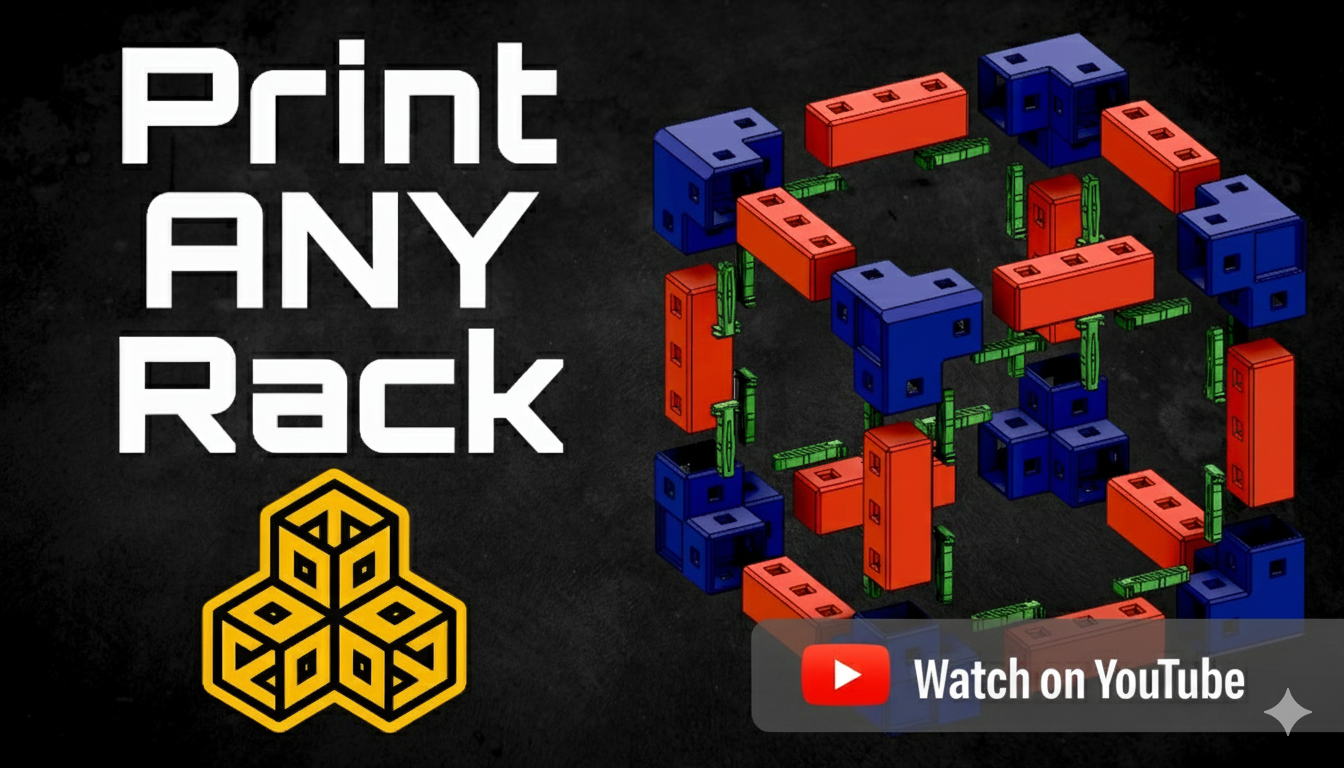
HomeRacker is a fully modular 3D-printable rack-building system for virtually any “racking needs” (server rack, shoe rack, bookshelf, you name it).
You can find all parametric and non-parametric models, as well as the .f3d files (like the HomeRacker - Core), on Makerworld.
The parametric models are available in the HomeRacker GitHub Repository.
💡 Note The basic HomeRacker system is also referred to as
HomeRacker - Core. Free for everyone to use, remix, and reshare.
I created HomeRacker because I was dissatisfied with the existing solutions available online. Many designs were too specific—accommodating only certain devices owned by their creators. Others supported only the 10" standard, with no flexibility for deviations, often requiring additional adapters.
As I began my homelab journey in April 2025, I wanted a modular solution that could adapt and grow with my evolving needs. This would eliminate the need to purchase larger racks or completely change concepts when the original design no longer met my requirements.
As it is my nature to overengineer everything, I came up with a more generic solution to serve ANY racking need. Be it a small rack for a few Raspberry Pis, a 10" standard rack for homelabs, or even a 19" standard rack (still working on that though). You can even create bookshelves, shoe racks—or combine all of the above into an abomination of a rack.
To give you an idea of how this may look (10" rack, half-constructed Pi mini-rack, bookshelf):
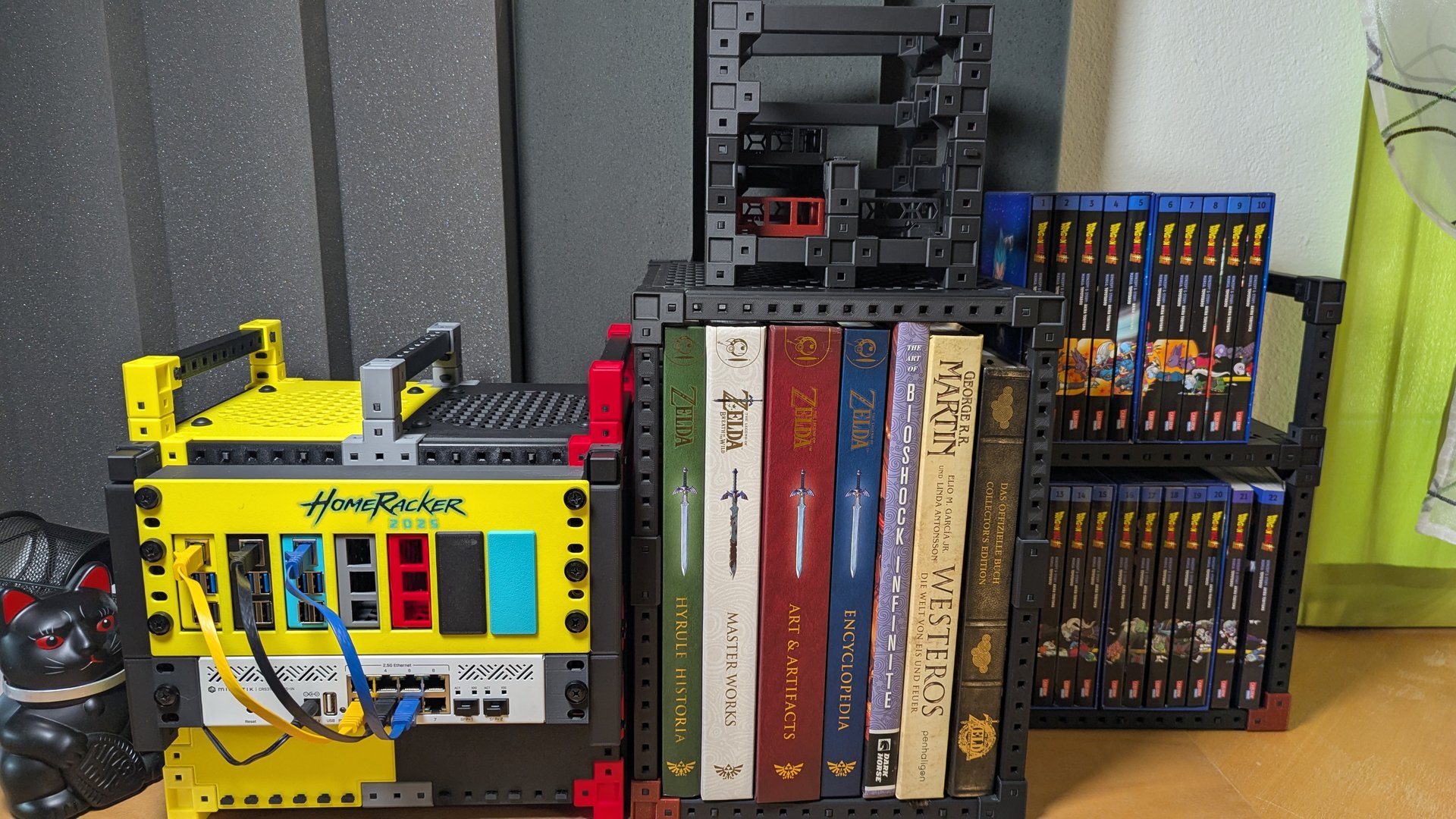
Aside from the basic building blocks, the rack above also contains the following parts:
10" Rack
Shelf (Build any shelf configuration you like.)
The HomeRacker - Core features:
tl;dr Think of a rack shape you want to build, download the Core model on MakerWorld (or customize it there or from this repo), print it, assemble it, and add your own mounts/adapters/whatever-you-like.
I might post a YouTube video here to show how it works.
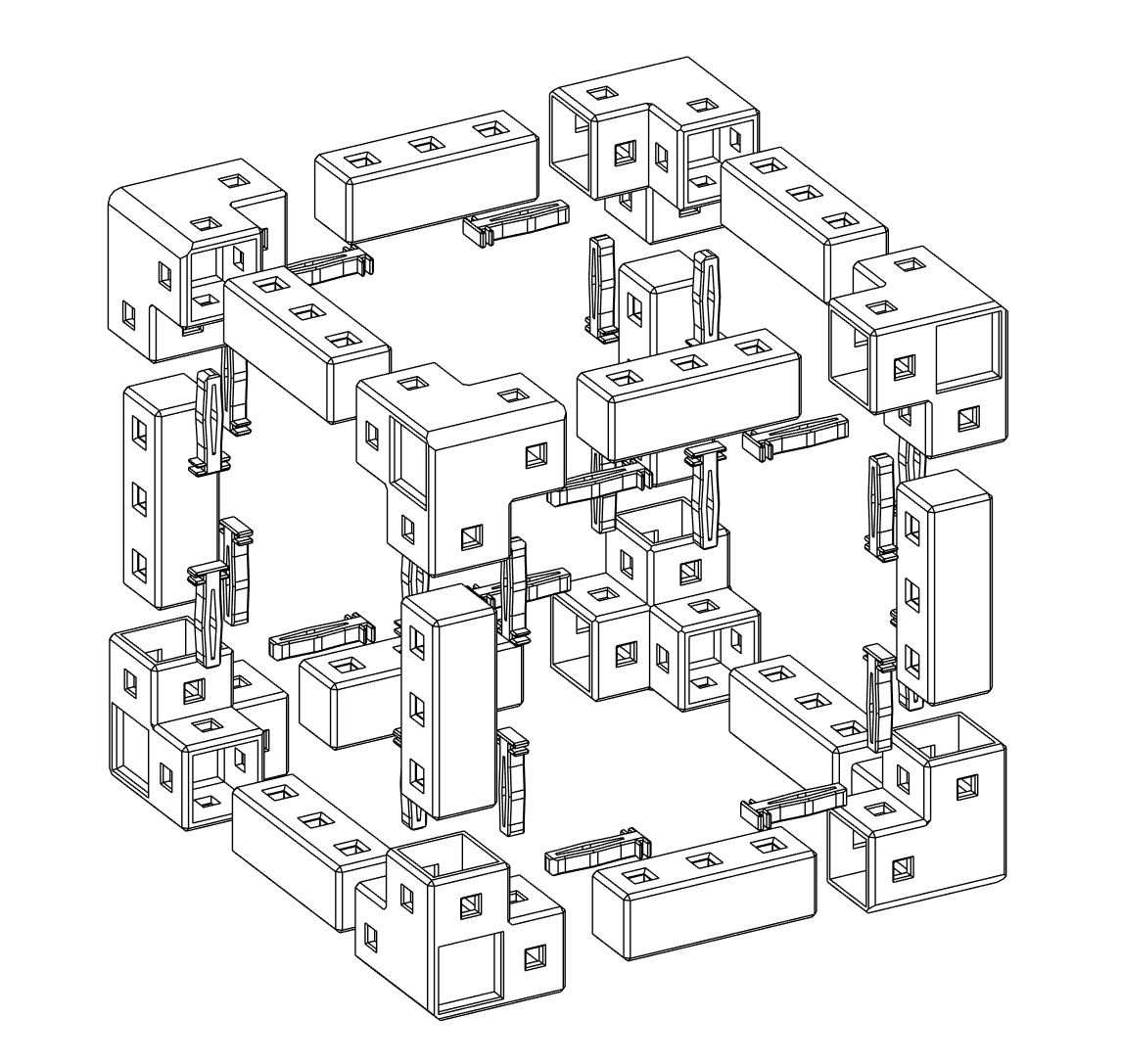
Assembly is straightforward and requires no tools:
💡 Pro Tip: I created a sample 10" Cyberpunk-themed 3D model on MakerWorld for inspiration.
Plan ahead! Otherwise, you'll end up with an army of unused parts like me:
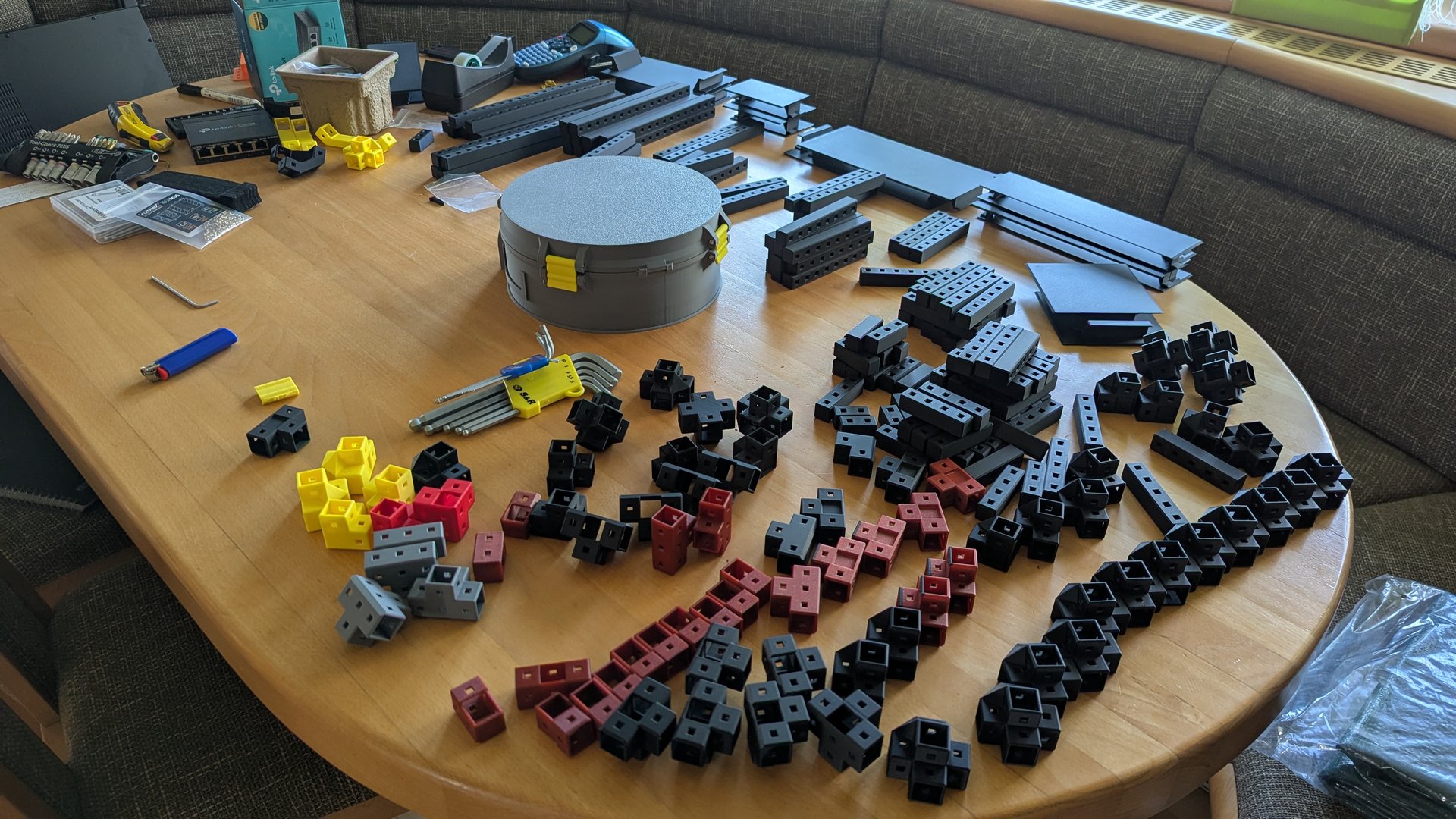
Make a parts list:
base units)?Build layer by layer: Start with the base frame, add vertical supports, then stack intermediate/top frames.
Make sure Lock Pins are fully inserted—gentle force might be needed.
💡 Pro Tip: If you need to disassemble and the pin is stuck, push it from the other side with another pin to release it.
💡 Note - For actual dimensions, check out the original Fusion
.f3dfiles on Makerworld. All designs are fully parameterized for easy scaling.
The system is based on 4 core measurements:
base_unit. Each support has 15mm x/y dimensions, with z being a multiple of 15mm.These values (except tolerance) are arbitrary—just made sense during design.
Supports are the structural spine of HomeRacker.
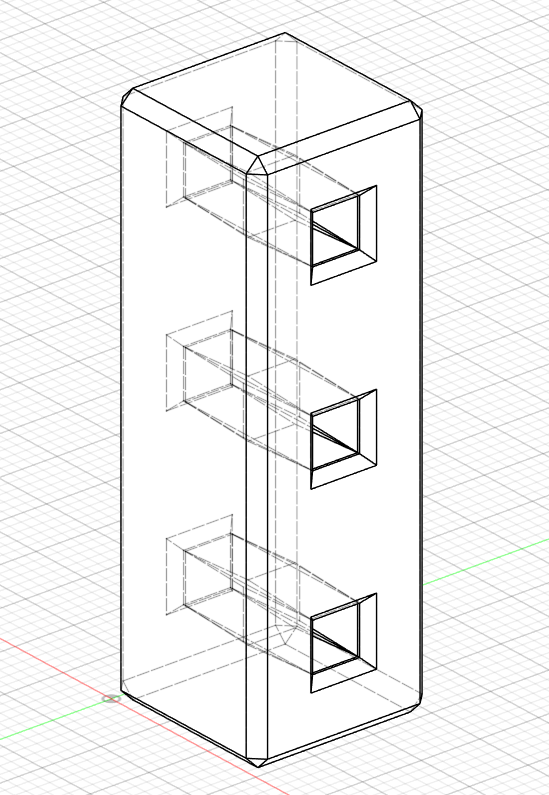
Height is a multiple of 15mm (base units). E.g.: A 3-unit support = 45mm tall, a 17-unit = 255mm.
Each unit height includes a 4mm hole for a Lock Pin.
Schematics:
Front View
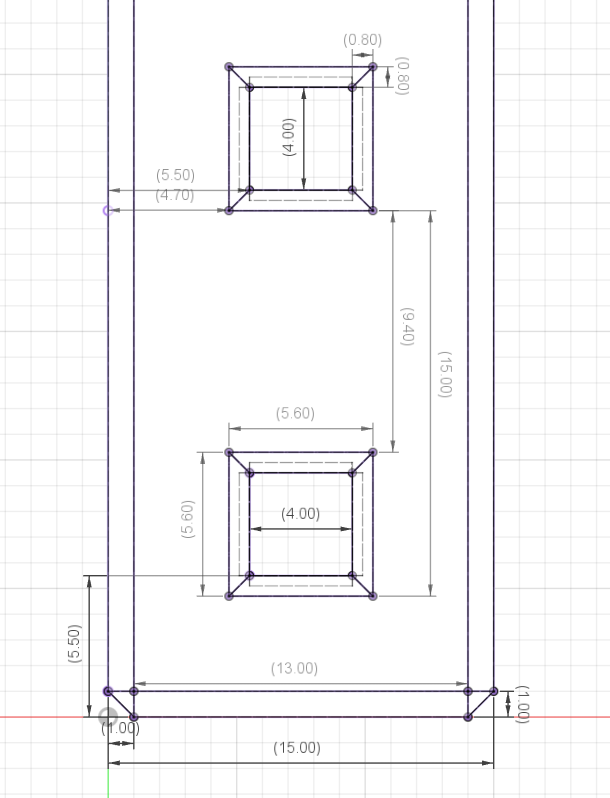
Side View
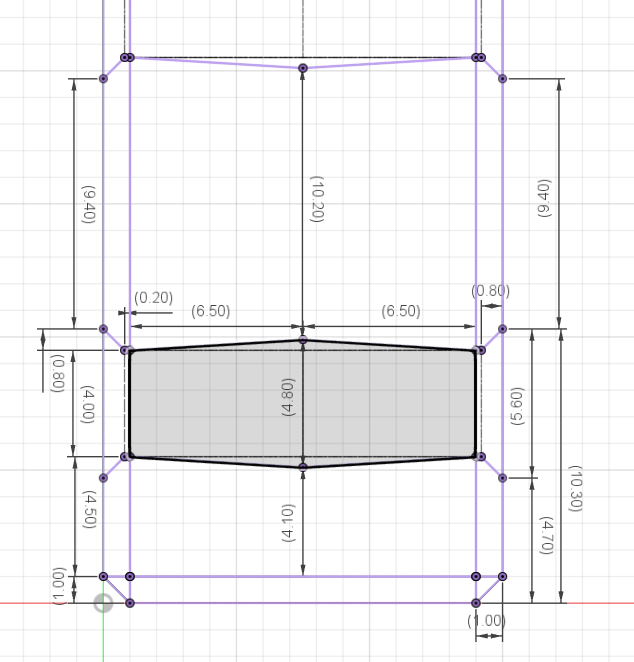
Top View
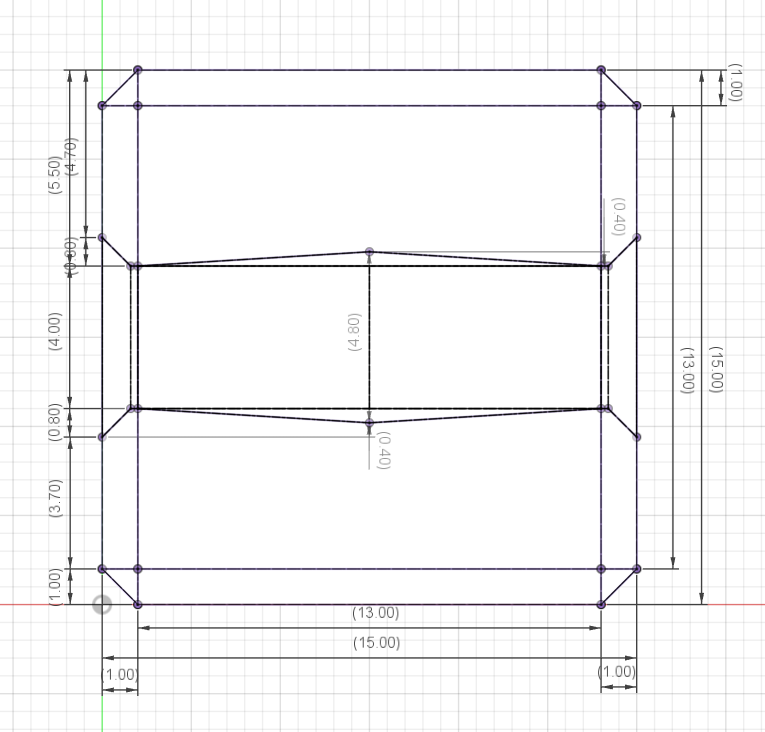
Connectors join supports in 1 to 3 dimensions. From straight extenders to 6-way junctions.
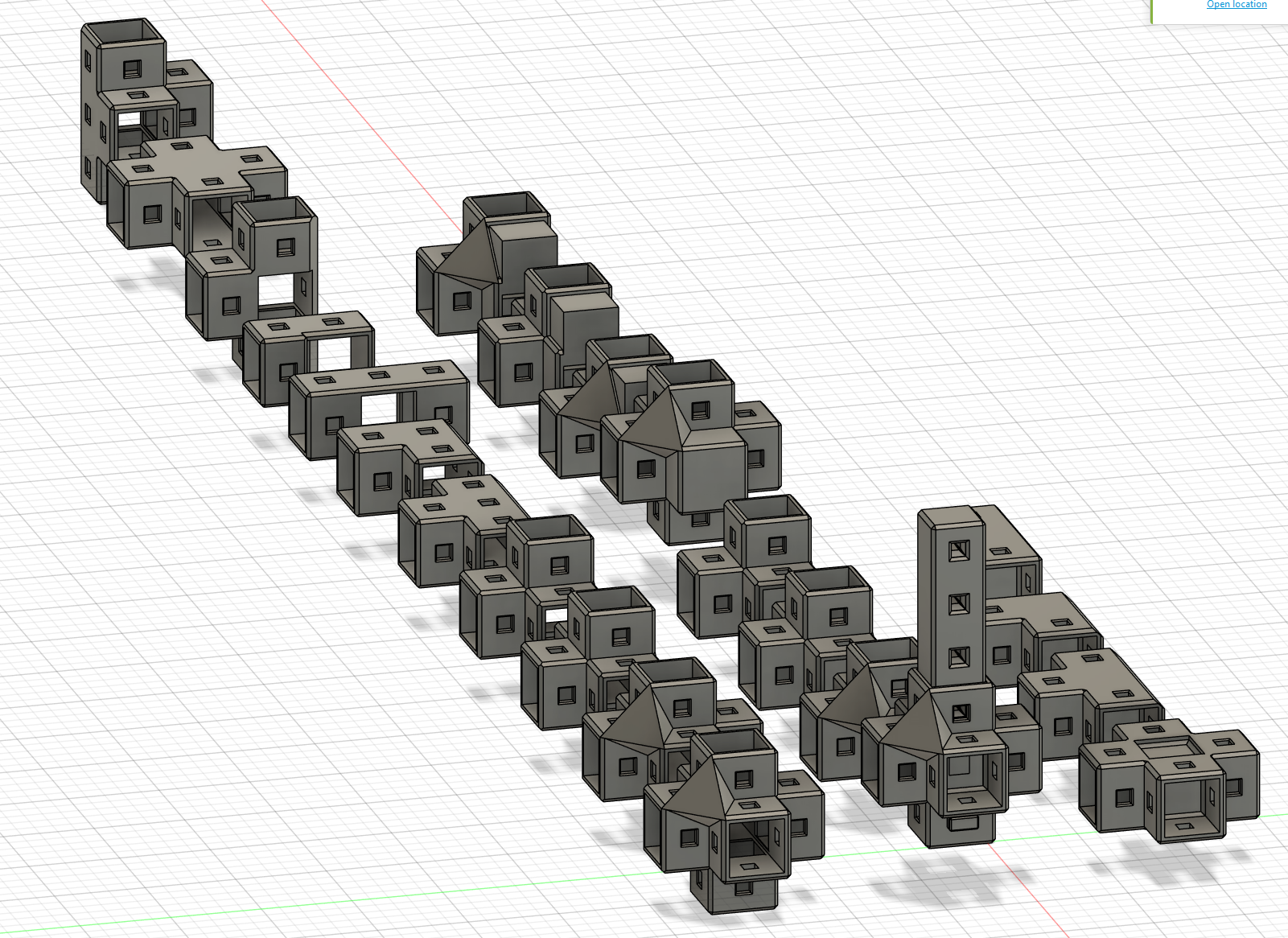
Types:
❗ Important Connector centers are always 1
base_unitin height. No offsets, no fluff. So: 2 × 3-unit supports + 1 connector = exactly 7 base units (105mm).
Schematics:
Top View – Outer
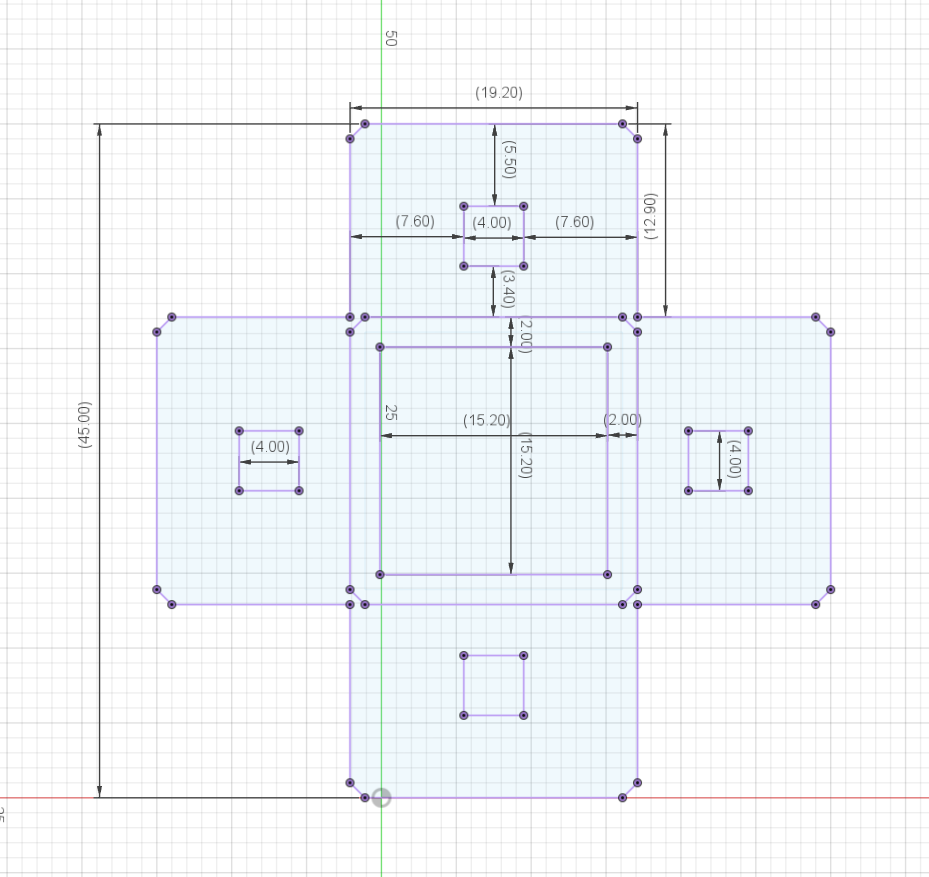
Top View – Inner
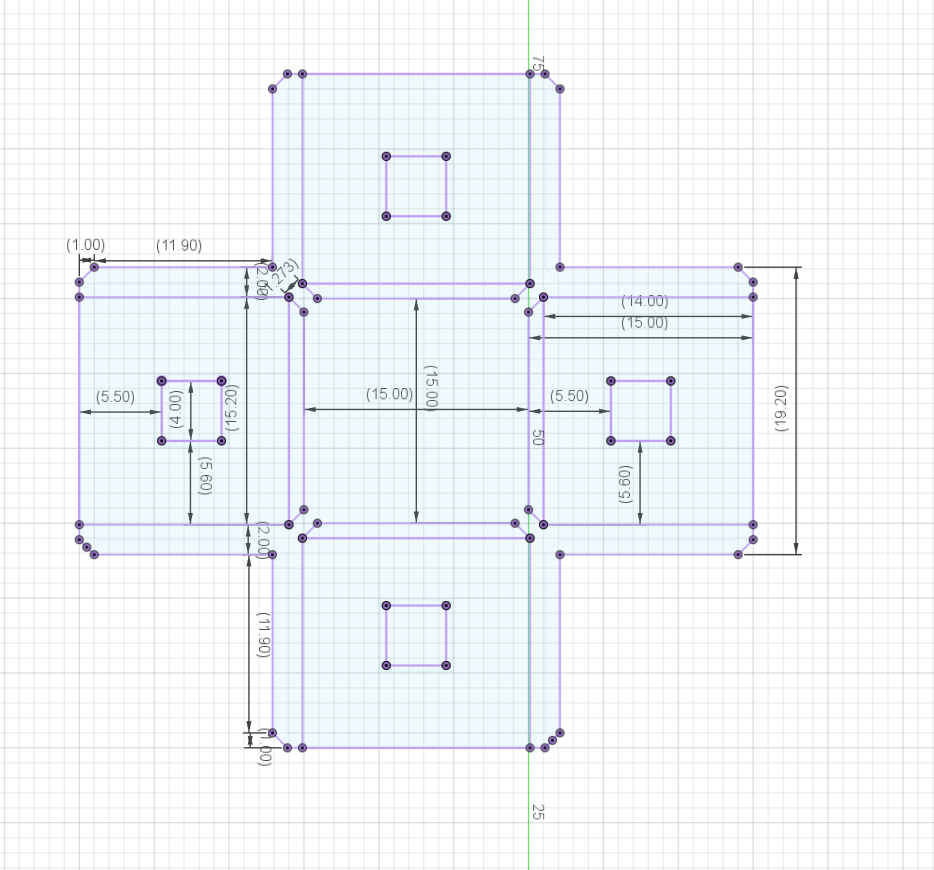
Lock Pins hold the system together.
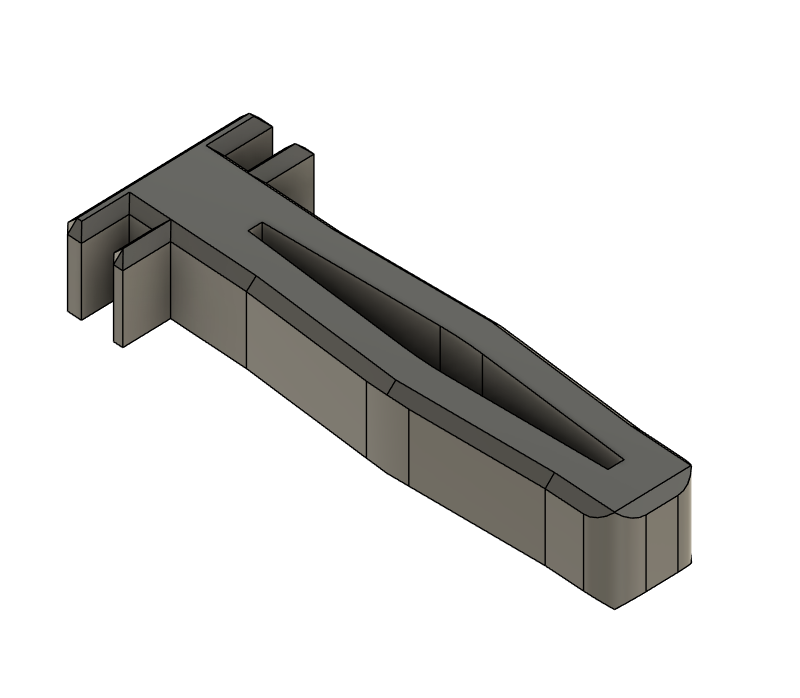
They rely on tension from their convex shape to stay in place.
Schematics:
Top View
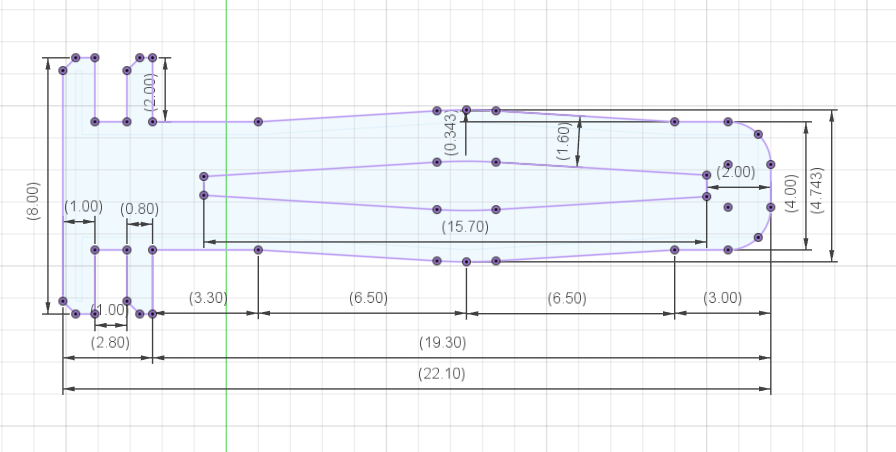
Side View
Don't ask why the height is 3.791mm—it works. I left it as-is.
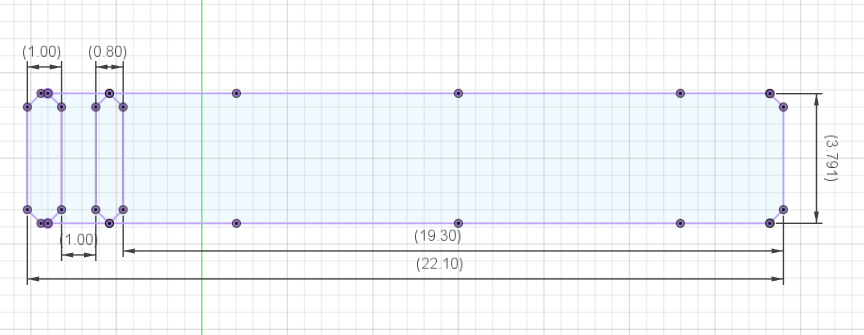
I may tweak the pin grip in future versions to make it easier to pull out again. But the base dimensions will remain the same for compatibility.
💡 Tip: Pulling out Lock Pins one at a time can be tedious. Check out the Pinpusher — a tool designed to push Lock Pins back out quickly, especially when removing several at once.
I created HomeRacker - Core to be an open spec that any maker can build on, with (almost) no strings attached.
(See 📜 Licensing for more.)
I encourage you to make your own models based on HomeRacker! Let me know, and I’ll feature your work on this page and cross-link it on Makerworld (subject to my "very objective" approval 😄). Just create an issue if you want to be featured.
💡 Want to contribute new features or extensions? Head over to the HomeRacker Community Repository! This core repo focuses on the base system and accepts primarily bugfixes. New modules, adapters, and creative extensions live in the community repo.
Got questions? Want to share your builds? Join the HomeRacker community!
Whether you're just starting out or have a wild idea for a custom rack, I'd love to hear from you. The HomeRacker community is all about sharing knowledge and helping each other build cool stuff!
After ~4 hours of research, I found all my original ideas (UniRack, OpenRack, etc.) were taken.
So, "HomeRacker" was born—part practical, part tongue-in-cheek. It fits the homelab theme, but also hints at the "home-wrecking" time sink this can become.
💡 tl;dr – Use it for ANY purpose (even commercial), but credit me and share alike!
MIT License (LICENSE)/models/): CC BY-SA 4.0 License (/models/LICENSE)These licenses apply to all models in this repository (Core, Gridfinity, Rackmount Ears, Wall Mount, Pinpusher, etc.).
❗ Important Other models I publish may have more restrictive licenses. This will be stated clearly on Makerworld.
HomeRacker is an unregistered trademark of Patrick Pötz, first used publicly on 12.04.2025.
HomeRacker includes custom tooling to streamline development:
scadm - OpenSCAD + library dependency manager
pip install scadm → scadmscadm.jsonSetup OpenSCAD Action - Reusable GitHub Action for CI
uses: kellerlabs/homeracker/.github/actions/setup-openscad@setup-openscad-v1Renovate Preset - Automated dependency updates
"extends": ["github>kellerlabs/homeracker:renovate-dependencies"]See CONTRIBUTING.md for setup instructions.
Releases are fully automated:
The release automation is powered by Camunda's infra-global-github-actions.
To contribute and trigger releases, use conventional commit messages. See CONTRIBUTING.md for details.
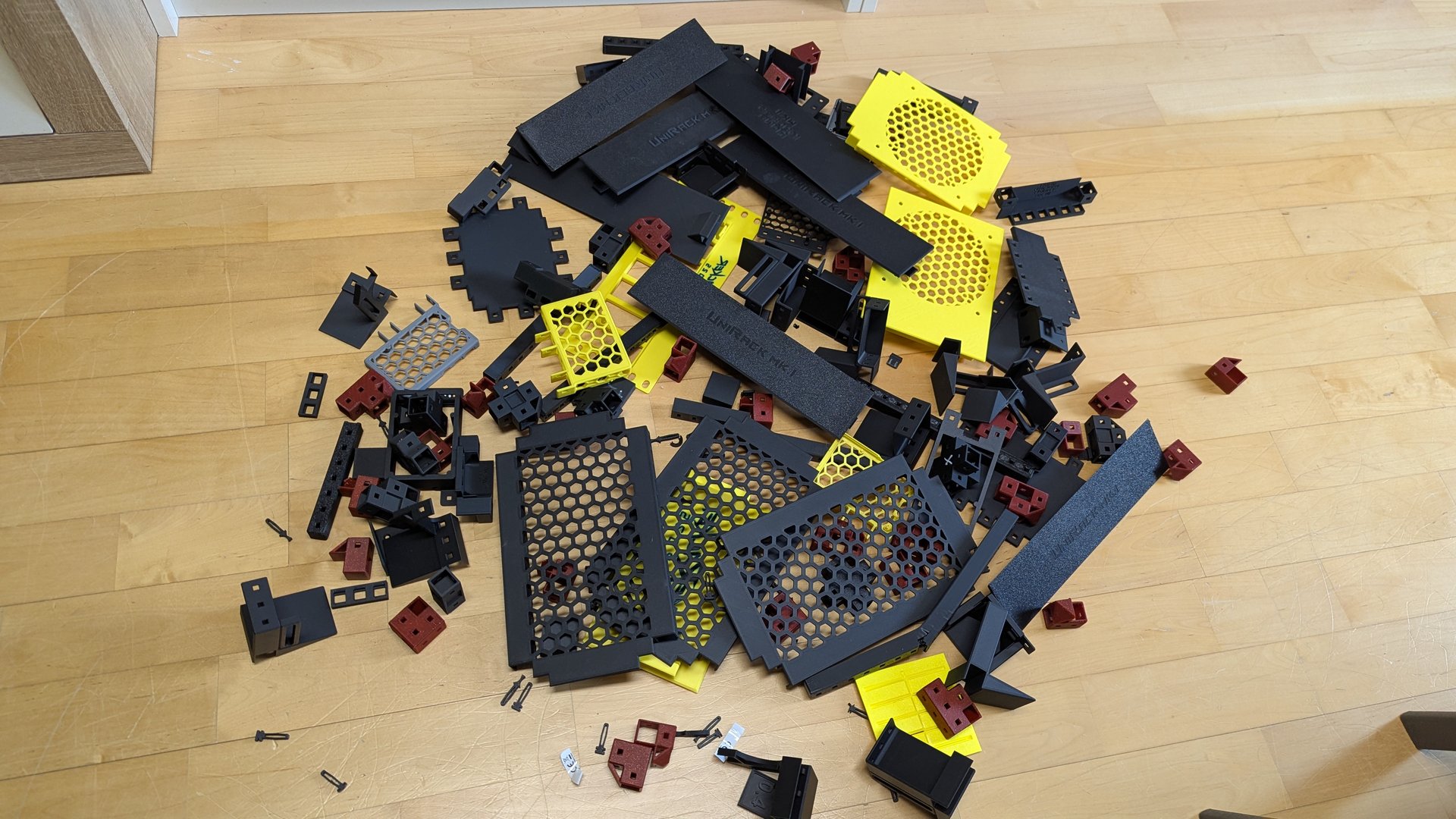
Of course I tested stuff... It took ~4 months from idea to this release.
Look at all the prototypes:
⚠️ Warning This project is provided “as is,” without any warranty. Use at your own risk. I’m not responsible for damage, injury, or loss caused by using this system or its parts.
Aside from the scary warning above, I need to mention, that due to the high modularity of this system combined with limited time and resources I was of course not able to test every combination of filaments, printers, print-settings, room conditions (temperature, humidity) or to do extensive load-bearing tests.
What I want to say: I feel like the model turned out to be really nice and versatile. That's why I shared it in the first place. But since I do not have control over the manufacturing conditions of any consumer of this model, I cannot give any guarantees on how your specific print will turn out in the end. There are just too much variables which not even the best model design can compensate for. (Writing this feels a bit like an upfront apology... seems like I'm a people pleaser)
My setup is as follows:
All above's filament types can be be combined in any possible way (just make sure you do flow calibration before using new filaments. First ABS print turned out horribly just because I forgot to click the calibration checkbox). E.g.: you could print a connector in ABS, a support in PLA Matte and a Lock Pin in PLA and they will just fit when being assembled.
🛠️ Btw: I am not affiliated with Bambu in any way besides uploading my models to MakerWorld and occasionally making use of their Exclusive Model program. But they don't pay me for naming their products anywhere else (I wish 😉).
This logo will also be used as an overlay image for the thumbnails of all my 3D models that are compatible with HomeRacker. I encourage you to do the same if you create models for HomeRacker. That way, it’ll be immediately visible to users that a model is designed to be mounted on a HomeRacker system. I also svg'ed this logo here and here.

more like this
simple generator for 3D-printed frames for a moxon rectangle antenna
GPX 轨迹转 3D 可打印地形模型 | Hiking trail to 3D printable terrain | Electron + Vue。 一款面向户外爱好者与 3D 打印玩家的 Web 工具。将 GPX 徒步/骑行轨迹一键转…
Install and monitor KlipperScreen on Android via DroidKlipp APK, USB ADB forwarding, and WiFi fallback
search projects, people, and tags