moxon-frame-generator
simple generator for 3D-printed frames for a moxon rectangle antenna
OpenSCAD★ 50
Import GCode into Blender!
 kmnunley
git clone https://github.com/kmnunley/Simple-GCode-Importer.gitkmnunley/Simple-GCode-Importer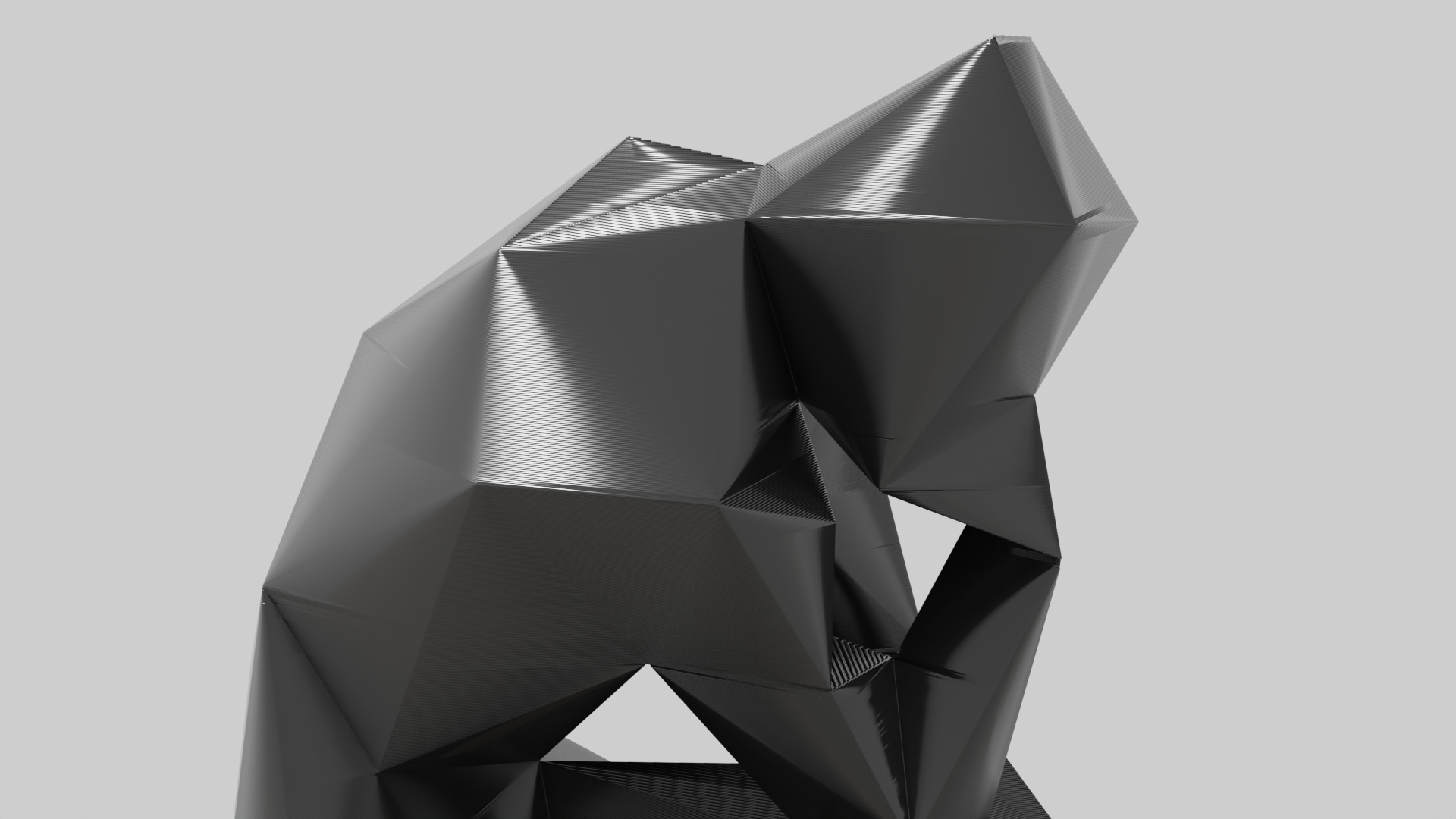 Lowest Poly The Thinker model by LXO on Printables.com
Simple GCode Importer is a simple plug-in that translates printer GCode into Bezier curve paths in Blender. This results in a very performant representation of the object in a highly customizable format.
To install the plugin, add it to Blender from the Extension website or straight from Blender via Edit > Preferences > Get Extensions.
To import a GCode file to Blender, simply go to File > Import and select the GCode option. In the new file browser window, find and select the .gcode file you would ike to import, then click 'Import Gcode'
How long do models take to import?
This depends heavily on the computer you are running on, but imports can take anywhere from just a couple seconds to several minutes depening on the size and complexity of the model that is being imported.
How do I give the imported paths thickness?
These options can be found in the Properties area (bottom right panel in the default layout) when a path is selected. Under the 'Object Data Properties' tab there is a 'Geometry' dropdown. Under this dropdown, the two most useful values are 'Extrusion' and 'Bevel'. Adjust these values until the desired look of the model has been reached.
If you are experiencing issues with the plugin, feel free to open an issue and I'll respond when i can.
Like my work? Buy me a coffee! ☕
more like this
simple generator for 3D-printed frames for a moxon rectangle antenna
GPX 轨迹转 3D 可打印地形模型 | Hiking trail to 3D printable terrain | Electron + Vue。 一款面向户外爱好者与 3D 打印玩家的 Web 工具。将 GPX 徒步/骑行轨迹一键转…
Install and monitor KlipperScreen on Android via DroidKlipp APK, USB ADB forwarding, and WiFi fallback
search projects, people, and tags