agentlytics
Comprehensive analytics dashboard for AI coding agents — Cursor, Windsurf, Claude Code, VS Code Copilot, Zed, Antigravi…
JavaScript★ 555
📊 Plug and play analytics for Phoenix applications.
 lalabuy948
git clone https://github.com/lalabuy948/PhoenixAnalytics.gitlalabuy948/PhoenixAnalytics

Important
Version 0.4.0 Breaking Changes: The 🦆 duck has been removed. Users who prefer the duckdb version should use the maintained fork: PhoenixAnalyticsDuck
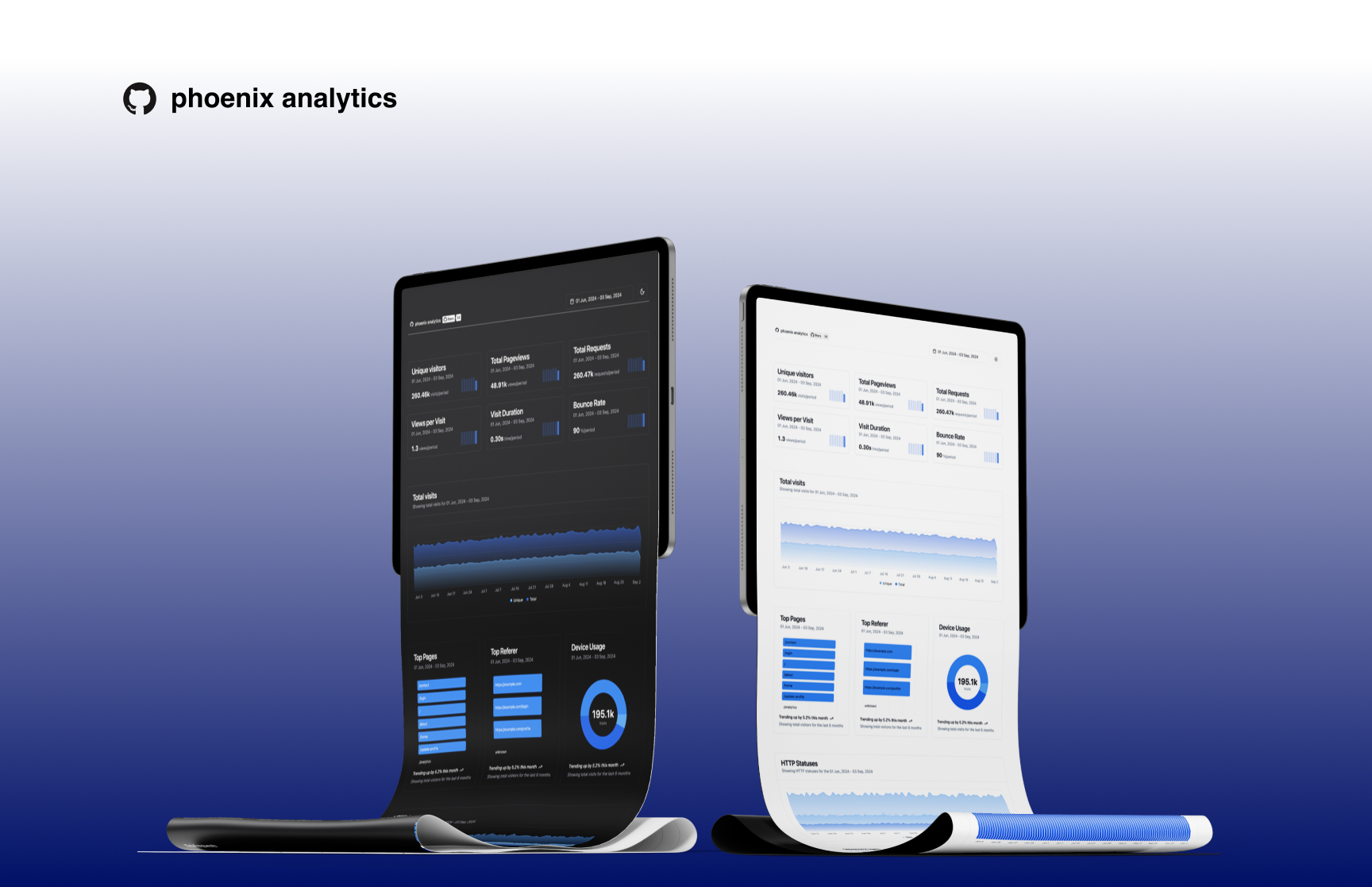
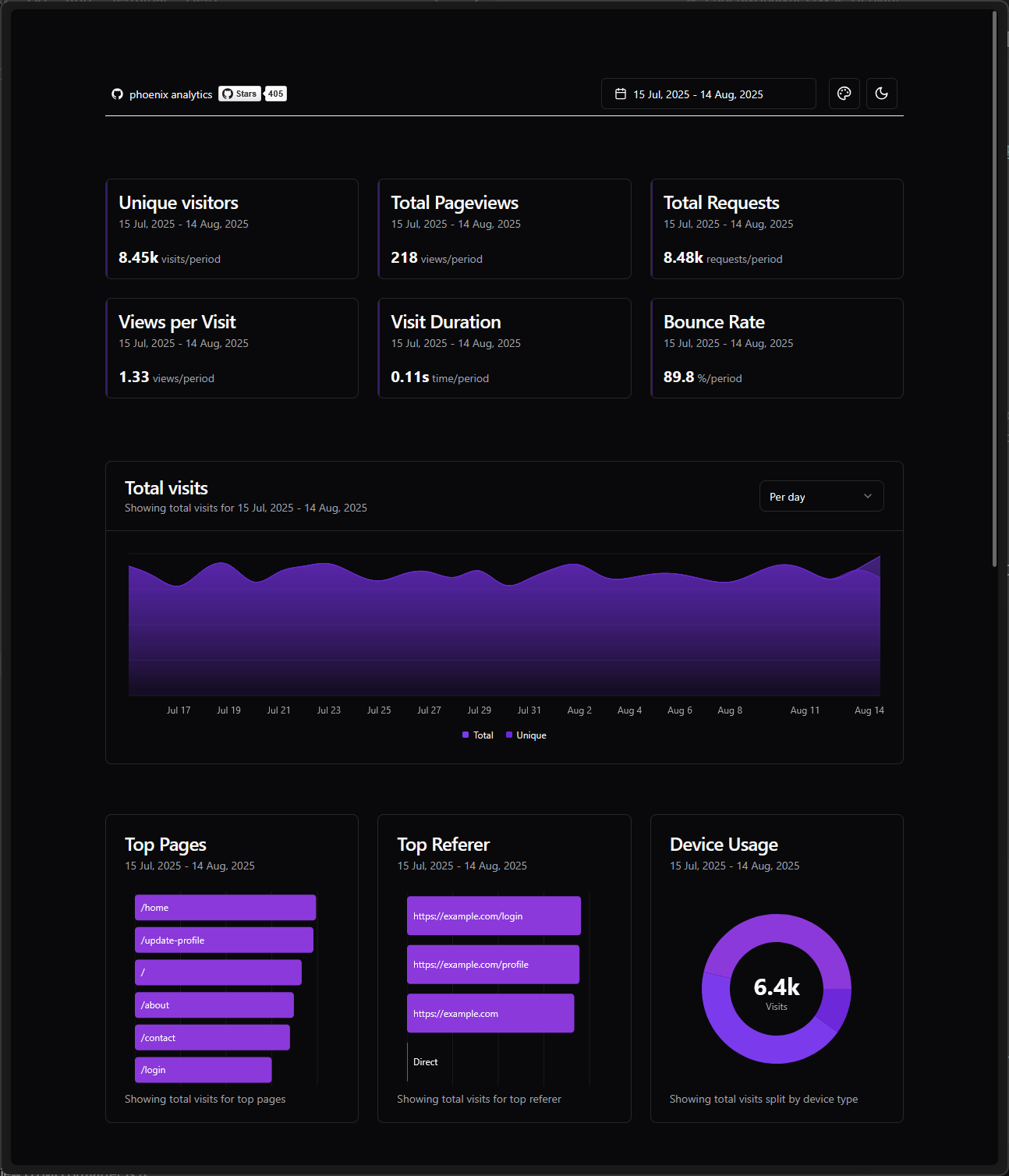
Phoenix Analytics is embedded plug and play tool designed for Phoenix applications. It provides a simple and efficient way to track and analyze user behavior and application performance without impacting your main application's performance and database.
Key features:
Phoenix Analytics now supports multiple database backends using Ecto, allowing you to choose the database that best fits your deployment environment and requirements. Whether you're using PostgreSQL in production, SQLite3 for development, or MySQL in your infrastructure, Phoenix Analytics will work seamlessly.
If available in Hex, the package can be installed
by adding phoenix_analytics to your list of dependencies in mix.exs:
def deps do
  [
    {:phoenix_analytics, "~> 0.4"}
  ]
end
Phoenix Analytics uses your existing Ecto repository, making setup incredibly simple:
# config/dev.exs
config :phoenix_analytics,
  repo: MyApp.Repo,
  app_domain: System.get_env("PHX_HOST") || "example.com",
  cache_ttl: System.get_env("CACHE_TTL") || 60
Create the analytics table in your existing database:
mix ecto.gen.migration add_phoenix_analytics
defmodule MyApp.Repo.Migrations.AddPhoenixAnalytics do
  use Ecto.Migration

  def up, do: PhoenixAnalytics.Migration.up()
  def down, do: PhoenixAnalytics.Migration.down()
end

# indexes, no sqlite support
defmodule MyApp.Repo.Migrations.AddPhoenixAnalyticsIndexes do
  def change do
    PhoenixAnalytics.Migration.add_indexes()
  end
end
mix ecto.migrate
Alternative: If you don't use migrations, you can run the migration directly:
iex -S mix
PhoenixAnalytics.Migration.up()
Add plug to enable tracking to endpoint.ex, ‼️ add it straight after your Plug.Static
plug PhoenixAnalytics.Plugs.RequestTracker
Add dashboard route to your router.ex
use PhoenixAnalytics.Web, :router

phoenix_analytics_dashboard "/analytics"
Warning
‼️ Please test thoroughly before proceeding to production!
Documentation can be generated with ExDoc and published on HexDocs. Once published, the docs can be found at https://hexdocs.pm/phoenix_analytics.
Shortcuts:
t -> todayctrl+t -> yesterdayw -> last_weekm -> last_30_daysq -> last_90_daysy -> last_12_monthctrl+w -> previous_weekctrl+m -> previous_monthctrl+q -> previous_quarterctrl+y -> previous_yeara -> all_timeIf you would like to contribute, first you would need to install deps, assets and then compile css and js. I put everything under next mix command:
mix setup
Then you would need some database with seeds. Here is command for this:
# For SQLite3
mix run priv/repo/seeds.exs sqlite 10000

# For PostgreSQL
mix run priv/repo/seeds.exs postgres

# For MySQL
mix run priv/repo/seeds.exs mysql 10000
Note
Move database with seeds to example project which you going to use.
Lastly you can use one of example applications to start server.
cd examples/sqlite/

mix deps.get

mix phx.server
You can navigate to http://localhost:4000/dev/analytics
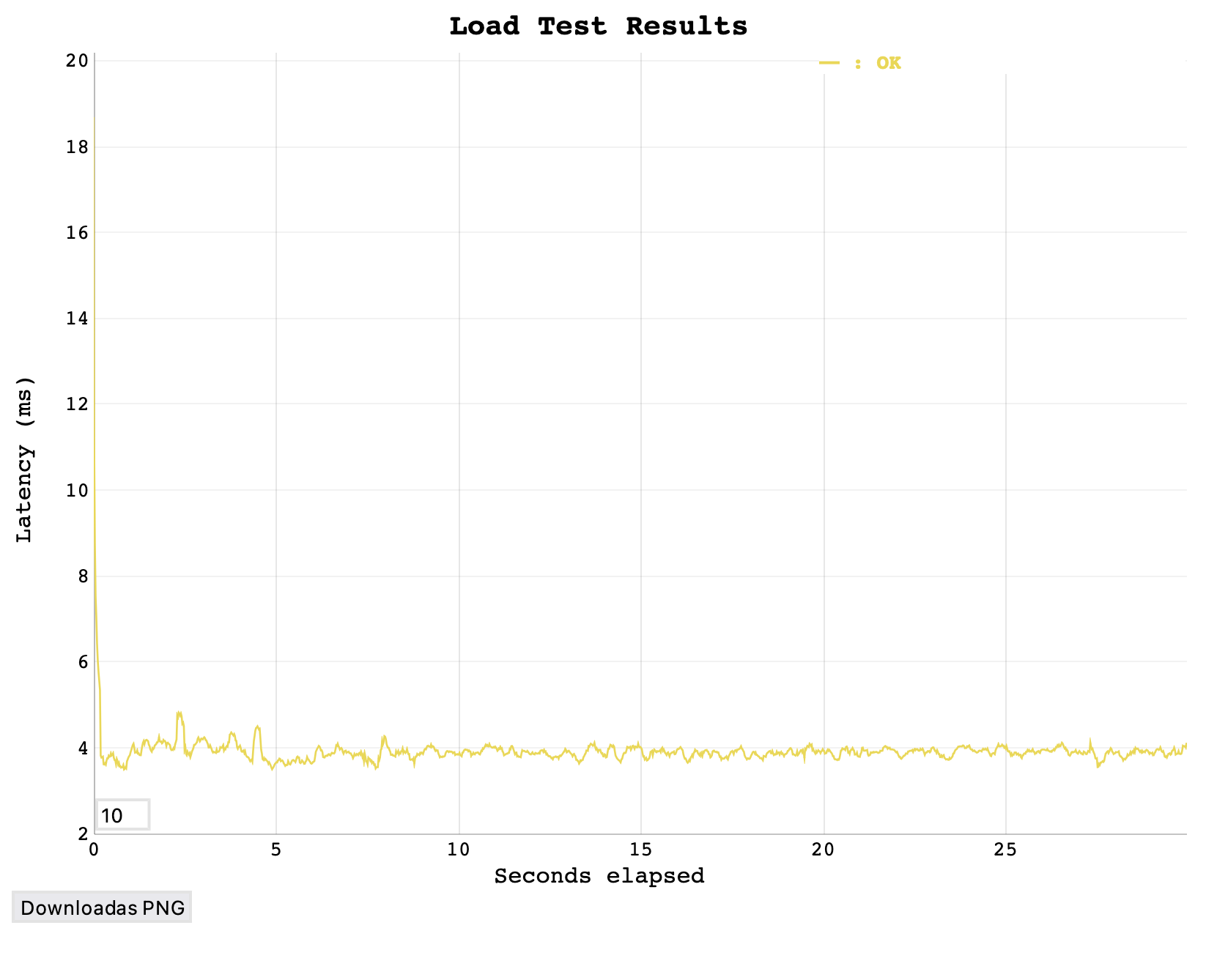
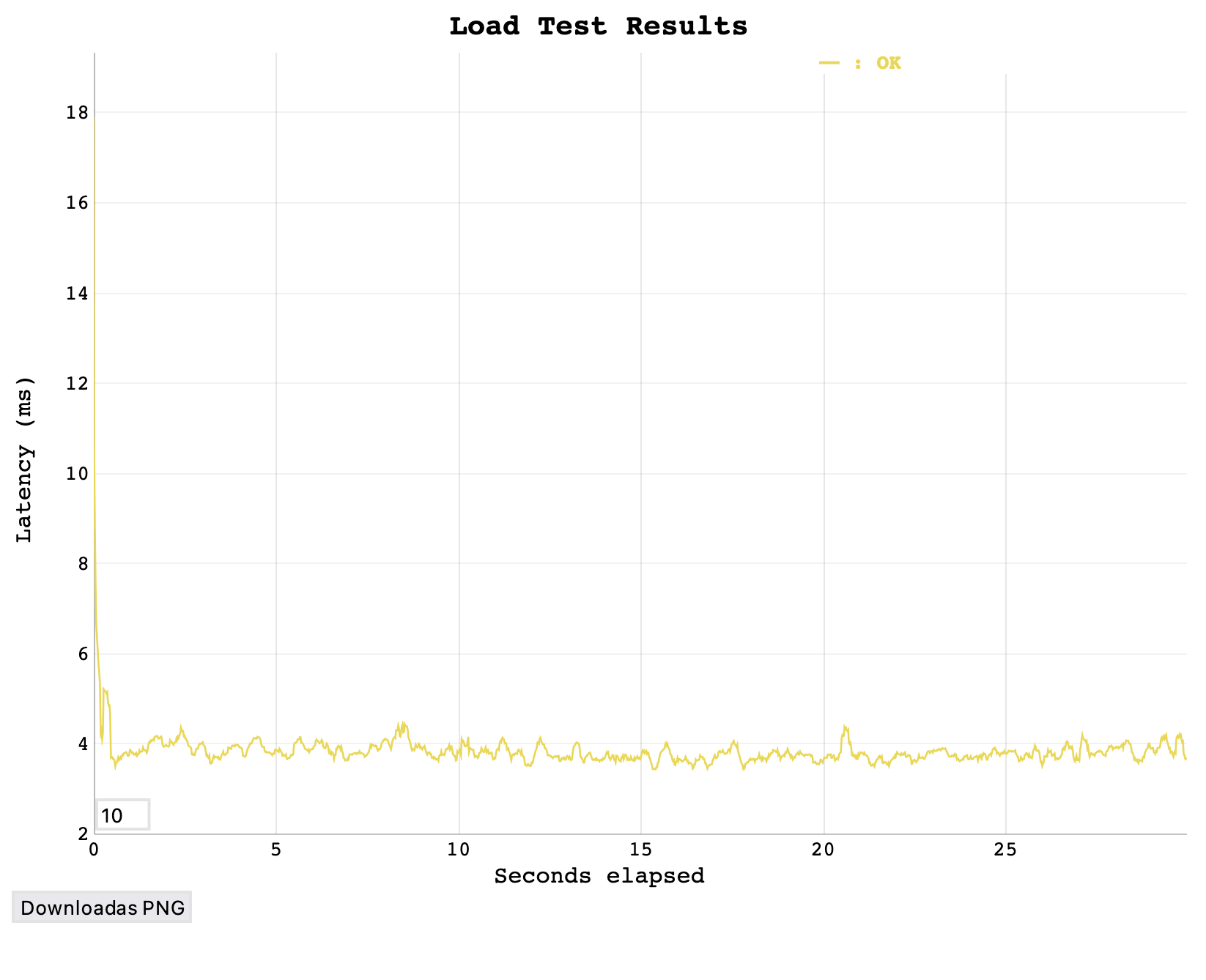
I performed vegeta test on basic Macbook Air M2, to see if plug will affect application performance.
Script can be found here: vegeta/vegeta.sh
| With plug | Without |
|---|---|
 |
 |
more like this
Comprehensive analytics dashboard for AI coding agents — Cursor, Windsurf, Claude Code, VS Code Copilot, Zed, Antigravi…
an efficient and user friendly OTA server equipped with a powerful WEB UI, designed to effortlessly manage both your ES…
PlexWatch is a Discord bot that provides a real-time dashboard for your Plex media server, featuring active stream moni…
search projects, people, and tags