r2
Free open-source Cloudflare R2 desktop client and S3 GUI for macOS, Windows, and Linux. Manage Cloudflare R2, AWS S3, M…
TypeScript★ 50
A lightweight native hover-preview utility for Windows File Explorer
 lownamlee
git clone https://github.com/lownamlee/CursorPeek.gitlownamlee/CursorPeek
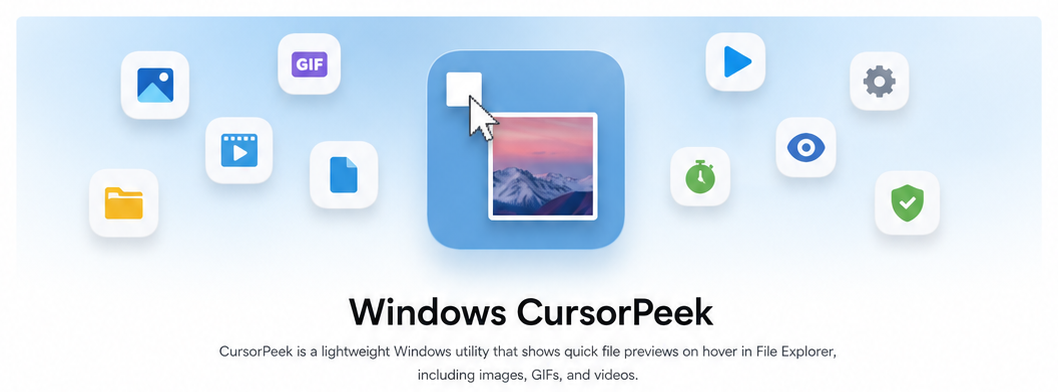
Native · Offline · No account · No shell extension


Requires Windows 10 22H2 x64 or supported Windows 11 x64 with Windows File Explorer.
Per-user installer Recommended · installs without administrator elevation |
Portable ZIP Extract the archive and run CursorPeek.exe |
Note
Packages are not code-signed yet. Windows may show an unknown-publisher warning. Check downloads against the published SHA256 hashes.
See the user guide for startup, portable settings, and uninstall details.
CursorPeek.exe.

| Type | Supported extensions or filenames |
|---|---|
| Images | .jpg, .jpeg, .jpe, .jfif, .png, .gif (animated), .webp (animated), .bmp, .dib, .ico, .tif, .tiff |
| Vector graphics | .svg (visual preview; bounded SMIL animation when eligible) |
| Video | .mp4, .m4v, .mov, .mp4v, .3g2, .3gp, .3gp2, .3gpp, .avi, .asf, .wmv (native Windows playback) |
| Text, logs, and markup | .txt, .text, .log, .md, .markdown, .mdx, .rst, .adoc, .tex |
| Data and configuration | .csv, .tsv, .json, .jsonc, .json5, .jsonl, .ndjson, .xml, .plist, .yaml, .yml, .toml, .ini, .cfg, .conf, .config, .properties, .hcl, .tf, .tfvars, .proto, .graphql |
| C and C++ | .c, .h, .cc, .cpp, .cxx, .hh, .hpp, .hxx, .ipp, .inl |
| Other source code | .rs, .cs, .vb, .fs, .java, .kt, .kts, .scala, .groovy, .go, .swift, .dart, .py, .pyw, .rb, .php, .lua, .r |
| Web, JavaScript, and TypeScript | .js, .mjs, .cjs, .jsx, .ts, .mts, .cts, .tsx, .vue, .svelte, .astro, .html, .htm, .css, .scss, .sass, .less |
| Scripts and queries | .sql, .sh, .bash, .zsh, .ps1, .psm1, .psd1, .bat, .cmd |
| Projects and build files | .sln, .csproj, .vbproj, .vcxproj, .props, .targets, .resx, .nuspec, .manifest, .cmake, .mk, .gradle |
| Keys and certificates | .pem, .crt, .cer, .csr, .key, .pub, .ppk, .asc |
| Patches, registry, and other data | .diff, .patch, .reg, .po, .srt, .vtt, .ics |
| Exact filenames | README, LICENSE, COPYING, NOTICE, AUTHORS, CONTRIBUTING, CHANGELOG, CODEOWNERS, VERSION, Makefile, Dockerfile, Gemfile, Rakefile, Procfile, Justfile, Jenkinsfile, .env, .editorconfig, .gitattributes, .gitignore, .gitmodules, .dockerignore, .npmrc, .nvmrc, .prettierrc, .prettierignore, .eslintrc, .eslintignore, id_rsa, id_dsa, id_ecdsa, id_ed25519, known_hosts, authorized_keys |
Matching is case-insensitive. Images, SVG, video, and text are validated before previewing. GIF, WebP, and eligible SVG animations play only after a bounded background decode; the first visual remains available immediately. Everything outside the Images, Vector graphics, and Video rows is shown as inert source text. See the format reference and known limitations for behavior and limits.
Warning
Key, certificate, and secrets files are eligible, so hovering one displays its contents. CursorPeek never uploads anything, but pause or exit it before screen sharing or recording.
Right-click the tray icon to pause previews or change the dwell delay, maximum preview size, theme, video playback, sound, and Windows startup behavior. Video previews are enabled by default and sound is opt-in. See settings and configuration.
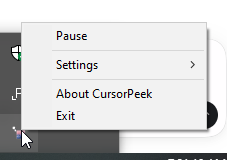
CursorPeek runs locally without accounts, telemetry, file uploads, or application networking. Read the privacy policy and security model for details.
Install the Rust version pinned in rust-toolchain.toml and Visual Studio Build Tools with the
Desktop development with C++ workload:
cargo build --locked --release
.\target\release\CursorPeek.exe
See the development setup for tests and packaging.
CursorPeek is inspired by QTTabBar and its file-preview experience. QTTabBar was originally created by Quizo and later carried forward by open-source maintainers and contributors.
Read CONTRIBUTING.md before opening a pull request. Report vulnerabilities privately through SECURITY.md.
CursorPeek is available under your choice of the Apache License 2.0 or the MIT License.
more like this
Free open-source Cloudflare R2 desktop client and S3 GUI for macOS, Windows, and Linux. Manage Cloudflare R2, AWS S3, M…
meine 🌒 - A CLI file manager and system utility built with Textual. It combines intuitive command parsing with rich t…
Open the next door in your Vim journey — personalized command discovery based on your actual usage
MTT File Manager is a Rust-based Windows file manager with tabbed navigation, rich media previews, deep system integrat…
search projects, people, and tags