 makermate
perplexity-cli
🧠 A simple command-line client for the Perplexity API. Ask questions and receive answers directly from the terminal! 🚀🚀🚀
Python★ 176

OpenClaw X Jarvis = "Clarvis"
3D Printing Made Easy
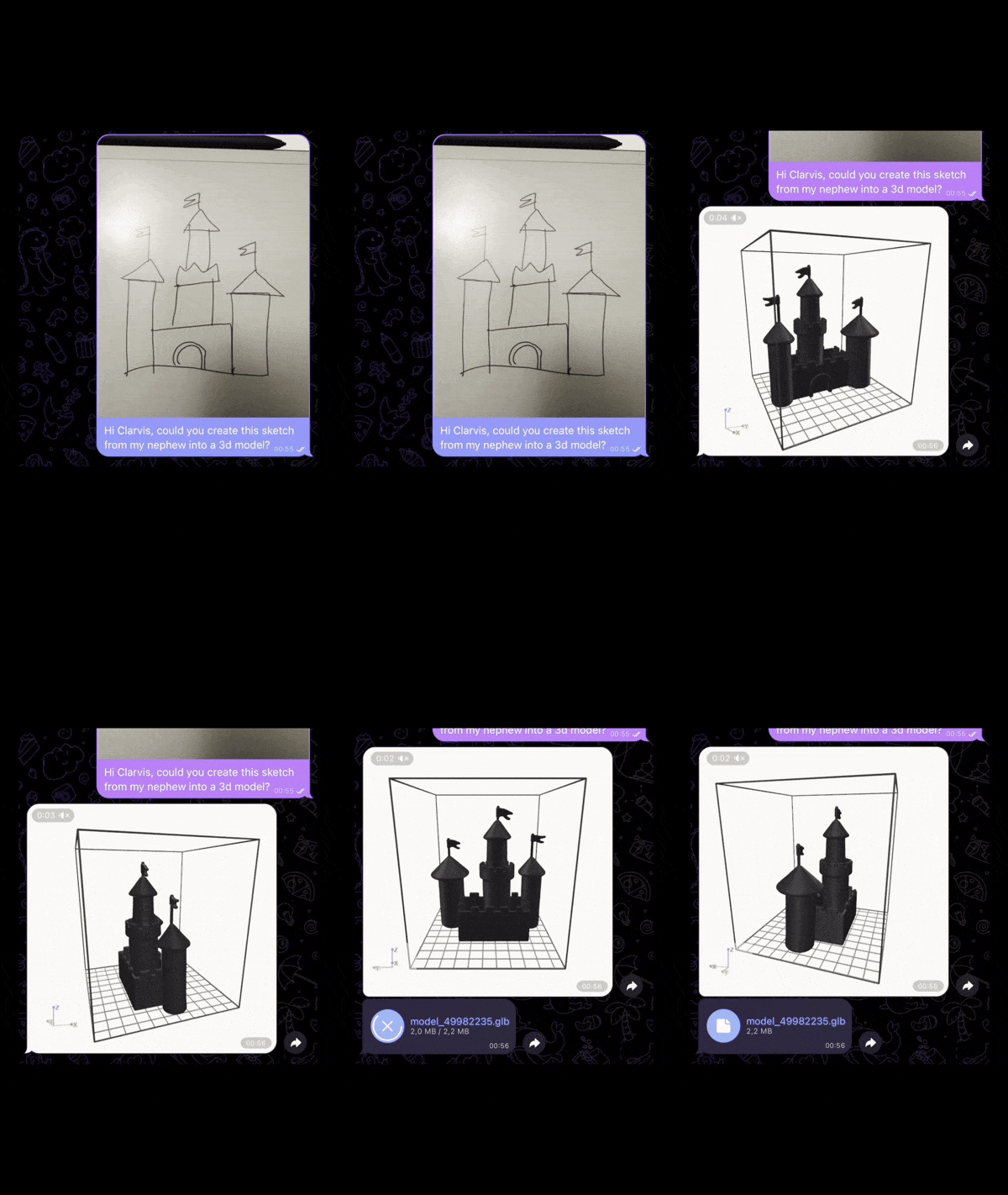
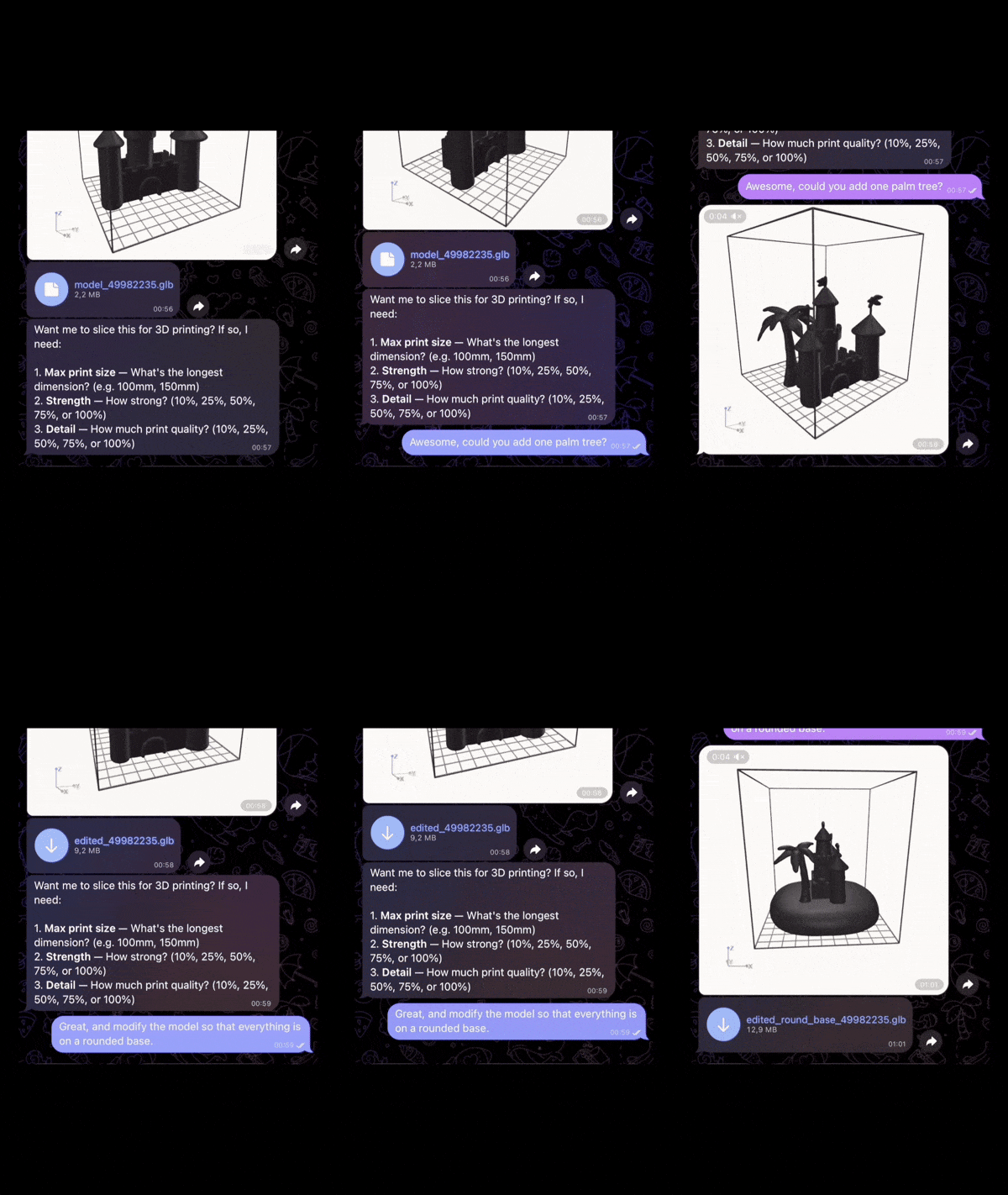
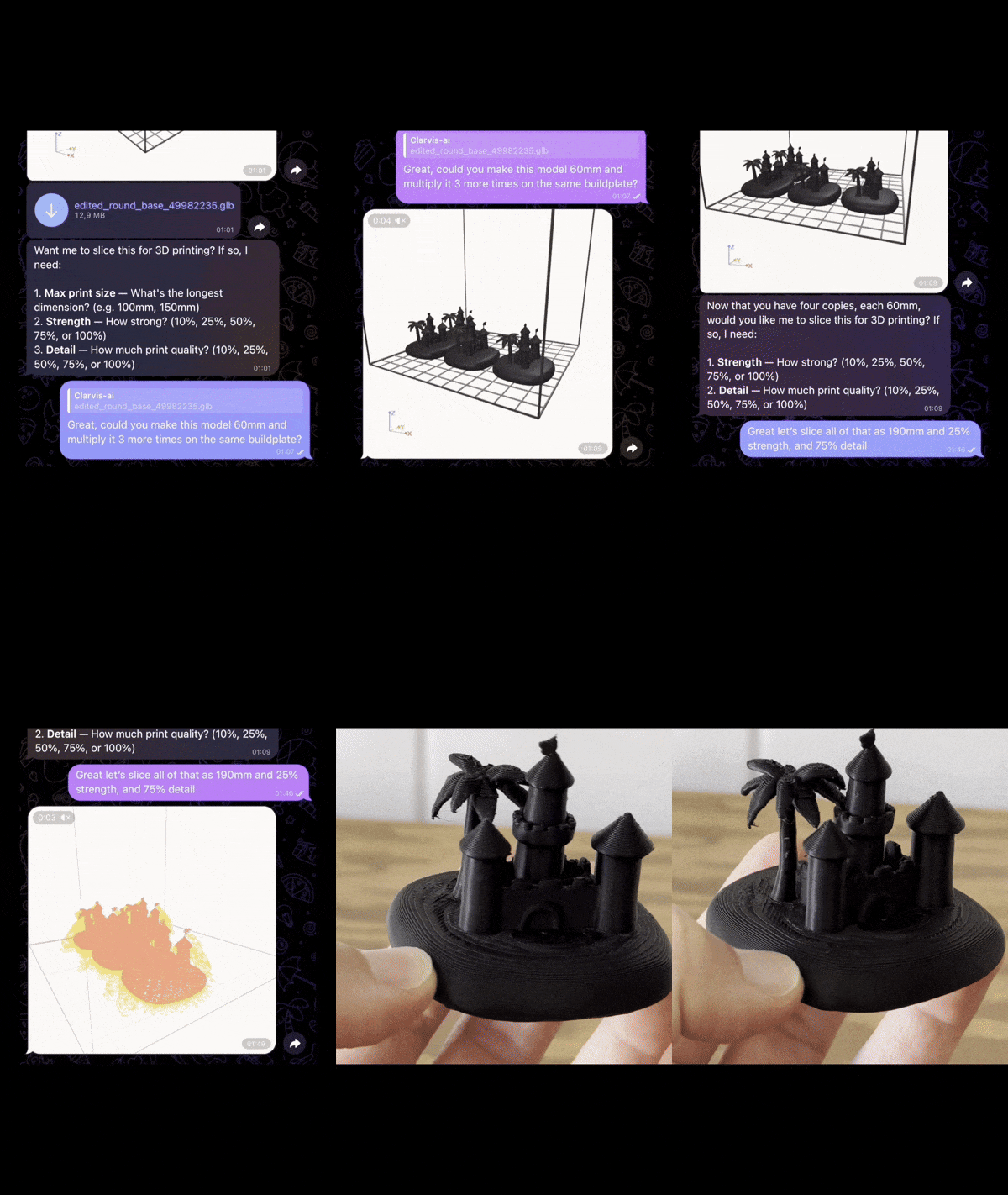
Open-source 3D printing assistant powered by AI. Talk to it from Telegram, Discord, or WhatsApp — send a sketch, photo, or describe what you want, and it will create or find a 3D model, slice it, and send it to your printer.
For a ready-to-use, anything-to-3D-print workflow without the setup, check out clarv.is.
| 3D Search — find → preview → slice → print | AI Replication — photo → 3D model → slice → print |
demo_bike_bottle.mp4 |
demo_clamp.mp4 |
| Sketch / Image → 3D | Modify 3D Models | Multiply, Slice & Print |
 |
 |
 |
git clone --recursive https://github.com/makermate/clarvis-ai.git
cd clarvis-ai
./setup.sh
The setup script will:
That's it. Open Telegram and message your bot.
If you prefer to configure things yourself:
cp env.example .env
# Edit .env with your API keys

docker compose up -d
You (Telegram/Discord/WhatsApp)
        │
        ▼
   ┌─────────┐
   │ Gateway  │  OpenClaw + claw3d CLI + AI skill instructions
   └────┬─────┘
        │
        ▼
   ┌─────────┐
   │ Slicer   │  CuraEngine REST API (3D model → G-code)
   └────┬─────┘
        │
        ▼
   3D Printer (on your WiFi network)
Services:
gateway — OpenClaw agent with claw3d CLI and skill instructionsslicer — CuraEngine 5.6.0 HTTP API for slicing models to G-code| Key | Required | Purpose | Get it at |
|---|---|---|---|
GOOGLE_API_KEY |
Yes | Agent brain (Gemini 2.5 Flash) | aistudio.google.com/apikey |
FAL_API_KEY |
For AI creation | Image/text → 3D model | fal.ai/dashboard/keys |
THINGIVERSE_ACCESS_TOKEN |
For search | Find existing models | thingiverse.com/apps/create |
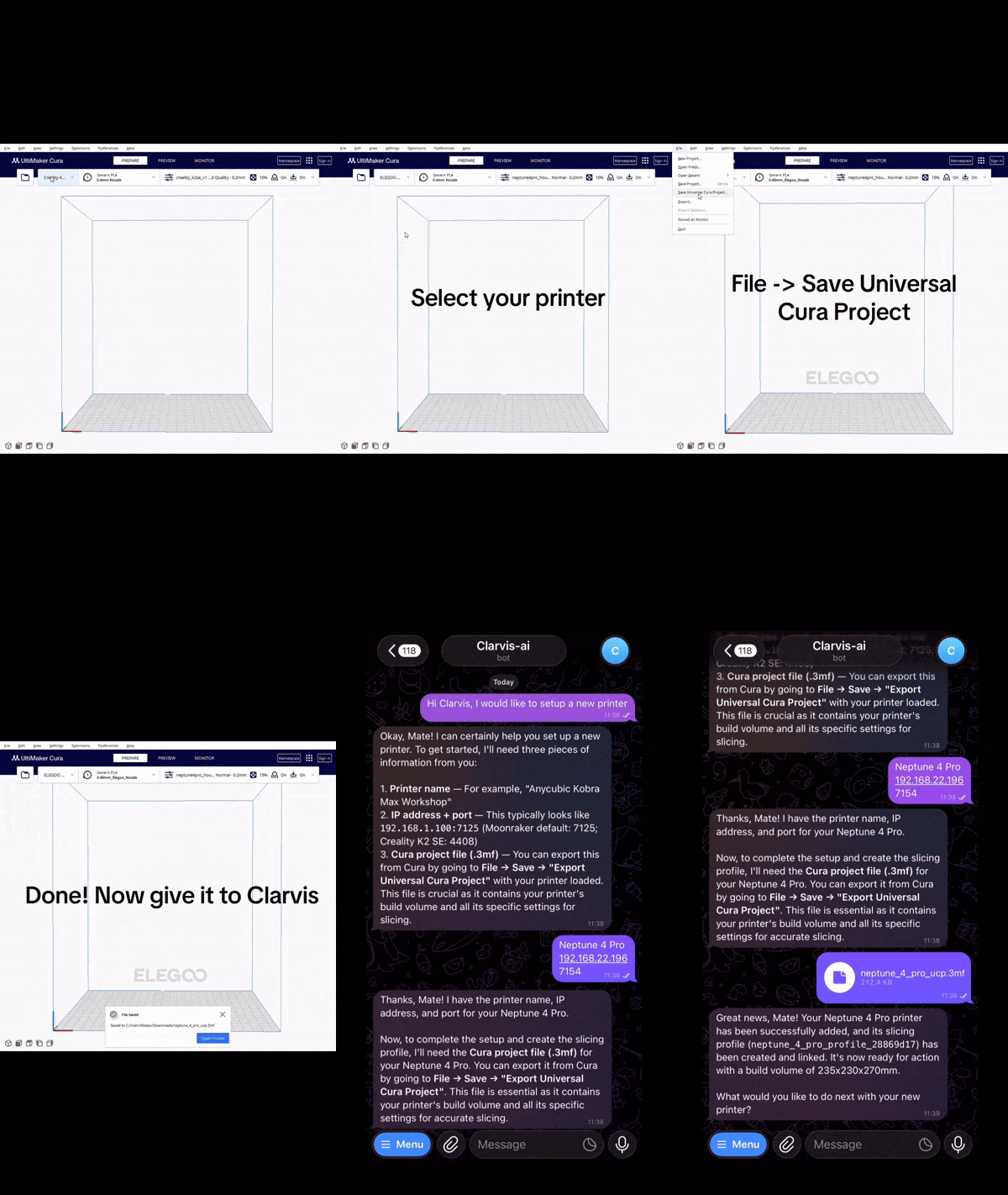
Once Clarvis is running, tell it about your printer from chat:
"I have a Creality K2 SE at 192.168.1.100 on port 4408"
Or configure via CLI:
docker compose exec gateway claw3d printer add \
  --name "My Printer" \
  --backend moonraker \
  --host 192.168.1.100 \
  --port 7125
Creating a printer profile for slicing
The agent extracts everything from the |
|
All interaction happens through chat. Just describe what you want:


OpenClaw — AI agent platform with Telegram, Discord & WhatsApp · claw3d — 3D printing CLI & skills
Clarvis AI is a distribution that combines three open-source projects into a single, ready-to-run stack:
| Component | Repo | What it does |
|---|---|---|
| OpenClaw | openclaw/openclaw | AI agent platform — gateway, messaging channels (Telegram, Discord, WhatsApp), authentication, and skill execution engine |
| claw3d | makermate/claw3d | Python CLI that powers the whole workflow — AI model generation (FAL.ai), Thingiverse search, slicing, preview rendering, and printer control (Moonraker/PrusaLink) |
| claw3d-skill | makermate/claw3d-skill | Modular AI agent instructions that teach the OpenClaw agent how to understand user intent, route requests, and orchestrate the 3D printing workflow |
| curaengine-slicer-api | makermate/curaengine-slicer-api | FastAPI service wrapping CuraEngine 5.6.0 — handles slicing, mesh conversion (GLB/STL/USDZ), and printer profile management |
This repo (clarvis-ai) adds the Docker Compose orchestration, the interactive setup script, and the Dockerfile that layers everything on top of OpenClaw. Each component can also be used independently.
# View logs
docker compose logs -f gateway

# Stop everything
docker compose down

# Rebuild after pulling updates
git pull --recurse-submodules
docker compose build
docker compose up -d

# Run claw3d CLI directly
docker compose exec gateway claw3d doctor

# Access the interactive CLI
docker compose --profile cli run cli
Contributions welcome! See CONTRIBUTING.md for guidelines. Each component has its own repo — open PRs there for component-specific work, or here for setup/integration issues.
MIT
more like this
🧠 A simple command-line client for the Perplexity API. Ask questions and receive answers directly from the terminal! 🚀🚀🚀
simple generator for 3D-printed frames for a moxon rectangle antenna
GPX 轨迹转 3D 可打印地形模型 | Hiking trail to 3D printable terrain | Electron + Vue。 一款面向户外爱好者与 3D 打印玩家的 Web 工具。将 GPX 徒步/骑行轨迹一键转…
search projects, people, and tags