bit_gossip
Pathfinding library for calculating all node pairs' shortest paths in an unweighted undirected graph.
Rust★ 50
Game Console Dev Guide. Learn to develop games for Xbox Series X|S, PlayStation 5, Nintendo Switch, Steam Deck, and App…
 mikeroyal
git clone https://github.com/mikeroyal/Game-Console-Dev-Guide.gitmikeroyal/Game-Console-Dev-Guide
Note: You can easily convert this markdown file to a PDF in VSCode using this handy extension Markdown PDF.

Quick links to Development Resources

Xbox Series X

Xbox Series S
Quick links to Development Resources
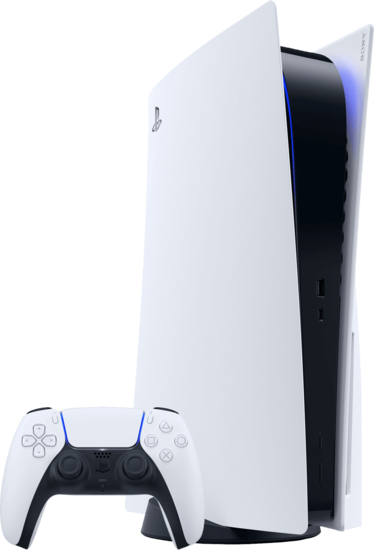
PlayStation 5

PlayStation 4
PlayStation® VR Headset is a virtual reality headset developed by Sony Interactive Entertainment. It gives the user an amazing gaming experience with stunning High Dynamic Range visuals and up to 120fps, as two 1920 x 1080 OLED displays deliver a vast 100º field of view. PSVR is fully functional with the PlayStation 4™ and is forward compatible with the PlayStation 5™ home video game console.

PlayStation VR Headset. Source: PlayStation
PlayStation®VR2 is the next generation of virtual reality gaming by PlayStation. It gives the user an amazing gaming experience with new stunning 4K High Dynamic Range visuals and up to 120fps, as two 2000 x 2040 OLED displays deliver over four times the resolution generated by the original PlayStation®VR headset. A vast 110º field of view and a light, well-balanced Fresnel lens. The lens adjustment dial allows you to customize spacing between lenses to match your eye position for an optimal onscreen image. Along with ground-breaking new controllers and genre-defining games, all made possible by the power of PS5™.
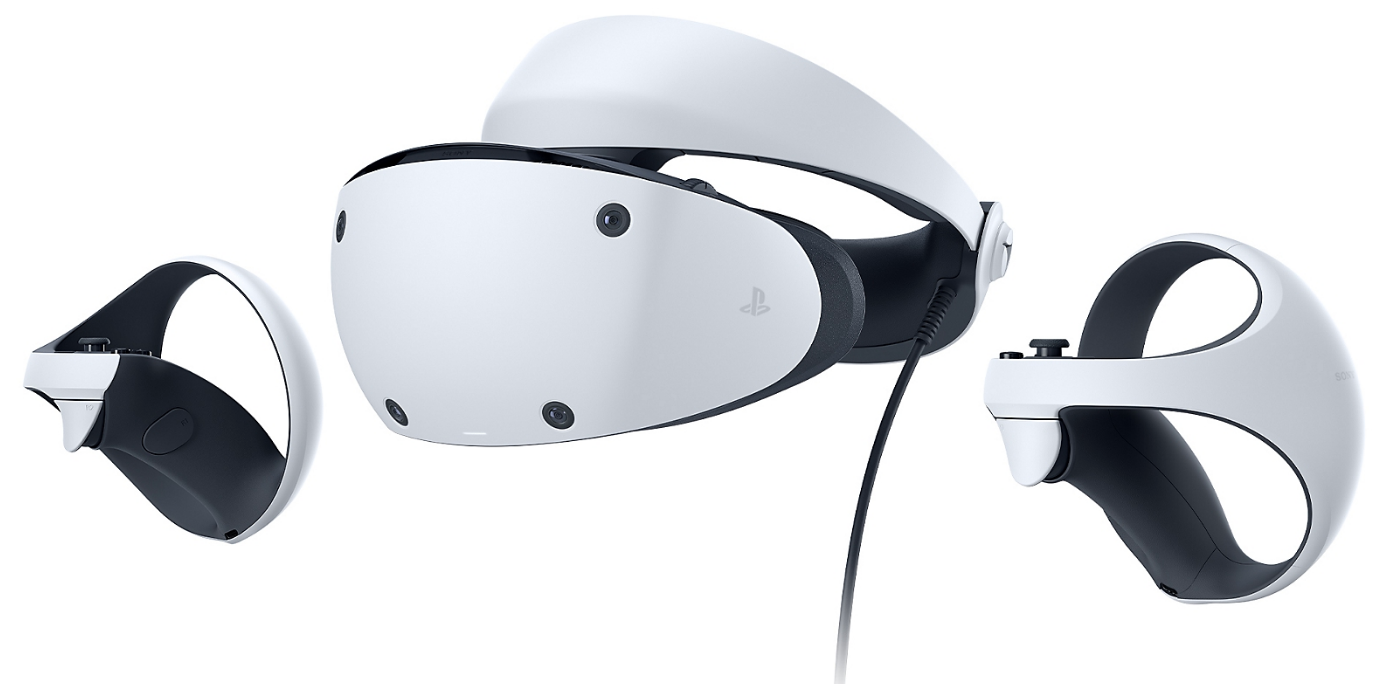
PlayStation VR 2 Headset. Source: PlayStation
Quick links to Development Resources

Nintendo Switch
Quick links to Development Resources
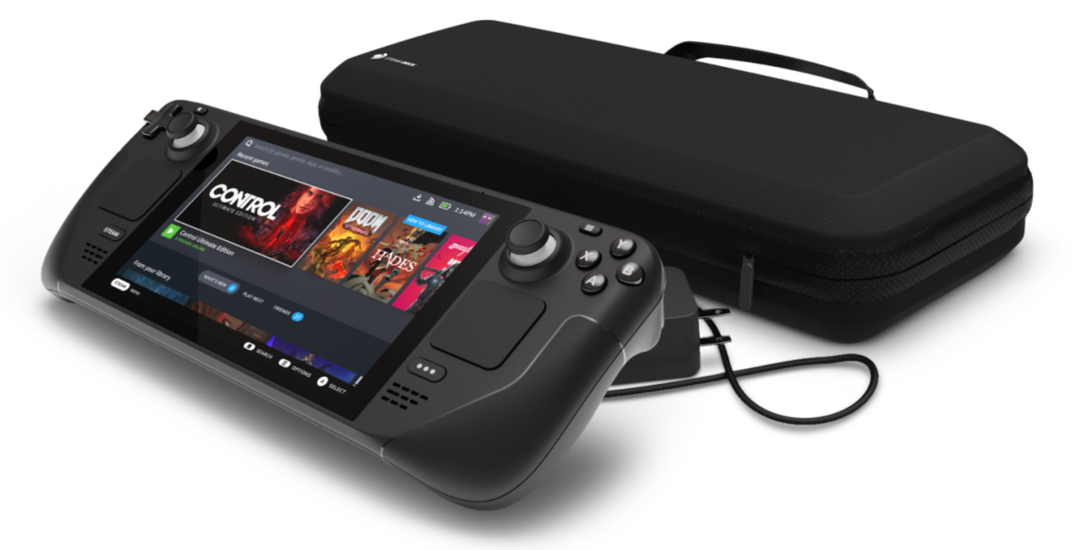
Steam Deck
Steamworks is a free suite of tools available to any developer to use in their game or software on Steam and the Steam Deck.
Steam Hardware GitLab Repo is a repository that contains CAD files for the external shell (surface topology) of Steam Deck, under a Creative Commons license. This includes an STP model, STL model, and drawings (DWG) for reference.
Dynamic Cloud Sync is a tool that Steam will use to automatically upload all modified save game data to the cloud prior to the device entering sleep mode. Users can then resume their game on any PC, laptop or other device. Steam will also automatically download any save game changes when users return to their Steam Deck and wake up the device.
Steam Cloud is a tool that provides an easy and transparent remote file storage system for your game. Files specified in the Auto-Cloud configuration or written to disk (created, modified, deleted, etc.) using the Cloud API will automatically be replicated to the Steam servers after the game exits. If the user changes computers, the files are automatically downloaded to the new computer prior to the game launching. The game can then access the files by reading them through the Cloud API or reading them directly from disk as usual. Avoid machine specific configurations such as video settings.
Gamescope is a SteamOS session micro-compositing window manager formerly known as steamcompmgr.
AMD FidelityFX Super Resolution (FSR) is an open source, high-quality solution for producing high resolution frames from lower resolution inputs. FSR enables “practical performance” for costly render operations, such as hardware ray tracing for the AMD RDNA™ and AMD RDNA™ 2 architectures.
MangoHud is a Vulkan and OpenGL overlay for monitoring FPS, temperatures, CPU/GPU load and more.
GOverlay is an open source project aimed to create a Graphical UI to manage Vulkan/OpenGL overlays. It is still in early development.
ReplaySorcery is an open-source, instant-replay solution for Linux.
Deck Verified is a program that reviews games in Steam's catalog verifying their compatibility with the Steam Deck. So when you visit your Library on Steam Deck, you’ll find a compatibility badge on each title, reflecting the kind of experience you can expect when playing each game on Steam Deck.

Note: Learn more about Apple Silicon here
Quick Links to Developer Resources

MetalFX Rendering. Image Credit: Apple

Game Porting Toolkit is Apple's new translation layer which combines Wine with Apple's own D3DMetal which supports DirectX 9 through 12. Games that use anti-cheat(Easy Anti-Cheat and BattleEye) or aggressive DRM generally don't work. Games that require AVX/AVX 2 CPUs also don't work.
The Game Porting Toolkit builds a dxil to metallib converter and DirectX11/DirectX12 to Metal runtime translator. Non-graphics APIs are translated by Wine and do not use any tech from moltenVK, DXVK; or SPIRV-Cross. The Metal shader converter can be shipped by games and can be used in the game developer asset pipelines.
Metal shader converter is a tool that converts shader intermediate representations in LLVM IR bytecode into bytecode suitable to be loaded into Metal. It’s available as a library and a standalone executable. All the functionality exposed through the library interface is available via the standalone executable.
Working Games:
ALL WORKING GAMES LIST (Game Porting Toolkit = Windows DX12 Latest Games for Apple Silicon)
Cyberpunk 2077
Elden Ring
Diablo IV
Hogwarts Legacy
Crysis Remastered
Cuphead
Halo 3 (No Online due to Easy Anti-Cheat Compatibility)
Metal Gear Solid V: The Phantom Pain
Final Fantasy VII Remake Intergrade (~50 FPS on High settings at 1080p with M1 Pro.)
God of War (Works somewhat well on M1 Pro (16gb), wouldn't recommend lesser hardware.)
Deep Rock Galactic
Sonic Omens
Sonic P-06
Scarlet Nexus
Dyson Sphere Program (some objects and main character weren't visible before)
Derail Valley (good performance, no missing manuals, and in-game objects for train operation like on CrossOver)
Spider-Man (2018)
Spider-Man Miles Morales - requires Windows version fix.
Warframe - To get installer/launcher working add dwrite (disabled) to library overrides in winecfg.
QUBE 2
Deceive Inc. - works well if launched without EAC.
Risk of Rain 2 (does not require -disable-gpu-skinning like Crossover 22.)
Tetris Effect: (Connected - Game window doesn't like retina mode, works otherwise.)
Bloodstained: Ritual of the Night
Note: if you have ever installed Homebrew before, then it is advisable to remove arm64 Homebrew as this can interfere with this build process. Either use a Homebrew uninstall script or delete the folder /opt/homebrew/bin.
Open Terminal (search in Spotlight on macOS).
Install Rosetta:
softwareupdate --install-rosetta
Enter an x86_64 shell to continue the following steps in a Rosetta environment. All subsequent commands should be run within this shell.
arch -x86_64 zsh
Install the x86_64 version of Homebrew if you don't already have it.
/bin/bash -c "$(curl -fsSL https://raw.githubusercontent.com/Homebrew/install/HEAD/install.sh)"
Make sure the brew command is on your path:
which brew
If this command does not print /usr/local/bin/brew, you should use this command:
export PATH=/usr/local/bin:${PATH}
Run this command to download Apple tap:
brew tap apple/apple http://github.com/apple/homebrew-apple
Install the game-porting-toolkit formula. This formula downloads and compiles several large software projects. How long this takes will depend on the speed of your computer. It can take over 1 hour to complete depending on the speed of your Mac.
brew -v install apple/apple/game-porting-toolkit
If during installation you see an error such as “Error: game-porting-toolkit: unknown or unsupported macOS version: :dunno”, your version of Homebrew doesn’t have macOS Sonoma support. Update to the latest version of Homebrew and try again.
brew update brew -v install apple/apple/game-porting-toolkit
A Wine prefix contains a virtual C: drive. You will install the toolkit and your game into this virtual C: drive. Run the following command to create a new Wine prefix named my-game-prefix in your home directory.
WINEPREFIX=~/my-game-prefix `brew --prefix game-porting-toolkit`/bin/wine64 winecfg
If the “Wine configuration” window does not appear, and no new icon appears in the Dock, verify that you have correctly installed the x86_64 version of Homebrew as well as the game-porting-toolkit formula.
Preparing the toolkit
Make sure the Game Porting Toolkit dmg downloaded earlier is mounted at /Volumes/Game Porting Toolkit-1.0. Use this script to copy the Game Porting Toolkit library directory into Wine’s library directory.
ditto /Volumes/Game\ Porting\ Toolkit-1.0/lib/ `brew --prefix game-porting-toolkit`/lib/
Put the 3 scripts from the Game Porting Toolkit DMG into here /usr/local/bin using this command:
cp /Volumes/Game\ Porting\ Toolkit*/gameportingtoolkit* /usr/local/bin

Go to Steam website and download the Windows version of Steam and place in your Downloads folder.
Install Steam
gameportingtoolkit ~/my-game-prefix ~/Downloads/SteamSetup.exe
Run Steam
gameportingtoolkit ~/my-game-prefix 'C:\Program Files (x86)/Steam/steam.exe'
Log into Steam A common issue is that Steam will present with a blank black window.
Alternate way of launching Steam (after installing):
MTL_HUD_ENABLED=1 WINEESYNC=1 WINEPREFIX=~/my-game-prefix /usr/local/Cellar/game-porting-toolkit/1.0/bin/wine64 'C:\Program Files (x86)/Steam/steam.exe'
If this continues then close the Terminal window and then re-open and try again, repeat until the login screen opens. Now you should be able to download and launch Windows games through Steam.

This is particularly useful because as it currently, the real Epic Games Launcher fails to install under the Game Porting Toolkit. Heroic supports Epic and GOG.com games.
Wine-Crossover-Wine-22.1.0cd ~/Library/Application\ Support/heroic/tools/wine/Wine-crossover-wine-22.1.0.cd Contents/MacOS
Remove the existing Wine:
rm wine
If using Game Porting Toolkit Wineprefix:
ln -s `/usr/local/bin/brew --prefix game-porting-toolkit`/bin/wine64 wine
If using Whisky:
ln -s /Applications/Whisky.app/Contents/Resources/Libraries/Wine/bin/wine64 wine
cd ../Resources
Remove the existing Wine:
rm -rfv wine
If using Game Porting Toolkit Wineprefix:
ln -s `/usr/local/bin/brew --prefix game-porting-toolkit` wine
If using Whisky:
ln -s /Applications/Whisky.app/Contents/Resources/Libraries/Wine wine
/Users/you/my-game-prefix.WINEESYNC=1" and "MTL_HUD_ENABLED=1"
Please download the Windows version of Battle.net.
Make a new Wineprefix for Battle.net - we will refer to this as battle-net from now:
WINEPREFIX=~/battle-net `brew --prefix game-porting-toolkit`/bin/wine64 winecfg
Run Battle.net launcher
gameportingtoolkit ~/battle-net ~/Downloads/Battle.net-Setup.exe
Please be aware that there is an issue launching Battle.net once installed, the only current way to re-login is to 'install' the launcher again.
Start individual game without the launcher using this command:
arch -x86_64 gameportingtoolkit-no-hud ~/battle-net 'C:\Program Files (x86)\Diablo IV\Diablo IV Launcher.exe'
Open your Wine prefix’s virtual C: drive in Finder (open ~/my-game-prefix/drive_c) and copy your game into an appropriate subdirectory.
A. Standard launching
gameportingtoolkit ~/my-game-prefix 'C:\Program Files\MyGame\MyGame.exe'
This launches the given Windows game binary with a visible extended Metal Performance HUD and filters logging to output from the Game Porting Toolkit.
B. Launching without a HUD
gameportingtoolkit-no-hud ~/my-game-prefix 'C:\Program Files\MyGame\MyGame.exe'
C. Launching with Wine ESYNC disable
gameportingtoolkit-no-esync ~/my-game-prefix 'C:\Program Files\MyGame\MyGame.exe'
The provided bin/gameportingtoolkit* scripts can be copied onto your path to facilitate different forms of logging and launching. You can run these scripts from any shell; you don’t need to switch to the Rosetta environment first.
Logging output will appear in the Terminal window in which you launch your game as well as the system log, which can be viewed with the Console app found in Applications ▸ Utilities. Log messages from the Game Porting Toolkit are prefixed with D3DM. By default the gameportingtoolkit* scripts will filter to just the D3DM-prefixed messages. Troubleshooting • Link
Close the Terminal window and then reopen and retry the command, repeat several times.
Alternate way of launching Steam (after installing):
MTL_HUD_ENABLED=1 WINEESYNC=1 WINEPREFIX=<path to the Wine bottle you set up> /usr/local/Cellar/game-porting-toolkit/1.0/bin/wine64 'C:\Program Files (x86)/Steam/steam.exe'
If still not working then try using CrossOver and create a Steam bottle, then redirect this WINEPREFIX to that bottle:
WINEPREFIX="/Users/[username]/Library/Application Support/CrossOver/Bottles/Steam/"
Steam crashes straight after opening: Disconnect any external monitors.
Battle.net launcher won't re-launch: Re-install the launcher to reopen, no other fix at the moment.
Game won’t run because it thinks the version of Windows is too old. Some games detect specific minimum versions of Windows and need to be updated. Use this script to update your wineprefix with build 19042 which should work for most games e.g. Spider-Man Remastered.
WINEPREFIX=~/my-game-prefix `brew --prefix game-porting-toolkit`/bin/wine64 reg add 'HKEY_LOCAL_MACHINE\Software\Microsoft\Windows NT\CurrentVersion' /v CurrentBuild /t REG_SZ /d 19042 /f
WINEPREFIX=~/my-game-prefix `brew --prefix game-porting-toolkit`/bin/wine64 reg add 'HKEY_LOCAL_MACHINE\Software\Microsoft\Windows NT\CurrentVersion' /v CurrentBuildNumber /t REG_SZ /d 19042 /f
WINEPREFIX=~/my-game-prefix `brew --prefix game-porting-toolkit`/bin/wineserver -k
steamwebhelper.exe crashes
This is caused by Steam being run through macOS Ventura or below, upgrade to macOS Sonoma.
Game won't run and crashes with an invalid instruction
Invalid instruction crashes are often (but not always) caused when Rosetta 2 is unable to translate AVX/AVX2 instructions. You may be able to recompile a version of your game without AVX/AVX2 instructions in order to evaluate its potential on Apple Silicon with the Game Porting Toolkit when you hit this error. When porting your code natively to Apple Silicon, NEON instructions are a high-performance replacement for AVX/AVX2.
Game won't run because its anti-cheat or DRM software is incompatible with Wine translation.
You may be able to rebuild a custom version of your game in your Windows development environment with anti-cheat or DRM disabled for your own evaluation purposes. When porting your code natively to Apple Silicon and macOS, contact your anti-cheat or DRM provider—most have native Apple Silicon solutions for your native build.
Game won’t run because it requires Mono, .NET, or the MSVCRT runtime.
The game porting toolkit’s evaluation environment does not pre-install these runtime support packages. If your game makes use of one of these packages, consider searching for and downloading appropriate installers (.exe or .msi) and installing them to your evaluation environment. Additional runtime installers can be run on your environment by just launching the installer and following its installation instructions:
WINEPREFIX=~/my-game-prefix `brew --prefix game-porting-toolkit`/bin/wine64 <some-installer.exe>
And .MSI packages can be installed by launching the Windows uninstaller application and choosing to install a downloaded .msi package:
WINEPREFIX=~/my-game-prefix `brew --prefix game-porting-toolkit`/bin/wine64 uninstaller
Controller issues
Issues may be fixed by enrolling into the Steam beta.
Important Terms to Know

Vision Pro Headset. Image Credit: Apple

Vision Pro Headset with battery pack. Image Credit: Apple

R1 & M2 chips in the Vision Pro Headset. Image Credit: Apple

visionOS. Image Credit: Apple
visionOS Resources
Apple Vision Pro Headset Specs:
OLEDoS (OLED on Silicon) is a display panel that typically has a diagonal length of less than 1 inch and meets the 3000 ppi-4000 ppi resolution criteria of AR/VR device displays. Existing OLED displays use Low-Temperature-Poly-Silicon (LTPS) or Oxide TFT based on glass substrates. OLEDoS uses silicon-wafer-based CMOS substrates. Using silicon substrates, ultra-fine circuit structures typically used in semiconductor processes can be reproduced, which in turn lead to the creation of ultra-high-resolution OLEDs when organic matter is deposited on them.
LG and Sony OLEDoS Display Specs:

OLEDoS: Solution for ultra-high resolution
Credit: LG

Specs for OLED and OLEDoS
Credit: Sony

Unreal Engine is a game engine developed by Epic Games with the world's most open and advanced real-time 3D creation tool. Continuously evolving to serve not only its original purpose as a state-of-the-art game engine, today it gives creators across industries the freedom and control to deliver cutting-edge content, interactive experiences, and immersive virtual worlds.

Unreal Engine 5 with Big City Sample Project

Unreal Engine Twinmotion. Source: Unreal Engine

Unreal Engine 5 Project browser

Unreal Engine 5 Vehicle Project Demo

Unreal Engine Marketplace
Blueprint Visual Scripting is a complete gameplay scripting system in Unreal Engine based on the concept of using a node-based interface to create gameplay elements from within Unreal Editor. As with many common scripting languages, it is used to define object-oriented (OO) classes or objects in the engine.

Blueprint Visual Scripting UI
Datasmith is a collection of tools and plugins that bring entire pre-constructed scenes and complex assets created in a variety of industry-standard design applications into Unreal Engine.
Chaos Physics is a Beta feature that is the light-weight physics simulation solution used in Fortnite, and it includes the following major features.
RBAN (Rigid Body Animation Nodes)
Destruction
Cloth
Ragdoll
Vehicles
Niagara VFX System is one of two tools you can use to create and adjust visual effects (VFX) inside Unreal Engine 4 (UE4). Before Niagara, the primary way to create and edit visual effects in UE4 was to use Cascade. It has many of the same of particle manipulation methods that Cascade offers, the way you interact and build visual effects with Niagara is vastly different.
MetaHuman Creator is a free cloud-based app that empowers anyone to create photorealistic digital humans, complete with hair and clothing, in minutes. MetaHumans come fully rigged and ready to animate in your Unreal Engine projects.
Twinmotion is a real-time 3D immersion software that produces high-quality images, panoramas and standard or 360° VR videos in seconds. Developed for architecture, construction, urban planning and landscaping professionals.
Bridgew by Quixel is a gateway to create a world of 3D content right inside the Unreal Engine. it includes Megascans—the world's largest library of AAA, cinema-quality assets based on real-world scan data.
Lumen is an Unreal Engine 5 feature that uses multiple ray tracing methods to solve Global Illumination and Reflections. Screen traces are done first, followed by a more reliable method. It uses Software Ray Tracing through Signed Distance Fields by default, but can achieve higher quality on supporting video cards when Hardware Ray Tracing is enabled.
Nanite is Unreal Engine 5's new virtualized geometry system which uses a new internal mesh format and rendering technology to render pixel scale detail and high object counts. It intelligently does work on only the detail that can be perceived and no more.
Procedural Content Generation Framework (PCG) is a toolset for creating your own procedural content inside Unreal Engine. It provides artists and designers the ability to build fast, iterative tools and content of any complexity ranging from asset utilities, such as buildings or biome generation, up to entire worlds.
Unreal Engine's VCam system is a Cine Camera in Unreal Engine that uses a modular component system to manipulate camera data and output the final results to a variety of external output devices. In addition, the Virtual Camera system provides its functionality while in the editor and during Play In Editor (PIE) or Standalone Game mode.
PolyEd (PolyGroup Edit) is a tool that includes a suite of operations for editing a mesh with PolyGroups. Common operations such as Extrude, Bevel, Weld, and Bridge are available. Also included are operations that only work with structured PolyGroups, such as Insert Edge Loop and edge loop/ring selection.
PolyDef is a tool that dynamically alters the shape of a mesh through its PolyGroups. Deformation is an efficient way to reshape a mesh quickly and create organic geometry.
nDisplay is a tool in Unreal Engine that describes how multiple computers work together in an nDisplay rendering network.
Unreal Engine Marketplace is Unreal Engine's Store that has a library Of Textures, Models, Animations, Tutorials, and More for creating amazing 3D projects and games.
UnrealBuildTool (UBT) is a tool that manages the process of building UE4 source code across a variety of build configurations.
UnrealHeaderTool (UHT) is a custom parsing and code-generation tool supporting the UObject system.
AutomationTool is a generic system used to automate processes, including testing and building games.
Proxy Geometry Tool is a tool-set that was developed as a way to increase your Unreal Engine 4 (UE4) project's performance while keeping the visual quality of your project uneffected.
Quixel Megascans is a massive online scan library of high-resolution, consistent PBR calibrated surface, vegetation and 3D scans, also including desktop applications for managing, mixing and exporting your downloaded scan data.
Replay System is a tool which can record gameplay for later viewing. This feature is available in all games, from live, multiplayer games played on dedicated servers, to single-player games, and even including Play-In-Editor sessions. At a high level, the Replay system works by using a DemoNetDriver to read data drawn from the built-in replication system, similar to how a NetDriver operates in a live, networked gameplay environment.
Take Recorder is a tool that enables the fast iteration of recording performances and quickly reviewing previous takes for virtual production workflows. You can easily record animations from motion capture linked to characters in the level, as well as actual Live Link data for future playback.
Cesium for Unreal is a tool that brings the 3D geospatial ecosystem to Unreal Engine. By combining a high-accuracy full-scale WGS84 globe, open APIs and open standards for spatial indexing such as 3D Tiles, and cloud-based real-world content from Cesium ion with Unreal Engine, this project enables a new era of 3D geospatial software.
Unreal Engine Live-streaming Toolkit is a Live-streaming Toolkit for video, alpha and audio (Viewport, Cinecam, 360 Camera) via RTMP/ RTSP/ SRT/ NDI/ Spout/ Virtual Webcam plus direct display and window capture. Available in Unreal Marketplace
HttpGPT is an Unreal Engine 5 plugin that facilitates integration with OpenAI's GPT based services (ChatGPT and DALL-E) through asynchronous REST requests, making it easy for developers to communicate with these services. It also includes Editor Tools to integrate Chat GPT and DALL-E image generation directly in the Engine.
Substance 3D is a plugin that enables the use of Substance materials directly in Unreal Engine 5 and Unreal Engine 4. Whether you are working on games, visualization and or deploying across mobile, desktop, or XR, Substance delivers a unique experience with optimized features for enhanced productivity. The runtime currently works for Windows, Mac, and Linux.

Substance 3D
Image Credit: Adobe

Unity is a cross-platform game development platform. Unity can be used to build high-quality 3D and 2D games, deploy them across mobile, desktop, VR/AR, consoles or the Web, and connect with loyal and enthusiastic players and customers. Checkout the Unity Manual to get started on your Unity projects.

Unity Terrain project. Source: Unity
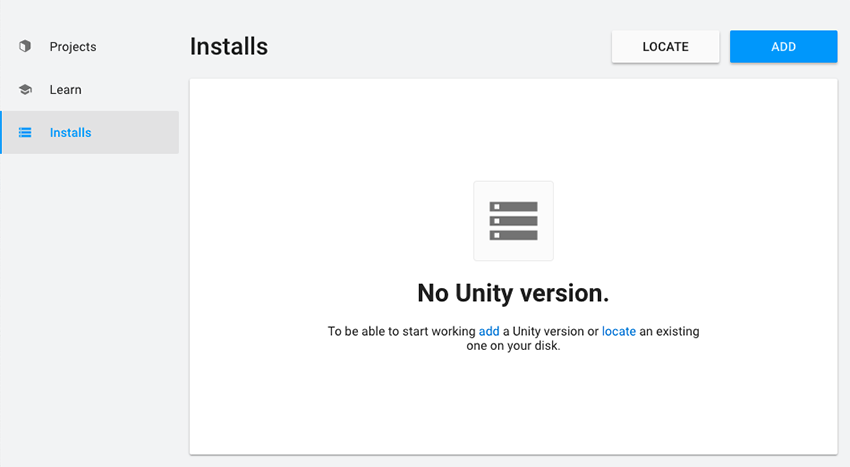
Unity Hub Installs

Unity Asset Store
Unity Hub is a tool that helps manage multiple installations of the Unity Editor, create new projects, and access your work.
Unity Asset Storeis Unity's Store that has a library Of Textures, Models, Animations, Tutorials, and More for creating amazing 3D projects and games.
Unity Plus is a version of Unity for small businesses and serious hobbyists get more functionality and training resources to power up their projects.
Unity Pro is a version of Unity to create and operate amazing applications and immersive experiences with a complete solution for professionals across industries.
Unity Enterprise is a version of Unity for large teams creating at scale, Unity Enterprise delivers comprehensive technology, resources, and support that fuel innovation, reduce risk, and power your success.
Unity XR is a plug-in framework that enables XR providers to integrate with the Unity engine and make full use of its features.
Unity MARS is a tool that helps you create augmented reality (AR) apps with better workflows and purpose built authoring tools.
Unity Build Server is a tool that offloads your Unity project builds to network hardware, empowering your creative team to iterate more, produce higher quality products, and ship on time.
Unity Teams is a tool that helps you and your team create together, faster. It makes it simple to save, share and sync your Unity projects with anyone.
Unity Automated QA is a tool that shortens the development feedback loop with on-demand tests that anyone on your team can create and run without writing code.
Unity Simulation Pro is a tool that unlocks the true power of scalable simulations through a simulation-optimized version of the Unity runtime.
Unity Forma is a tool that brings the power of real-time 3D to your marketing. It turns 3D product data into interactive 3D configurators, stunning images and more.
Unity Reflect is a tool that helps create an experience immersive and collaborative real-time 3D environments, including in AR and VR, for better decision-making across your entire project lifecycle.
Unity Reflect Develop is a tool that builds your own custom applications to address any problem across the entire building and infrastructure lifecycle for internal or commercial deployment.
Unity ArtEngine is Unity’s material authoring tool. Harnessing the power of assisted creation, the tool helps creators accelerate production pipelines.
Unity Machine Learning Agents is a tol that helps train and embed intelligent agents by leveraging state-of-the-art deep learning technology.
Unity Essential Success is a tool that is your dedicated Support Coordinator and experienced Unity engineers are ready to help.
Bolt Visual scripting is a tool in Unity empowers creators to develop gameplay mechanics or interaction logic with a visual, graph-based system, instead of writing traditional lines of code.
VisualLive is a tool for construction professionals can visualize designs and collaborate in real-time by overlaying large BIM and CAD files onto jobsites using AR.
Professional Services: Optimization Accelerator is atool that boosts your project and your productivity in a four-day sprint with hands-on guidance from a Unity engineer. It will help you analyze performance problems, test solutions, and implement improvements.
Odin Inspector Enterprise is a tool that optimizes your project workflows and save thousands of development hours.
Multiplay is a resilient, multicloud hybrid server hosting and matchmaking platform without having to build and maintain your own infrastructure. Proven at scale in some of the world’s biggest games.
Vivox is a voice and text comms tool that boosts player engagement, retention rates and create immersive multiplayer experiences by leveraging an easy-to-implement, feature-rich voice and text chat service.
Relayᴮᴱᵀᴬ is a tool that provides a great multiplayer gaming experiences with Unity’s Relay service that's now in open beta.
Lobbyᴮᴱᵀᴬ is a tool that connects your players for great multiplayer gaming experiences with Lobby that's now in Open Beta.
Cloud Codeᴮᴱᵀᴬ is a tool that runs your game logic in the cloud as serverless functions and interact with other backend services.
Cloud Saveᴮᴱᵀᴬ is a tool that builds better player experiences by storing game data to the cloud.
Furioos is a tool that streams fully interactive 3D experiences from Unity, other real-time 3D platforms, and Windows applications with peak visual quality in any web browser.
OctaneRender® for Unity is a tool that lets you harness physically accurate rendering directly in Unity and compose gorgeous, cinematic-quality scenes with OctaneRender materials and lighting.
Pacelab WEAVR is a tool that provides a complete XR platform that enables any company, in any industry, to develop and manage enterprise-scale immersive training.
Interact is a tool that creates advanced real-time, human-centric simulations on any VR configuration for training, visualization, and safety.
Prespective is a tool that helps you design and simulate your machine, factory, or system in Unity real-time 3D. Create common ground among stakeholders and speed up decision processes with improved visualization tools.
Pixyz is a tool that lets you can quickly import, prep, and optimize your large CAD, mesh and point cloud models for real-time visualizations in Unity.
Plastic SCM Cloud Edition is a tool that makes Collaboration more efficient with a performant, easy-to-use version control system (VCS) made for programmers, artists and designers.
Backtrace is a game crash management platform that delivers uninterrupted game experiences by automating your response to errors.
SpeedTree® is a group of vegetation programming and modeling software products developed and sold by Interactive Data Visualization, Inc. that generates virtual foliage for animations, architecture and in real time for video games and demanding real time simulations. Unity Technologies acquired SpeedTree in July 2021.
ParSec is a the ultimate remote desktop, powerful enough for teams of developers, designers, architects, and engineers to get the job done and work together from anywhere. Unity Technologies acquired Parsec in August 2021.
SyncSketch is a collaboration software for visual artists that allows a team to view, review, and provide feedback on each other’s work. It includes support for both 2D and 3D assets as well as video. As of December 2021 SyncSketch has been acquired by Unity Technologies.
Weta Digital is a digital visual effects company created by Peter Jackson. It produced the digital special effects for Heavenly Creatures and the Lord of the Rings. Unity Technologies acquired Weta Digital in November 2021.
Unity Knowledge Base is a library of articles that helps you troubleshoot common problems, whether it’s creating an account, importing assets, or baking a scene.

Godot Engine is a feature-packed, cross-platform game engine to create 2D and 3D games from a unified interface. It provides a comprehensive set of common tools, so that you can focus on making games without having to reinvent the wheel. Checkout the Godot Engine Documentation for moe info.

Godot Engine

Godot Asset Library
GDNative is a Godot-specific technology that lets the engine interact with native shared libraries at run-time. You can use it to run native code without compiling it with the engine. GDNative is not a scripting language and has no relation to GDScript.
Godot Web Editor is a tool that allows you to open and edit your Godot project in the web browser.

Godot Web Editor
Godot Tools is a VSCode extension that provides a complete set of tools to code games with Godot Engine in Visual Studio Code.

Pixelorama is a free and open source pixel art editor, proudly created with the Godot Engine, by Orama Interactive. Whether you want to make animated pixel art, game graphics, tiles and any kind of pixel art you want, Pixelorama has you covered with its variety of tools and features. Available on Windows, Linux, macOS and the Web.

Pixelorama
Unidot Importer is a Unity compatibility layer and .unitypackage importer for Godot 4.x.
Dialogic 2.0 is a tool that creates dialogs, characters and scenes to display conversations in your Godot games.
GodotSteam is an open-source and fully functional Steamworks SDK / API module and plug-in for the Godot Game Engine.
Supported languages for Godot Engine
Community supported languages for Godot Engine
The bindings below are developed and maintained by the community (may not be production-ready):

Blender is a professional, free and open-source 3D computer graphics software toolset used for creating animated films, visual effects, art, 3D printed models, interactive 3D applications and video games. For those on Linux there's an Independent Blender LTS support and services for enterprises are available now via Canonical(makers of the Ubuntu Advanced platform).
Blender comes packed with import/export support for many different programs.

Including:
Image(JPEG, JPEG2000, PNG, TARGA, OpenEXR, DPX, Cineon, Radiance HDR, SGI Iris, TIFF)
Video(AVI, MPEG and Quicktime (on MacOS)).
3D(Alembic, 3D Studio (3DS), COLLADA (DAE), Filmbox (FBX), Autodesk (DXF), Wavefront (OBJ), DirectX (x), Lightwave (LWO), Motion Capture (BVH), SVG, Stanford PLY, STL, VRML, VRML97, X3D).
Eevee is Blender’s realtime render engine built using OpenGL focused on speed and interactivity while achieving the goal of rendering PBR materials. Eevee can be used interactively in the 3D Viewport but also produce high quality final renders. Eevee materials are created using the same shader nodes as Cycles, making it easy to render existing scenes. For Cycles users, this makes Eevee work great for previewing materials in realtime.

Eevee final render – “Temple”. Source: Dominik Graf
Cycles is Blender’s ray-trace based production render engine.

Blender's Cycles Render Engine. Source: Blender

Blender VFX(Visual Effects). Source: Blender
FreeStyle is an edge- and line-based non-photorealistic (NPR) rendering engine. It relies on mesh data and z-depth information to draw lines on selected edge types. Various line styles can be added to produce artistic (“hand drawn”, “painted”, etc.) or technical (hard line) looks.
Modifiers are automatic operations that affect an object in a non-destructive way. With modifiers, you can perform many effects automatically that would otherwise be too tedious to update manually (such as subdivision surfaces) and without affecting the base geometry of your object.
UV Unwrapping is a tool that let's you easily unwrap your mesh right inside Blender, and use image textures or paint your own directly onto the model.
UV Sculpt is a “mode” in Blender that allows you to grab, pinch and smooth UVs, just like Sculpt Mode.
Dedicated Workspace is a feature of sculpting organic subjects using the built-in sculpting feature set of Blender.
Brushes is a feature in Blender that comes with built-in brushes such as Crease, Clay Strips, Pinch, Grab, Smooth, Mask and many more.
Dynamic topology( dyntopo) is a dynamic tessellation sculpting method, which adds and removes details on the fly, whereas regular sculpting only affects the shape of a mesh.
Masking is a feature used while sculpting, areas might be hidden behind parts of the mesh or they might be too close to other parts. To work through these, it is useful to isolate parts of a mesh to sculpt on. This can be done by either completely hiding parts of the mesh or by masking areas that can not be sculpted on.
Grease Pencil is a particular type of Blender object that allow you to draw in the 3D space. It can be use to make traditional 2D animation, cut-out animation, motion graphics or use it as storyboard tool among other things.
Constraints are a way to control an object’s properties (e.g. its location, rotation, scale), using either plain static values (like the “limit” ones), or another object, called “target” (like e.g. the “copy” ones).
Drivers are a way to control values of properties by means of a function, mathematical expression or small script.
Shape keys are used to deform objects into new shapes for animation. In other terminology, shape keys may be called “morph targets” or “blend shapes”. The most popular use cases for shape keys are in character facial animation and in tweaking and refining a skeletal rig. They are particularly useful for modeling organic soft parts and muscles where there is a need for more control over the resulting shape than what can be achieved with combination of rotation and scale.
Motion Paths is a tool allows you to visualize the motion of points as paths over a series of frames. These points can be object origins and bone joints.
Simulations is a tool that allows you to create amazing Simulations such as a crumbling building, rain, fire, smoke, fluid, cloth or full on destruction.
Blender Video Editor is a video editor that comes with a built-in video sequence editor allows you to perform basic actions like video cuts and splicing, as well as more complex tasks like video masking or color grading.
Blender Compositing is a feature that comes with an impressive library of nodes for creating camera fx, color grading, vignettes and much more Render-layer support. Along with the ability to render to multiLayer OpenEXR files.
Blender Motion Tracking is a feature that provides production ready camera and object tracking, allowing you to import raw footage, track it, mask areas and reconstruct the camera movements live in your 3d scene.
fSpy is an open source still image camera matching tool developed by Stuffmatic. Also check-out the fSpy importer for Blender.
more like this
Pathfinding library for calculating all node pairs' shortest paths in an unweighted undirected graph.
Vinculum (vin·cu·lum) is a set of C# autogen bindings for Raylib 5.0 additionally provides some convenience wrappers. R…
search projects, people, and tags