dont-track-me-google
Firefox and Chrome extensions to prevent Google from making links ugly.
JavaScript★ 587
A userscript that enhances GitHub commits by adding beautiful labels for conventional commit types.
 nazdridoy
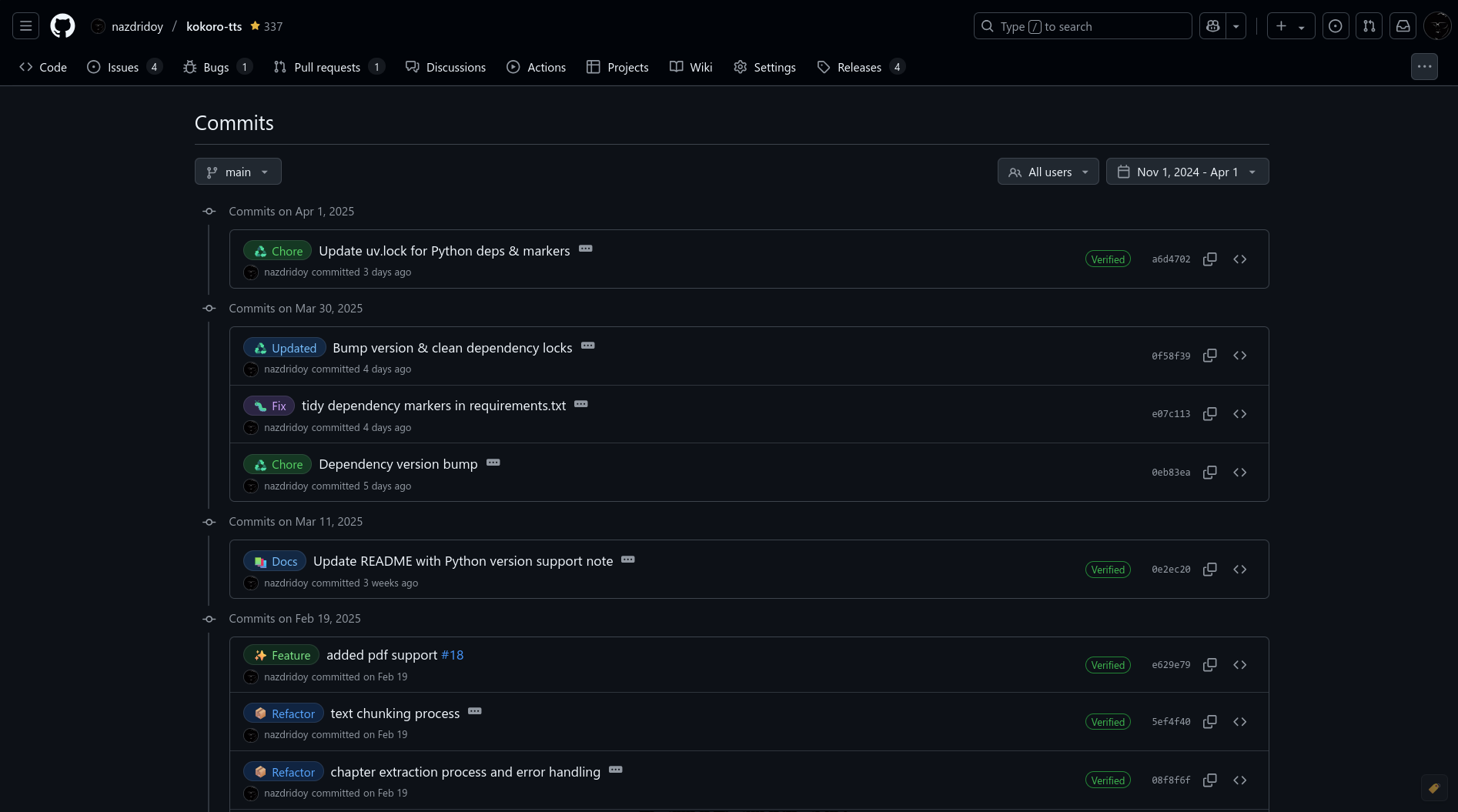
git clone https://github.com/nazdridoy/github-commit-labels.gitnazdridoy/github-commit-labelsA userscript that enhances GitHub commits by adding beautiful labels for conventional commit types. It automatically detects commit types (like feat, fix, docs) and adds visually appealing labels to make your commit history more readable.
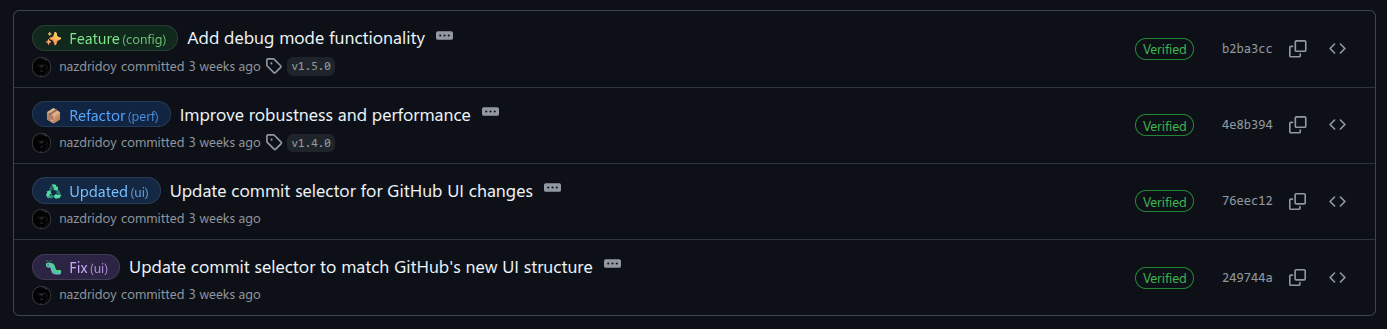
type!: or type(scope)!:)After installing the script, check it out on these repositories with conventional commits:
Default commit types and their aliases:
feat, featureadded, addupdate, updatedremoved, removefix, bugfix, fixedhotfixdocs, doc, documentationstyle, cssuirefactorperf, performanceoptimizetest, tests, testingbuildci, cddeploy, releasedeps, dep, dependencieschorerevertwipsecurityi18na11yapidataconfiginitHere are some examples of how to format your commits to get the labels:
# Basic format
feat: add new login functionality
fix: resolve authentication bug
docs: update API documentation

# With scope
feat(auth): implement OAuth2 login
fix(api): handle rate limiting errors
feat!(auth): implement breaking change in auth
refactor!(parser): rewrite parser logic (breaking change)
docs(readme): add installation guide
style(button): improve hover effects
refactor(service): clean up user service code
perf(db): optimize database queries
test(auth): add unit tests for auth service
The script will automatically detect the commit type from the first word of your commit message and add the appropriate label. Make sure to:
type(scope): description or type: description! after the type or scope: type!: or type(scope)!:.Install a userscript manager:
Install the script:
github-commit-labels.js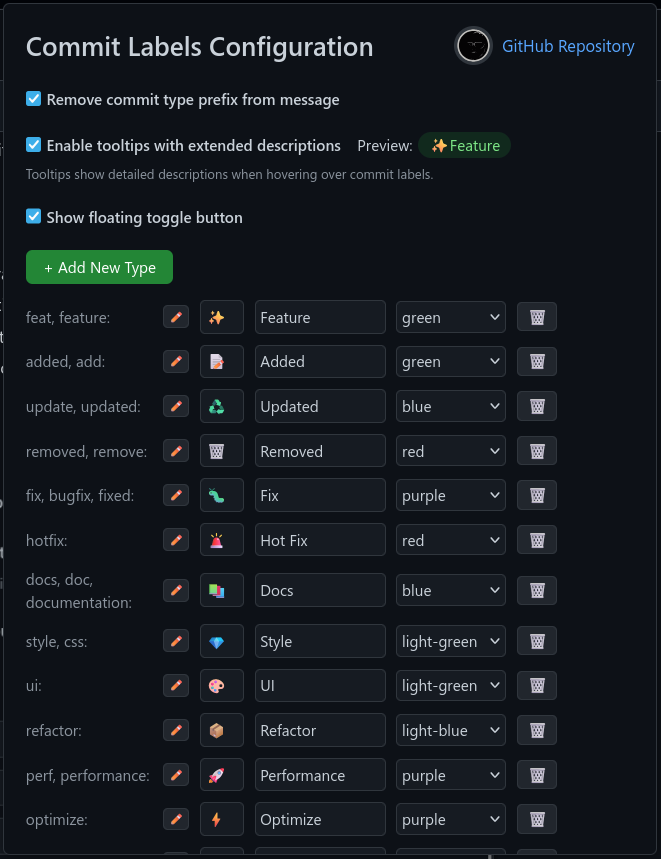
nGPT provides a powerful tool for automatically generating conventional commit messages that work seamlessly with GitHub Commit Labels.
Use nGPT to automatically generate well-formatted commit messages from your git diffs:
# Basic usage with staged changes
ngpt -g

# With recursive chunking for large changes
ngpt -g --rec-chunk

# Specify the commit type
ngpt -g --preprompt "type:feat"

# Provide scope and context
ngpt -g --preprompt "type:fix scope:authentication This fixes the broken login flow"
Here's an example of the commit message generated by nGPT:
feat(auth): implement OAuth2 authentication flow

- [feat] Create new AuthService class to handle token management
- [feat] Implement login/logout functionality in UserController
- [feat] Add configuration options for OAuth providers
- [Update] Update user model to store OAuth tokens
- [feat] Add unit tests for authentication flow
When this commit appears in GitHub, GitHub Commit Labels will automatically add a visually appealing "Feature" label next to the commit message.
Add nGPT to your git workflow to ensure all commits follow the conventional format:
Create a git hook in .git/hooks/prepare-commit-msg:
#!/bin/bash
# Skip if commit message is already provided
if [ -z "$(cat $1 | grep -v '^#')" ]; then
  # Generate commit message with nGPT and write to commit message file
  ngpt -g --no-stream | tee $1
fi
Make it executable:
chmod +x .git/hooks/prepare-commit-msg
Add a git alias in your .gitconfig:
[alias]
  ai-commit = "!ngpt -g | git commit -F -"
Then use:
git add .
git ai-commit
For more details on nGPT's git commit message generation, visit the nGPT Git Commit Message Generation Guide.
To contribute or modify the script:
git clone https://github.com/nazdridoy/github-commit-labels.git
Make your changes to github-commit-labels.js
Test the script by loading it in your userscript manager
Submit a pull request with your changes
MIT License - see LICENSE for details
Created by nazdridoy
If you encounter any issues or have suggestions:
more like this
Firefox and Chrome extensions to prevent Google from making links ugly.
JetBrains' IDEA/PhpStorm/PyCharm/DataGrip/GoLand/… theme inspired by the GitHub syntax highlighting style (version 3)
search projects, people, and tags