lottery
🎉🌟✨🎈年会抽奖程序,基于 Express + Three.js的 3D 球体抽奖程序,奖品🧧🎁,文字,图片,抽奖规则均可配置,😜抽奖人员信息Excel一键导入😍,抽奖结果Excel导出😎,给你的抽奖活动带来全新酷炫体验🚀🚀🚀
JavaScript★ 4.6k
Browser-based visual editor for building WebGL, WebGPU, WebXR apps
 playcanvas
| User Manual | API Reference | Blog | Forum |
The PlayCanvas Editor is a visual editing environment for building WebGL/WebGPU/WebXR apps. It can be accessed at https://playcanvas.com.
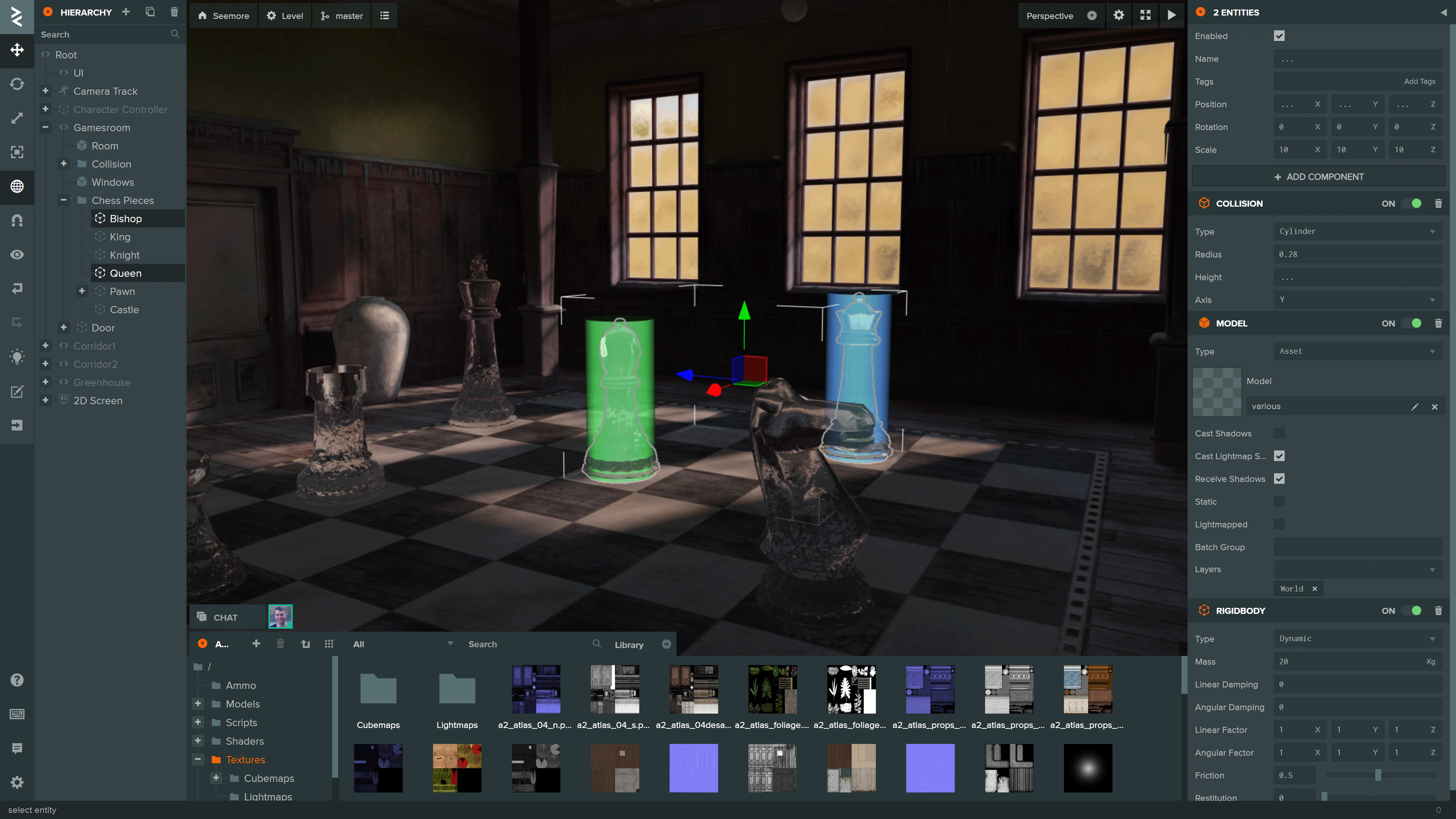
You can see more projects built using the Editor on the PlayCanvas website.
Tip
AI-assisted development: The Editor includes a built-in Model Context Protocol (MCP) integration, allowing AI assistants to inspect and modify projects directly through an open Editor session.
To initialize a local development environment for the Editor Frontend, ensure you have Node.js 18 or later installed. Follow these steps:
Clone the repository:
git clone https://github.com/playcanvas/editor.git
cd editor
Install dependencies:
npm install
Build the Editor frontend and start a local web server:
npm run develop
Open the Editor at playcanvas.com and append the query parameter use_local_frontend to load the development build:
https://playcanvas.com/editor/scene/<YOUR_SCENE_ID>?use_local_frontend
This will load the Editor frontend from http://localhost:3487 instead of the production build.
Note
This query parameter is also supported in the code editor and launch page
The Editor is built on the following open source libraries:
| Library | Details |
|---|---|
| PlayCanvas Engine | Powers the Editor's 3D View and Launch Page |
| Observer | Data binding and history |
| PCUI | Front-end component library |
| PCUI-Graph | PCUI plugin for rendering node-based graphs |
To test the integration of these libraries, use npm link. Follow these steps:
Create a global link from source
cd <library>
npm link
Create a link to the global link
cd editor
npm link <library>
The test suite for the PlayCanvas Editor uses Playwright for end-to-end testing.
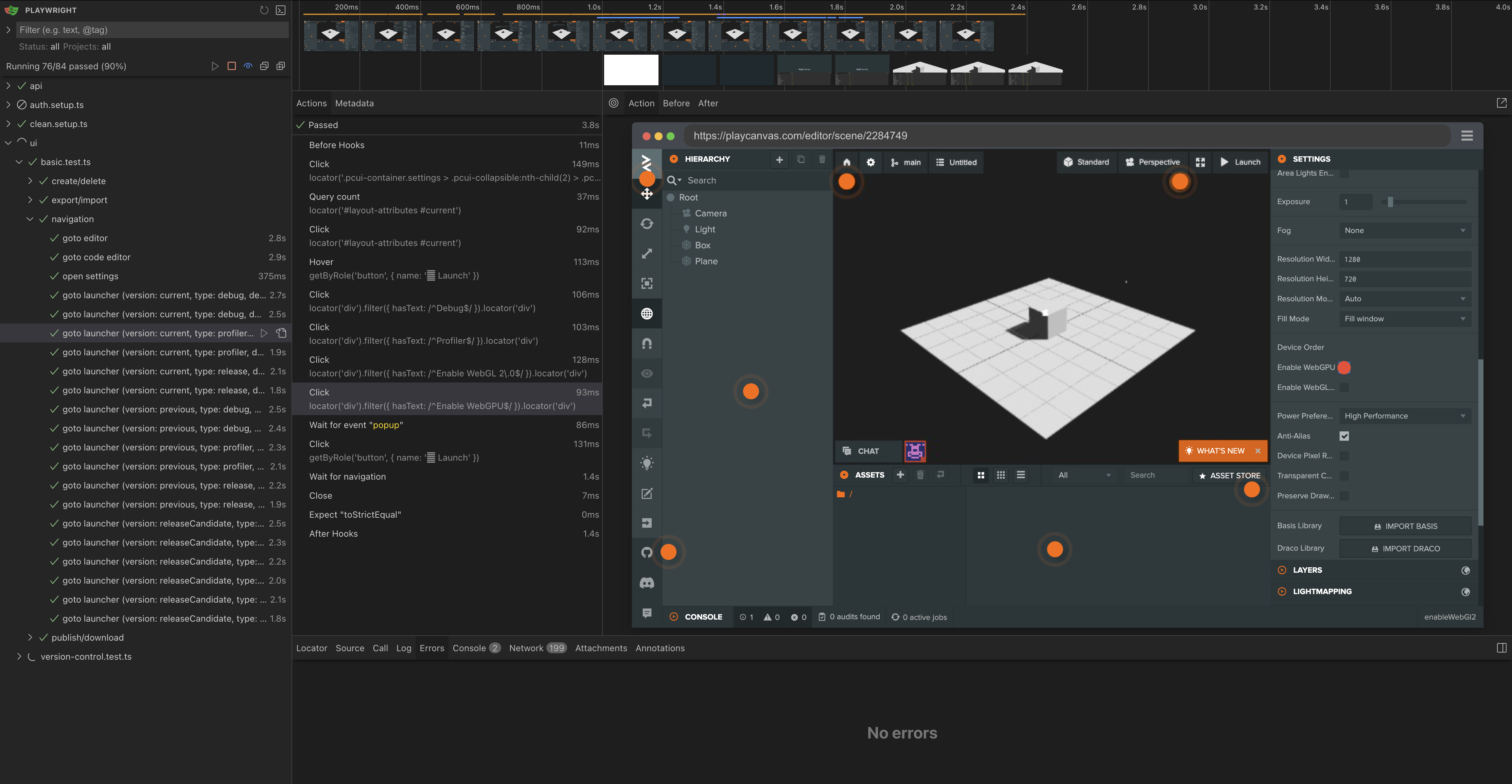
Tests are split into two categories:
test-suite/test/api - tests for the Editor API behaviortest-suite/test/ui - tests for the Editor UI behaviorTo run the test suite ensure you have Docker installed. Follow these steps:
Create a .env file based on the template
PC_HOST=playcanvas.com
PC_LOGIN_HOST=login.playcanvas.com
PC_LAUNCH_HOST=launch.playcanvas.com
PC_LOCAL_FRONTEND=<true|false>
PC_COOKIE_NAME=pc_auth
PC_COOKIE_VALUE=<playcanvas-cookie>
Important
The account used must be an existing account. Create one here
Run the container with Docker compose
docker compose up
Stop the container with Docker compose
docker compose down --remove-orphans
Note
To build the image from source instead of pulling from the registry append the --build flag
To create new tests, ensure you have Node.js 18 or later installed. Follow these steps:
Install dependencies:
cd test-suite
npx playwright install --with-deps
npm install
Create tests and put them into the respective folders. For dynamic recording of tests run this command:
npm run codegen
Note
Run npm run for the full list of npm scripts
more like this
🎉🌟✨🎈年会抽奖程序,基于 Express + Three.js的 3D 球体抽奖程序,奖品🧧🎁,文字,图片,抽奖规则均可配置,😜抽奖人员信息Excel一键导入😍,抽奖结果Excel导出😎,给你的抽奖活动带来全新酷炫体验🚀🚀🚀
SCYTHE is a lightweight, C#-based game engine focused on modifiability and rapid iteration using Raylib.
Pathfinding library for calculating all node pairs' shortest paths in an unweighted undirected graph.
search projects, people, and tags