meine
meine 🌒 - A CLI file manager and system utility built with Textual. It combines intuitive command parsing with rich t…
Python★ 50
htop for Windows . TUI system monitor with per-core CPU bars, memory/swap/network, tree view, process kill, 7 color sch…
 psmux
psmux
██████╗ ███████╗████████╗ ██████╗ ██████╗
██╔══██╗██╔════╝╚══██╔══╝██╔═══██╗██╔══██╗
██████╔╝███████╗   ██║   ██║   ██║██████╔╝
██╔═══╝ ╚════██║   ██║   ██║   ██║██╔═══╝
██║     ███████║   ██║   ╚██████╔╝██║
╚═╝     ╚══════╝   ╚═╝    ╚═════╝ ╚═╝
htop alternative for Windows PowerShell.Beautiful, fast, real-time system monitor for Windows. Built in Rust.
Install • Features • Keys • Themes • Config • License
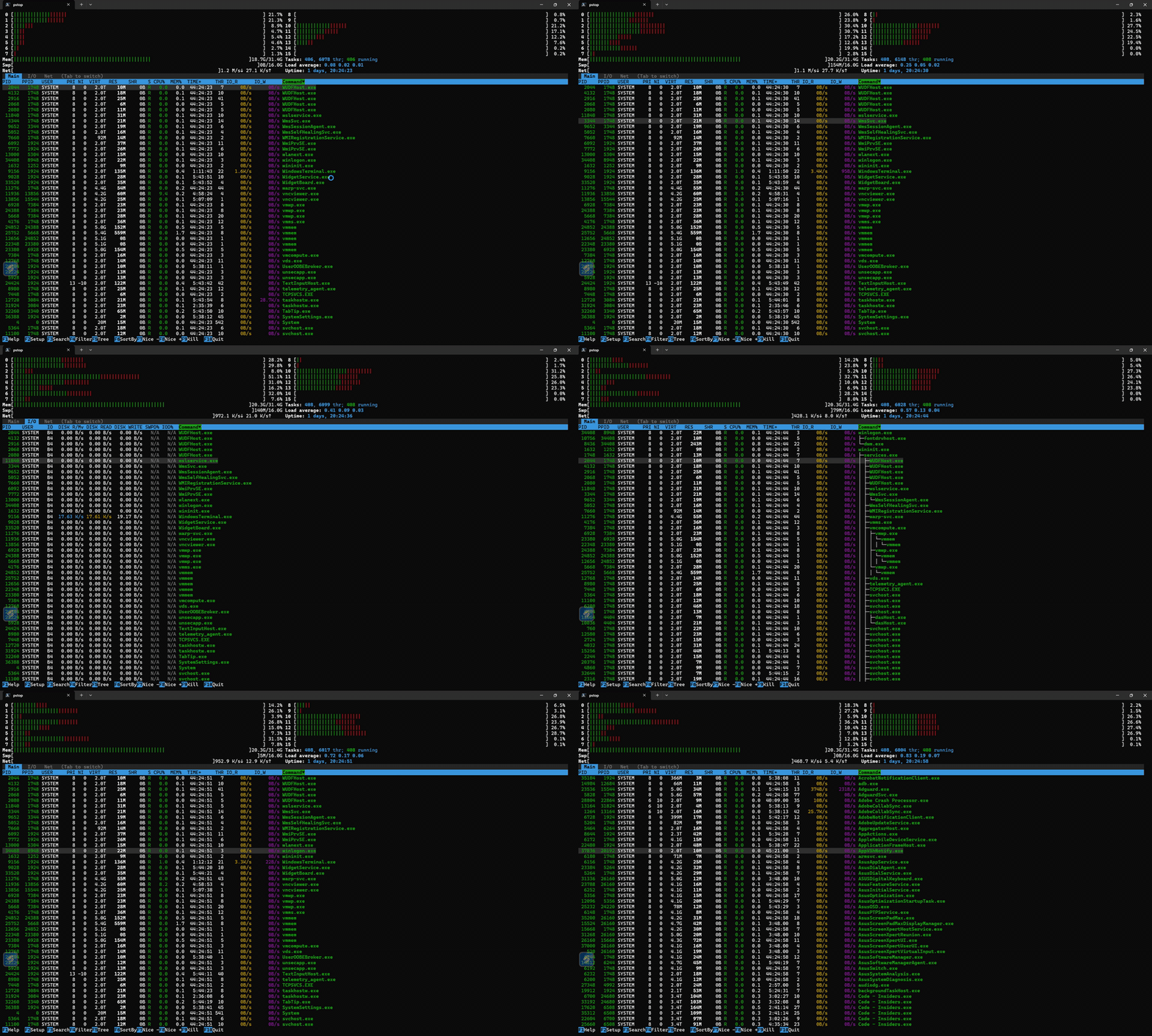
If you've ever missed htop on Windows, your search is over. pstop brings the full htop experience to Windows PowerShell. No WSL, no Cygwin, no compromises.
| pstop | Task Manager | Get-Process |
|
|---|---|---|---|
| Real-time CPU per-core bars | ✅ | ❌ | ❌ |
| Memory / Swap / Network bars | ✅ | Partial | ❌ |
| GPU utilization & VRAM bars | ✅ | Basic | ❌ |
| Tree view (process hierarchy) | ✅ | ❌ | ❌ |
| Search & filter processes | ✅ | Basic | ❌ |
| Kill / change priority | ✅ | ✅ | Manual |
| Mouse support | ✅ | ✅ | ❌ |
| 23 color schemes | ✅ | ❌ | ❌ |
| Keyboard-driven | ✅ | ❌ | ❌ |
| Runs in terminal | ✅ | ❌ | ✅ |
| ~1 MB binary, zero dependencies | ✅ | N/A | N/A |
winget install marlocarlo.pstop
choco install pstop
cargo install pstop
Don't have Rust/Cargo? Install it in seconds: https://rustup.rs
Download the latest .zip from GitHub Releases, extract, and add to your PATH.
cargo install --git https://github.com/psmux/pstop
git clone https://github.com/psmux/pstop.git
cd pstop
cargo build --release
# Binary at: target/release/pstop.exe + target/release/htop.exe
All methods install both pstop and htop commands. Yes, you can just type htop on Windows.
If you only installed pstop and want the htop alias in your PowerShell profile:
pstop --install-alias
This adds Set-Alias htop pstop to your $PROFILE automatically.
Real-time CPU usage bars for every logical core, color-coded by usage type (user / system / virtual), exactly like htop. CPU columns auto-adjust based on core count (2/4/8/16 columns) and terminal size — just like htop's calcColumnWidthCount.
Press F5 or t to toggle process tree view — see parent-child relationships with ├─ / └─ tree connectors, collapsible nodes with +/-.
Press F2 to open the setup menu with 4 categories:
Switch instantly in F2 > Colors. Choose from built-in htop schemes plus all 16 Windows Terminal color schemes:
Original htop Schemes:
Windows Terminal Built-in Schemes: 8. CGA - Classic color graphics adapter palette 9. Campbell - Windows Terminal default scheme 10. Campbell Powershell - Campbell on the classic PowerShell blue 11. Dark+ - VS Code classic dark theme 12. Dimidium - Warm muted tones 13. IBM 5153 - Retro IBM terminal colors 14. One Half Dark - Atom One Half Dark theme 15. One Half Light - Atom One Half Light theme 16. Ottosson - Perceptually balanced palette by Björn Ottosson 17. Solarized Dark - Solarized dark mode 18. Solarized Light - Solarized light mode 19. Tango Dark - Tango desktop environment dark 20. Tango Light - Tango desktop environment light 21. Vintage - Classic terminal colors 22. VSCode Dark Modern - VS Code modern dark theme 23. VSCode Light Modern - VS Code modern light theme
Familiar htop keybindings — zero learning curve if you know htop.
All settings auto-save to %APPDATA%/pstop/pstoprc and restore on next launch. Your color scheme, display options, column choices, sort preference... everything persists.
| Key | Action |
|---|---|
F1 / ? |
Help screen |
F2 |
Setup menu (meters, display, colors, columns) |
F3 / / |
Search processes |
F4 / \ |
Filter processes |
F5 / t |
Toggle tree view |
F6 / > |
Sort by column |
F7 / F8 |
Decrease / Increase process priority (nice) |
F9 / k |
Kill process |
F10 / q |
Quit |
Tab |
Switch between Main / I/O / Net / GPU views |
Space |
Tag process |
c |
Tag process and children |
U |
Untag all |
u |
Filter by user |
p |
Toggle full command path / process name |
H |
Toggle show threads |
K |
Toggle hide kernel threads |
+ / - |
Expand / collapse tree node |
e |
Show process environment |
l |
List open handles (lsof equivalent) |
a |
Set CPU affinity |
I |
Invert sort order |
| Arrow keys | Navigate |
PgUp / PgDn |
Page through process list |
Home / End |
Jump to first / last process |
Enable via F2 > Display Options > Vim-style keys, or set vim_keys=1 in your config file. Off by default.
| Key | Vim Mode Action | Replaces |
|---|---|---|
j |
Move down | (new — default mode has no bare j) |
k |
Move up | k = kill in default mode |
g |
Jump to first process | Home |
G |
Jump to last process | End |
Ctrl+d |
Half page down | (new) |
Ctrl+u |
Half page up | (new) |
x |
Kill process | k / F9 |
/ |
Search | (unchanged, works in both modes) |
? |
Help | (unchanged, works in both modes) |
What changes in vim mode:
k becomes move up instead of kill — use x or F9 to killh no longer opens help — use ? or F1 insteadj/k work as bare keys (no Alt modifier needed)F1–F10, Space, u, t, e, l, a, etc.) remain unchangedWhat stays the same:
F1–F10) still work/ for search, \ for filterq to quit, Ctrl+C to quitP, M, T, N, I, <, >)t/F5), tags (Space/c/U), user filter (u)All 23 schemes affect every UI element: header bars, process table, footer, tabs, popups. Each scheme provides a cohesive color palette optimized for readability and visual hierarchy.
The original 7 htop schemes remain the core collection, with 16 Windows Terminal schemes added for users who want consistency across terminal applications.
Quick Reference:
Change schemes live: F2 > Colors > select > Enter. Preview updates in real-time.
Settings are saved automatically to:
%APPDATA%\pstop\pstoprc
Format: simple key=value (htoprc-style). Persisted settings include:
To enable vim keys from the config file directly:
vim_keys=1
cargo install pstop)winget install marlocarlo.pstop)choco install pstop)j/k/g/G/Ctrl-u/Ctrl-d)Contributions welcome! This is a Rust project using:
git clone https://github.com/psmux/pstop.git
cd pstop
cargo run
MIT - use it, fork it, ship it.
Stop opening Task Manager. Type pstop or its aliases.
more like this
meine 🌒 - A CLI file manager and system utility built with Textual. It combines intuitive command parsing with rich t…
search projects, people, and tags