gns3theme
Custom color themes for GNS3 GUI. Built-in schemes, custom JSON themes, device symbols. Supports Linux and macOS.
Python★ 50
🌌 NIGHT OWL: A VS Code dark theme for contrast for nighttime coding, 🦉 LIGHT OWL: a daytime light theme
 sdras
sdrasgit clone https://github.com/sdras/night-owl-vscode-theme.gitsdras/night-owl-vscode-theme
A Visual Studio Code theme for the night owls out there. Fine-tuned for those of us who like to code late into the night. Color choices have taken into consideration what is accessible to people with colorblindness and in low-light circumstances. Decisions were also based on meaningful contrast for reading comprehension and for optimal razzle dazzle. ✨
As of 1.0.0, there's a Light Owl Theme too! Color balanced from the Dark version for easy viewing in daylight. 🌅
About this theme, and some of the considerations made while creating it (as well as how to create it should you want to make your own): https://css-tricks.com/creating-a-vs-code-theme/
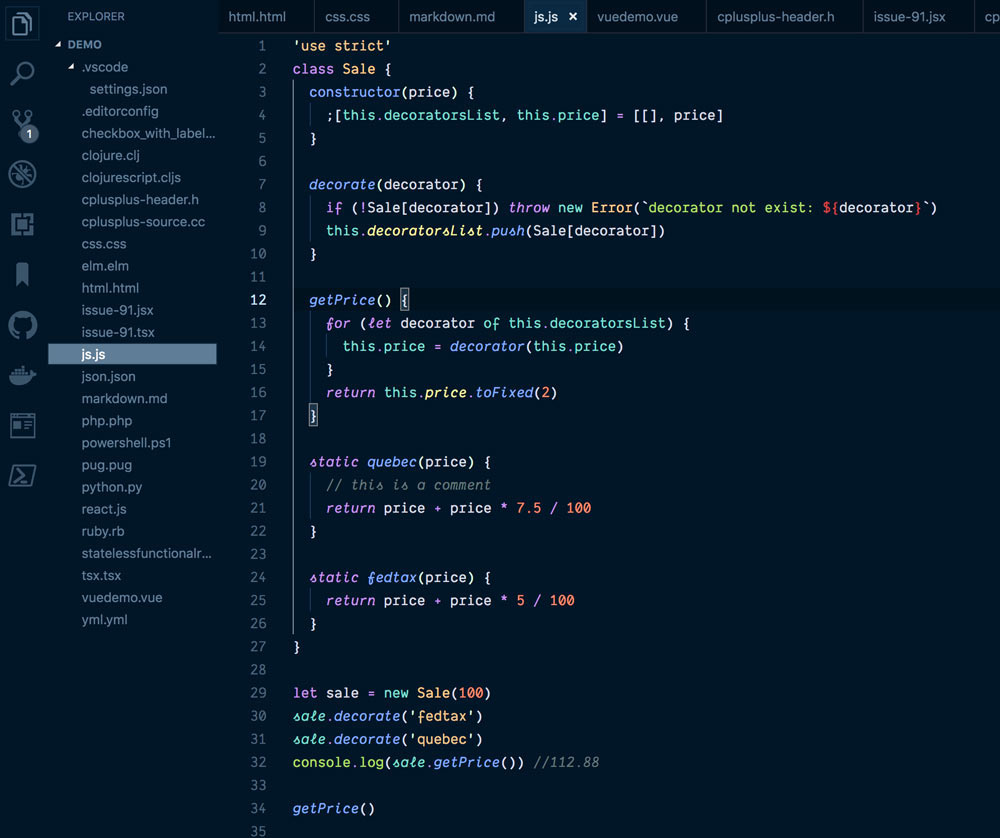
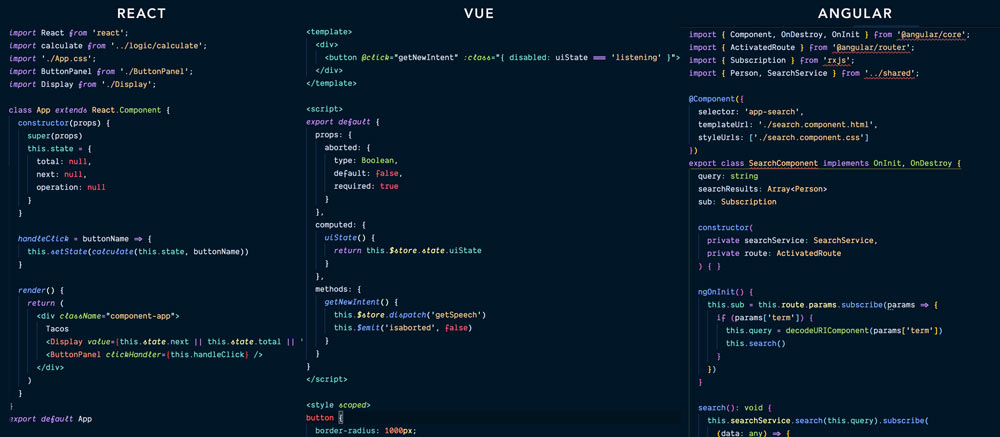
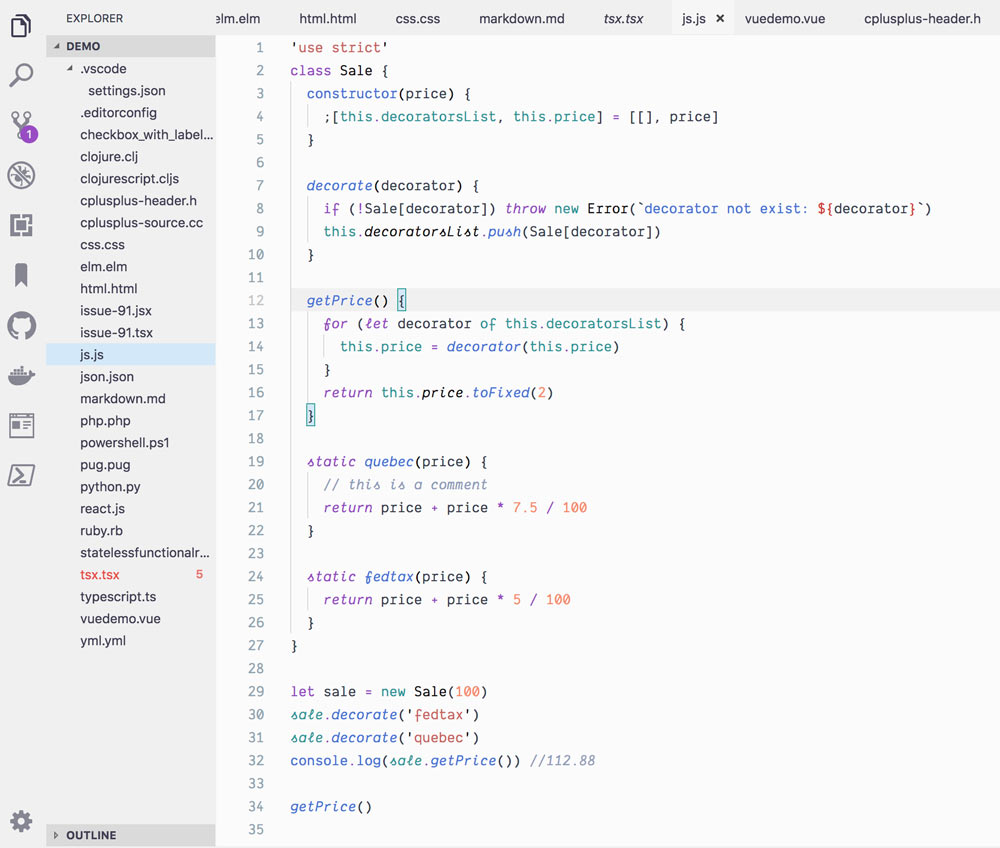
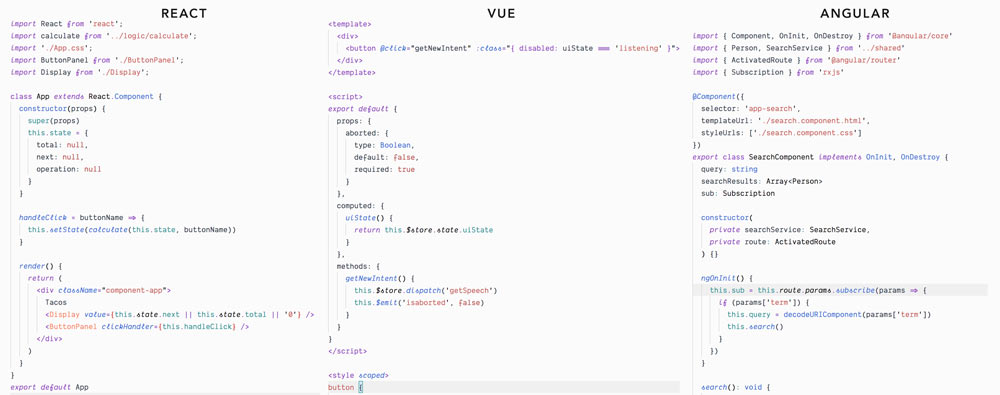
night owlIf you wish to disable italics, there is now a no-italic theme available. You will have access to both, select Night Owl No Italics as your color theme.
The community is awesome and has ported this theme over to other environments.
This theme uses contrast sparingly so that when it's applied, it's more meaningful. This can help reduce noise and improve your ability to scan. However, some of the decisions may not work for everyone. One such decision that some disagree on is whether or not to have a separation between the editor and sidebar, and the amount of contrast. If you wish for this to have more visual significance, please paste this into your user settings preferences. These are my recommendations for these settings but you can use whatever colors you wish. ☺️
"workbench.colorCustomizations": {
  "[Night Owl]": {
    "activityBar.background": "#000C1D",
    "activityBar.border": "#102a44",
    "editorGroup.border": "#102a44",
    "sideBar.background": "#001122",
    "sideBar.border": "#102a44",
    "sideBar.foreground": "#8BADC1"
  },
  "[Night Owl (No Italics)]": {
    "activityBar.background": "#000C1D",
    "activityBar.border": "#102a44",
    "editorGroup.border": "#102a44",
    "sideBar.background": "#001122",
    "sideBar.border": "#102a44",
    "sideBar.foreground": "#8BADC1"
  }
},
The font in the preview image is Dank Mono, available here. Editor settings to activate font ligatures:
"editor.fontFamily": "Dank Mono",
"editor.fontLigatures": true,
This is my first foray into creating a theme, so if you see something amiss, please feel free to file an issue! I'm sure there are things I missed.
If you use the VS Code Babel extension, you may see some inconsistencies in color for JSX, that's not coming from this theme.
Any relevant changes for each version are documented in the changelog. Please update and check the changelog before filing any issues, as they may have already been taken care of.
This palette was inspired in part by Material Palenight Theme, and the accessibility idea was inspired in part by Solarized Themes
more like this
Custom color themes for GNS3 GUI. Built-in schemes, custom JSON themes, device symbols. Supports Linux and macOS.
A Light theme for both KDE and GTK based distros, pleasant to the eyes and perfect for your daily workload.
⚡💜 Electric meets elegant. A vibrant cyberpunk color system for Neovim, VS Code, Chrome, terminals, and 20+ tools.
search projects, people, and tags