keypeek
Live on-screen keyboard overlay that mirrors your active QMK/Vial/ZMK layers in real time.
 srwi
srwigit clone https://github.com/srwi/keypeek.gitsrwi/keypeekKeyPeek 
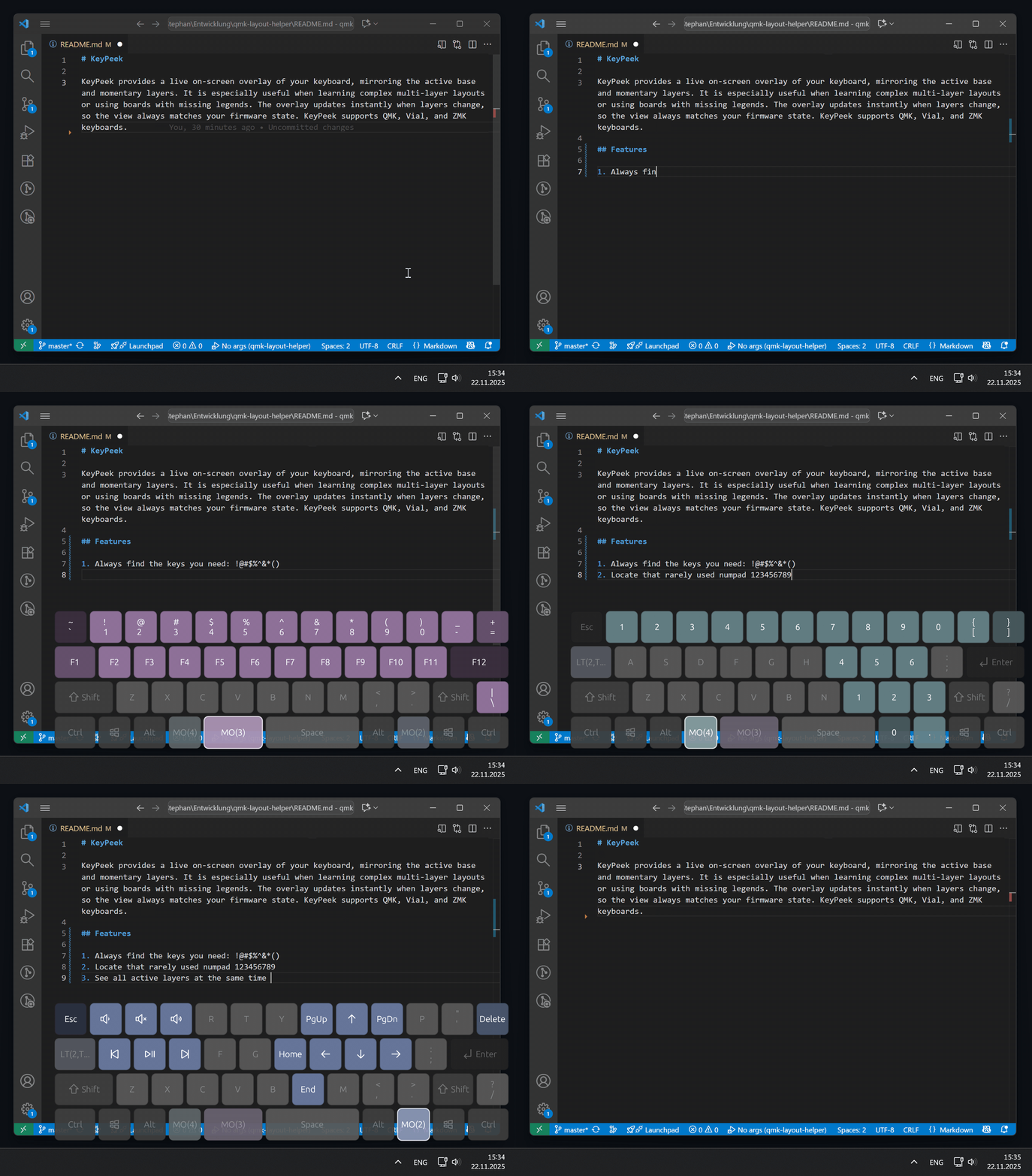
KeyPeek provides a live on-screen overlay of your keyboard, mirroring the active base and momentary layers. It is especially useful when learning complex multi-layer layouts or using boards with missing legends. The overlay updates instantly when layers change, so the view always matches your firmware state. KeyPeek currently supports QMK, Vial, and ZMK keyboards.
Setup
KeyPeek requires a small firmware module because stock QMK/Vial/ZMK firmware does not expose live layer-change events. The module adds that event stream over the device connection, so the overlay stays in sync with your active layers in real time.
QMK and Vial
-
In your QMK userspace (or
qmk_firmware) root, add the module repo:mkdir -p modules git submodule add https://github.com/srwi/qmk-modules.git modules/srwi git submodule update --init --recursive
-
In your keymap folder, add
srwi/keypeek_layer_notifytokeymap.json:{ "modules": [ "srwi/keypeek_layer_notify" ] } -
In the same keymap folder, enable RAW HID and VIA in
rules.mk:RAW_ENABLE = yes VIA_ENABLE = yes
-
Build and flash your firmware:
qmk compile -kb <your_keyboard> -km <your_keymap>
-
QMK only: Export layout information to
keyboard_info.json:qmk info -kb <your_keyboard> -m -f json > keyboard_info.json
This last step is only required for QMK keyboards, because VIA does not provide physical layout data directly over the connection. Vial keyboards do not require this step, as the layout data is transmitted when connecting the keyboard to KeyPeek.
ZMK
-
Add the KeyPeek module to your
zmk-config/config/west.yml:manifest: remotes: - name: zmkfirmware url-base: https://github.com/zmkfirmware - name: zzeneg # <-- required for Raw HID module url-base: https://github.com/zzeneg - name: srwi # <-- required for KeyPeek module url-base: https://github.com/srwi projects: - name: zmk remote: zmkfirmware revision: main import: app/west.yml - name: zmk-raw-hid # <-- Raw HID module remote: zzeneg revision: main - name: zmk-keypeek-layer-notifier # <-- KeyPeek module remote: srwi revision: master -
Add the
raw_hid_adapteras an additional shield to your build, e.g. inbuild.yaml:include: - board: nice_nano_v2 shield: <existing shields> raw_hid_adapter # <-- required for Raw HID support snippet: studio-rpc-usb-uart # <-- required for ZMK Studio supportNote: If you are using a split keyboard, the change above is only required for the central half.
-
Enable ZMK Studio support in your
.conffile:CONFIG_ZMK_STUDIO=y
If your keyboard does not support ZMK Studio yet, adding support is described in the ZMK documentation.
KeyPeek will read layout and keymap directly from the device for ZMK without requiring additional configuration.
Note
If the keyboard has been paired via Bluetooth before enabling raw HID support, re-pairing may be necessary to allow the new communication channel.
Usage
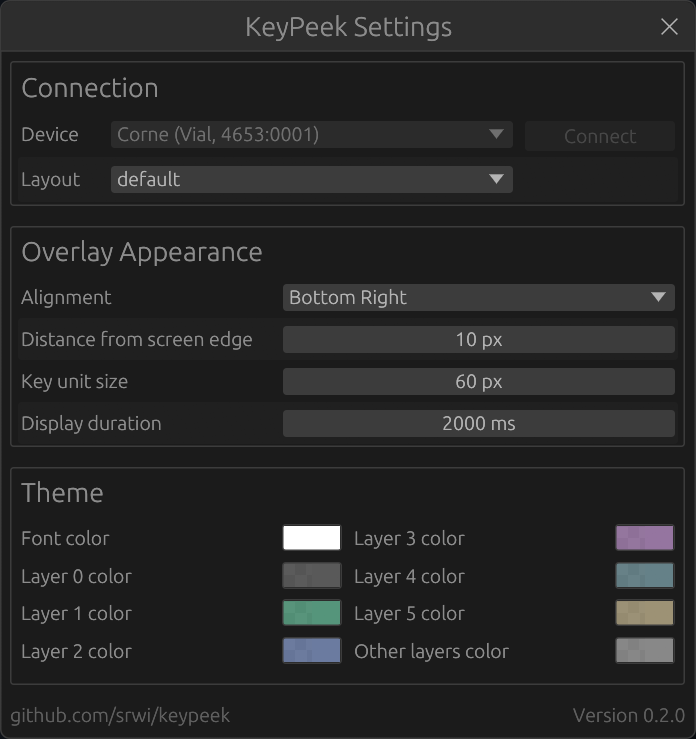
Devices are scanned when the app starts. For QMK you will be prompted to select the keyboard_info.json generated from your keymap when you connect. For Vial and ZMK, just select the connected device from the dropdown, since they provide layout information directly.
License & Attribution
Parts of this project are based on code from the VIA project, which is licensed under the GNU General Public License v3.0.
more like this
TachiSnap
TachiSnap — Pixel Snapper for animation pixel artists. Rust + WebAssembly client-side tool for cleaning up AI-generated…
bit_gossip
Pathfinding library for calculating all node pairs' shortest paths in an unweighted undirected graph.