 tmpstpdwn
cTetris (v1.0.1)

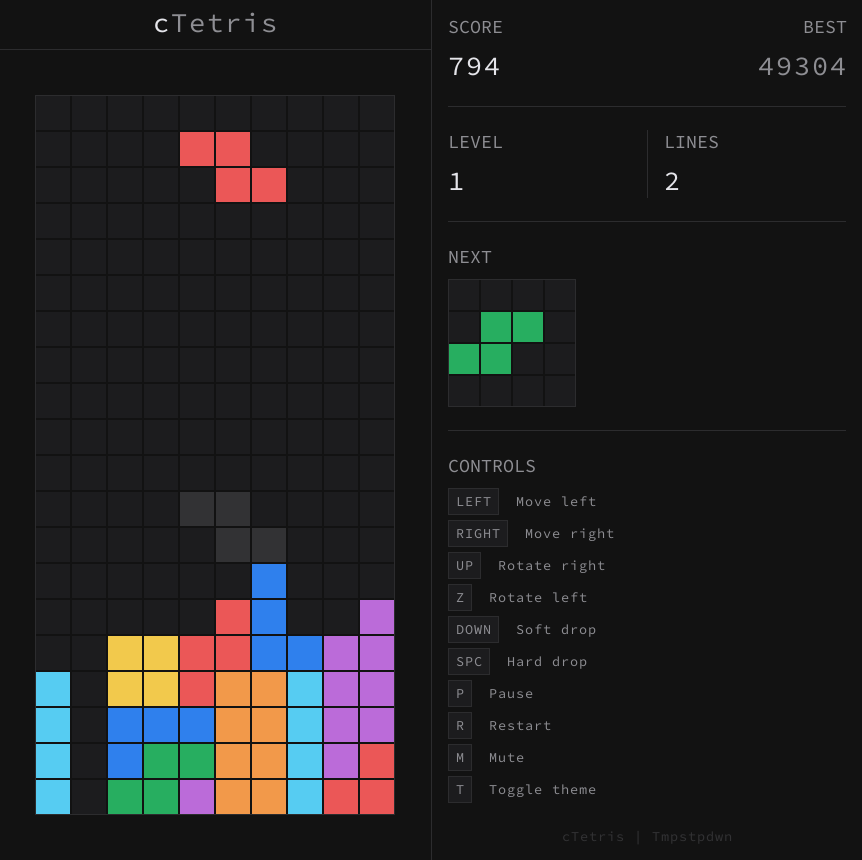
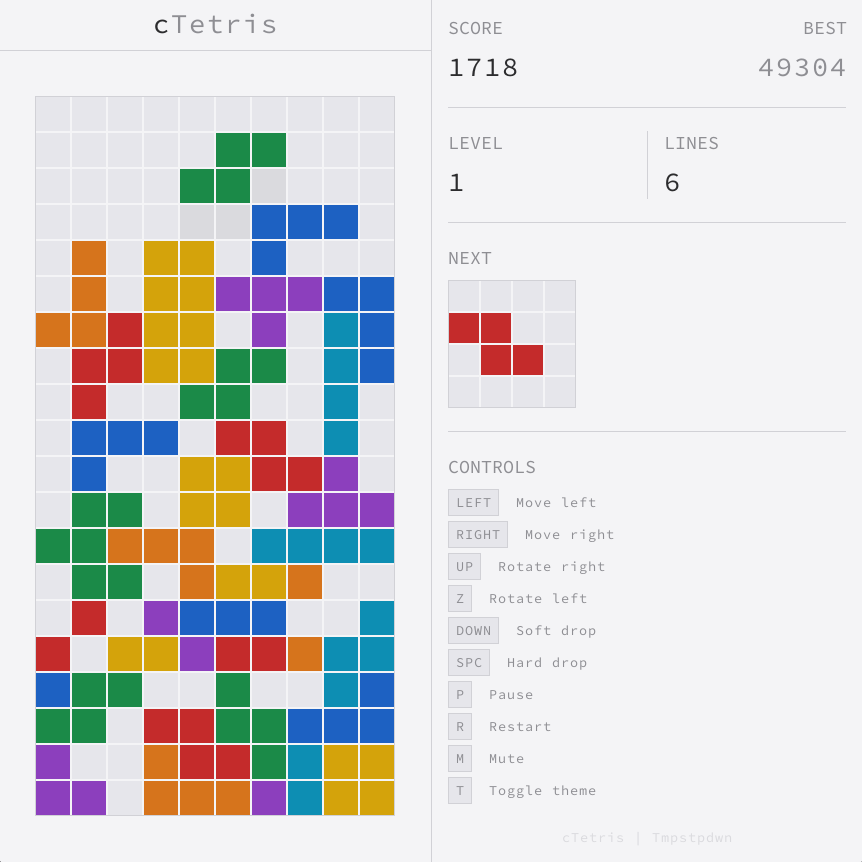
A minimal Tetris implementation written in C and Raylib.
 |
 |
cTetris.mp4
Game Mechanics
- The grid is 20×10.
- A shape spawns at the top and drops down at an interval determined by the level. Higher levels increase the drop speed, progressively raising difficulty.
- A shape can be moved left/right with input delay, rotated left or right with wall/floor kick collision, soft-dropped for accelerated falling, or hard-dropped for instant locking to where the shape was supposed to fall.
- Once the active shape lands on the grid floor or another shape (when not hard-dropped), a lock timer of 0.5 seconds runs before the piece auto-locks. Further moves resets the lock timer or the drop timer (pause dropping mechanism) depending on whether the shape is grounded or airborne.
- The number of moves since landing is counted against a move budget of 15 which when exhausted, does a forced hard-drop.
- Landing the active shape on a new row resets the move counter to 0 and sets drop mechanism to its default behaviour (no more pausing drop mechanism).
- When a shape locks, it becomes part of the grid.
- If the locked shapes form a complete line, it is cleared and lines above are compacted down.
- A new shape is spawned after the grid settles. This loops until a newly spawned shape collides with a shape already part of the grid, ending the game.
- The objective here is to push the score past the high score, which is determined by the number of lines cleared and how they were cleared.
- High score is saved on to the disk so that its persistent across sessions.
Controls
| Key | Action |
|---|---|
LEFT |
Move left |
RIGHT |
Move right |
UP |
Rotate left |
Z |
Rotate right |
DOWN |
Soft drop |
SPACE |
Hard drop |
P |
Toggle Pause / Resume |
R |
Restart |
M |
Toggle mute / Unmute |
T |
Toggle theme |
Scoring
| Action | Points |
|---|---|
| Soft drop | 1 per row dropped |
| Hard drop | 2 per row dropped |
| 1 line clear | 100 × level |
| 2 line clear | 300 × level |
| 3 line clear | 500 × level |
| 4 line clear | 800 × level |
| Combo bonus | combo × 50 × level |
Level: Determined by lines cleared. Level = (lines / 10) + 1.
Combo: Maintained by clearing lines without breaking the chain. Combo bonus adds on top of line-clear bonus.
Platform Support
cTetris has been tested and verified to work on:
- Linux (X11 and Wayland).
- Windows: 10 and later.
Known issues
- Wayland (DPI scaling): On Wayland compositors that doesn't report DPI scale factor information to raylib, the window may not scale properly.
Releases
Linux
Install
Download the archive for Linux from the Releases page, extract it, enter the directory and do:
mkdir -p ~/.local/bin ~/.local/share/icons/hicolor/scalable/apps ~/.local/share/applications
cp cTetris ~/.local/bin/
cp cTetris.svg ~/.local/share/icons/hicolor/scalable/apps/
cp cTetris.desktop ~/.local/share/applications/
Uninstall
rm -f ~/.local/bin/cTetris
rm -f ~/.local/share/icons/hicolor/scalable/apps/cTetris.svg
rm -f ~/.local/share/applications/cTetris.desktop
Note: Ensure ~/.local/bin is in your PATH.
Windows
Download the zip for Windows from the Releases page, extract it, and run cTetris.exe. No installation required.
Building from source
Prerequisites:
- C compiler
- Meson
- Ninja
- CMake: To compile Raylib.
- Emscripten SDK: For WebAssembly.
Linux
git clone --recursive https://github.com/tmpstpdwn/cTetris
cd cTetris
meson setup build
meson compile -C build
The executable will be generated inside the build directory.
WebAssembly (From Linux)
git clone --recursive https://github.com/tmpstpdwn/cTetris
cd cTetris
meson setup build-wasm --cross-file cross/emscripten.ini
meson compile -C build-wasm
cTetris.wasm and the binding cTetris.js will be generated inside the build-wasm directory.
Code Documentation
The codebase is documented with comments across all source files. Refer to the source files for detailed technical information.
License
This project is licensed under the MIT License.
more like this
Scythe
SCYTHE is a lightweight, C#-based game engine focused on modifiability and rapid iteration using Raylib.
RaylibWasm
.Net 10 (.Net 8+) webassembly starter project using raylib-cs nuget 7.0.2 and raylib 5.5