meine
meine 🌒 - A CLI file manager and system utility built with Textual. It combines intuitive command parsing with rich t…
Python★ 50
An extensible music server written in Rust 🚀🎵✨
 tsirysndr
git clone https://github.com/tsirysndr/music-player.gittsirysndr/music-player




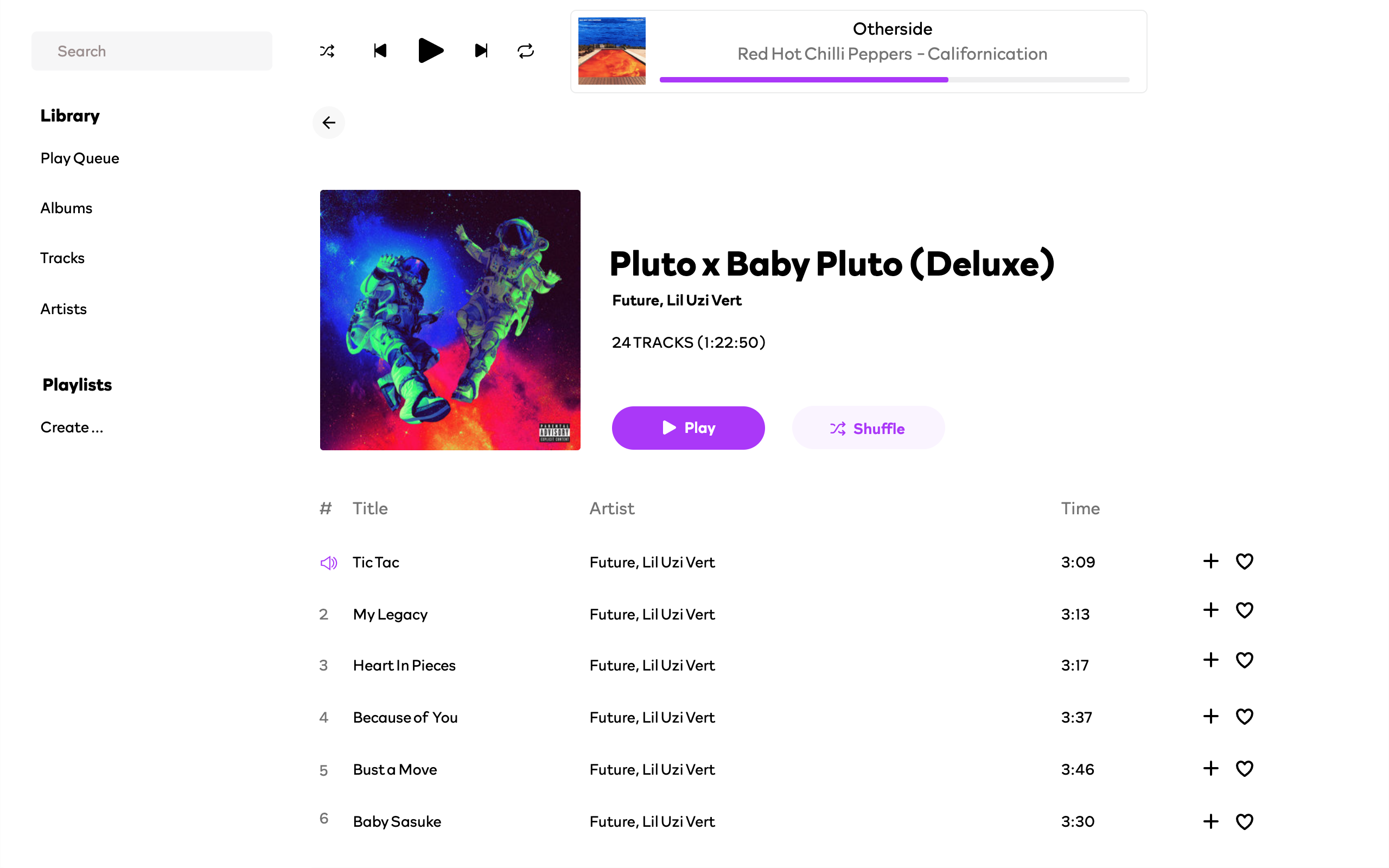
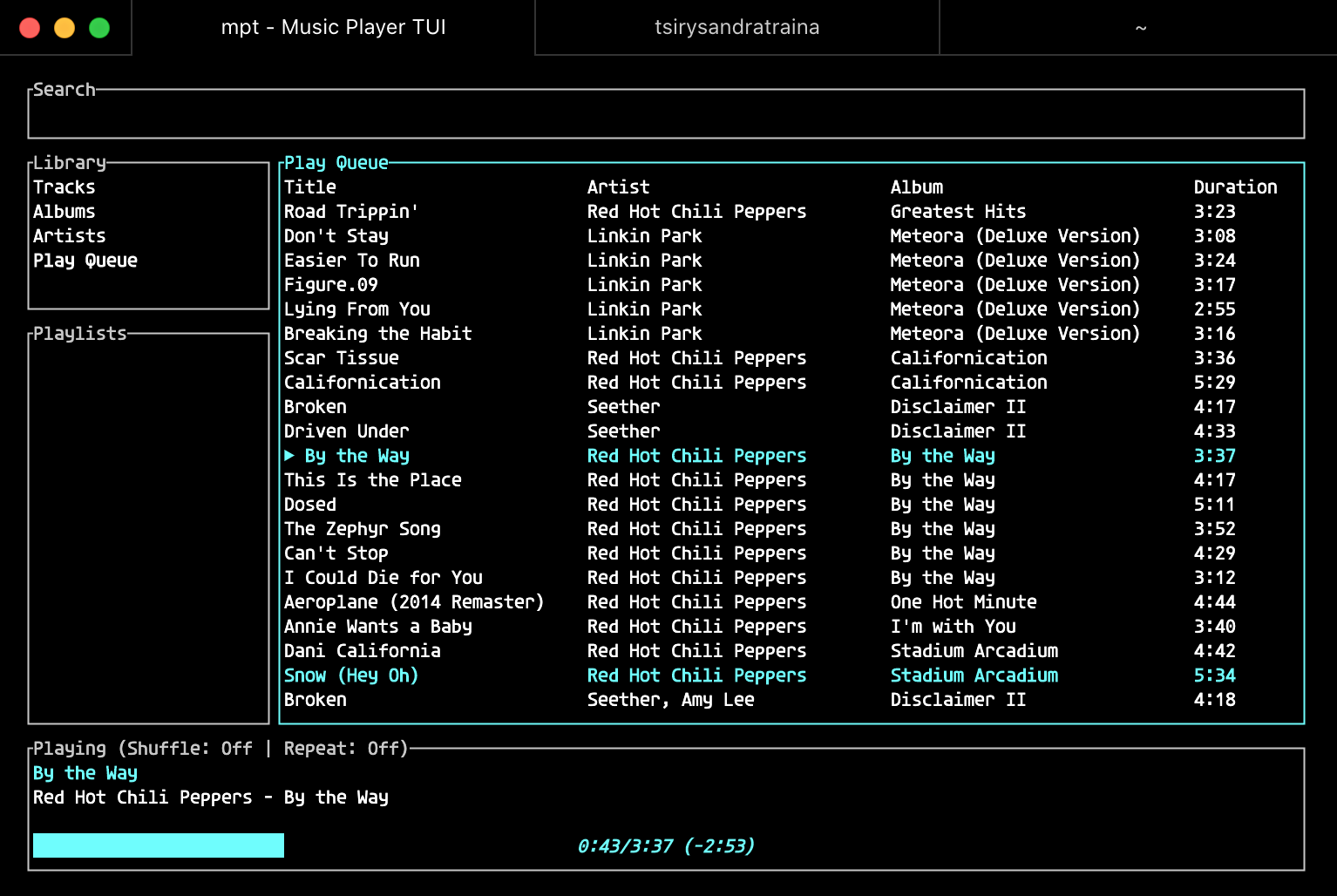
Note: This is a work in progress. 🏗️🚧
This is a simple music player that I made for my own use. It is written in Rust and uses rodio, symphonia, and gRPC libraries.
Music is played through the server's audio device. The daemon stores info about all available music, and this info can be easily searched and retrieved.
Like mpd or Mopidy but written in Rust.
Note
Looking for more? If you're interested in this project, you might want to check out Rockbox Zig, a music player daemon built on the Rockbox Open Source Firmware. It offers advanced audio playback features, bringing the best of Rockbox to modern platforms with the power of Zig and Rust.

Compiling from source, without Nix:
# Install dependencies
brew install protobuf # macOS
sudo apt-get install -y libasound2-dev protobuf-compiler # Ubuntu/Debian
choco install protoc # Windows using Chocolatey Package Manager
# Compile
git clone https://github.com/tsirysndr/music-player.git
cd music-player/webui/musicplayer
nvm install # install node version specified in .nvmrc (optional on windows)
bun install && bun run build # build webui
cd ../..
cargo install --path .
With Nix:
git clone https://github.com/tsirysndr/music-player.git
cd music-player
nix develop --experimental-features "nix-command flakes"
cd webui/musicplayer
bun install && bun run build # build webui
cd ../..
cargo install --path .
Using Homebrew:
brew install tsirysndr/tap/musicplayer
Using Nix:
cachix use tsirysndr
nix profile install --experimental-features "nix-command flakes" github:tsirysndr/music-player
Or download the latest release for your platform here.
Latest (Desktop):
Mac: arm64: music-player-desktop_v0.2.0-alpha.12_aarch64-apple-darwin.tar.gz intel: Music_Player_v0.2.0-alpha.12_x64.dmgLinux: music-player_v0.2.0-alpha.12_amd64.debWindows: Music_Player_x64_en-US.msiLatest (CLI):
Mac: arm64: music-player_v0.2.0-alpha.12_aarch64-apple-darwin.tar.gz intel: music-player_v0.2.0-alpha.12_x86_64-apple-darwin.tar.gzLinux: music-player_v0.2.0-alpha.12_x86_64-unknown-linux-gnu.tar.gzWindows: music-player_x86_64-pc-windows-gnu.tar.gzmusic-player
USAGE:
    music-player [SUBCOMMAND]

OPTIONS:
    -h, --help       Print help information
    -V, --version    Print version information

SUBCOMMANDS:
    albums      List all albums
    artists     List all artists
    help        Print this message or the help of the given subcommand(s)
    next        Play the next song
    pause       Pause the current song
    open        Open audio file
    playlist    Manage playlists
    prev        Play the previous song
    queue       Manage the queue
    play        Resume the current song
    scan        Scan music library: $HOME/Music
    search      Search for a song, album, artist or playlist
    stop        Stop the current song
    tracks      List all tracks
# Start the server
music-player
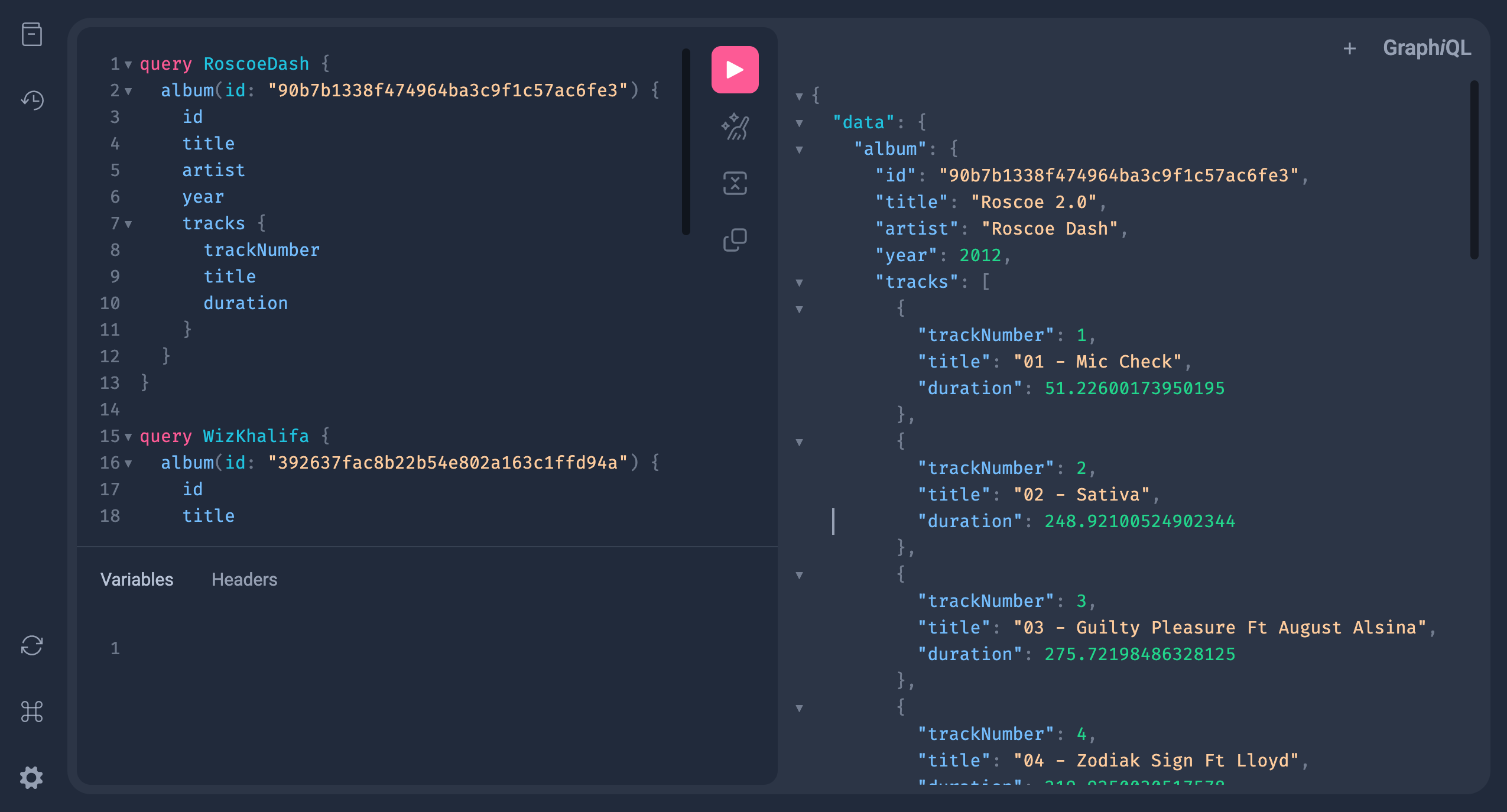
Open http://localhost:5053/graphiql in your browser.
more like this
meine 🌒 - A CLI file manager and system utility built with Textual. It combines intuitive command parsing with rich t…
search projects, people, and tags