awesome-vscode
🎨 A curated list of delightful VS Code packages and resources.
 viatsko
A curated list of delightful Visual Studio Code
packages and resources. For more awesomeness, check
out awesome.

Table of Contents
- Table of Contents
- Official
- Syntax
- Migrating from other editors
- Using VS Code with particular technologies
- Lint and IntelliSense
- GitHub
- Productivity
- ARM Template Viewer
- Azure Cosmos DB
- Azure IoT Toolkit
- Bookmarks
- Microsoft Edge Tools
- Color Tabs
- Create tests
- Dendron
- Duplicate Action
- Error Lens
- Toggle
- ES7 React/Redux/GraphQL/React-Native snippets
- Git History
- Git Project Manager
- GitLink
- GitLens
- GitLab Workflow
- Icon Fonts
- Import Cost
- Jira and Bitbucket
- Find-Jump
- Kanban
- Live Server
- Clipboard Manager
- ngrok for VSCode
- Dotnet Core Test Explorer
- i18n Ally
- Instant Markdown
- npm Intellisense
- Parameter Hints
- Partial Diff
- Path Autocomplete
- Path IntelliSense
- Power Tools
- PrintCode
- Project Manager
- Project Dashboard
- Rainbow CSV
- Remote Development
- REST Client
- Text Power Tools
- Todo Tree
- Toggle Quotes
- Typescript Destructure
- WakaTime
- Timing
- httpYac
- DevDb
- Keploy
- SemanticDiff
- Trunk
- Peacock
- GitHub Copilot
- Formatting & Beautification
- Uncategorized
- CodeRoad
- Code Runner
- Code Time
- Color Highlight
- Output Colorizer
- Dash
- Edit with Shell Command
- Editor Config for VS Code
- SFTP
- Highlight JSX/HTML tags
- Indent Rainbow
- iTerm2 Theme Sync
- Password Generator
- PlatformIO IDE
- Polacode
- carbon-now-sh
- Quokka
- Runner
- SVG
- Text Marker (Highlighter)
- Interface generator
- JFrog
- SARIF Explorer
- Document Viewer
- Themes
- UI
- Syntax
- 2077 theme by Endormi
- An Old Hope Theme by Dustin Sanders
- Ariake Dark by wart
- Atom One Dark Theme by Mahmoud Ali
- Atomize by emroussel
- Ayu by teabyii
- Borealis Theme by Alexander Eckert
- Captain Sweetheart by ultradracula
- City Lights by Yummygum
- Cobalt2 Theme Official by Wes Bos
- Dracula Official by Dracula Theme
- Edge by Bogdan Lazar
- Eva Theme by fisheva
- Fairy Floss by nopjmp and sailorhg
- GitHub Theme by Thomas Pink
- Jellybeans Theme by Dimitar Nonov
- Material Palenight Theme by whizkydee
- Material Theme by Mattia Astorino
- Mno by u29dc
- Omni by Rocketseat
- One Monokai by azemoh
- Monokai Pro by monokai (commercial)
- Night Owl by Sarah Drasner
- Plastic by Will Stone
- Nord by arcticicestudio
- Rainglow by Dayle Rees
- Relaxed Theme by Michael Kühnel
- Shades of Purple by Ahmad Awais
- Slime Theme by smlombardi
- Niketa Theme by Dejan Toteff
- People to Follow
- Resources for extension developers
- Online Courses
- Contribute
- License
Official
- Official website
- Source code on GitHub
- Releases (stable channel)
- Releases (insiders channel)
- Monthly iteration plans
Syntax
Language packages extend the editor with syntax highlighting and/or snippets for a specific language or file format.
- Arduino
- Befunge
- Blink (Nuke Tools)
- Bolt
- Bond
- CMake
- Dart
- Dockerfile
- EJS
- Elixir
- Elm
- Erlang
- F#
- Flatbuffers
- Fortran
- Hack(HHVM)
- Handlebars
- Hive SQL
- Julia
- KL
- Kotlin
- LaTeX
- MATLAB
- Mason
- openHAB
- Parser 3
- Pascal, or OmniPascal (only for Windows)
- POV-Ray
- Protobuf
- Ruby
- Scala
- Shaders (HLSL, GLSL, Cg)
- Stylus
- Swift
- VEX
- Wenyan
- Zephir
Migrating from other editors
The VSCode team provides keymaps from popular editors, making the transition to VSCode almost seamless and easy.
Migrating from Vim
Vim Mode - The most popular Vim emulation for VS Code: modal editing, motions, and support for many popular Vim plugins.
Migrating from Atom
Popular Atom key bindings for Visual Studio Code
Migrating from Sublime Text
Popular Sublime Text key bindings for VS Code.
Migrating from Visual Studio
Popular Visual Studio key bindings for VS Code.
Migrating from Intellij IDEA
Popular Intellij IDEA key bindings for VS Code.
Migrating from Xcode
Popular Xcode key bindings for VS Code.
Camel Humps
Like with Visual Studio and Resharper or Intellij IDEA
Using VS Code with particular technologies
Microsoft created a collection of recipes for using VS Code with particular technologies (mostly Web).
Make sure to visit it at Microsoft/vscode-recipes
Lint and IntelliSense
In case the awesome nirvana that is linting has not yet been unleashed upon you:
lint was the name originally given to a particular program that flagged some suspicious and non-portable constructs (likely to be bugs) in C language source code. The term is now applied generically to tools that flag suspicious usage in software written in any computer language.
Unlike some other editors, VS Code supports IntelliSense, linting, outline out-of-the-box and doesn't require any separate extension to run linter packages. Some linters are already integrated in VS Code, you can find the full list in the official documentation, Languages section.
1C
- 1C/OScript - rich 1С:Enterprise 8 (BSL) language support in VSC - add syntax highlighting to *.bsl и *.os files in VSC, add IntelliSense and syntax helper for 1С lang
AutoHotkey
AutoHotkey Plus
Syntax Highlighting, Snippets, Go to Definition, Signature helper and Code formatter
Bash
Bash IDE
A language server for Bash
Bash Debug
A debugger extension for Bash scripts based on
bashdb

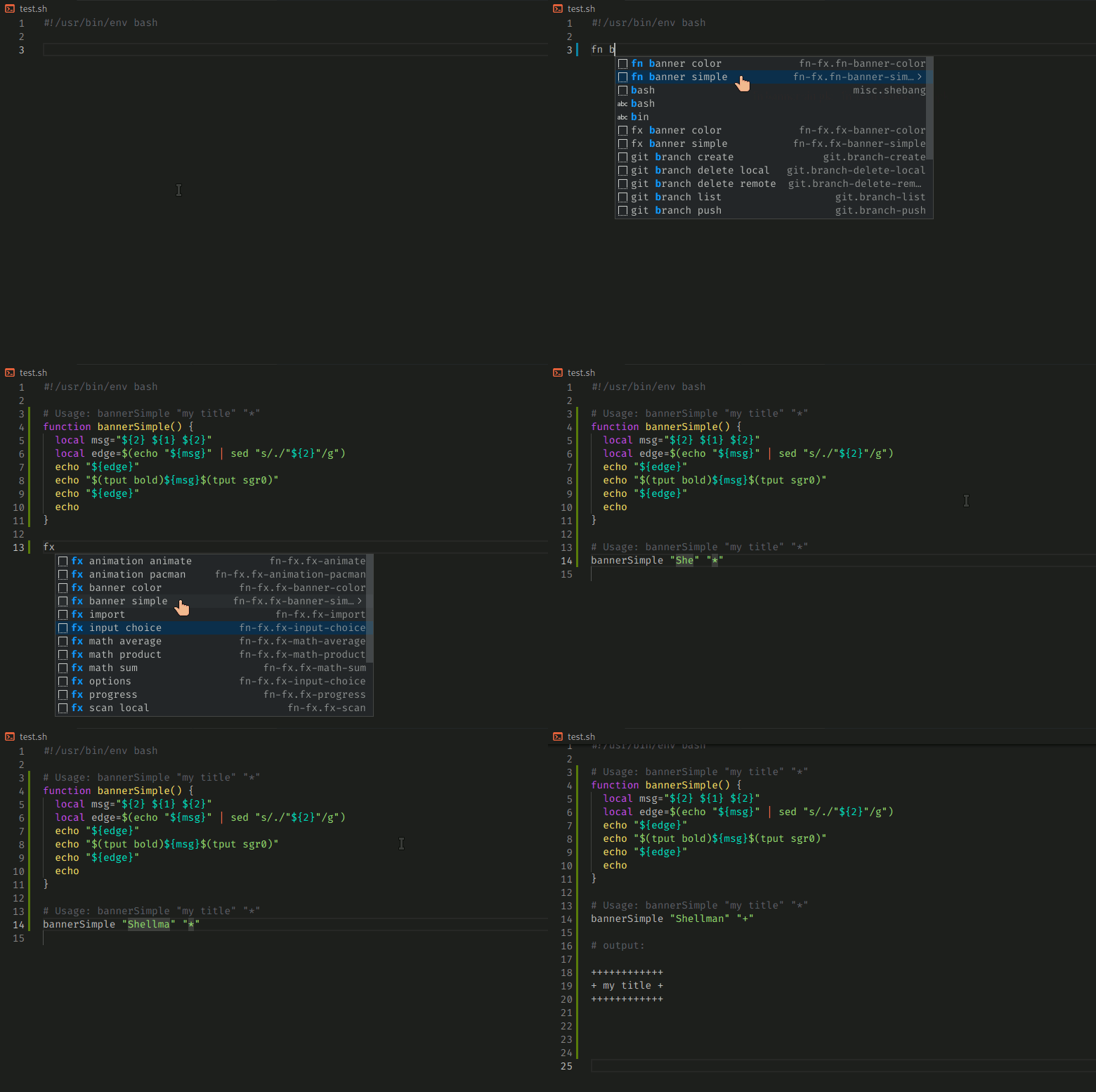
Shellman
Bash script snippets extension
C++
- C/C++ - C/C++ IntelliSense, debugging and code browsing by Microsoft; see the official docs
- Clangd - Provides C/C++ language IDE features for VS Code using clangd: code completion, compile errors and warnings, go-to-definition and cross references, include management, code formatting, simple refactorings.
- gnu-global-tags - Provide Intellisense for C/C++ with the help of the GNU Global tool.
More
C#, ASP .NET and .NET Core
- C# - C# extension by Microsoft, read official documentation for the details
- C# Extensions - Provides extensions to the IDE that will speed up your development workflow.
- MSBuild Project Tools
- VSCode Solution Explorer
- .NET Core Test Explorer

Clojure
Calva
Integrated REPL, linting, inline eval, test runner, and more. Powered by Cider & nRepl.

CSS
CSS Peek
Peek or Jump to a CSS definition directly from HTML, just like in Brackets!

-
stylelint - Lint CSS/SCSS.
-
Tailwind CSS IntelliSense - Autocomplete, linting and hover previews for Tailwind CSS.
-
Autoprefixer Parse CSS,SCSS, LESS and add vendor prefixes automatically.

-
Intellisense for CSS class names - Provides CSS class name completion for the HTML class attribute based on the CSS files in your workspace. Also supports React's className attribute.
Go
- Go - Rich language support for the Go language.
Groovy
- VsCode Groovy Lint - Groovy lint, format, prettify and auto-fix

Haskell
- Haskell - Official Haskell support powered by the Haskell Language Server (HLS); supersedes the former Haskell IDE Engine and haskell-linter.
HLSL
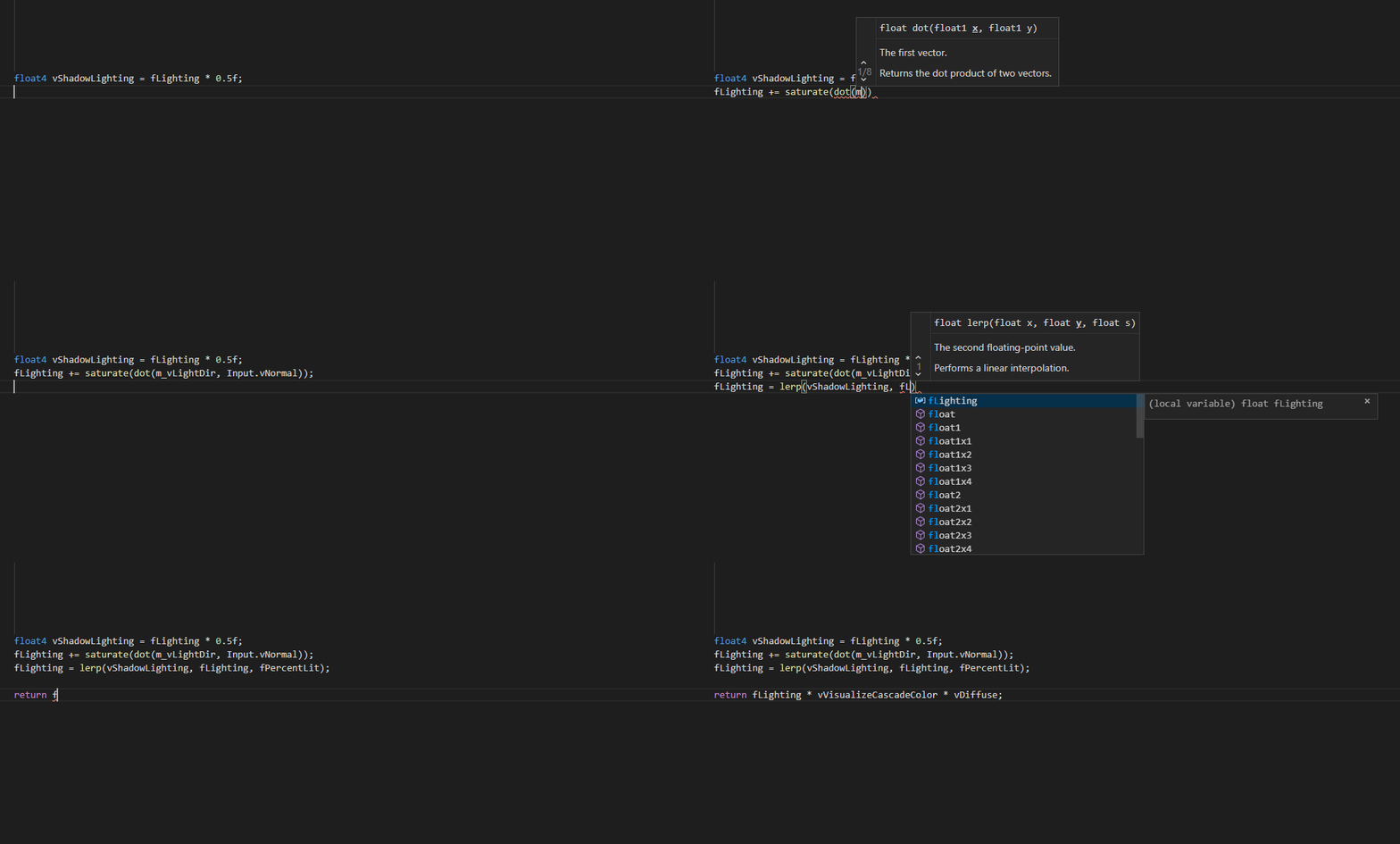
- HLSL Tools - provides rich language support for editing HLSL files in VS Code
Shell
Java
JavaScript
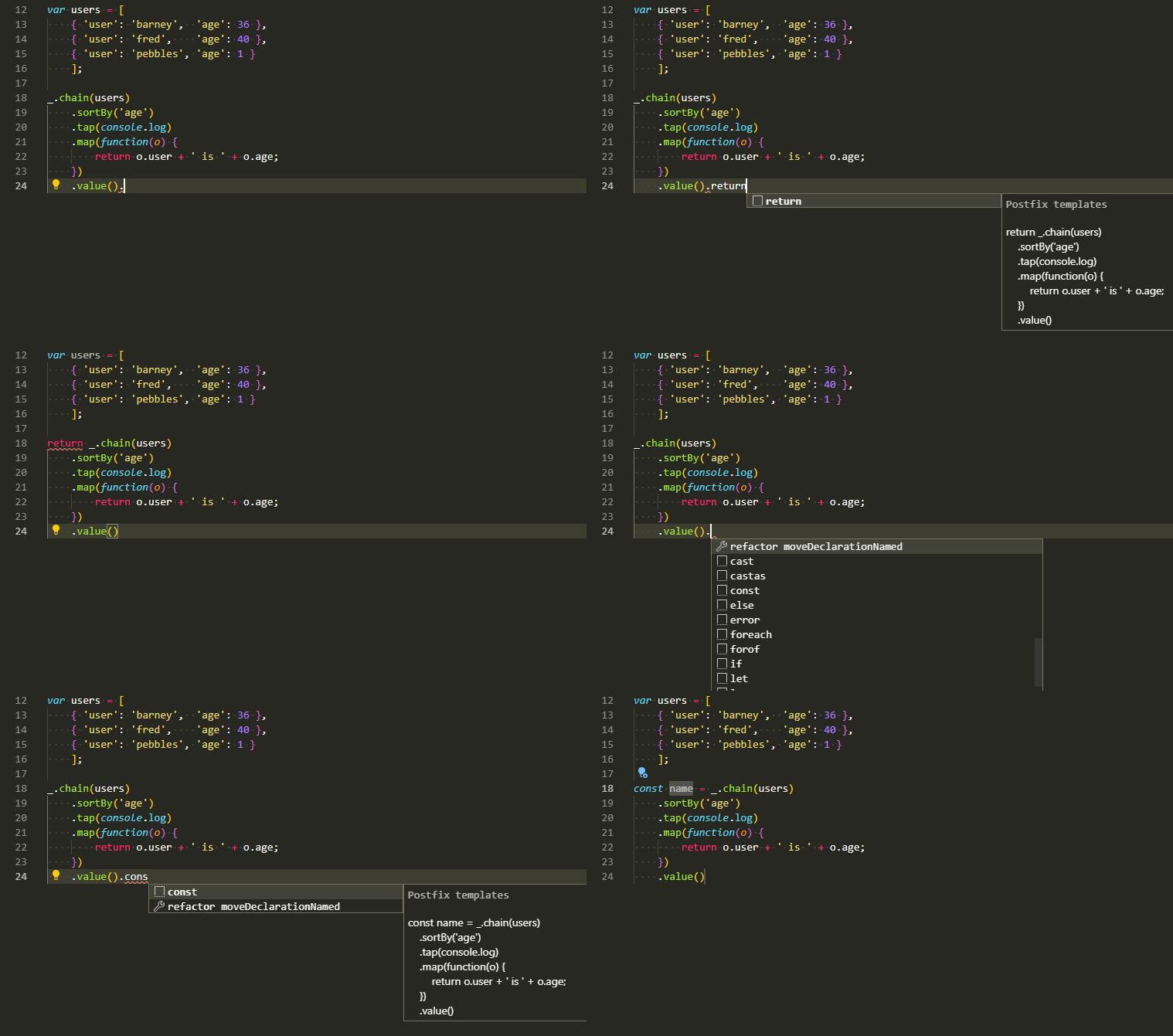
- Babel JavaScript
- Visual Studio IntelliCode - This extension provides AI-assisted development features including autocomplete and other insights based on understanding your code context.
See the difference between these two here
Linters
-
Code Spell Checker - Spelling Checker for Visual Studio Code (English). Also supports other languages via external extensions.
-
Schema.org Snippets - Snippets for Schema.org.
Framework-specific
- Vue - Official - Official Vue language support (Volar). Supersedes Vetur, which is now in maintenance mode.
Debugger for Chrome
⚠️ Deprecated — debugging JavaScript in Chrome/Edge is now built into VS Code via the bundled JavaScript Debugger, so this extension is no longer needed.
Facebook Flow
- Flow Language Support - provides all the functionality you would expect — linting, intellisense, type tooltips and click-to-definition
- vscode-flow-ide - an alternative Flowtype extension for Visual Studio Code
TypeScript
- TSLint reached end-of-life in 2019 — use ESLint with typescript-eslint to lint TypeScript.
MATLAB
This extension provides support for editing MATLAB® code in Visual Studio® Code and includes features such as syntax highlighting, code analysis, navigation support, and more.
Without MATLAB installed:
- Syntax highlighting
- Code snippets
- Commenting
- Code folding
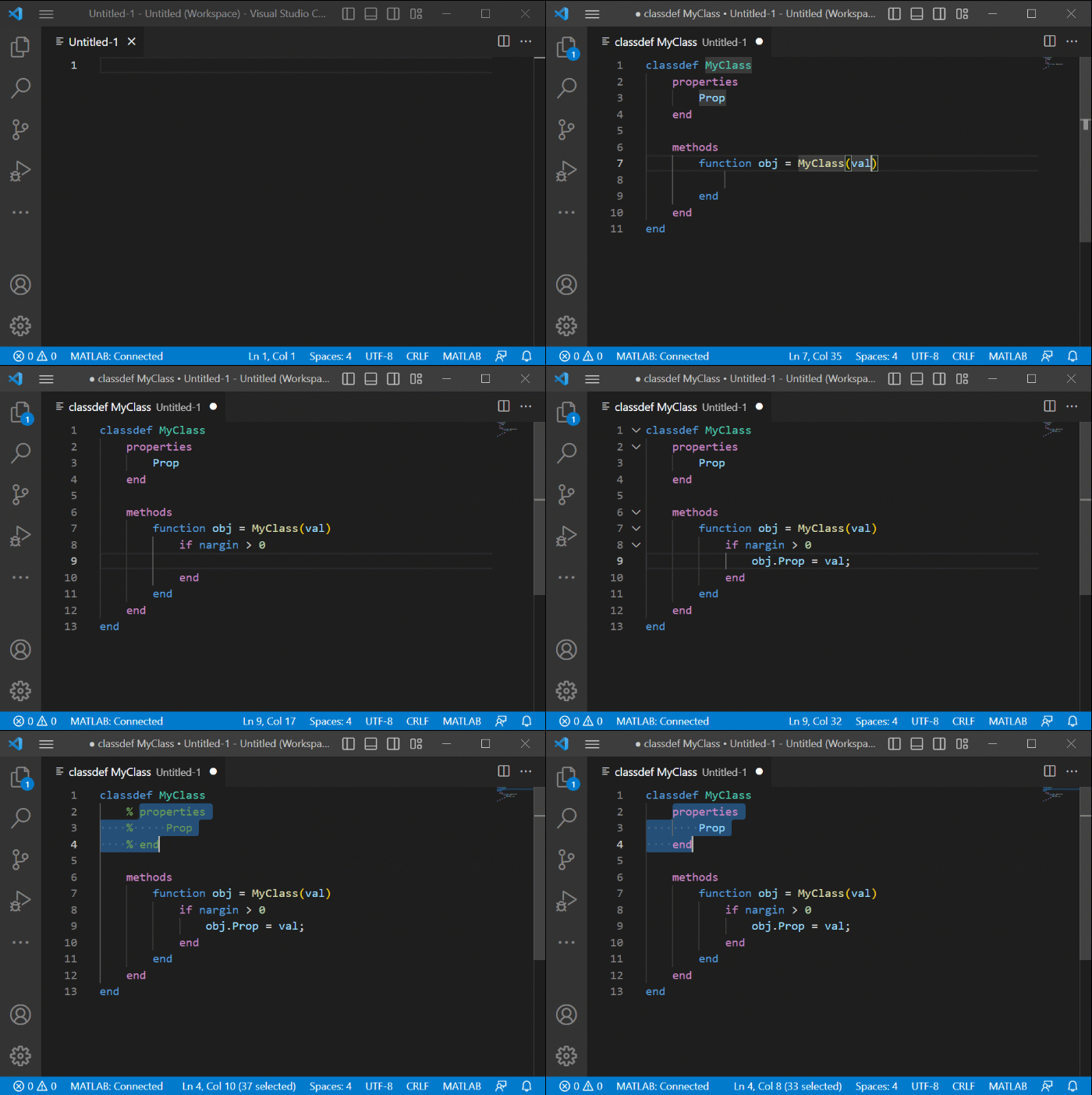
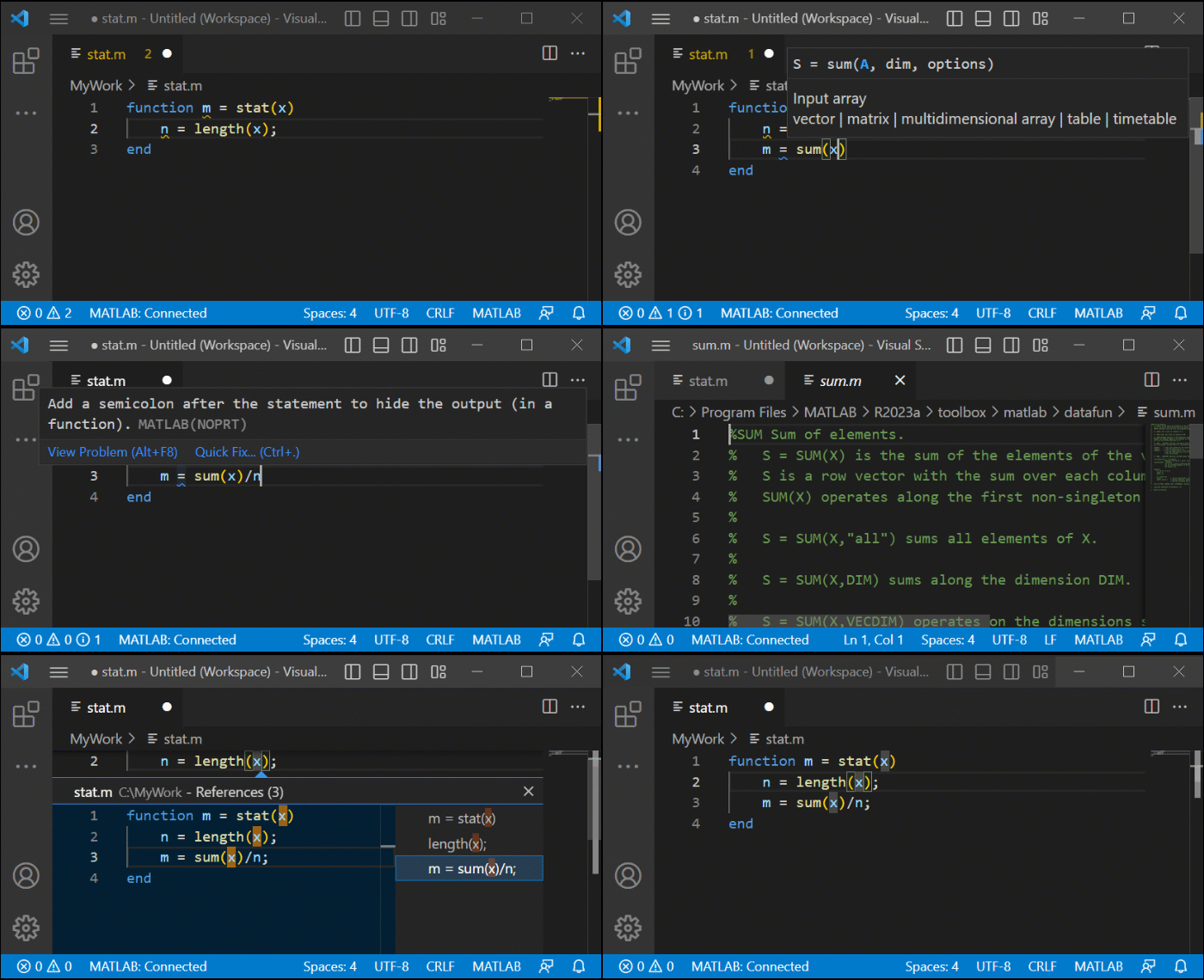
With MATLAB installed:
- Automatic code completion
- Source code formatting (document formatting)
- Code navigation
- Code analysis, such as continuous code checking and automatic fixes
Markdown
markdownlint
Linter for markdownlint.
Markdown All in One
All-in-one markdown plugin (keyboard shortcuts, table of contents, auto preview, list editing and more)

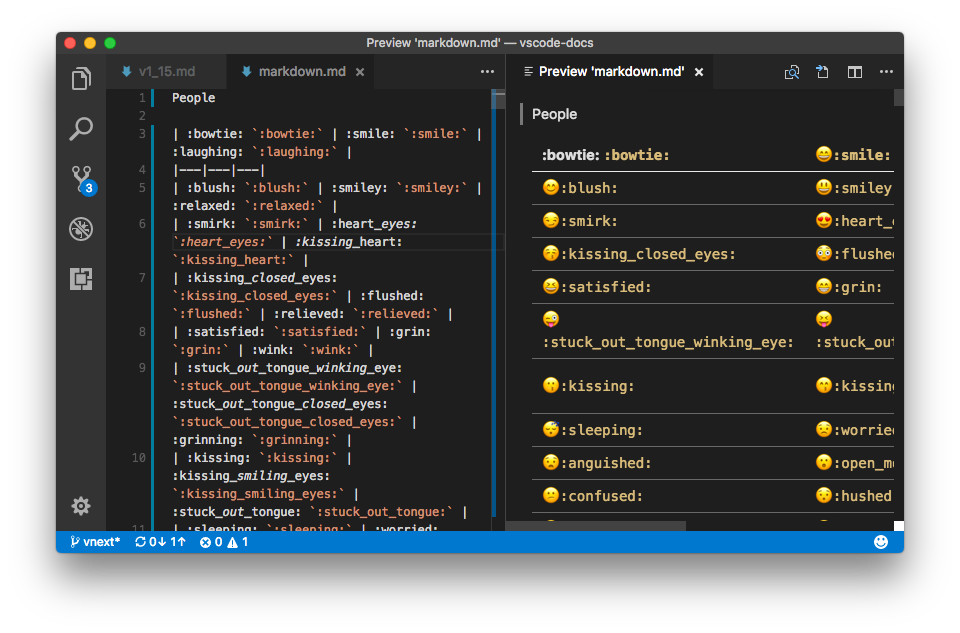
Markdown Emoji
Adds emoji syntax support to VS Code's built-in Markdown preview
MEO
A markdown editor with a single-tab live/source toggle for distraction-free writing.
PHP
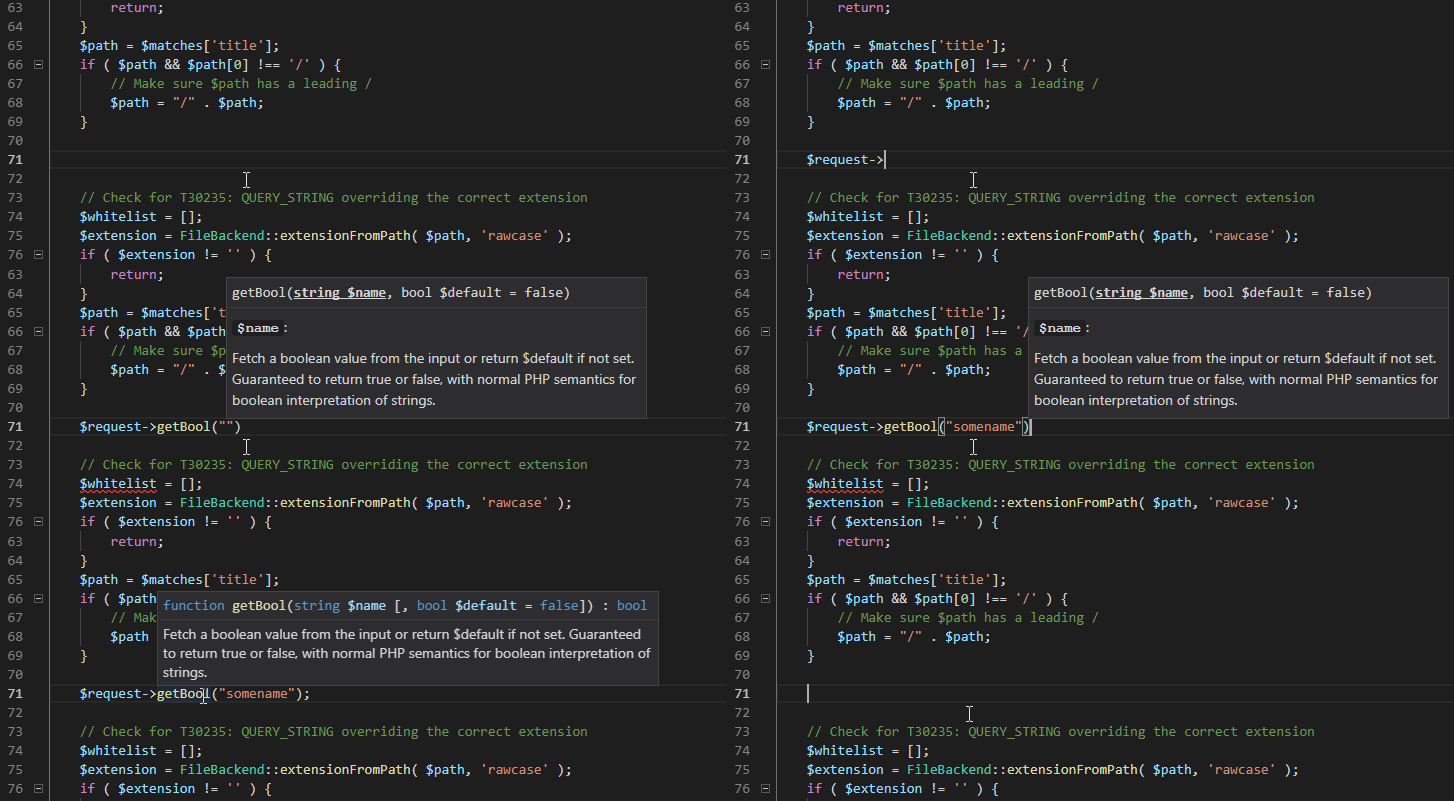
PHP Tools
Rich language support for the PHP language: linting, debugging, intellisense, auto-completion, code formatting, refactoring, unit testing, profiling, and more.
IntelliSense
- PHP Intelephense - The de-facto standard PHP language server: autocompletion, diagnostics, go-to-definition and more. (The former PHP IntelliSense by felixfbecker is deprecated.)
Laravel
- Laravel 5 Snippets - Laravel 5 snippets for Visual Studio Code
- Laravel Blade Snippets - Laravel blade snippets and syntax highlight support
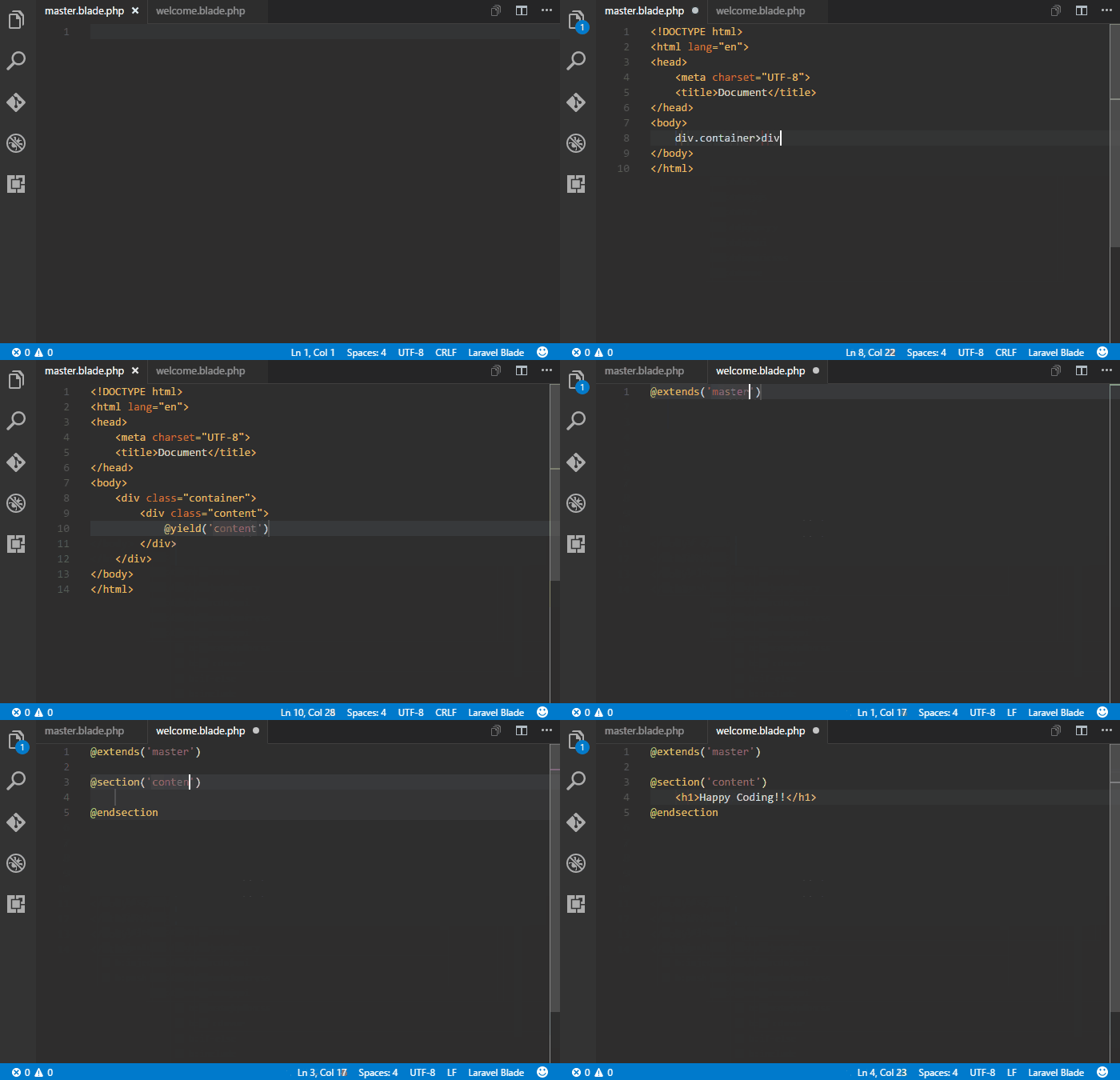
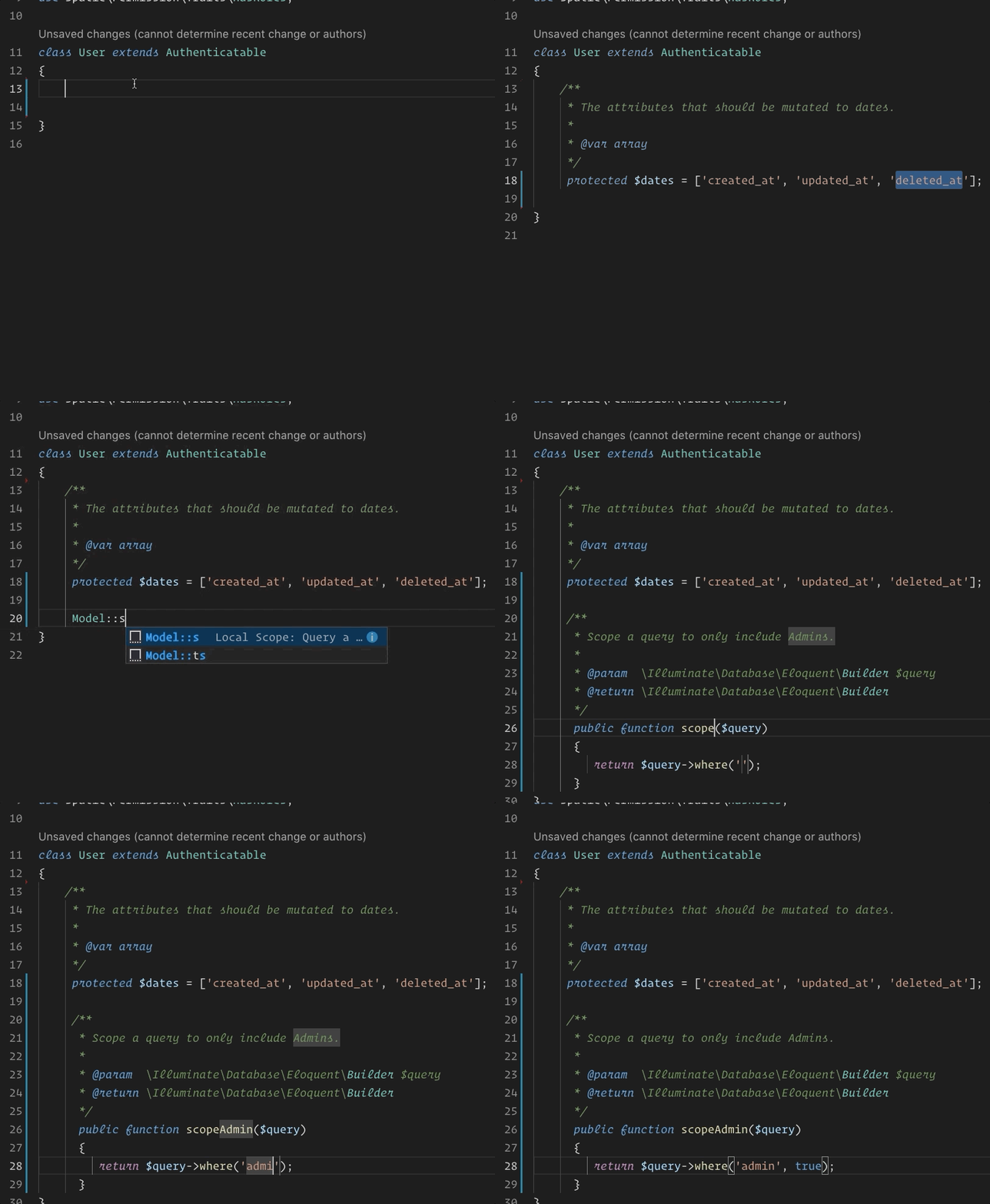
- Laravel Model Snippets - Quickly get models up and running with Laravel Model Snippets.
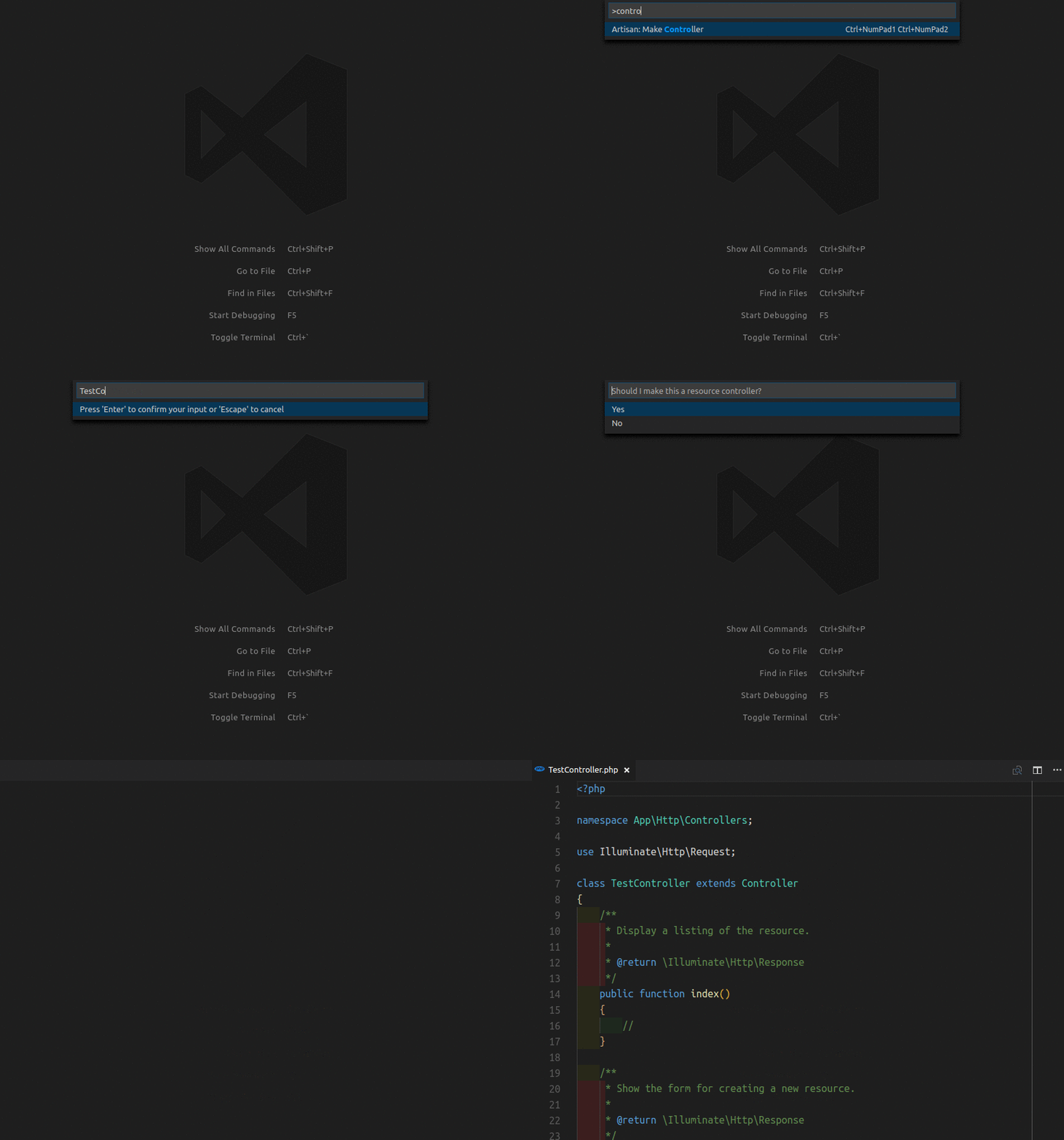
- Laravel Artisan - Laravel Artisan commands within Visual Studio Code
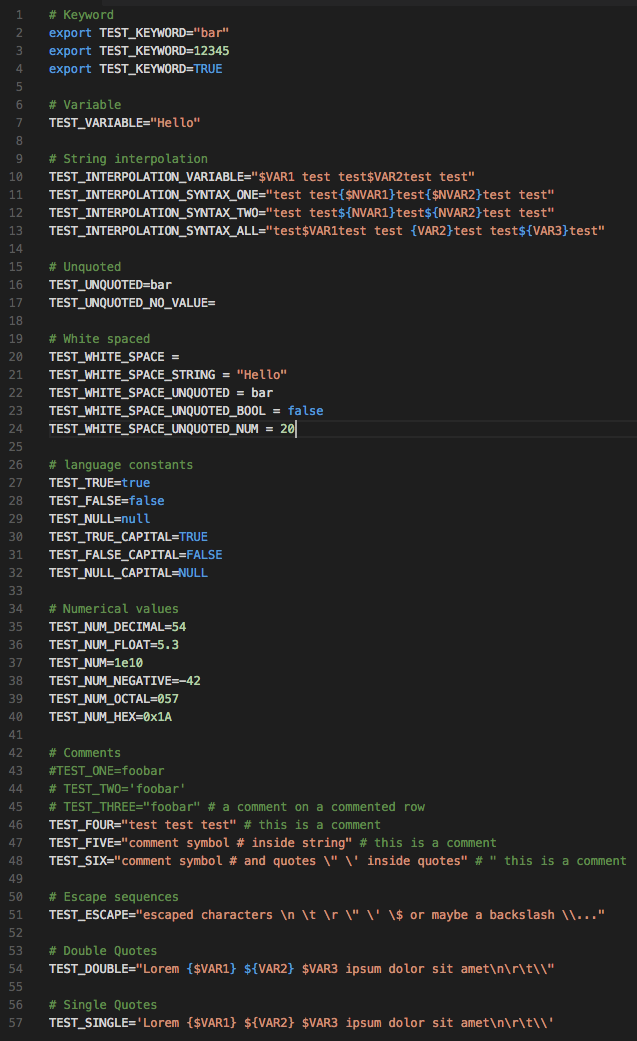
- DotENV - Support for dotenv file syntax
- Laravel Pint - Run and configure Laravel Pint, the opinionated PHP code-style fixer for Laravel.
Twig
To enable Emmet support in .twig files, you'll need to have the following in your settings:
{
  "emmet.includeLanguages": {
    "twig": "html"
  }
}
Smarty
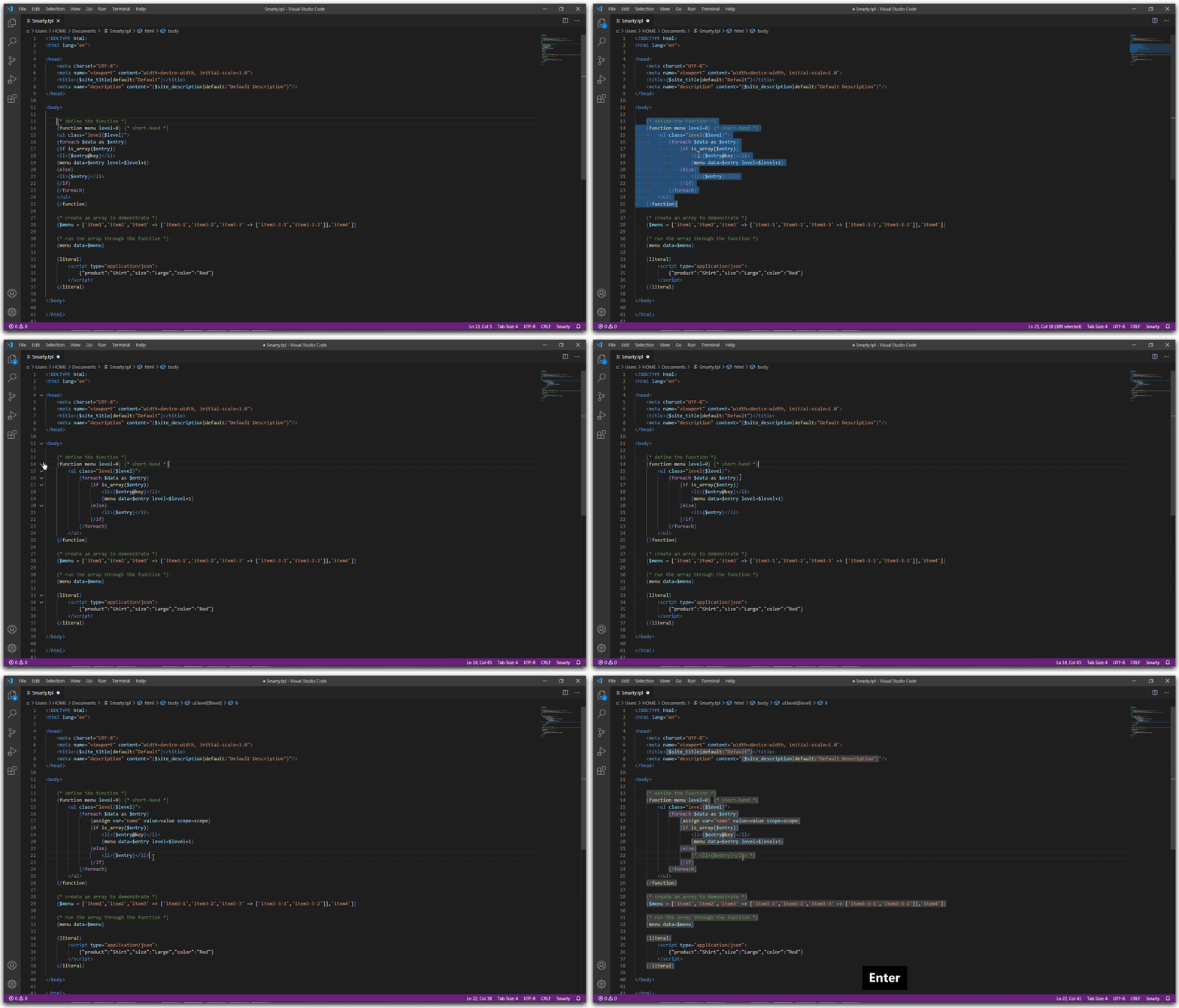
Smarty Template Support
Smarty template support with formatting, folding, snippets, syntax highlighting and more.
Other extensions
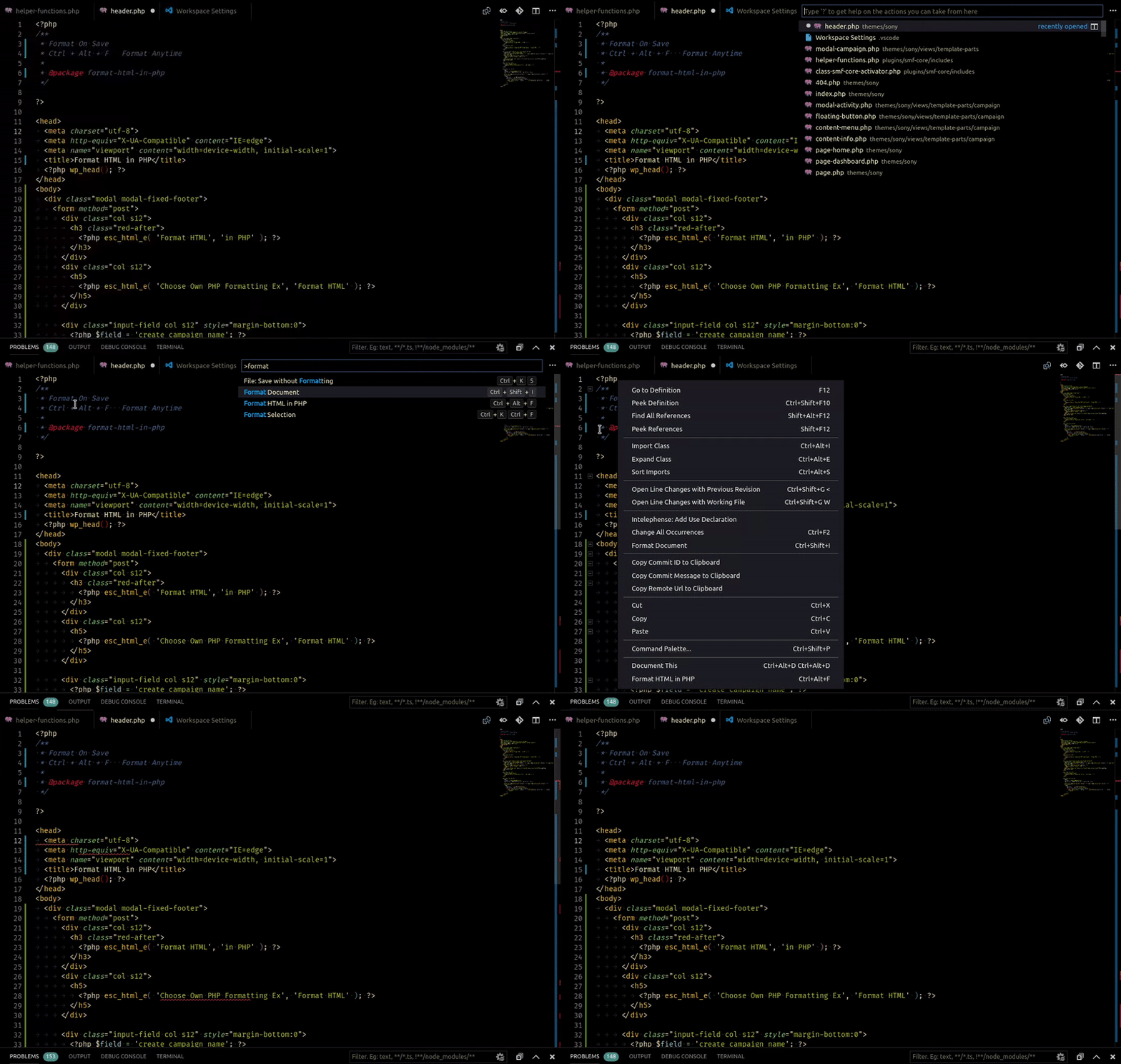
- Format HTML in PHP - Formatting for the HTML in PHP files. Runs before the save action so you can still have a PHP formatter.
- Composer
- PHP Create Class - Create PHP classes, interfaces, traits and enums from the context menu.
- PHP Debug - XDebug extension for Visual Studio Code
- PHP DocBlocker
- php cs fixer - PHP CS Fixer extension for VS Code, php formatter, php code beautify tool
- phpcs - PHP CodeSniffer for Visual Studio Code
- phpfmt - phpfmt for Visual Studio Code
Read more
POV-Ray
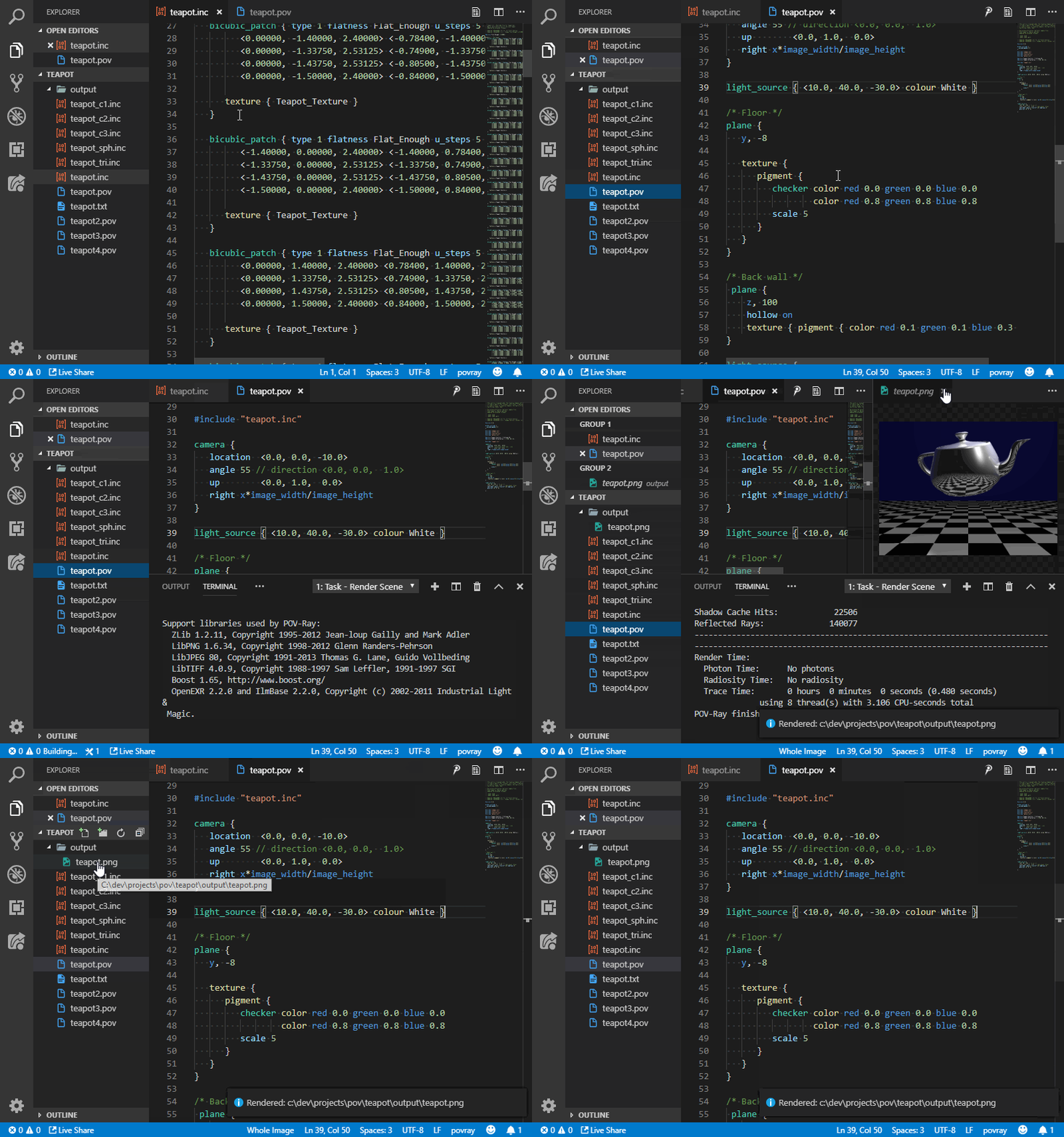
- POV-Ray - Persistence of Vision Ray Tracer (POV-Ray) Extension, includes Syntax Highlighting and Snippets for common POV-Ray scene elements, Render the current scene from within Visual Studio Code
Python
- Python - Linting, Debugging (multi threaded, web apps), Intellisense, auto-completion, code formatting, snippets, unit testing, and more.
TensorFlow
- TensorFlow Snippets - This extension includes a set of useful code snippets for developing TensorFlow models in Visual Studio Code.
ReasonML
- ReasonML - Intellisense, code formatting, refactoring, code lens and more
Ruby
- endwise - Automatically add
endto Ruby code blocks as you type.
Rust
- rust-analyzer - Linting, auto-completion, code formatting, snippets and more
Terraform
- Terraform - Syntax highlighting, linting, formatting, and validation for Hashicorp's Terraform
GitHub
GitHub Pull Requests and Issues
Review and manage GitHub pull requests and issues
GistPad
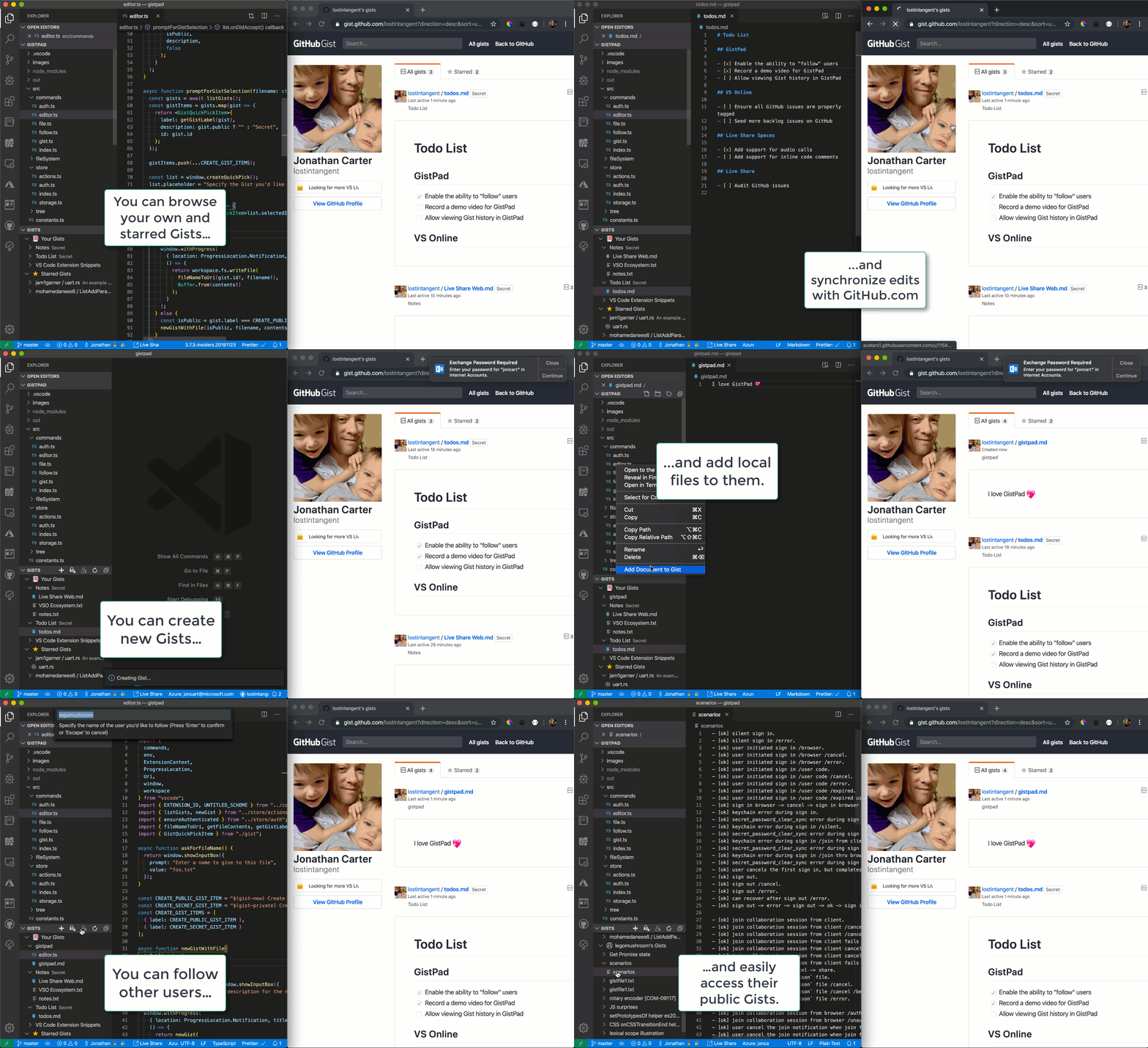
Allows you to manage GitHub Gists entirely within the editor. You can open, create, delete, fork, star and clone gists, and then seamlessly begin editing files as if they were local. It's like your very own developer library for building and referencing code snippets, commonly used config/scripts, programming-related notes/documentation, and interactive samples.
GitHub Actions
Shows GitHub Actions workflows and runs
GitHub Repositories
Remotely browse and edit any GitHub repository
GitHub Pull Request Monitor
This extension uses the GitHub api to monitor the state of your pull requests and let you know when it's time to merge or if someone requested changes.

Productivity
ARM Template Viewer
Displays a graphical preview of Azure Resource Manager (ARM) templates. The view will show all resources with the official Azure icons and also linkage between the resources.

Azure Cosmos DB
Browse your database inside the vs code editor
Azure IoT Toolkit
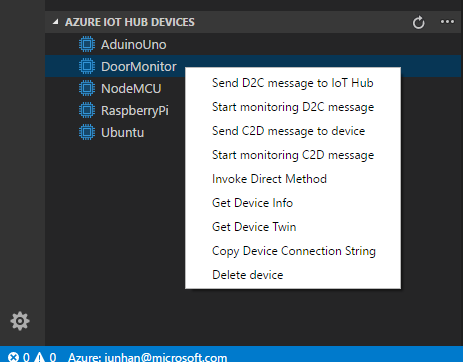
Everything you need for the Azure IoT development: Interact with Azure IoT Hub, manage devices connected to Azure IoT Hub, and develop with code snippets for Azure IoT Hub
Bookmarks
Mark lines and jump to them
Microsoft Edge Tools
Use the Microsoft Edge browser's DevTools (Elements, Network, Console) and an in-editor browser preview directly inside VS Code.
Color Tabs
An extension for big projects or monorepos that colors your tab/titlebar based on the current package

Create tests
An extension to quickly generate test files.
Dendron
An extension that can turn Visual Studio Code into a PKM tool, with excellent UX, using Markdown files to organize and reference any amount of knowledge. Whether you organize your notes with PARA or Zettelkasten, link notes together like Roam, or simply create notes in an ad-hoc manner, Dendron can help. Think of it as a second brain to help you make sense of all the information you care about. Bonus: Dendron can also publish a static site via NextJS if also using
dendron-cli.
Duplicate Action
Ability to duplicate files and directories.
Error Lens
Show language diagnostics inline (errors/warnings/...).

Toggle
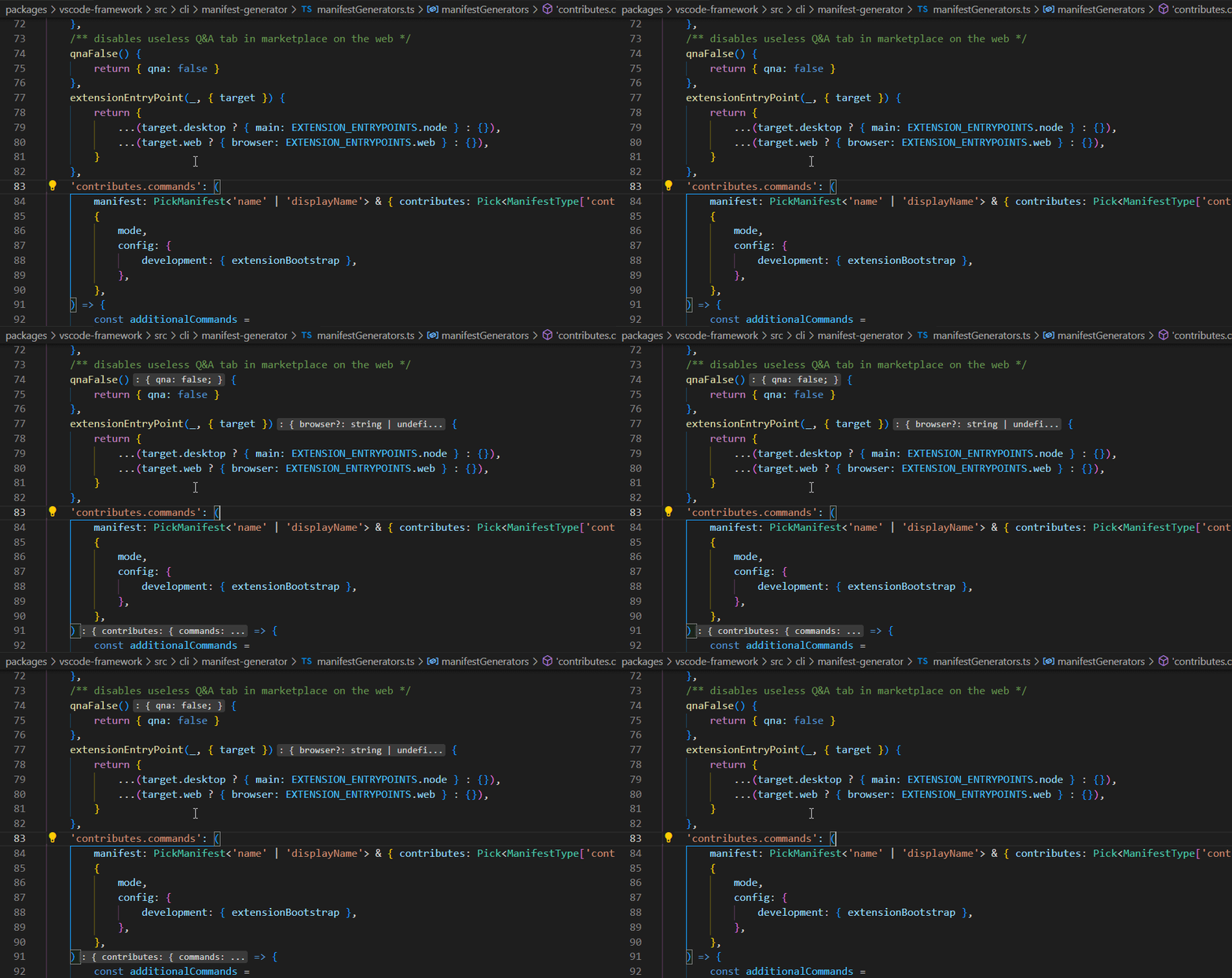
Toggle any VS Code setting by your favorite keybindings.
Example of toggling typescript.inlayHints.functionLikeReturnTypes.enabled by shortcut:
ES7 React/Redux/GraphQL/React-Native snippets
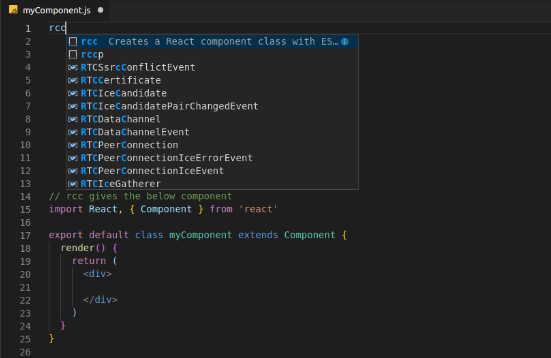
Provides Javascript and React/Redux snippets in ES7
Gi
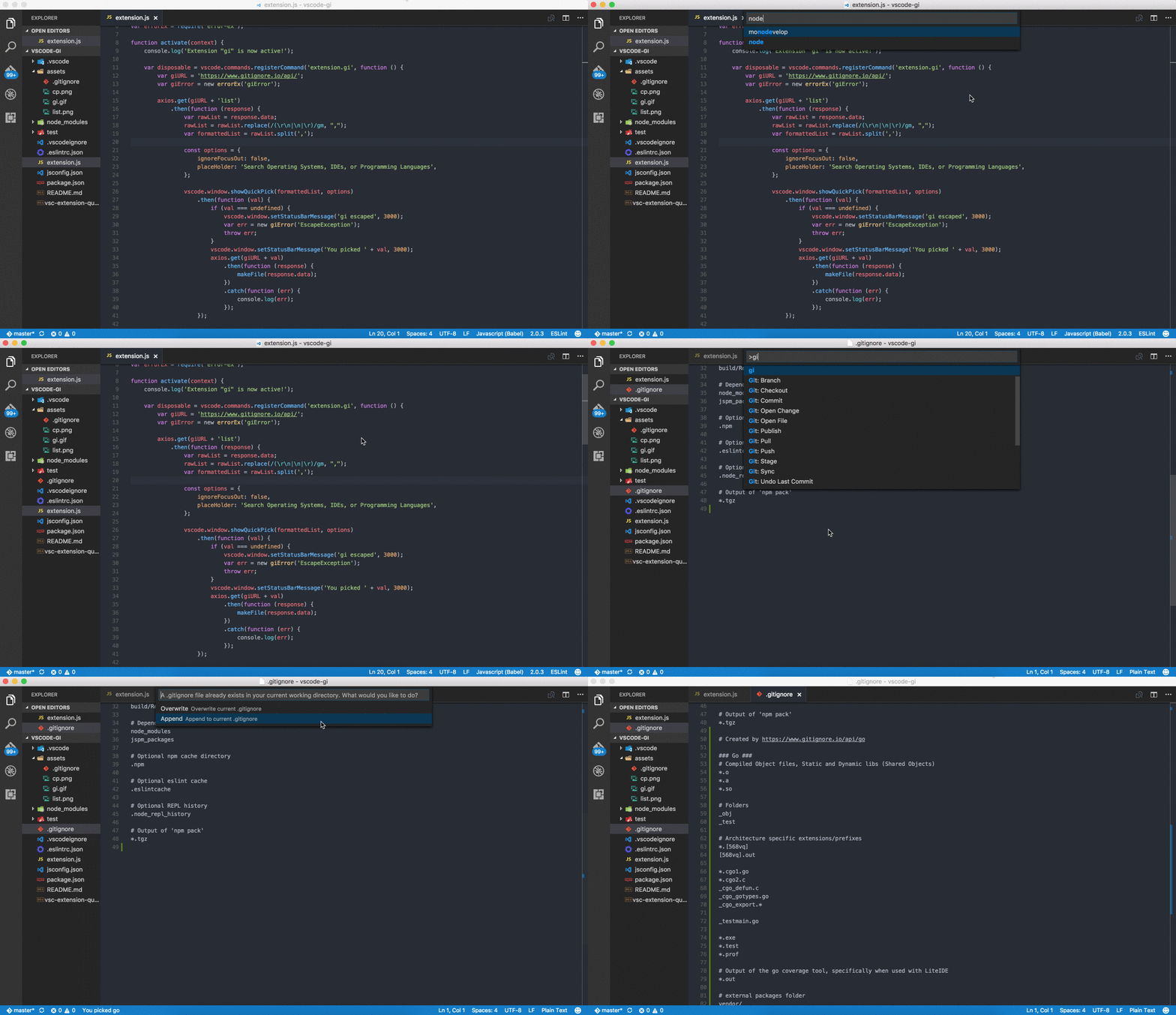
Generating .gitignore files made easy.
Git History
View git log, file or line History
Git Project Manager
Automatically indexes your git projects and lets you easily toggle between them
GitLink
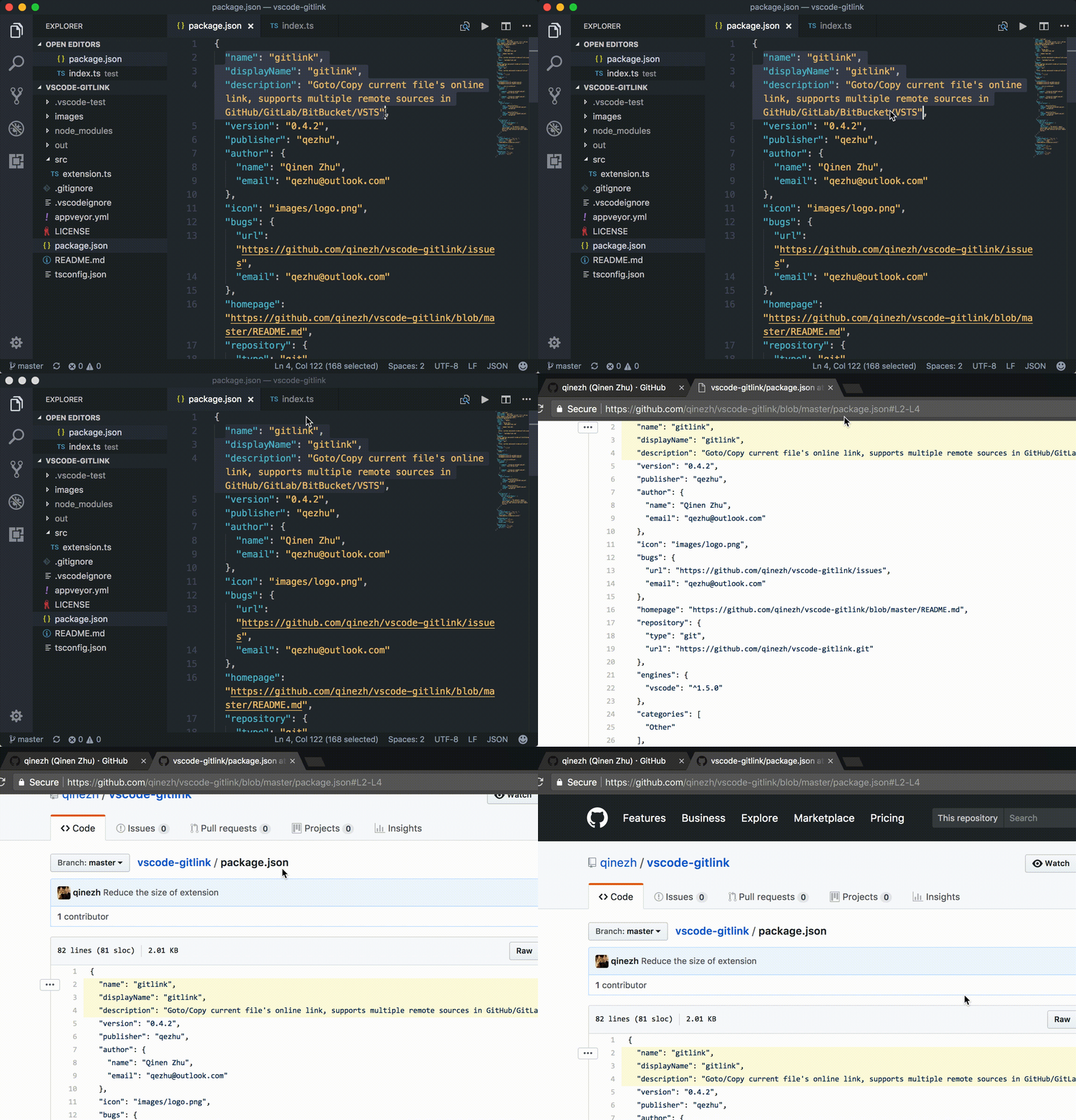
GoTo current file's online link in browser and Copy the link in clipboard.
GitLens
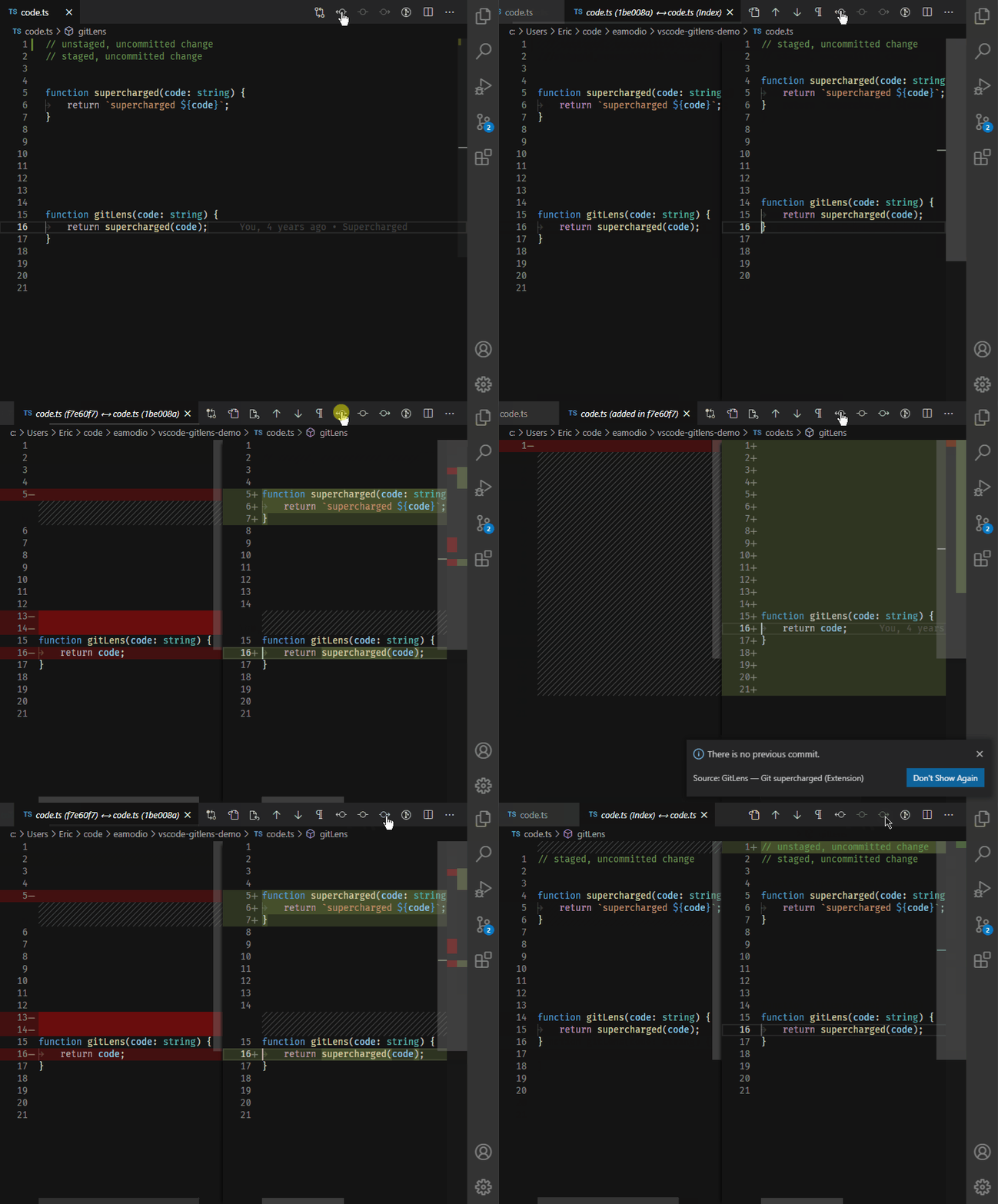
Provides Git CodeLens information (most recent commit, # of authors), on-demand inline blame annotations, status bar blame information, file and blame history explorers, and commands to compare changes with the working tree or previous versions.
GitLab Workflow
Adds a GitLab sidebar icon to view issues, merge requests and other GitLab resources. You can also view the results of your GitLab CI/CD pipeline and check the syntax of your
.gitlab-ci.yml.
Gradle Tasks
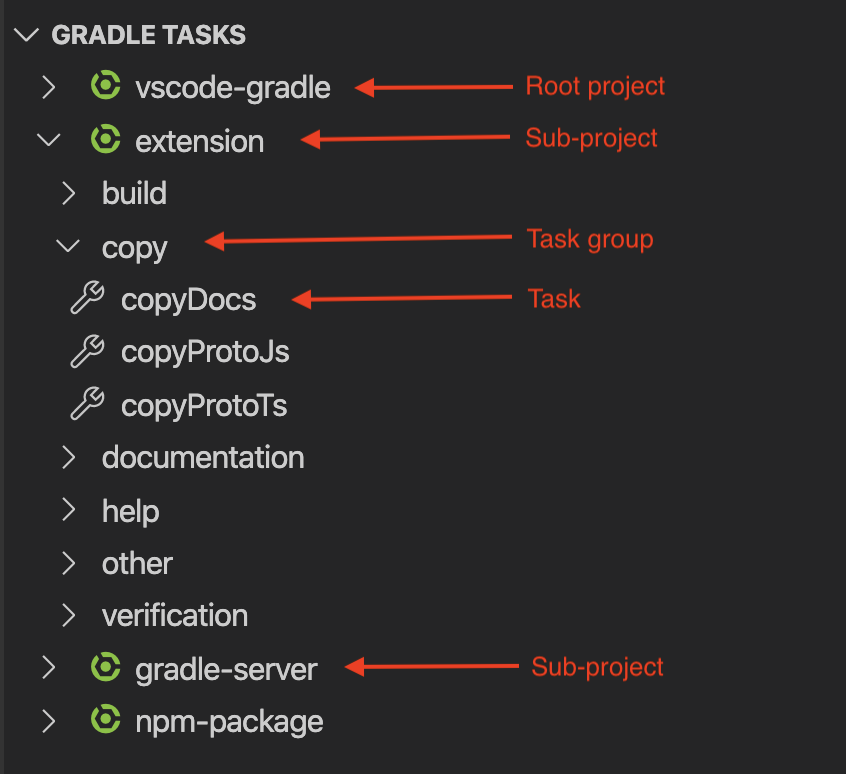
Run gradle tasks in VS Code.
Icon Fonts
Snippets for popular icon fonts such as Font Awesome, Ionicons, Glyphicons, Octicons, Material Design Icons and many more!
Import Cost
This extension will display inline in the editor the size of the imported package. The extension utilizes webpack with babili-webpack-plugin in order to detect the imported size.
Jira and Bitbucket
Bringing the power of Jira and Bitbucket to VS Code - With Atlassian for VS Code you can create and view issues, start work on issues, create pull requests, do code reviews, start builds, get build statuses and more!
Find-Jump
Fast label-based cursor movement — jump to anywhere visible by typing a few characters (in the spirit of Atom's Jumpy).
Kanban
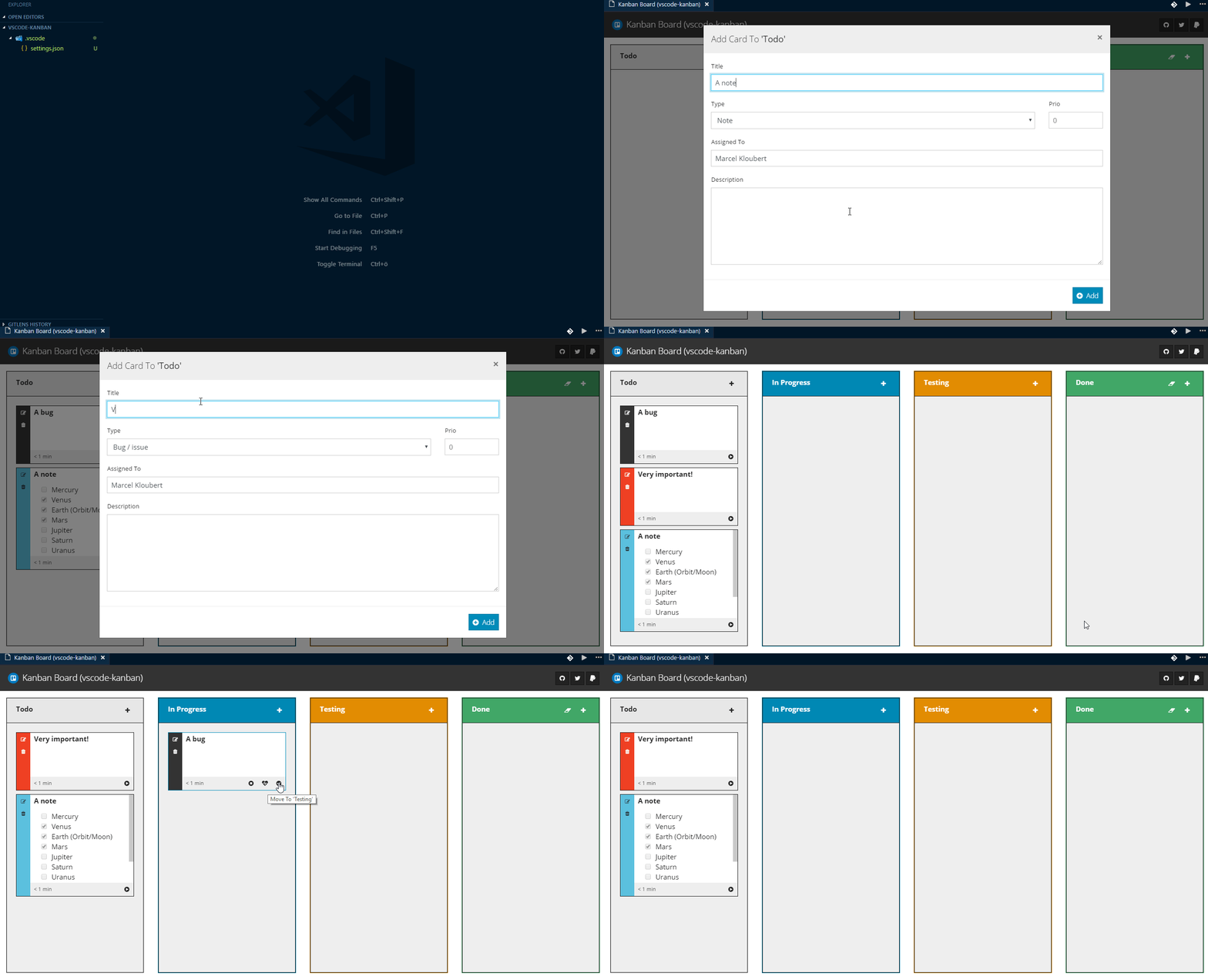
Simple Kanban board for use in Visual Studio Code, with time tracking and Markdown support.
Live Server
Launch a development local Server with live reload feature for static & dynamic pages.

Clipboard Manager
Keeps a history of your copies and cuts so you can pick any earlier entry to paste again.
ngrok for VSCode
ngrok allows you to expose a web server running on your local machine to the internet. Just tell ngrok what port your web server is listening on. This extension allows you to control ngrok from the VSCode command palette

Dotnet Core Test Explorer
View and run your .NET Core tests directly in the editor.

i18n Ally
🌍 All in one i18n extension for VSCode

Instant Markdown
Simply, edit markdown documents in vscode and instantly preview it in your browser as you type.

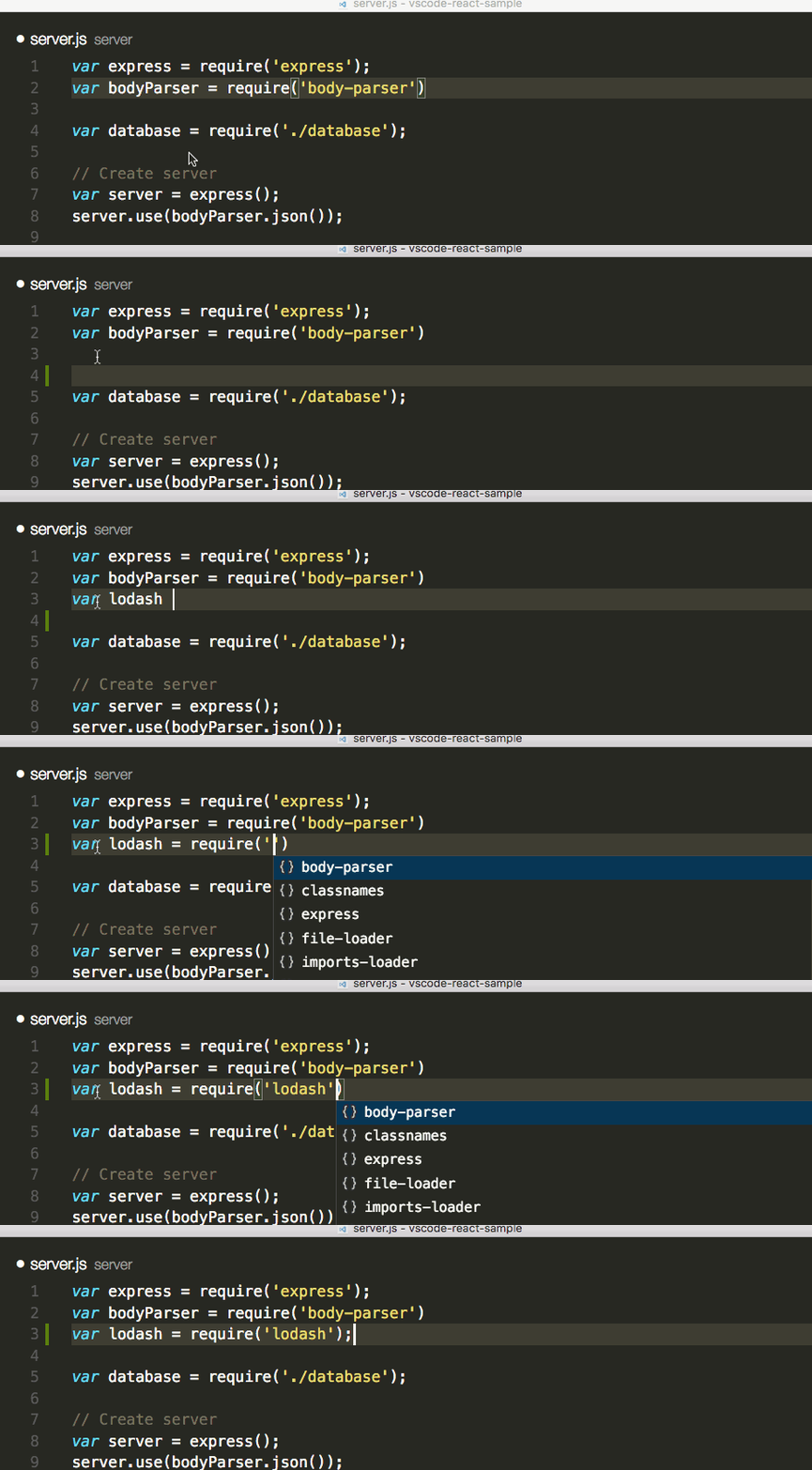
npm Intellisense
Visual Studio Code plugin that autocompletes npm modules in import statements.
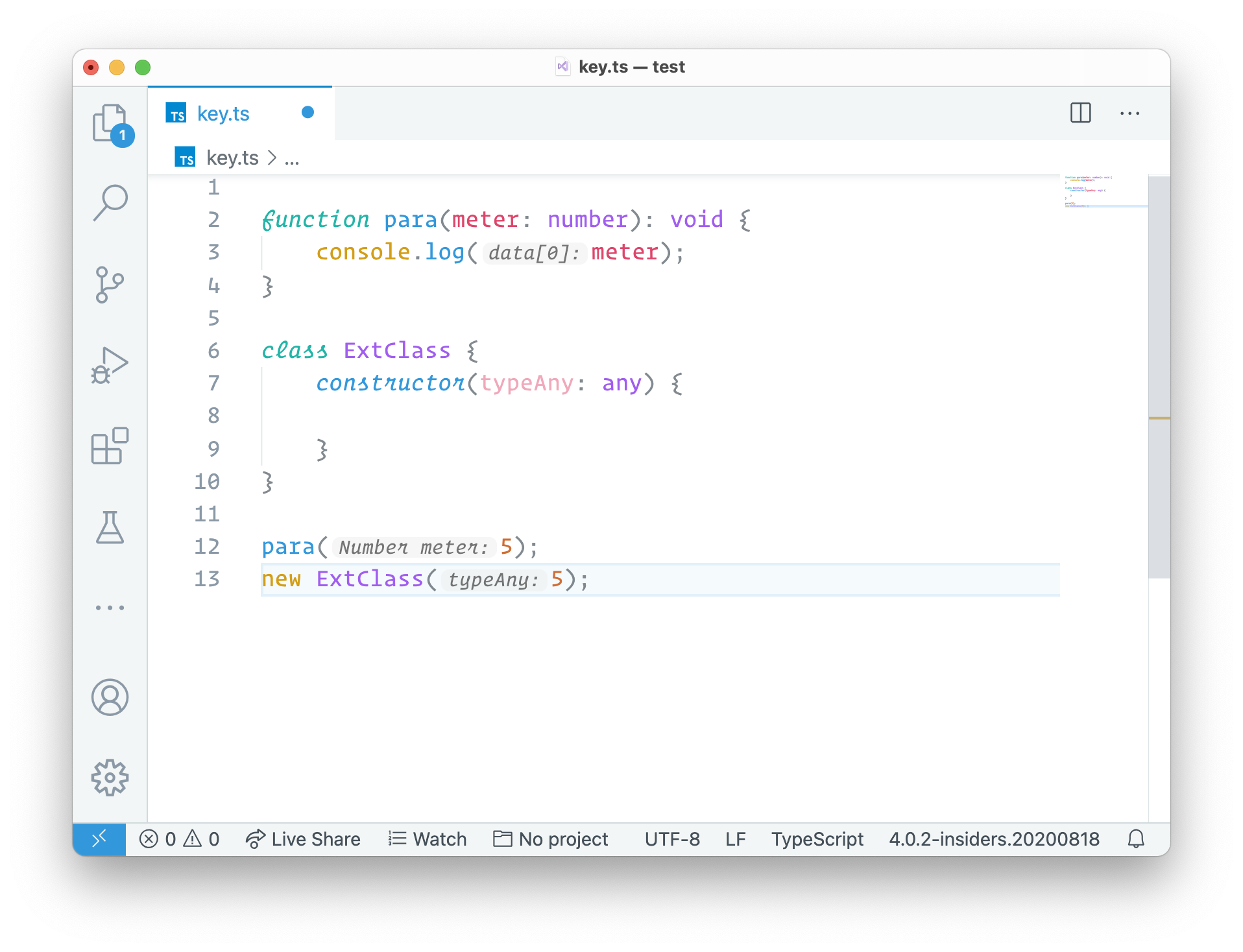
Parameter Hints
Provides parameter hints on function calls in JS/TS/PHP files.
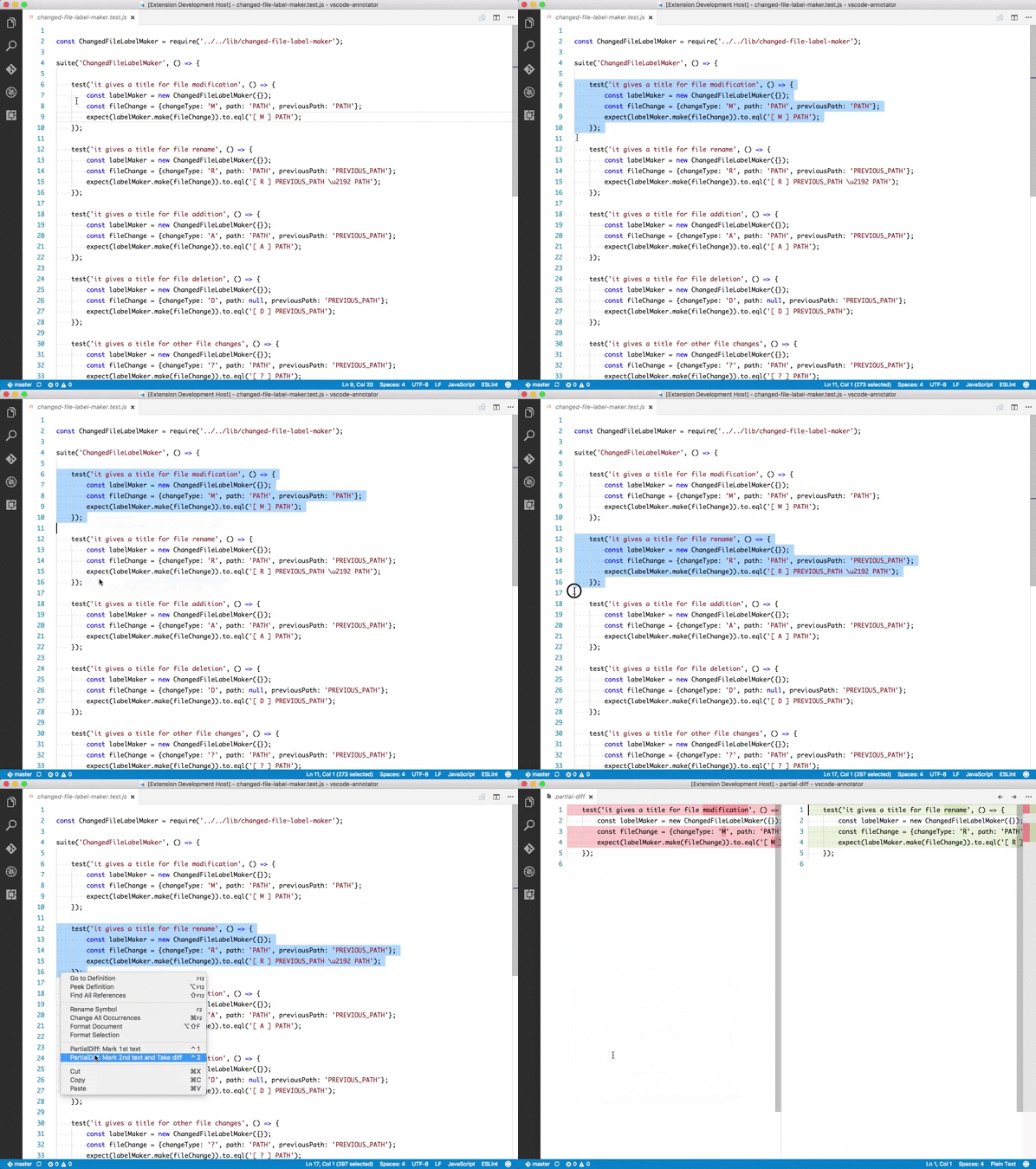
Partial Diff
Compare (diff) text selections within a file, across different files, or to the clipboard
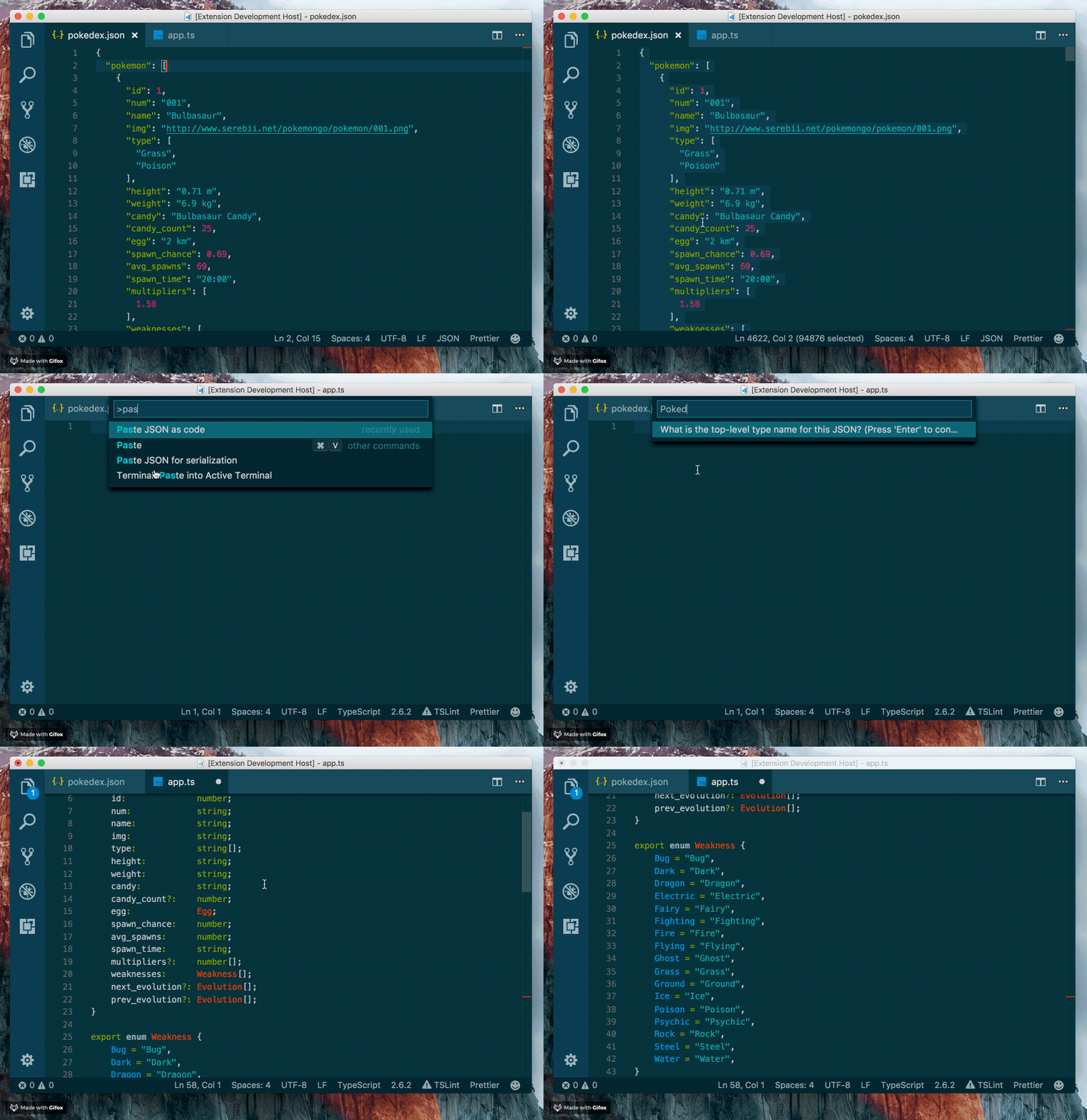
Paste JSON as Code
Infer the structure of JSON and paste is as types in many programming languages
Path Autocomplete
Provides path completion for visual studio code.
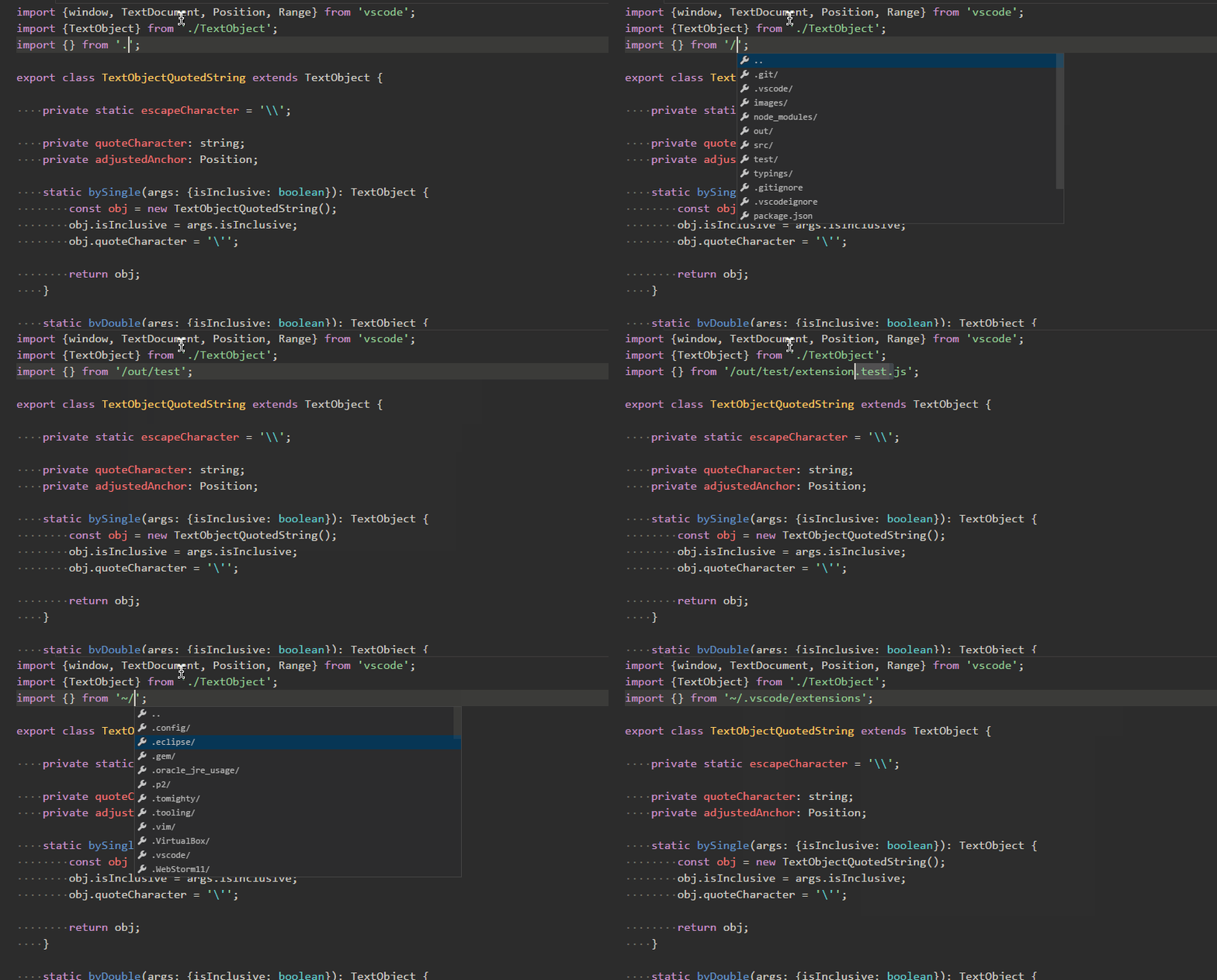
Path IntelliSense
Visual Studio Code plugin that autocompletes filenames
Power Tools
Extends Visual Studio Code via things like Node.js based scripts or shell commands, without writing separate extensions

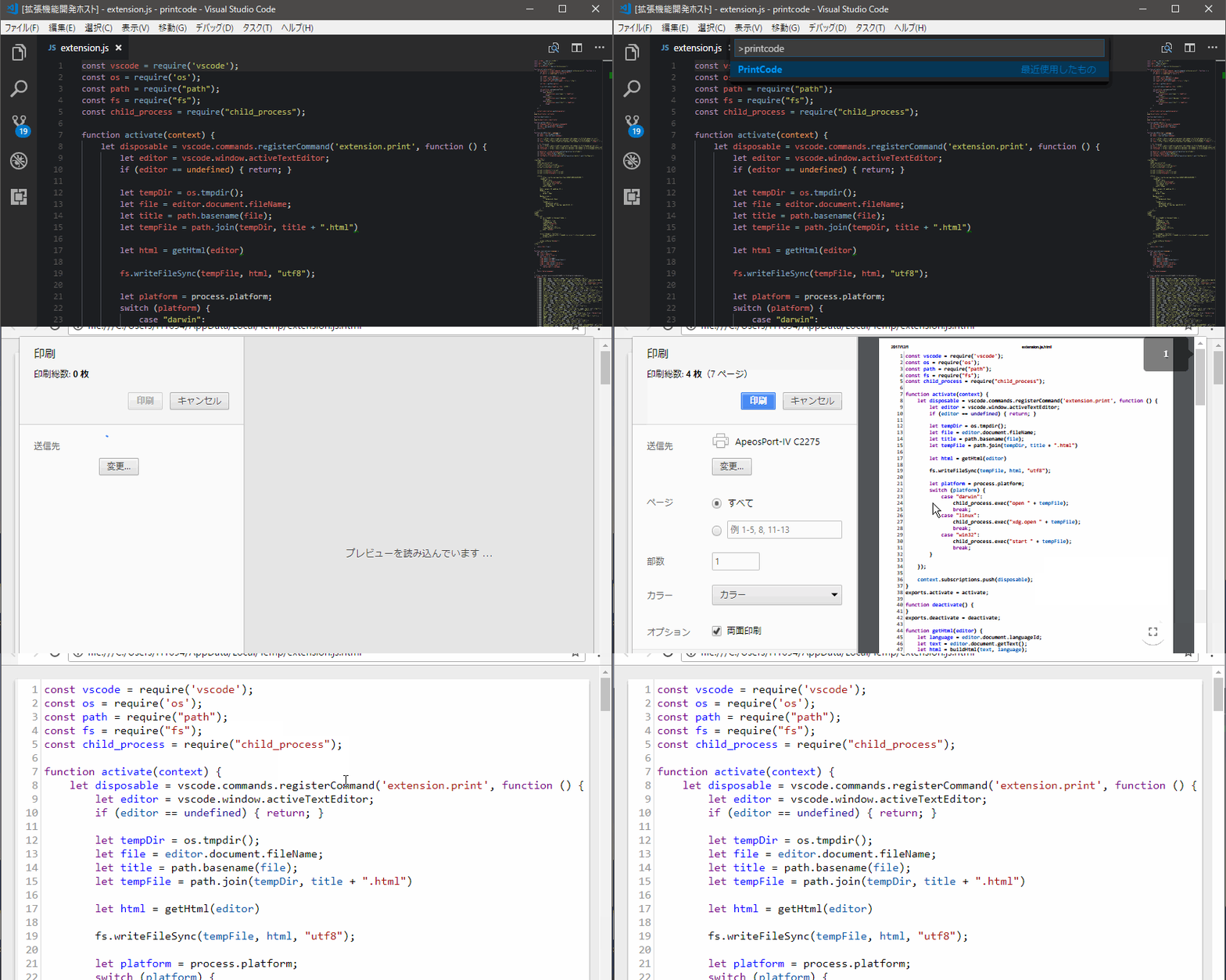
PrintCode
PrintCode converts the code being edited into an HTML file, displays it by browser and prints it.
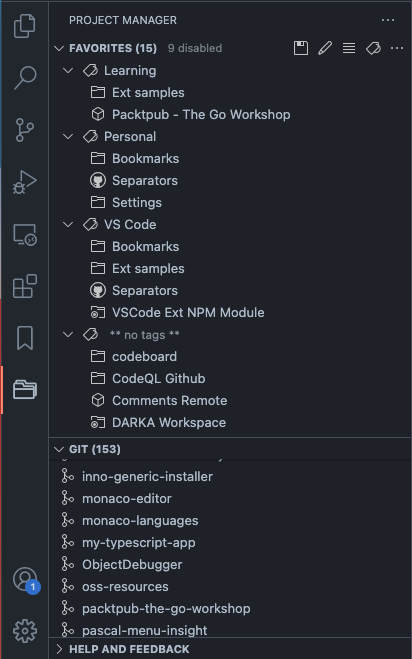
Project Manager
Easily switch between projects.
Project Dashboard
VSCode Project Dashboard is a Visual Studio Code extension that lets you organize your projects in a speed-dial like manner. Pin your frequently visited folders, files, and SSH remotes onto a dashboard to access them quickly.

Rainbow CSV
Highlight columns in comma, tab, semicolon and pipe separated files, consistency check and linting with CSVLint, multi-cursor column editing, column trimming and realignment, and SQL-style querying with RBQL.
Remote Development
Allows users to open any folder in a container, on a remote machine, container or in Windows Subsystem for Linux(WSL) and take advantage of VS Code's full feature set.
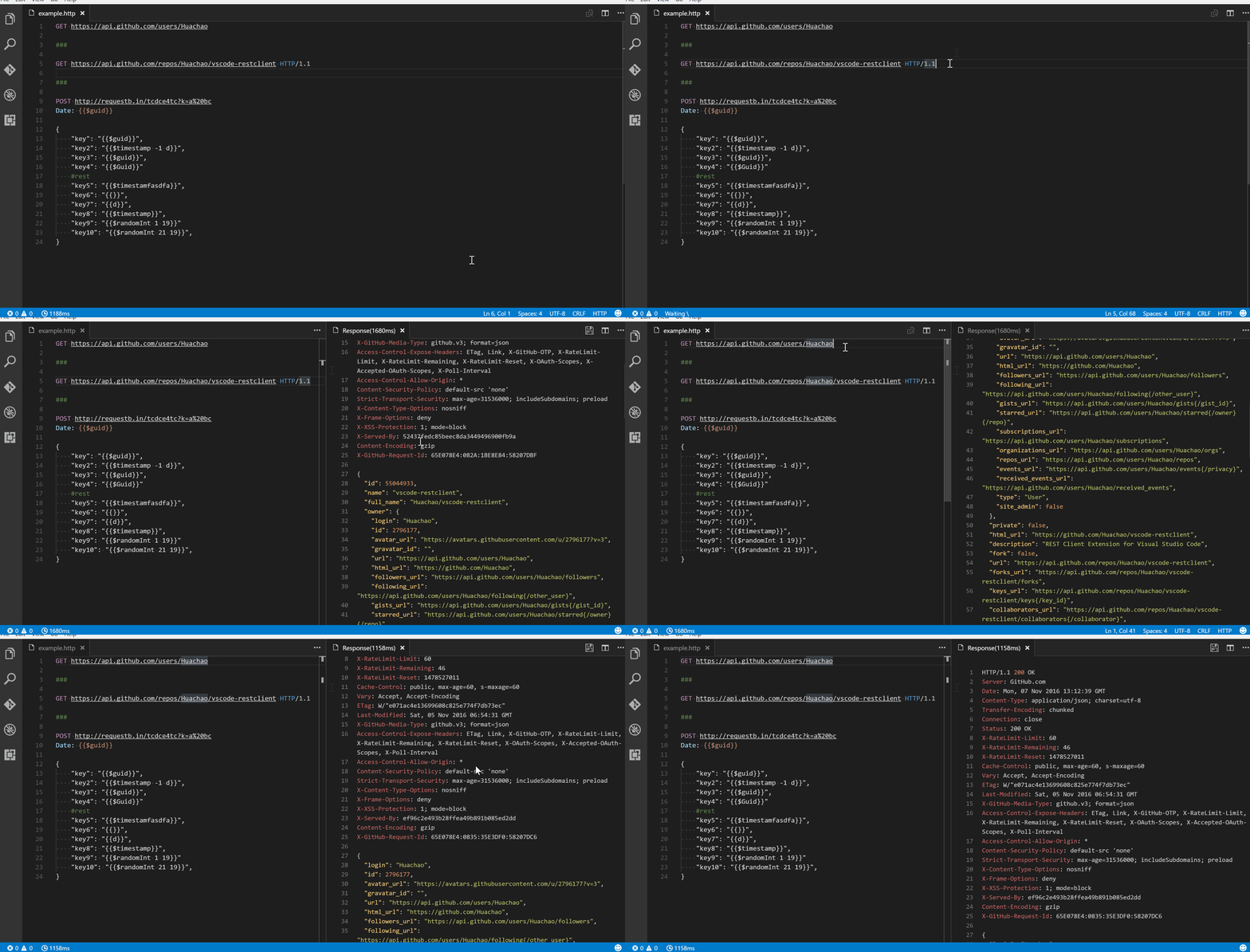
REST Client
Allows you to send HTTP request and view the response in Visual Studio Code directly.
Text Power Tools
All-in-one extension for text manipulation: filtering (grep), remove lines, insert number sequences and GUIDs, format content as table, change case, converting numbers and more. Great for finding information in logs and manipulating text.

Todo Tree
Custom keywords, highlighting, and colors for TODO comments. As well as a sidebar to view all your current tags.
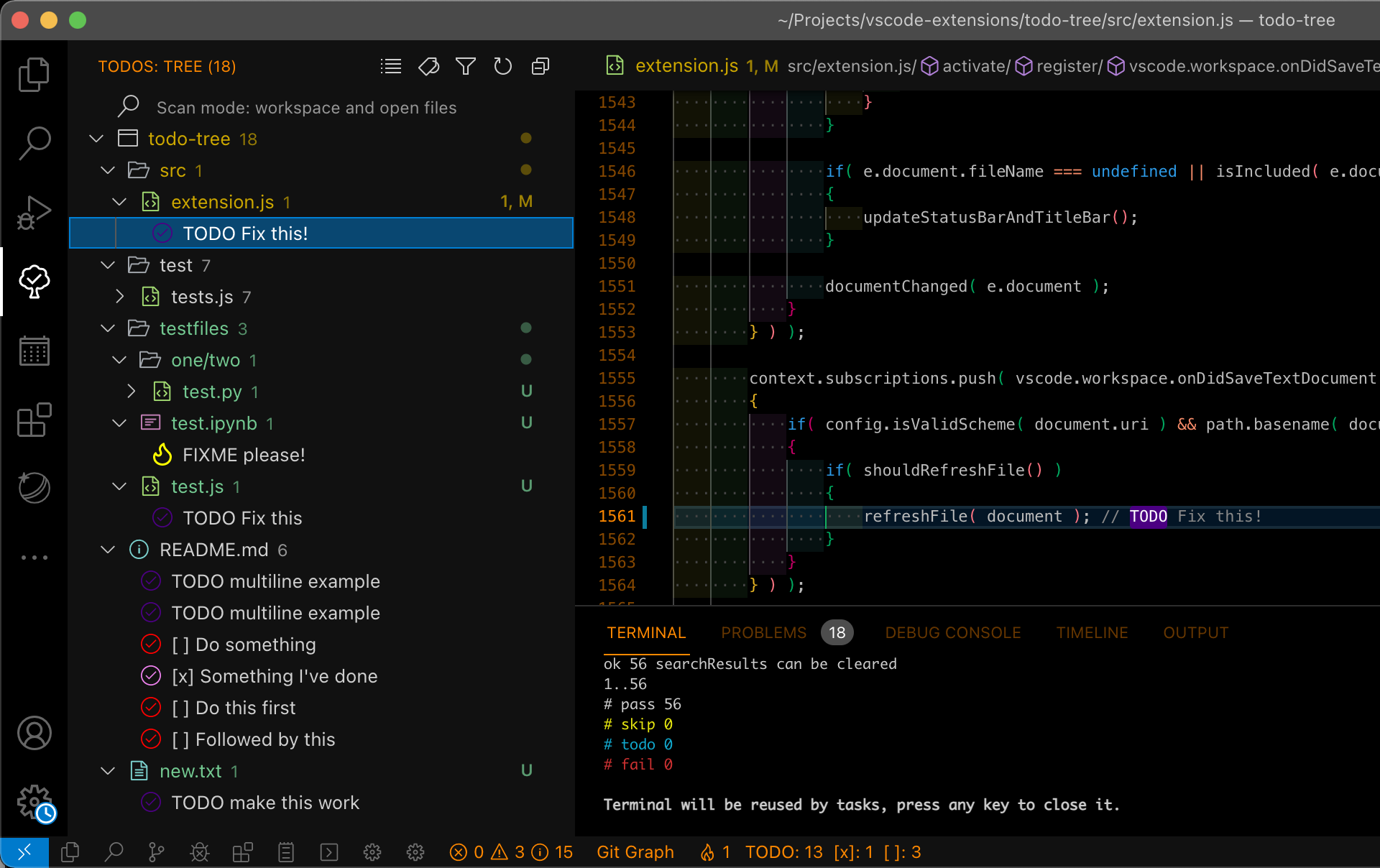
Toggle Quotes
Cycle between single, double and backtick quotes
Typescript Destructure
TypeScript Language Service Plugin providing a set of source actions for easy objects destructuring

WakaTime
Automatic time tracker and productivity dashboard showing how long you coded in each project, file, branch, and language.
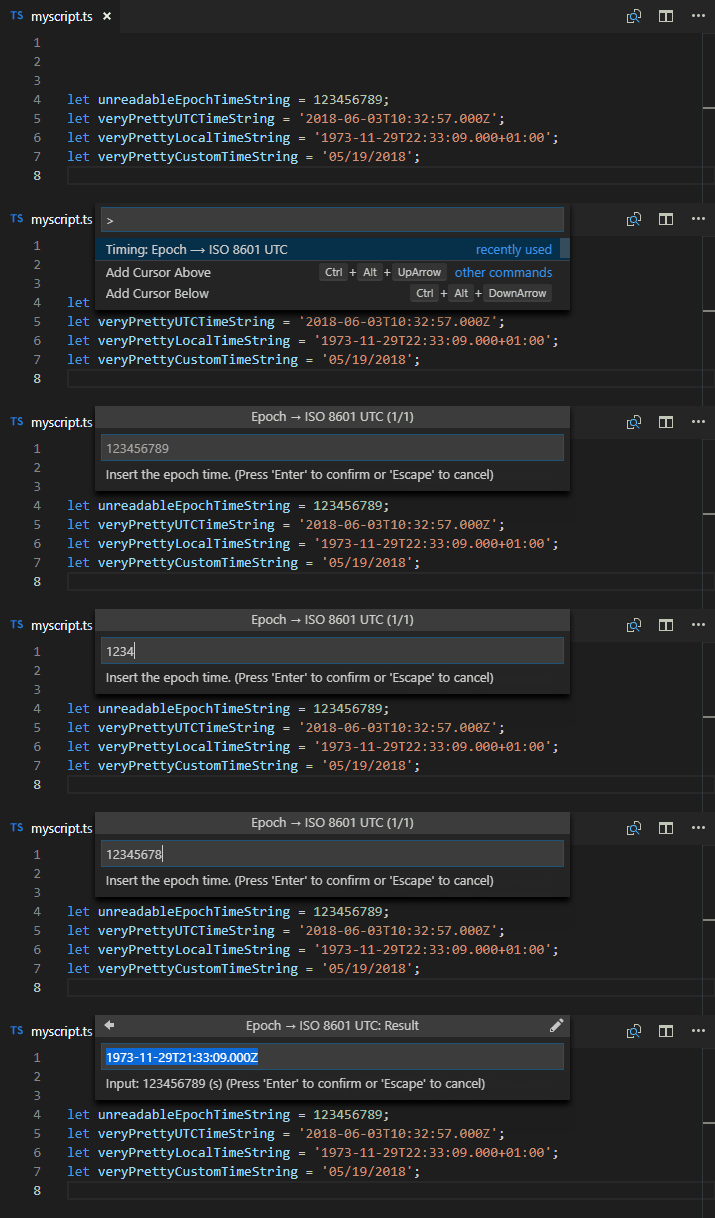
Timing
Time converter extension to convert timestamps from/to various formats and insert them on demand or just display them. It further provides a neat hover provider to beautify epoch timestamps instantly. All features are highly customizable.
httpYac
Send HTTP, REST, GraphQL, gRPC, WebSocket and MQTT requests directly from VS Code.
DevDb
A zero-config database GUI that auto-loads and lets you browse your database directly inside VS Code.
Keploy
Generate unit tests and API tests with mocks from your application traffic.
SemanticDiff
Language-aware diffs that ignore formatting-only changes and highlight the meaningful edits.
Trunk
Meta-linter and formatter that runs and manages many linters/formatters from one config, plus check, test and merge tooling.
Peacock
Subtly change the color of your VS Code workspace — ideal for telling apart identical windows or monorepo projects.
GitHub Copilot
AI pair programmer that suggests whole lines and functions as you type, with an in-editor chat.
Formatting & Beautification
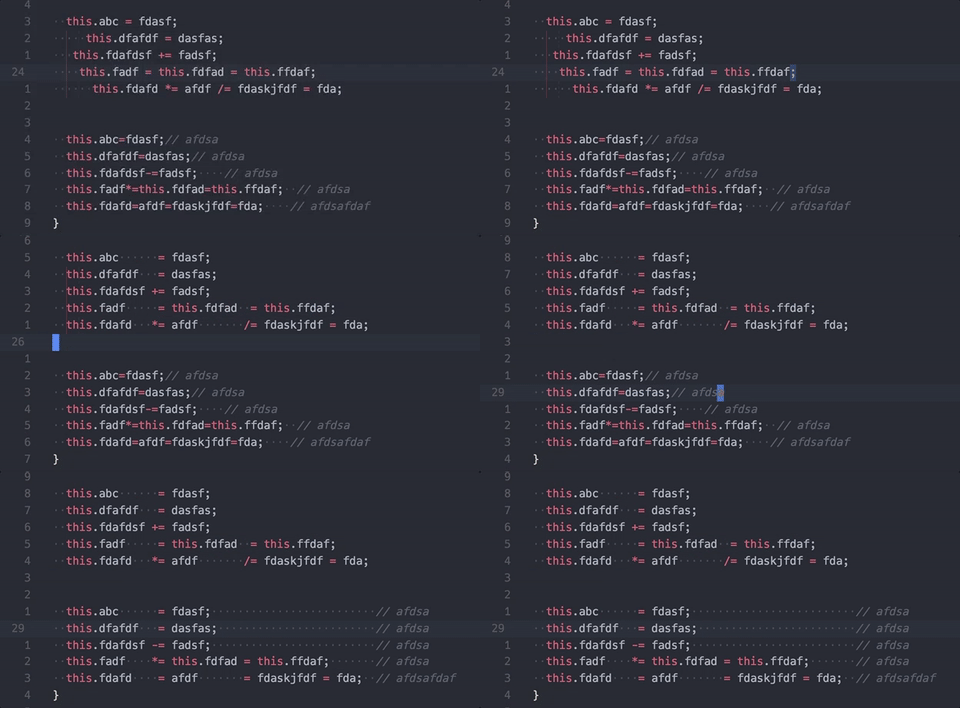
Better Align
Align your code by colon(:), assignment(=,+=,-=,*=,/=) and arrow(=>). It has additional support for comma-first coding style and trailing comment.
And it doesn't require you to select what to be aligned, the extension will figure it out by itself.
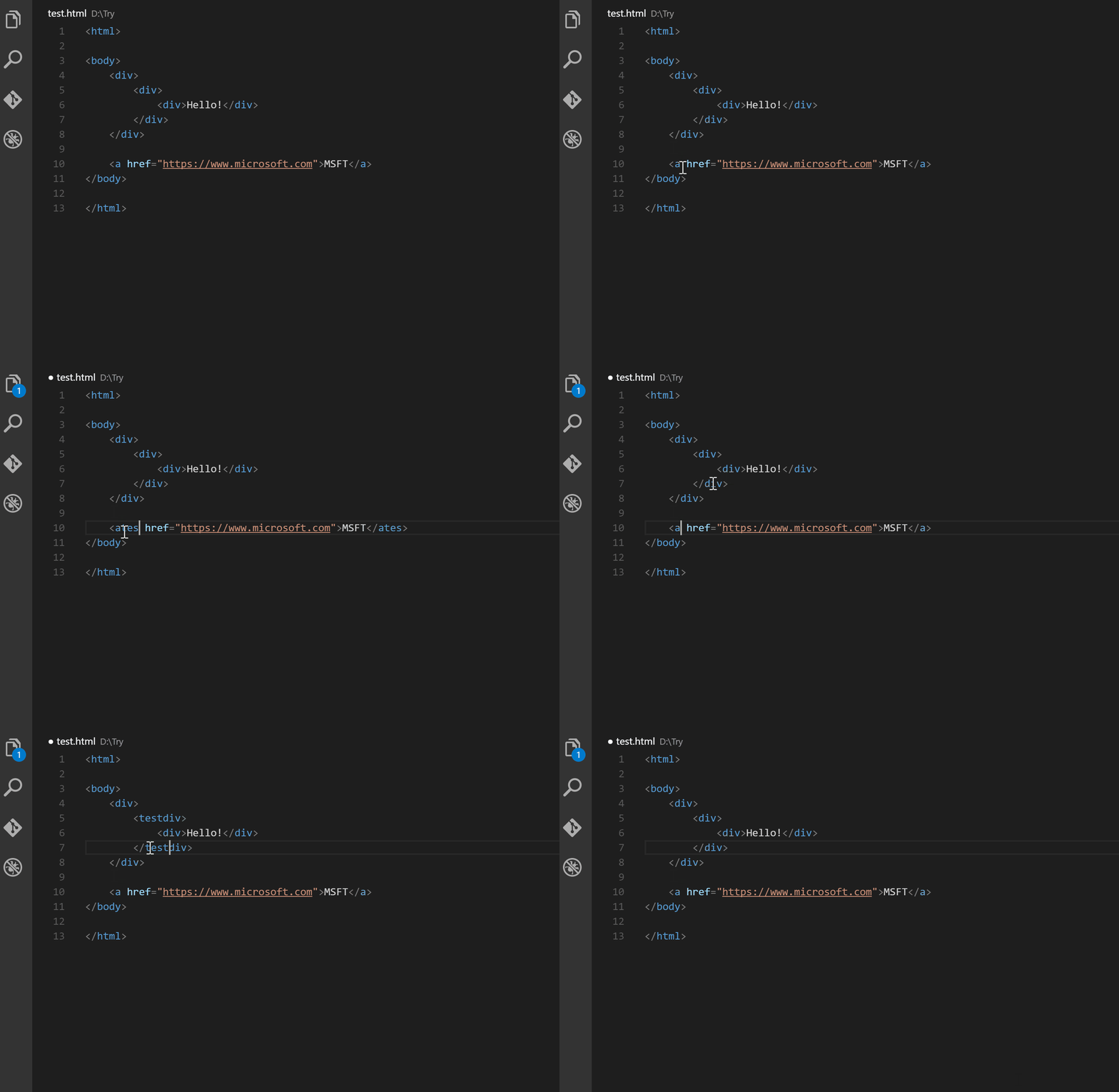
Auto Rename Tag
Native settings, just add
"editor.linkedEditing": trueto yoursettings.jsonfile
Auto rename paired HTML/XML tags
html2pug
Transform html to pug inside your Visual Studio Code, forget about using an external page anymore.
Paste and Indent
Paste code with "correct" indentation

more like this
bionic-reading.nvim
Toggle Bionic Reading for Neovim buffers using syllable based highlighting