moxon-frame-generator
simple generator for 3D-printed frames for a moxon rectangle antenna
OpenSCAD★ 50
Open source HueForge alternative
 vycdev
git clone https://github.com/vycdev/Kromacut.gitvycdev/Kromacut
Open-source HueForge-style tool for converting images into stacked, color-layered 3D prints.
Kromacut is a browser-first app that converts images into multi-color lithophane 3D prints. It offers two powerful workflows:
Auto-paint mode — Define your actual filaments (color + Transmission Distance), and Kromacut automatically computes optimal layer stacks using physically accurate Beer-Lambert optical blending. Features include a calibration wizard, advanced optimizer (simulated annealing/genetic algorithms), and region weighting for spatial priority.
Manual mode — Reduce images to a small palette, manually tweak per-color layer heights and ordering, and fine-tune every aspect of the stack with complete control.
Both modes include live 2D/3D previews, layer-by-layer visualization, and export to STL/3MF with detailed print instructions.
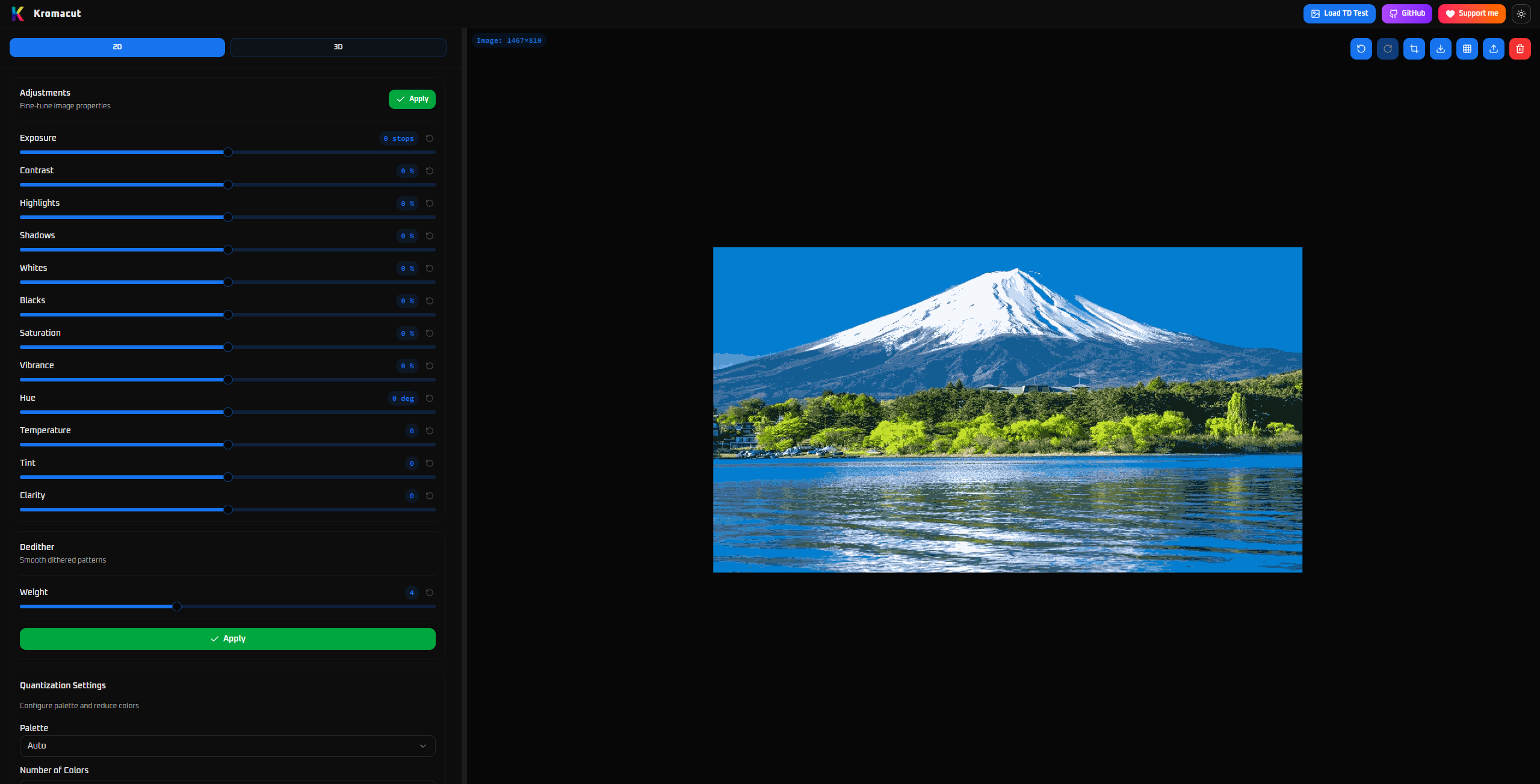
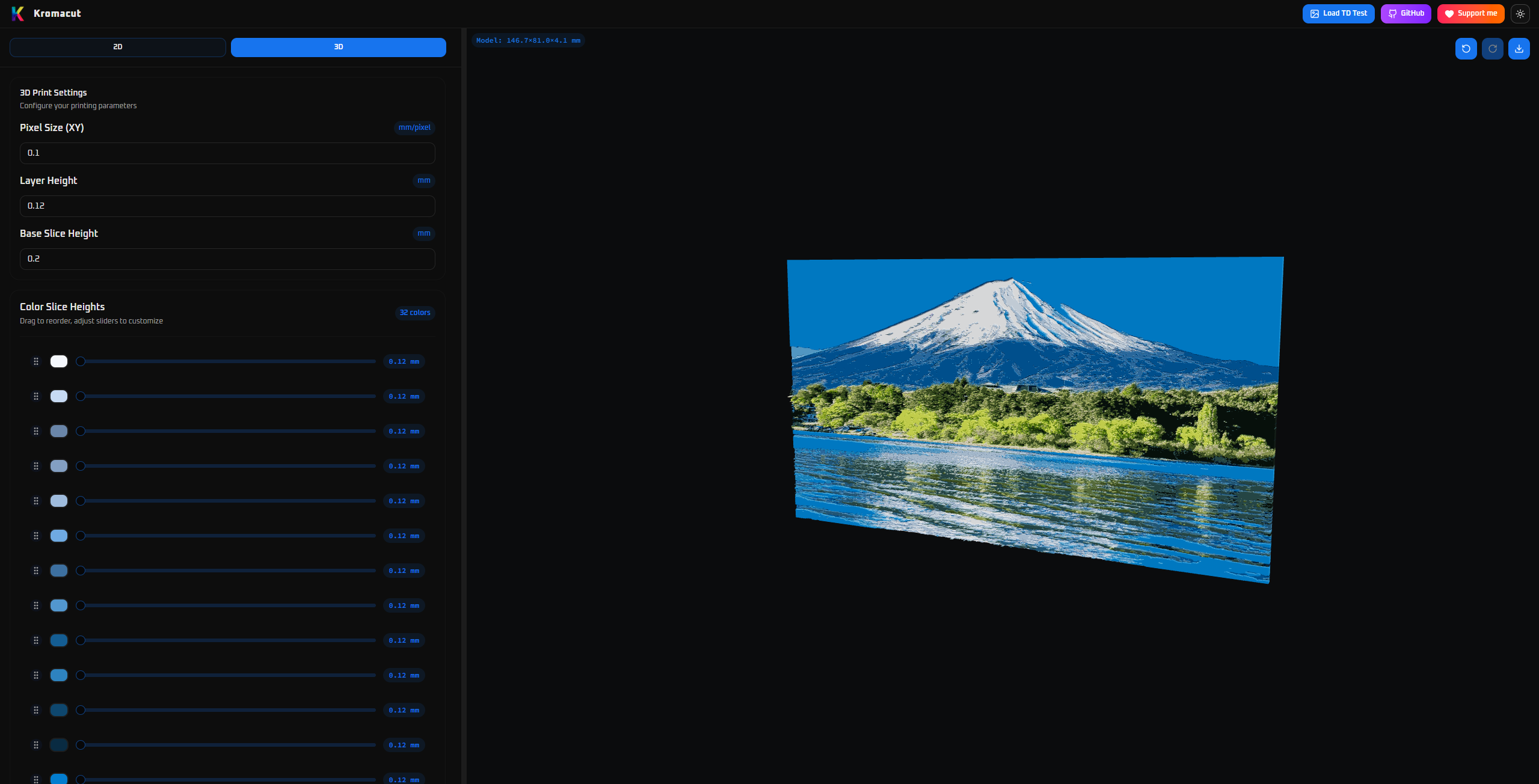
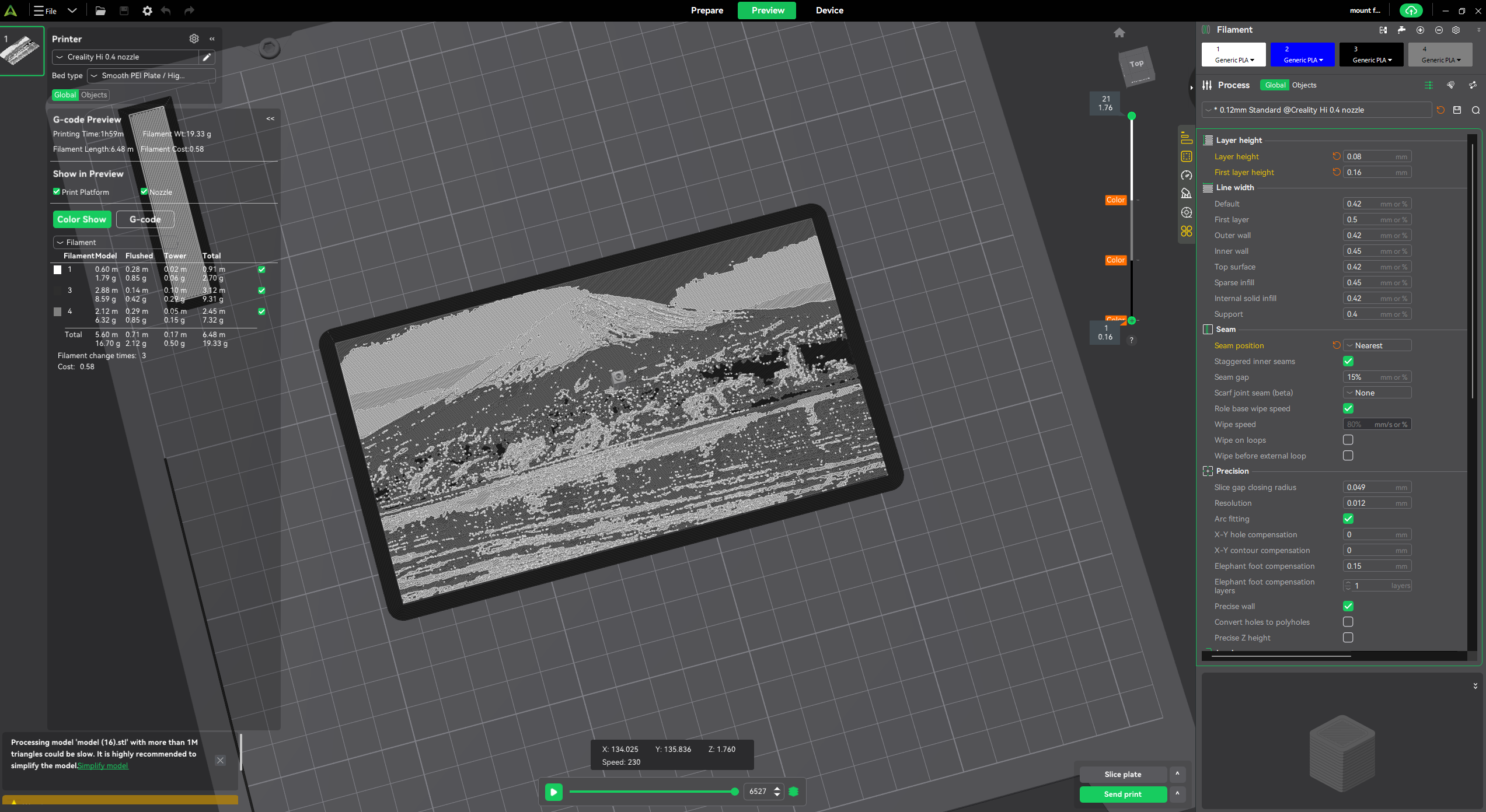
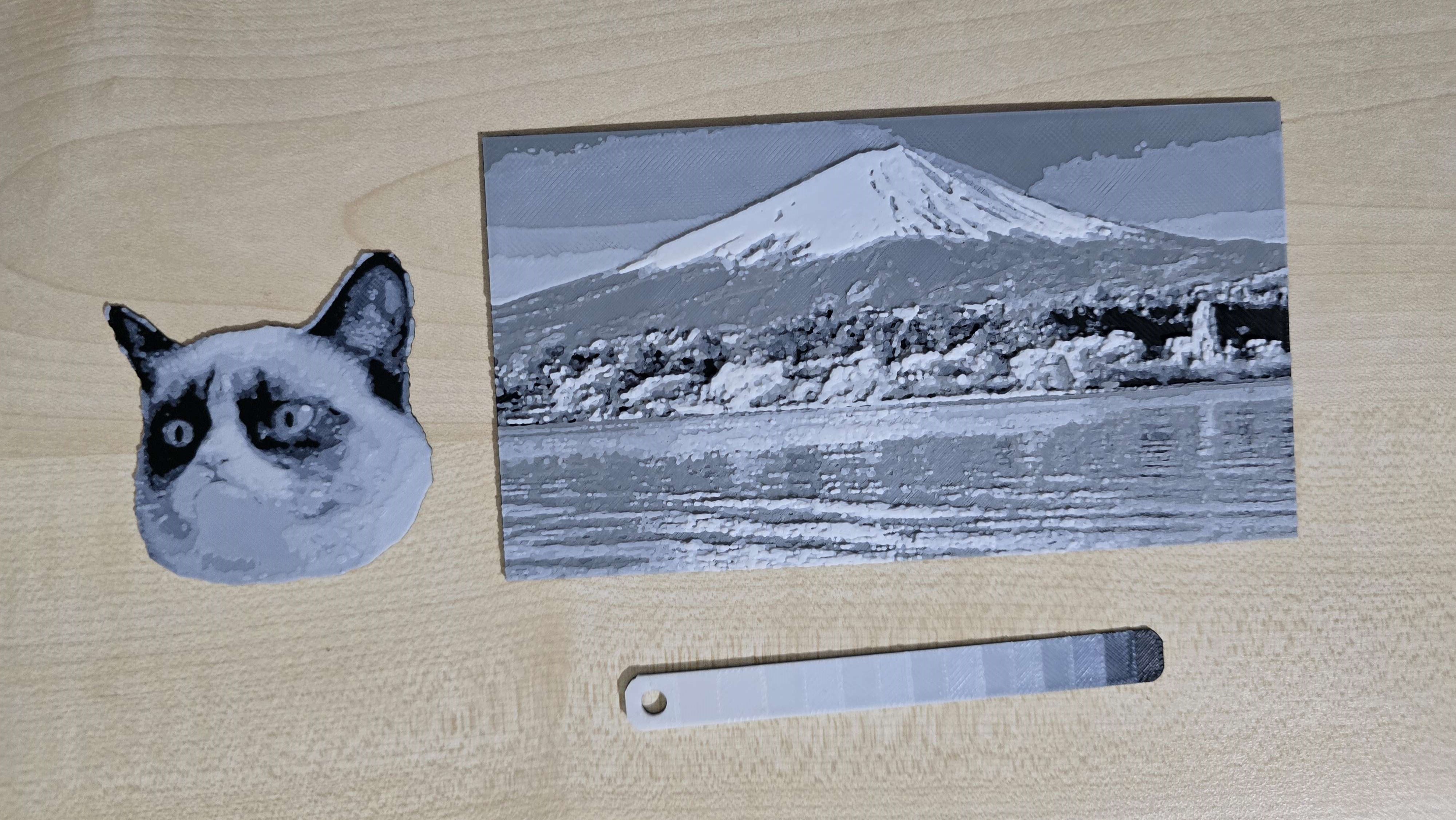
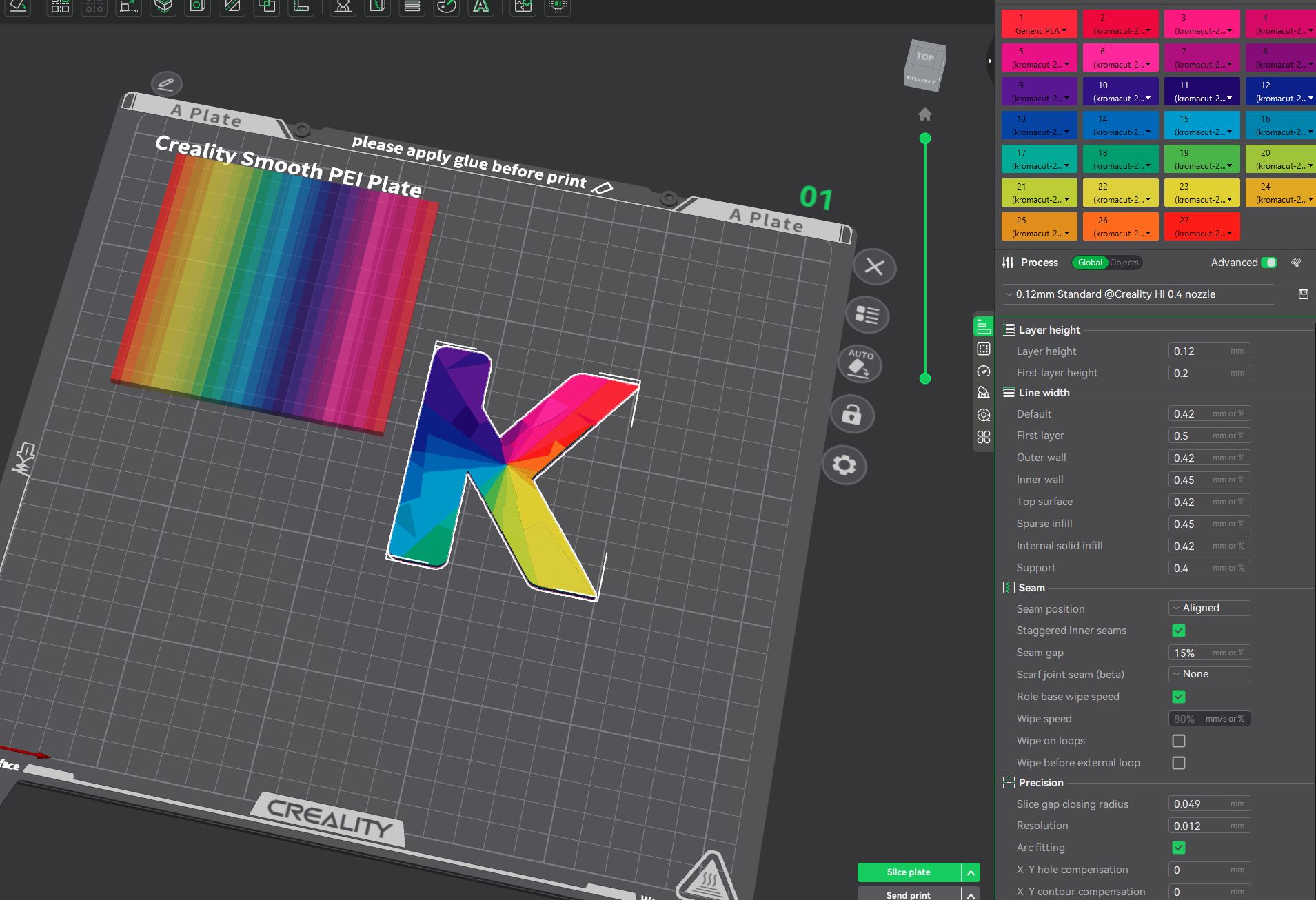
A quick look at what Kromacut produces from a source image to a printable model:
| 2D Input | 3D Preview |
|---|---|
 |
 |
| Sliced by Colors | Real Print |
 |
 |
Another minimal test you can try yourself in the app header: the Transmission Distance (TD) test image.
| TD Test |
|---|
 |
CanvasTexture from the preview canvas and use NearestFilter with mipmaps disabled so the texture stays crisp when mapped onto the 3D mesh. The texture UVs are adjusted (repeat/offset) so the canvas region aligns with the mesh bounding box.See the Auto-paint section for complete details.
Download STL or Download 3MF to export your model.Copy button to copy the plain-text print plan with layer heights and swap instructions.0.20 mm0.12 mmlayerHeight when the swatches change or are initialized.The 3D view includes an interactive height slider at the bottom that lets you visualize how the print builds up layer by layer:
This is especially useful for complex multi-color prints where you need to understand exactly when each color transition occurs.
Auto-paint is an automated layer-generation mode that replaces the manual palette/swatch workflow. Instead of reducing an image to a fixed number of colors and manually tuning per-color slice heights, you define a set of filaments (each with a color and a Transmission Distance) and let the algorithm compute the optimal layer stack automatically.
transmission = 10^(-thickness / TD). This physically models the color you see when printing thin semi-transparent layers on top of each other.TD × 1.3).Each filament row in the Auto-paint tab includes a calibration wizard to help you determine accurate Transmission Distance values:
Calibrated filaments display a confidence badge next to their TD value. Higher confidence = more accurate optical simulation = better print results.
When Enhanced color matching is enabled, Kromacut uses advanced optimization algorithms to find the best filament order:
| Algorithm | When Used | Description |
|---|---|---|
| Exhaustive search | 1-4 filaments | Evaluates all possible orderings to guarantee the optimal solution. Fast for small sets. |
| Simulated Annealing | 5-8 filaments | Physics-inspired probabilistic search that escapes local minima via controlled randomness. Balances quality and speed. |
| Genetic Algorithm | 9+ filaments | Evolution-inspired population-based search with crossover and mutation. Best for large filament sets where exhaustive search is prohibitive (8! = 40,320 permutations). |
| Auto | Default | Automatically selects the best algorithm based on filament count and search space size. |
The optimizer displays metadata after generation:
Optimizer seed — Set a random seed for reproducible results across runs. Useful for A/B testing different configurations.
Prioritize accuracy in specific image regions during optimization:
| Mode | Description |
|---|---|
| Uniform | All pixels weighted equally (default). |
| Center | Gaussian falloff from center — faces and subjects in the middle get higher priority. |
| Edge | Sobel edge detection — high-contrast boundaries prioritized over flat regions. |
Region weighting is most useful when filament budget is limited and you want the optimizer to focus on visually important areas.
| Option | Description |
|---|---|
| Max Height | Constrains the total model height (mm). When set below the auto-calculated ideal, zones are uniformly compressed. Leave blank or click Auto for the physics-derived default. |
| Enhanced color matching | Optimizes filament ordering for best color reproduction rather than simple luminance sorting. Uses advanced algorithms (exhaustive, simulated annealing, genetic) automatically selected based on filament count. Scoring considers weighted DeltaE accuracy, height spread, layer count, and transition waste. |
| Allow repeated filament swaps | (Requires Enhanced color matching) Allows a filament to appear more than once in the stack. This creates intermediate blended colors — for example, a thin white layer over red produces pink. The algorithm greedily inserts up to 4 extra swaps, each at the position that best improves the score. |
| Height dithering | (Requires Enhanced color matching) Applies block-aware Floyd-Steinberg error diffusion to the quantized height map. Instead of sharp stair-steps between layer heights, dithering produces a stippled gradient that simulates intermediate heights, resulting in smoother tonal transitions in the print. Edge pixels between different heights are protected from dithering to avoid staircase artifacts. |
| Flat Paint (flat face-down print) | Builds a uniform-thickness slab printed image-side down instead of a stepped relief. Each pixel column's layer order is reversed so the artwork sits against the build plate (already mirrored — don't mirror in the slicer) under a transparent carrier layer, and the back is filled with the foundation filament so every layer has the full footprint. The result has a smooth, glass-flat face — great for bookmarks and coasters. Requires a multi-material printer (AMS/toolchanger); export as 3MF, which contains one object per filament plus the clear carrier object. Flat Paint and Smooth Meshing toggle each other off because flat prints always use the full-footprint slab layout. |
| Dither line width | (Requires Height dithering) Controls the minimum dot size for the dither pattern in mm. This should roughly match your printer's line/nozzle width so dither dots are actually printable. Default: 0.42 mm. |
| Optimizer algorithm | Choose which optimization algorithm to use: Auto (recommended), Exhaustive, Simulated Annealing, or Genetic. Auto selects the best algorithm based on search space size. |
| Optimizer seed | Set a random seed for reproducible optimizer results. Leave blank for random behavior. Useful for testing and comparing configurations. |
| Region weighting | Prioritize specific image regions: Uniform (equal), Center (Gaussian falloff), or Edge (Sobel detection). Helps focus quality budget on important areas. |
Auto-paint configurations (filament lists) can be saved, loaded, and shared as profiles:
.kfil file (JSON) to share with others..kfil, legacy .kapp, or .json profile file from disk.Profiles are stored in browser localStorage and persist across sessions.
When auto-paint is active and filaments are defined, the UI displays a Transition Zones panel showing:
After running auto-paint, a Suggest next filament button appears at the bottom of the panel. Click it to run a blend-aware analysis that finds the single filament addition that would most reduce the average color error (ΔE) across the image.
The result card shows:
| Field | Description |
|---|---|
| Hex | Suggested filament color. |
| Est. ΔE | Estimated reduction in blend-aware average ΔE if this filament is added. A rough relative estimate — not a calibration confidence rating. |
| TD | Recommended starting Transmission Distance, borrowed from the nearest existing filament by color distance. Adjust after printing a test patch. |
| Captures | Percentage of image pixels whose blend-aware color error would improve with this filament. |
| Isolation | How far this color sits from existing filaments in perceptual color space (0–1). Higher means it fills a more distinct gap; lower means it overlaps territory already covered by blending. |
Click Add to filaments to insert the suggestion directly into the filament list (named Kromacut-Suggestion-01, 02, etc.). You can then re-run auto-paint with the expanded set and repeat as many times as needed.
How it works (heuristic): The algorithm estimates how well the current filament set covers the image's color range by checking each image color against each filament and Beer-Lambert blend curve. It identifies underserved colors (those with the largest estimated error) and generates candidates from those colors plus extrapolated positions — colors that, when optically blended with an existing filament, would be closer to the underserved target. The winner is the candidate whose addition most reduces weighted-average estimated error across all image pixels. This is an inventory-planning heuristic: the improvement numbers are relative estimates, not predictions of a specific auto-paint result.
Kromacut now supports exporting directly to .3mf format. This file format preserves color information by splitting the model into separate objects for each color, automatically assigned to different extruders/filaments.
Disclaimer: This feature is currently in PREVIEW. While Kromacut preserves colors, the rest of the settings in the slicer profile should be manually adjusted. Please report any issues or weird behaviors you encounter on the GitHub Issues page.
Transmission Distance (TD) is the concept HueForge uses to produce perceptual intermediate shades by stacking translucent filament layers: instead of relying purely on opaque color pigments, TD models how light transmits through thin layers of filament and how stacking different colors (and varying thickness) produces new perceived colors. For a full conceptual description see the HueForge blog: https://shop.thehueforge.com/blogs/news/what-is-hueforge
1. Auto-paint mode (Automatic TD processing) — The recommended approach for TD-based prints:
See the Auto-paint section above for full details.
2. Manual mode (Traditional workflow) — For users who want complete control:
base slice height, per-color slice heights, and layerHeight change the produced layer numbers and perceived blends.Recommendation: Use Auto-paint mode for TD-based prints. It handles the complex Beer-Lambert physics and optimization automatically, producing better results than manual approximation.
tdTest.png (found in src/assets/tdTest.png).Load TD Test button that will load that image into the preview so you can quickly experiment with manual layer ordering and per-color slice heights.Quick manual workflow experiment:
Load TD Test in the app header.Preview of the included TD test image:
Kromacut can be built as a native desktop application for macOS, Windows, and Linux using Tauri, offering better performance than the web version:
The desktop app includes an automatic update checker. See UPDATE_CHECKER.md for details.
# Install Rust (one-time setup)
curl --proto '=https' --tlsv1.2 -sSf https://sh.rustup.rs | sh
source "$HOME/.cargo/env"

# Install dependencies
npm install

# Run in development mode
npm run tauri:dev

# Build production app
npm run tauri:build
The production build creates:
Kromacut.app in src-tauri/target/release/bundle/macos/Kromacut_0.1.0_aarch64.dmg installer in src-tauri/target/release/bundle/dmg/Pre-built native apps are automatically released on GitHub:
*_aarch64.dmg*_x86_64.dmg*-setup.exe*_offline-setup.exe*.AppImage or *.debmacOS "Kromacut is damaged" error? The app isn't code-signed. Run sudo xattr -d com.apple.quarantine /Applications/Kromacut.app in Terminal to fix it.
Windows SmartScreen warning? The app isn't signed. Click "More info" → "Run anyway".
Windows WebView2 requirement? Kromacut uses Tauri, which runs on Microsoft Edge WebView2 on Windows. The standard Windows installers include the small WebView2 bootstrapper, and the setup installer checks for a recent enough WebView2 runtime. Use the offline setup installer on machines without internet access.
Note: To eliminate the macOS quarantine requirement entirely, the app would need to be signed with an Apple Developer ID certificate and notarized through Apple's notarization service. This requires an Apple Developer Program membership ($99/year). See TAURI.md for details.
To create a new release, see TAURI.md.
See TAURI.md for complete documentation on development, building, and distribution.
Contributions welcome. Open issues or PRs for bugs, improvements, or feature suggestions. If you plan a larger change (architecture, algorithms), open an issue first describing the approach so we can discuss it.
Kromacut is free software licensed under the GNU Affero General Public License v3.0 only (AGPL-3.0-only). See the LICENSE file in the repository.
Copyright (C) 2025 vycdev. Redistribution and modified versions must preserve the copyright and license notices. Modified desktop distributions must provide the corresponding source under the AGPL, and modified hosted/network versions must also offer source access to their users.
more like this
simple generator for 3D-printed frames for a moxon rectangle antenna
GPX 轨迹转 3D 可打印地形模型 | Hiking trail to 3D printable terrain | Electron + Vue。 一款面向户外爱好者与 3D 打印玩家的 Web 工具。将 GPX 徒步/骑行轨迹一键转…
Install and monitor KlipperScreen on Android via DroidKlipp APK, USB ADB forwarding, and WiFi fallback
search projects, people, and tags