extremitypathfinder
python package for fast shortest path computation on 2D polygon or grid maps
Python★ 50
↔️ Swipe through Home Assistant Dashboard views on mobile.
 zanna-37
git clone https://github.com/zanna-37/hass-swipe-navigation.gitzanna-37/hass-swipe-navigation
Swipe through Home Assistant Dashboard views on mobile.
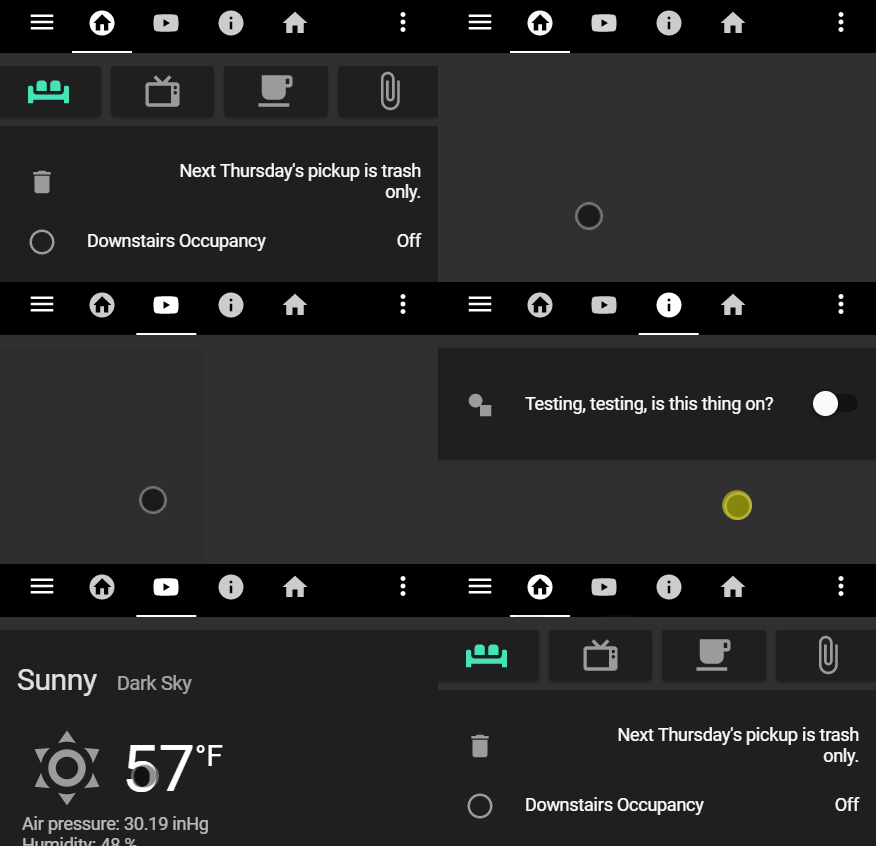
This repository has been forked from maykar/lovelace-swipe-navigation to continue the development since the original project is currently unmaintained.
💡 Please uninstall maykar/lovelace-swipe-navigation before proceeding, as it will conflict with this plugin.
Follow only one of these installation methods.
In "Frontend" hit the plus button at the bottom right, search for "Home Assistant swipe navigation", and install.
Refresh the Dashboard page. You might need to clear the cache.
Copy swipe-navigation.js from the latest release into /www/hass-swipe-navigation/
Add the resource in Dashboard Resources.
# Increase the version number (`v=x.y.z`) at end of the URL after each update
url: /local/hass-swipe-navigation/swipe-navigation.js?v=1.0.0
type: module
If you just want to use the default config values you don't need to add a config at all.
If you want to modify the configuration, place it in the root of your dashboard configuration under the swipe_nav element (see example below).
Config Options:
| Name | Type | Default | Description |
|---|---|---|---|
| animate | string | none |
Swipe animations. Can be: none, swipe, fade, flip. The swipe animation should be considered experimental and depending on your setup may appear buggy. |
| animate_duration | number | 200 |
Swipe animation's duration in milliseconds. |
| enable | boolean | true |
Enable or disable the swipe navigation. |
| enable_mouse_swipe | boolean | false |
Enable or disable the swipe navigation via mouse. |
| enable_on_subviews | boolean | true |
Enables swipe navigation while on subviews. ⚠️ Note the difference between this and skip_subviews, which skips over subviews while navigating from regular views. |
| logger_level | string | warn |
Set logging level. Possible values are: verbose, debug, info, warn, error. |
| prevent_default | boolean | false |
Prevent the browsers default horizontal swipe actions. |
| skip_subviews | boolean | true |
Automatically skip subviews. |
| skip_tabs | string | A comma separated list of views to skip when swiping. e.g., 1,3,5.⚠️ Note that tabs count starts at 0, so the first is 0, second is 1, and so on. |
|
| swipe_amount | number | 15 |
Minimum percent of screen needed to be swiped in order to navigate. |
| wrap | boolean | true |
Wrap from first tab to last tab and vice versa. |
| boolean | true |
Automatically skip hidden tabs. ⚠️ Setting this to false is deprecated and poses a security risk as it allows a user to reveal a tab they don't have access to. |
Example:
Don't just copy the example, it won't fit your needs. Build your own using the config options above.
# You don't necessarily need a configuration.
# Add only the options that differ from the default values.
swipe_nav:
  wrap: false
  enable_mouse_swipe: true
  animate: swipe
  skip_tabs: 5,6,7,8
  prevent_default: true
  swipe_amount: 30

views:
If you need help, Mark Watt has an excellent video covering the configuration in this youtube video.
If you want to help, put a ⭐ to the repository and open issues or pull requests to contribute to the development.
Have a look to the CONTRIBUTING file.
Big thanks to:
more like this
python package for fast shortest path computation on 2D polygon or grid maps
A specialized swipe card for todo lists in Home Assistant with custom styling
search projects, people, and tags