KlipperFleet
Web UI for Mainsail to configure, build, and flash Klipper/Kalico firmware across every MCU on your printer - CAN, DFU,…
 JohnBaumb
git clone https://github.com/JohnBaumb/KlipperFleet.gitJohnBaumb/KlipperFleetKlipperFleet
Warning
ALPHA SOFTWARE - Tested on specific CAN bus, STM32 Serial/DFU, and Linux Process devices (see below). Non-Raspberry Pi and Fluidd are unsupported but on the roadmap. Kalico is auto-detected if installed at ~/klipper.
Contributions and bug reports are appreciated!
KlipperFleet is a web interface (integrated into Mainsail) for configuring, building, and flashing Klipper/Kalico firmware across all MCUs on a printer. No command line needed.
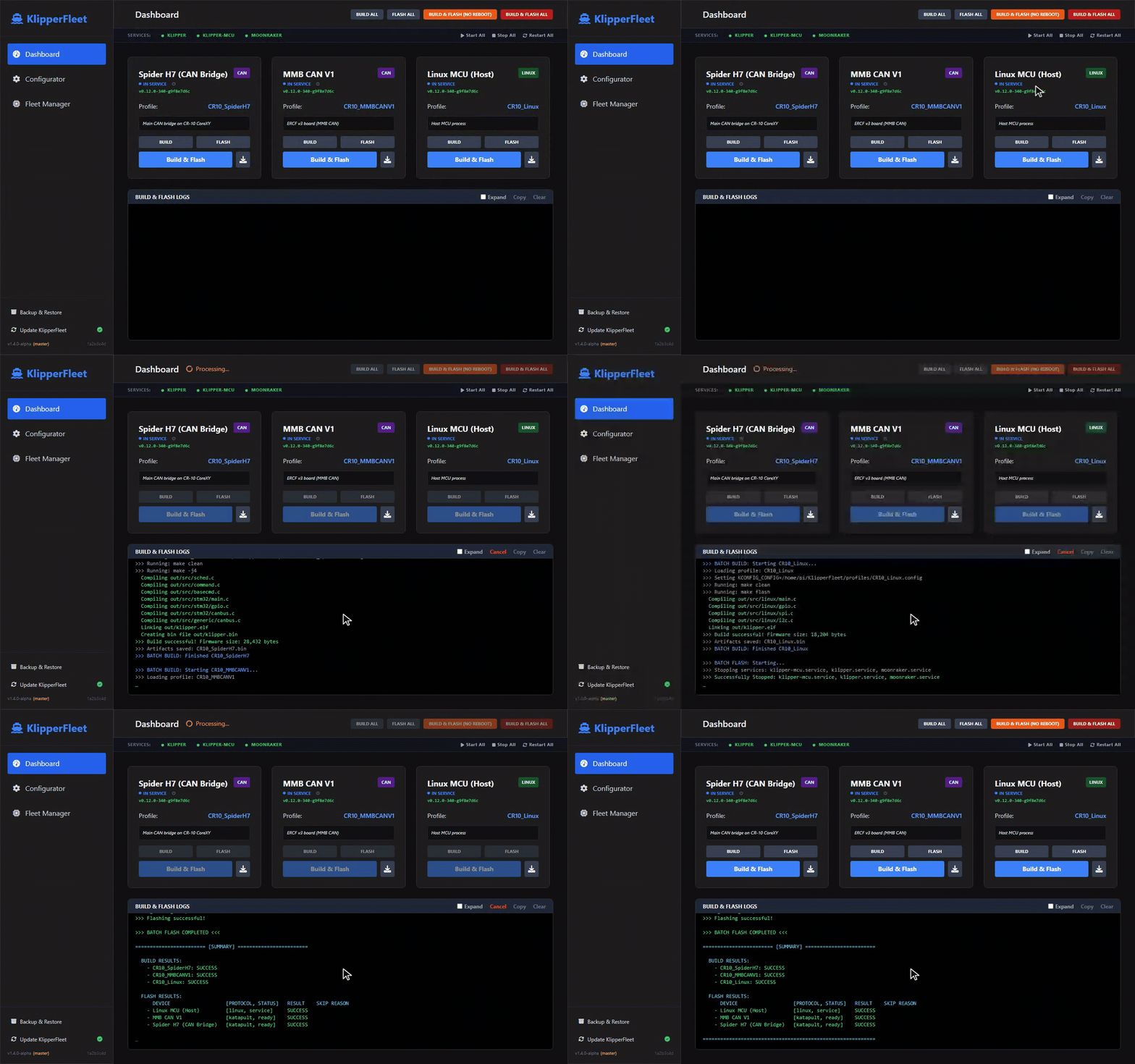
One click builds and flashes every MCU on the printer - CAN nodes, CAN bridge, and host - in the right order, with live logs.
Features
- Web Configurator: Replaces
make menuconfigwith a reactive web form parsed from Klipper's Kconfig source. - Fleet Management: Register MCUs (Serial, CAN, DFU), assign profiles, and attach DFU IDs to Serial devices for cross-reboot tracking.
- Smart Sequencing: Flashes CAN downstream nodes first, bridge hosts last.
- UART Support: Detects MCUs connected via Raspberry Pi UART (GPIO).
- Batch Operations: Build All, Flash Ready, Flash All, or Build & Flash All in one click.
- Auto Reboot: Detects Klipper vs. Katapult/DFU mode and reboots devices into the correct bootloader automatically.
- Service Management: Stops/starts Klipper and Moonraker services during flash operations.
- Integrated Flashing: Flash via Serial, CAN, or DFU from the browser with real-time log streaming.
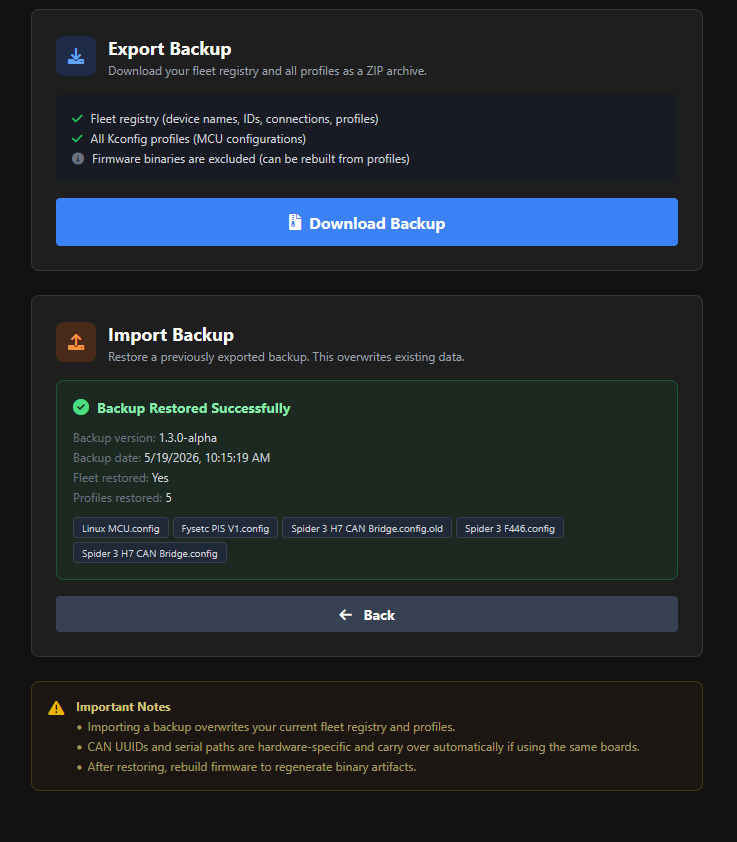
- Backup & Restore: Export your fleet registry and profiles as a ZIP, or import a previous backup to restore after a fresh install.
- Mainsail Integration: Native look and feel within the Mainsail ecosystem.
Tested Hardware
Important
All other hardware should be considered untested. Please open an issue if you run into problems, or share your results in the compatibility thread.
Expand the list of reported boards
| MCU / Board | Connection | Bootloader | Offset |
|---|---|---|---|
| Raspberry Pi | Linux | N/A | N/A |
| Spider 3 H7 (H723) | CAN / CAN Bridge | Katapult | 8KiB |
| Spider 3 (F446) | DFU (USB) | STM32 DFU | 32KiB |
| Fysetc Spider V2.2 | UART | Katapult | 32KiB |
| Mellow Super 8 Pro (H723) | USB CAN Bridge | Katapult | 128KiB |
| BTT Manta M8P v2 | USB CAN Bridge | Katapult | 128KiB |
| BTT SKRat 1.0 | USB CAN Bridge | Katapult | 8KiB |
| Fysetc Hexa Distro Fusion | USB CAN Bridge | Katapult | 8KiB |
| Sovol Zero (H750 + F103) | USB CAN Bridge | Katapult | - |
| BTT Octopus v1.1 | USB | STM32 DFU | 32KiB |
| BTT Kraken | CAN | Katapult | 128KiB |
| BTT MMBCAN v1 (G0B1) | CAN | Katapult | 8KiB |
| BTT EBB36 Gen2 | CAN | Katapult | 8KiB |
| BTT EBB36 v1.2 | CAN | Katapult | 8KiB |
| BTT EBB42 v1.2 | CAN | Katapult | 8KiB |
| Fysetc H36 v1.3 | CAN | Katapult | 8KiB |
| Mellow Fly SB2040v3 | CAN | Katapult | 16KiB |
| Mellow ADXL345 (RP2040) | USB | Katapult | 16KiB |
| AFC Lite 1.0 | CAN | Katapult | 128KiB |
| ToquesCAN | CAN | Katapult | 8KiB |
| StrideMax | CAN | Katapult | 16KiB |
| sht36v2 | CAN | Katapult | 8KiB |
| QIDI Plus 4 Mainboard | USB | Katapult | 32KiB |
| QIDI Plus 4 Toolhead | USB to UART | Katapult | 8KiB |
| QIDI Box v2 | USB | Katapult | 32KiB |
| Fysetc ERB 2.0 (RP2040) | USB | No bootloader (USBSERIAL) | - |
| Voron V0 Display | USB | STM32 DFU (manual) | - |
Screenshots
Expand screenshots
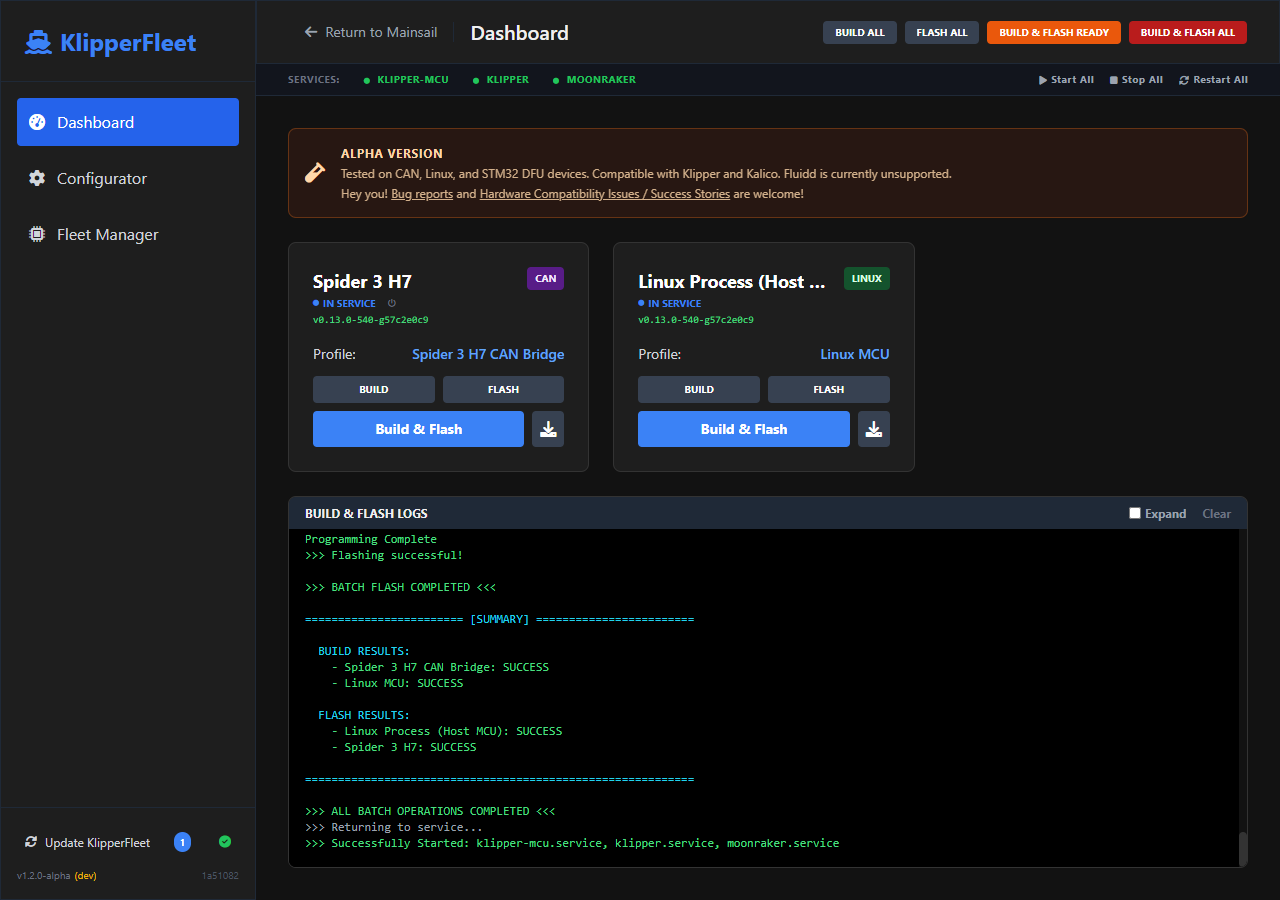
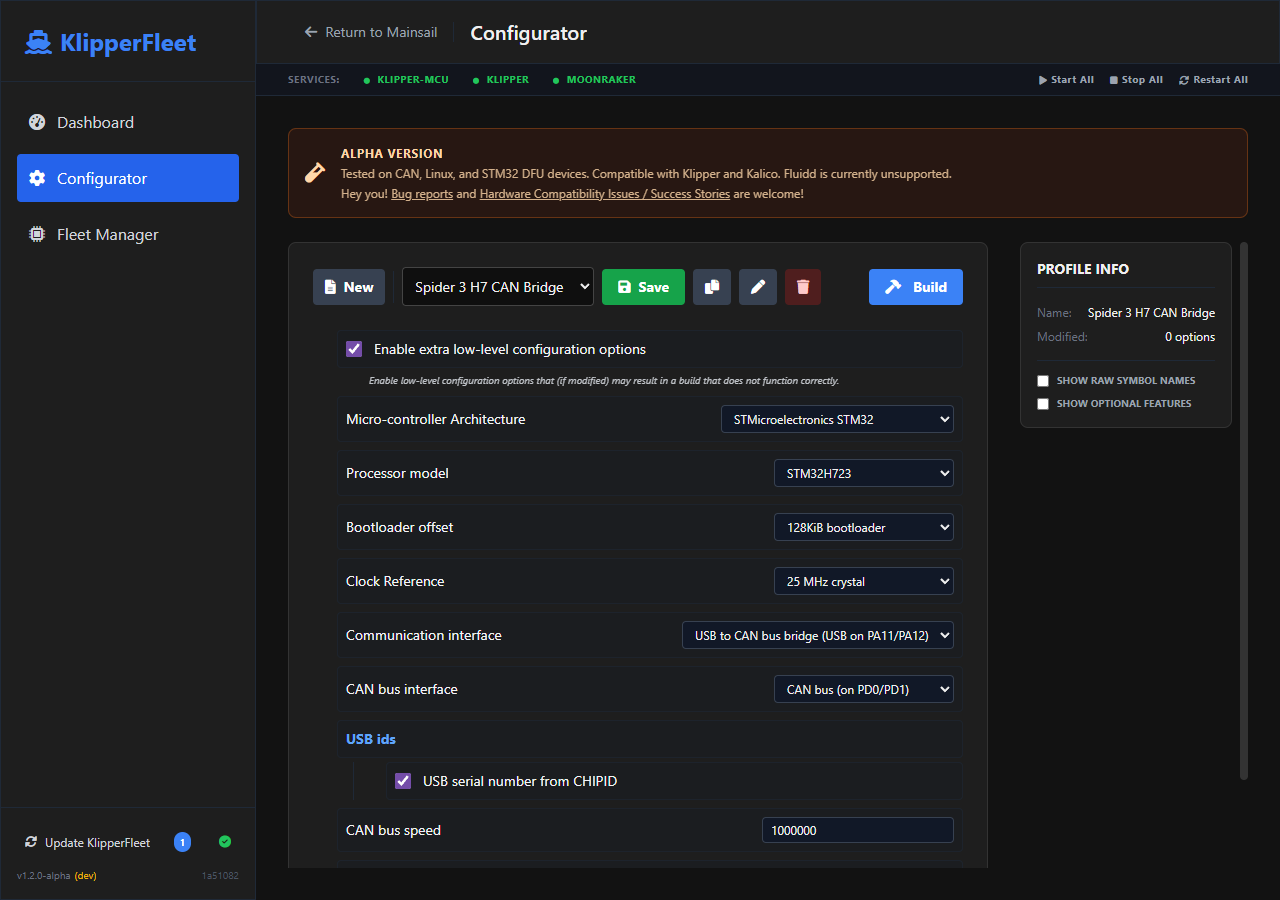
| Dashboard | Configurator |
|---|---|
 |
 |
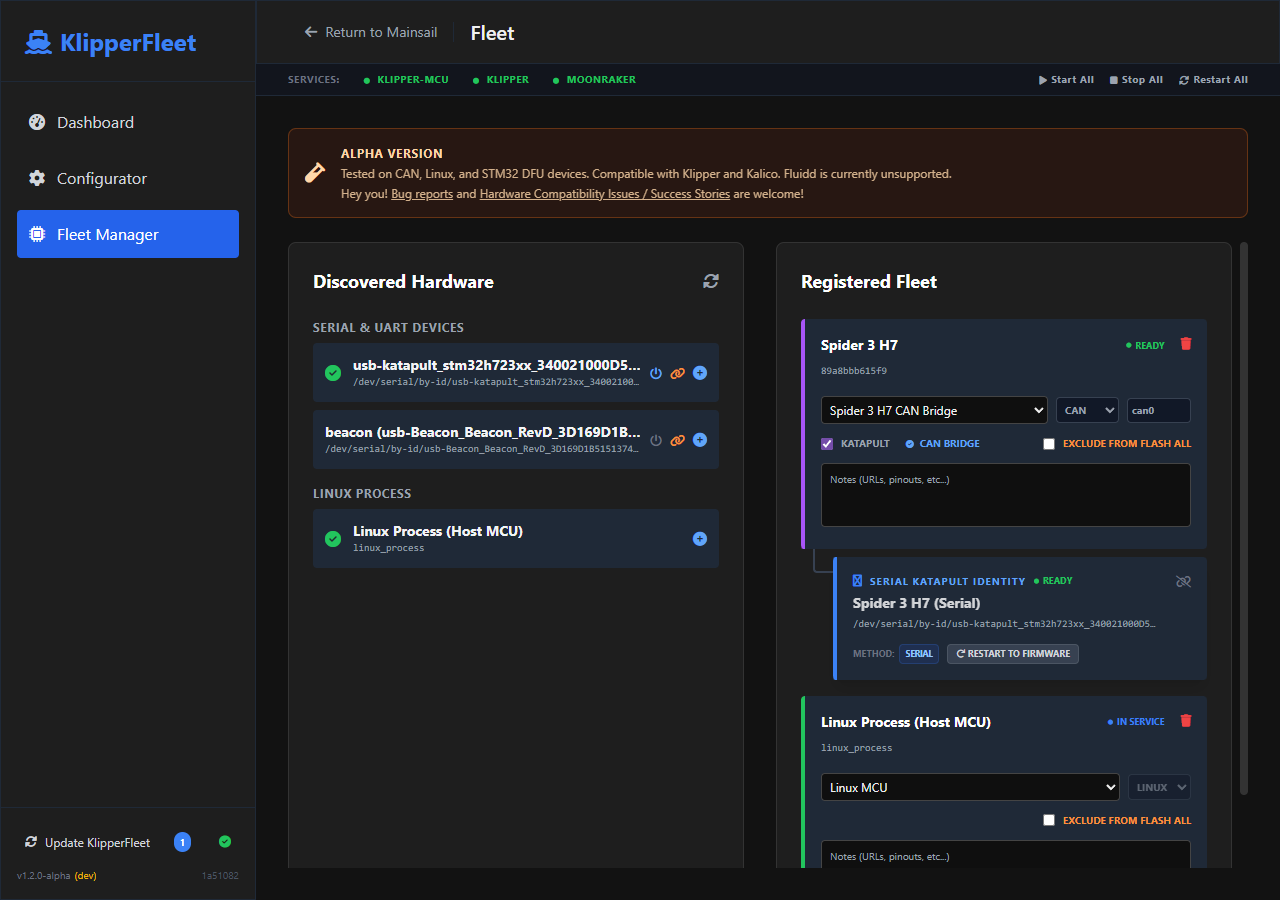
| Fleet Manager | Backup & Restore |
 |
 |
Prerequisites
- Klipper at
~/klipperand Katapult at~/katapult - can-utils (CAN devices only), Python 3.9+ with
venv - Passwordless sudo for
systemctlandip link
Installation
Run this one-liner on your Raspberry Pi:
wget -qO - https://raw.githubusercontent.com/JohnBaumb/KlipperFleet/main/install.sh | sudo bash
Manual installation
cd ~
git clone https://github.com/JohnBaumb/KlipperFleet.git
cd KlipperFleet
sudo chmod +x install.sh
sudo ./install.sh
Moonraker Integration
Add the following to moonraker.conf:
[update_manager klipperfleet]
type: git_repo
path: ~/KlipperFleet
origin: https://github.com/JohnBaumb/KlipperFleet.git
primary_branch: main
managed_services: klipperfleet
virtualenv: ~/KlipperFleet/venv
requirements: backend/requirements.txt
system_dependencies: install_scripts/system-dependencies.json
is_system_service: False
The installer auto-configures the Mainsail sidebar tab via .theme/navi.json.
Manual sidebar entry (if the tab is missing)
Enable Show Hidden Files in Mainsail settings to see the .theme folder, then add:
[
  {
    "title": "KlipperFleet",
    "href": "/klipperfleet.html",
    "target": "_self",
    "icon": "M20,21V19L17,16H13V13H16V11H13V8H16V6H13V3H11V6H8V8H11V11H8V13H11V16H7L4,19V21H20Z",
    "position": 86
  }
]
Usage
- Configurator - Select a profile, configure MCU settings, click Save.
- Fleet Manager - Scan for devices, add them to your fleet, assign profiles. Use Attach to link DFU IDs to Serial devices for cross-reboot tracking.
- Dashboard - Build All compiles firmware, Flash Ready flashes everything already in a flashable state (bootloader-ready, DFU, or direct-flash) without rebooting running devices, Flash All reboots and flashes everything, Build & Flash All does it all in one click.
Note
Use Backup & Restore (sidebar) to export your fleet registry and profiles as a ZIP, or import one after a fresh install. CAN UUIDs and stable serial paths carry over automatically; if you change USB ports, update the serial paths in the Fleet Manager. Rebuild firmware from the Dashboard afterward to regenerate artifacts.
Technical Details
Expand technical details
| Component | Technology |
|---|---|
| Backend | FastAPI (Python 3) |
| Kconfig Engine | Klipper's bundled kconfiglib |
| Frontend | Vue.js 3, Tailwind CSS |
| Flashing | Katapult flashtool.py, dfu-util, avrdude |
Data lives in ~/printer_data/config/klipperfleet/: profiles/ (Kconfig files), artifacts/ (compiled firmware), fleet.json (device registry).
Flash method reference
| Device Type | Method | Reboot Technique | Flash Tool | Format | ID Type |
|---|---|---|---|---|---|
| CAN Node | can |
flashtool.py -r via CAN |
flashtool.py -f via CAN |
.bin |
UUID (12 hex chars) |
| Serial + Katapult | serial |
1200bps trick -> flashtool.py -r | flashtool.py -f -d via serial |
.bin |
/dev/serial/by-id/... |
| Serial AVR (no Katapult) | serial |
None (direct flash) | make flash (avrdude) |
.elf |
/dev/ttyUSB0 etc |
| DFU (STM32) | dfu |
1200bps trick or manual | dfu-util |
.bin |
Serial number or USB path |
| Linux Process | linux |
None | cp + service restart |
.elf |
linux_process |
| Beacon Probe | beacon |
None (handled by script) | update_firmware.py (beacon_klipper) |
firmware | /dev/serial/by-id/*Beacon* |
| CAN Bridge (Katapult) | can->serial |
1200bps trick or flashtool.py -r | flashtool.py -f -d via serial |
.bin |
UUID -> /dev/serial/by-id/... |
| CAN Bridge (DFU) | can->dfu |
1200bps trick | dfu-util |
.bin |
UUID -> DFU serial/path |
Roadmap
- Enhanced DFU handling and bridge recovery
- Per Device Profile Import/Export
- User wiki with setup guides and troubleshooting
- Fluidd sidebar integration (already works by adding the Moonraker update manager entry)
License
GPLv3
more like this
moxon-frame-generator
simple generator for 3D-printed frames for a moxon rectangle antenna
TrailPrint-3D
GPX 轨迹转 3D 可打印地形模型 | Hiking trail to 3D printable terrain | Electron + Vue。 一款面向户外爱好者与 3D 打印玩家的 Web 工具。将 GPX 徒步/骑行轨迹一键转…