vim-log-highlighting
Syntax highlighting for generic log files in VIM
 MTDL9
MTDL9git clone https://github.com/MTDL9/vim-log-highlighting.gitMTDL9/vim-log-highlightingVim Log Highlighting
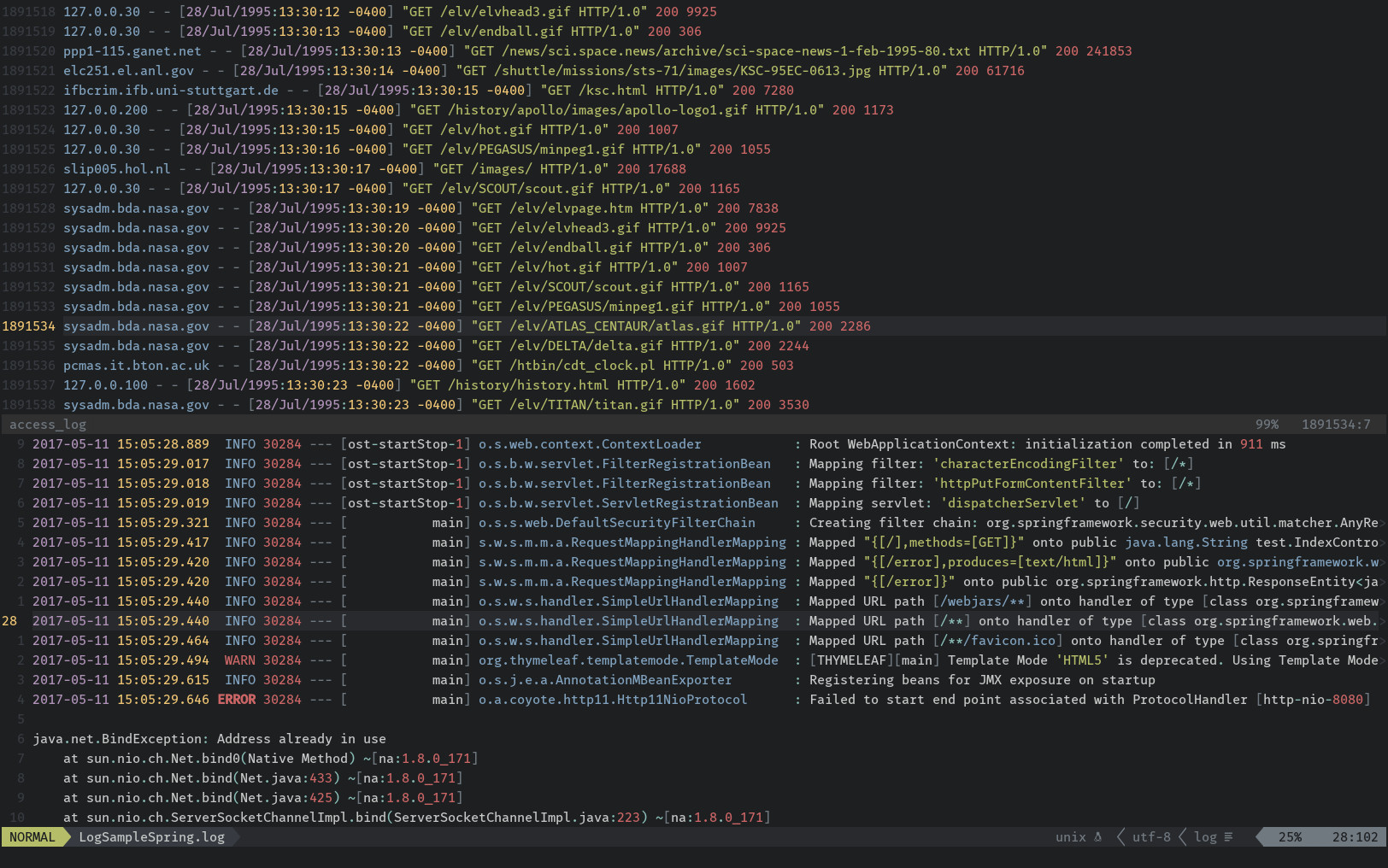
Overview
Provides syntax highlighting for generic log files in VIM.
Some of the highlighted elements are:
- Dates and times
- Common log level keywords like ERROR, INFO, DEBUG
- Numbers, booleans and strings
- URLs and file paths
- IP and MAC addresses
- SysLog format columns
- XML Tags
Installation
VimPlug
Add Plug 'mtdl9/vim-log-highlighting' to your ~/.vimrc and run PlugInstall.
Vundle
Add Plugin 'mtdl9/vim-log-highlighting' to your ~/.vimrc and run PluginInstall.
Pathogen
$ git clone https://github.com/mtdl9/vim-log-highlighting ~/.vim/bundle/vim-log-highlighting
Manual Install
Copy the contents of the ftdetect and syntax folders in their respective ~/.vim/* counterparts.
Configuration
Once installed, the syntax highlighting will be enabled by default for files ending with .log and _log suffixes.
By default only uppercase keywords are recognized as level indicators in the log files.
You can add additional log level keywords using the standard VIM syntax functions, for example by adding this to your .vimrc file:
" Add custom level identifiers
au rc Syntax log syn keyword logLevelError MY_CUSTOM_ERROR_KEYWORD
Likewise you can disable highlighting for elements you don't need:
" Remove highlighting for URLs
au rc Syntax log syn clear logUrl
Related Projects
- VIM Built-in /var/log/messages highlighting
- vim-log-syntax by dzeban
- vim-log4j by tetsuo13
- ccze by cornet
more like this
vim-dap
Vim/Neovim debugger plugin providing a terminal interface to the Debug Adapter Protocol
tobira.nvim
Open the next door in your Vim journey — personalized command discovery based on your actual usage