vim-himalaya-ui
Simple UI for https://github.com/pimalaya/himalaya
 aliyss
git clone https://github.com/aliyss/vim-himalaya-ui.gitaliyss/vim-himalaya-ui
📫 vim-himalaya-ui
Simple Vim UI for Himalaya CLI
Tested on Linux and Neovim.
Features:
- Navigate through multiple accounts and it's folders and emails
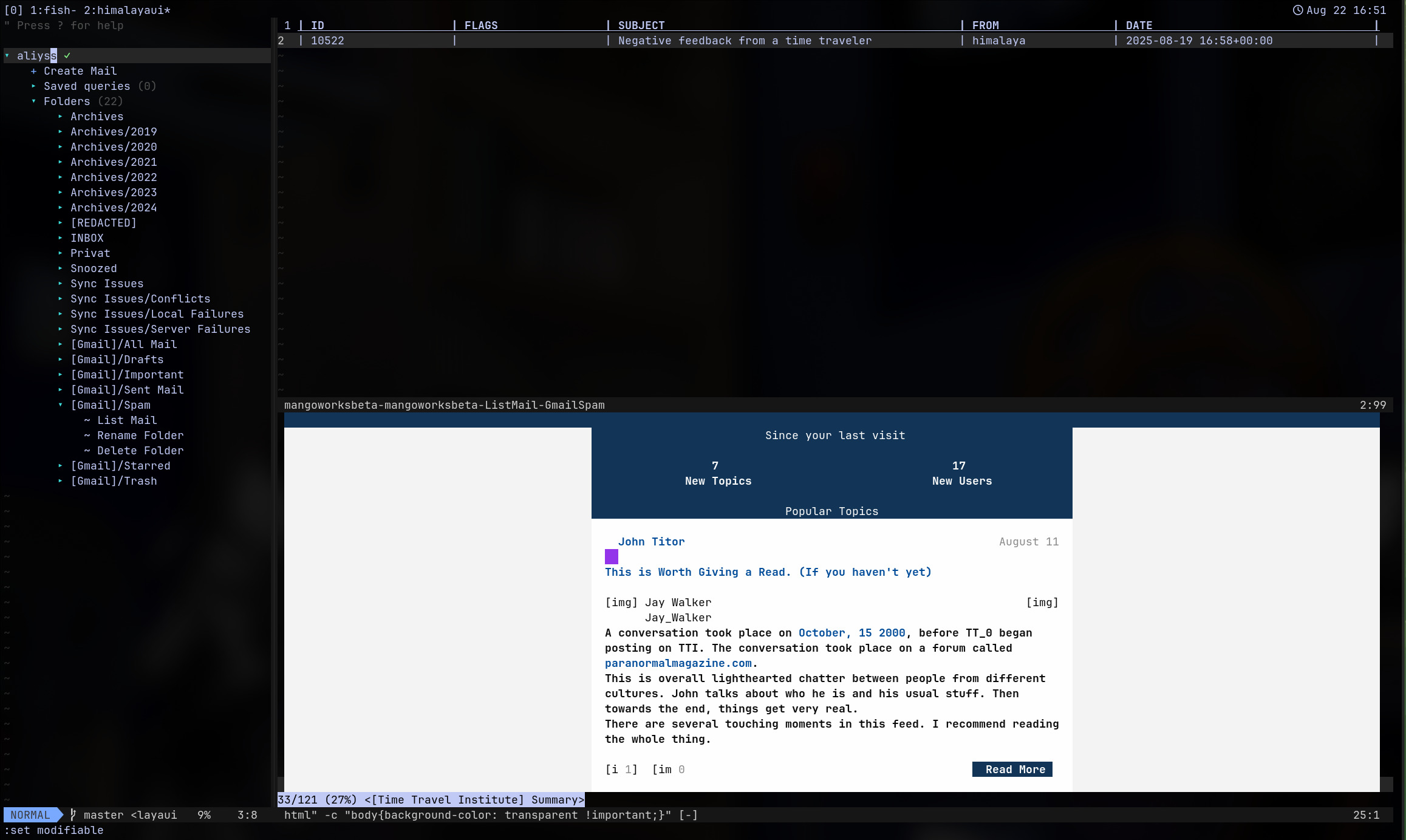
Disclaimer
The idea is to have a similar interface to vim-dadbod-ui, but for email. Which is why I decided to fork it and modify it to the needs of himalaya. This is a work in progress and it's not ready for use. Pull requests are extremely welcome.
This is my first vim plugin, so I'm learning as I go.
Installation
Install and configure Himalaya CLI first. This is not yet done via the UI (see the Roadmap). Then install this plugin using your favorite plugin manager:
Using packer
use "https://github.com/aliyss/vim-himalaya-ui"
:PackerSync
Using vim-plug
Plug 'https://github.com/aliyss/vim-himalaya-ui'
:PlugInstall
Using lazy.nvim
return {
    "aliyss/vim-himalaya-ui",
    cmd = {
        "HimalayaUI"
    },
    init = function()
        -- Your HimalayaUI configuration
    end,
}
Usage
After configuring your mail account and installing this repo, run :HimalayaUI to open the UI.
Actions
Drawer
Account Actions
- Create a new email
- List folders in an account
- List emails in a folder
List
List Actions
- Navigate Next & Previous Pages (Enter, n, p)
- Read an email in the list view (Enter)
- Refresh list of emails (r)
Email Actions
- Reply to an email in the list view (mr)
- Reply All to an email in the list view (mR)
- Forward an email in the list view (mf)
- Move an email in the list view (mm)
- Copy an email in the list view (mc)
- Download an email's attachments in the list view (ma)
- Delete an email in the list view (md)
Multiple Email Actions
- Move multiple emails in the list view (Visual mode + m)
- Copy multiple emails in the list view (Visual mode + c)
- Download multiple email's attachments in the list view (Visual mode + a)
- Delete multiple emails in the list view (Visual mode + d)
- Send/Save email in the mail create/reply/forward view ()
- Discard email in the mail create/reply/forward view ()
- Reply to the email in the mail view (r)
- Reply All to the email in the mail view (R)
- Forward the email in the mail view (f)
- Move the email in the mail view (m)
- Copy the email in the mail view (c)
- Download the email's attachments in the mail view (a)
- Delete the email in the mail view (d)
- Add attachment to the email in the mail view
Additional Features
Render Email HTML
When viewing an email, you can toggle between the text and HTML view by pressing h. This however requires you to have a terminal eml/html viewer installed.
You can set any browser of your choice and configure it like so:
let g:himalaya_ui_eml_converter = get(g:, 'himalaya_ui_html_viewer', 'mhonarc')
let g:himalaya_ui_eml_converter_args = get(g:, 'himalaya_ui_eml_converter_args', '-single')
let g:himalaya_ui_html_viewer = get(g:, 'himalaya_ui_html_viewer', 'cha')
let g:himalaya_ui_html_viewer_args = get(g:, 'himalaya_ui_html_viewer_args', '--type "text/html" -c "body{background-color: transparent !important;}"')
As you can see, I use mhonarc to convert the email to HTML and chawan to view it in the terminal. You can use any other tools of your choice.
Make sure to install them first though.
Future
Fix multiple issues and implement more features.
Roadmap
Mail List View (aka $ list mails)
Uses the current window where in dadbod you write the query, but instead lists all the emails.
Actions (based on keybindings and hovered_over):
- Open externally...
- Move to... (Telescope integration?)
- Allow overriding the default keybindings
Mail Display View
Displays Mail as text. Toggable to HTML view which shows raw html.
Actions:
- same as in List View
- (when hovered_on Thread expand...)
Mail Create View (aka $ create mail)
Pre-filled based on context. Should actually already work easily as himalaya provides most of this.
Actions
- Better Save and Discard
- Add Attachment
- Discard
Afaik that should be all of the main stuff.
Hard stuff not provided by Himalaya:
- Images maybe with sixel. No clue. I actually don't mind reading Email in text only.
more like this
vim-dap
Vim/Neovim debugger plugin providing a terminal interface to the Debug Adapter Protocol
tobira.nvim
Open the next door in your Vim journey — personalized command discovery based on your actual usage