elodin
Elodin simulation and flight software monorepo.
 elodin-sys
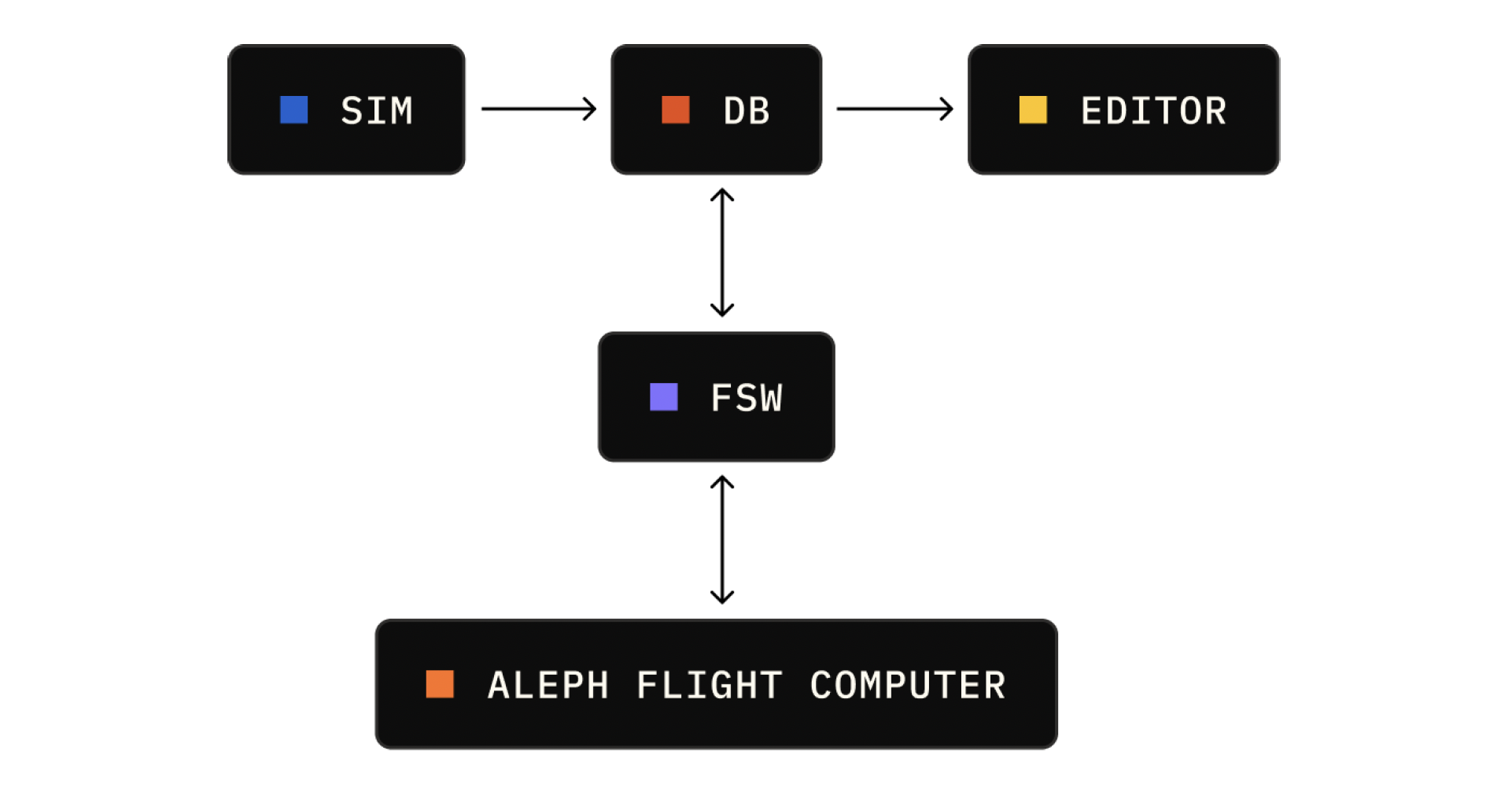
This monorepo contains the source code for all Elodin simulation and flight software:
- Flight software
aleph-os: Aleph NixOS modules for composing a Linux flight software stack that runs on the Orin.elodin-db(FSW application): A time-series database which functions as a central telemetry store and message bus.serial-bridge(FSW application): Reads sensor data being streamed over the serial port and writes it toelodin-db.mekf(FSW application): A Multiplicative Extended Kalman Filter implementation that fuses sensor data to estimate vehicle attitude.sensor-fw: Aleph expansion board firmware that streams sensor data (IMU, mag, baro) to the Orin over USB/UART.
- Simulation software
nox-py: Python SDK (includes ECS and JAX integration).
- Editor: 3D viewer and graphing tool for visualizing both simulation and flight data.
Getting Started
Prerequisites
- Determinate Systems Nix for a consistent development environment
- Just: (
brew install just/apt install just) - git-lfs: (
brew install git-lfs/apt install git-lfs), and make sure to activate it globally withgit lfs installfrom the terminal. - STRONGLY prefer an Arm-based MacOS, nix works on x86 & Ubuntu but at much slower build speeds and worse DX.
Development Setup (Recommended: Nix)
The Elodin repository uses Nix to provide a consistent, reproducible development environment across all platforms. This is the same environment our team uses daily.
1. Install Nix
# Install Determinate Systems Nix (recommended)
curl --proto '=https' --tlsv1.2 -sSf -L https://install.determinate.systems/nix | sh -s -- install
2. Clone the Repository
git clone https://github.com/elodin-sys/elodin.git
cd elodin
3. Enter the Nix Development Shell (this can take awhile to build the first time)
nix develop
Tip
The Nix shell supports Oh My Zsh + Powerlevel 10k; for first time configuration run: p10k configure
4. Build and Install Elodin Editor and Elodin DB into your path
just install

elodin --version

.venv/bin/python examples/rocket/main.py run
Open the Elodin editor in a new nix develop shell and connect to the local server
elodin editor
Python SDK Development Setup (Nix-based continued)
5. Enter another Nix Development Shell, run the server & example simulation
Python SDK Development
# In a new terminal
nix develop
# build the SDK python wheel
just install py
# use the newly built wheel (venv is not active in this shell)
.venv/bin/python examples/rocket/main.py run
Open the Elodin editor and connect to the local server
Note
Local setup instructions were validated on Arm M2 MacOS & Intel x86 Ubuntu 24.04 on 2025-10-12.
Alternative Local Setup (macOS Only)
Warning
This setup is more complex and may lead to inconsistent environments across developers. We strongly recommend using Nix instead.
If you cannot use Nix, you can manually install dependencies on macOS:
Prerequisites
# Install required tools via Homebrew
brew install gstreamer python gfortran openblas uv git-lfs rust

# Initialize git-lfs
git lfs install
Build and Run
git clone https://github.com/elodin-sys/elodin.git
cd elodin
just install
Python Development (Local Setup)
uv venv --python 3.13
source .venv/bin/activate
uvx maturin@1.12.6 develop --uv --manifest-path=libs/nox-py/Cargo.toml

cargo run --bin elodin editor examples/three-body/main.py
# Or equivalently use the 'elodin' cargo alias:
cargo elodin editor examples/three-body/main.py
Note
Local setup instructions were validated on M1 architecture, macOS 15.6.1 on 2025-11-03.
Alternative Local Setup (Ubuntu/Linux)
Warning
This setup is more complex and may lead to inconsistent environments across developers. We strongly recommend using Nix instead.
If you cannot use Nix, you can manually install dependencies on Ubuntu/Linux:
Prerequisites
# Install required tools via apt
sudo apt install just git-lfs pkg-config libasound2-dev libudev-dev cmake gfortran patchelf python3-dev

# Initialize git-lfs
git lfs install
After installing these packages, follow the same just install and uvx maturin local build steps above.
Additional Resources
more like this
TachiSnap
TachiSnap — Pixel Snapper for animation pixel artists. Rust + WebAssembly client-side tool for cleaning up AI-generated…
bit_gossip
Pathfinding library for calculating all node pairs' shortest paths in an unweighted undirected graph.