deskmakeover
Give your Windows desktop a look you actually like — nine hand-tuned icon styles, wallpaper zones, live preview, one-cl…
 nicepkg
DeskMakeover
Give your Windows desktop a look you actually like. Don't like it? One click puts everything back.
English · 中文
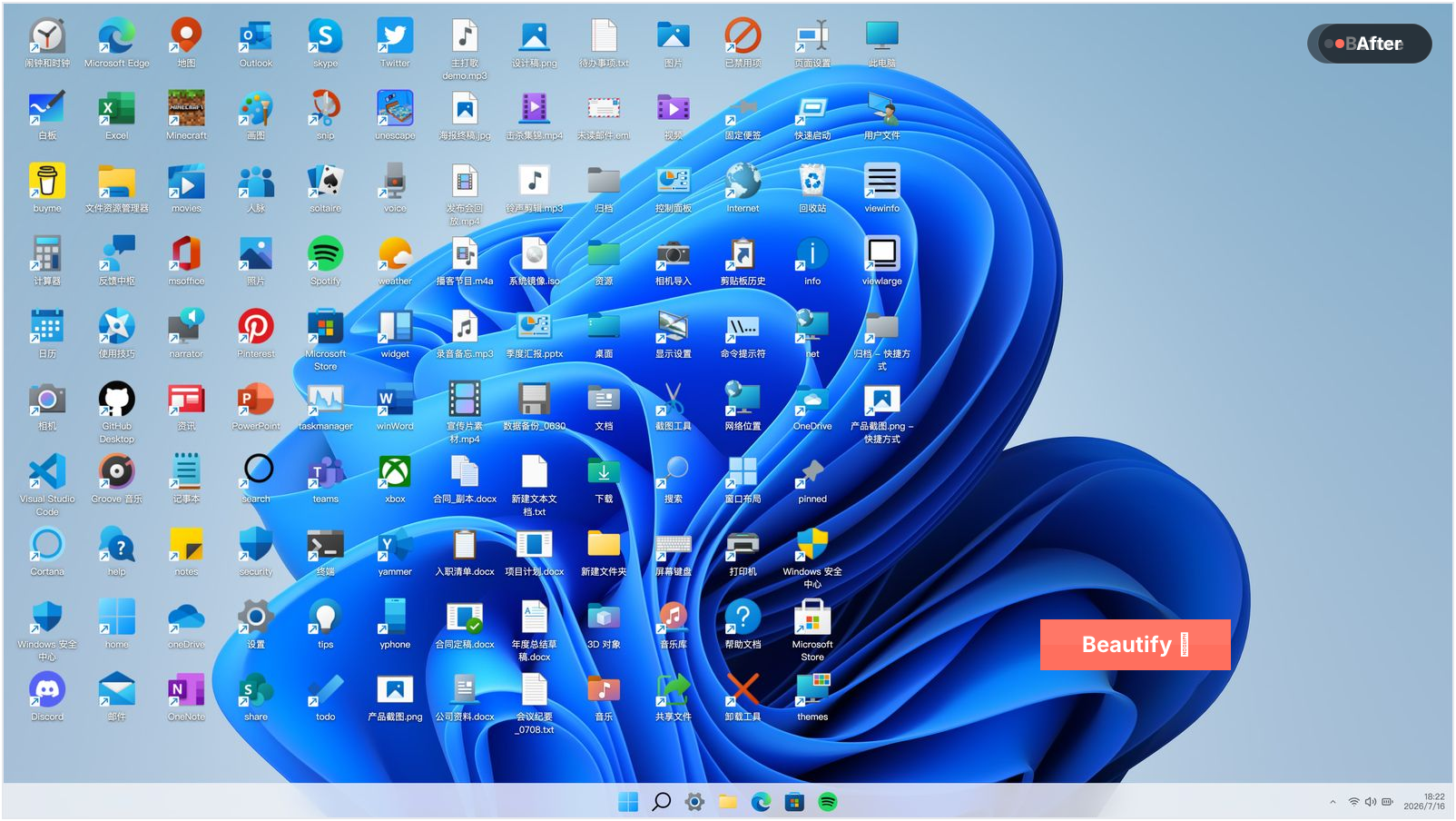
DeskMakeover turns a cluttered Windows desktop into something calm and deliberate.
Preview first, apply when you're happy. Change your mind? One click brings it all back.
↩️ You can always go back
Want to tidy your desktop but scared of breaking it? That "can't get it back" fear is the first thing we solved:
- It backs everything up first, like taking a photo of your desktop: icons, arrows, wallpaper, kept exactly
- One-click restore, back to just how it was
- Runs only on your computer: no account, no upload, nothing online
- Nothing technical to touch: pick, preview, click. That's the whole job

✨ Nine looks built in
Each one hand-tuned on a real desktop. Pick one, click once, every icon puts it on. The same folder, nine ways:

Squircle · Blueprint · Pixel Era · Gleam · Glaze · Die-Cut · Porthole · Scrapbook · Creekstone
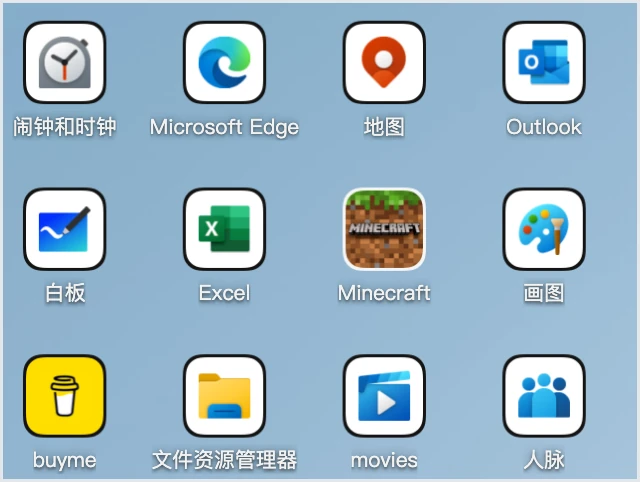 Squircle continuous corners |
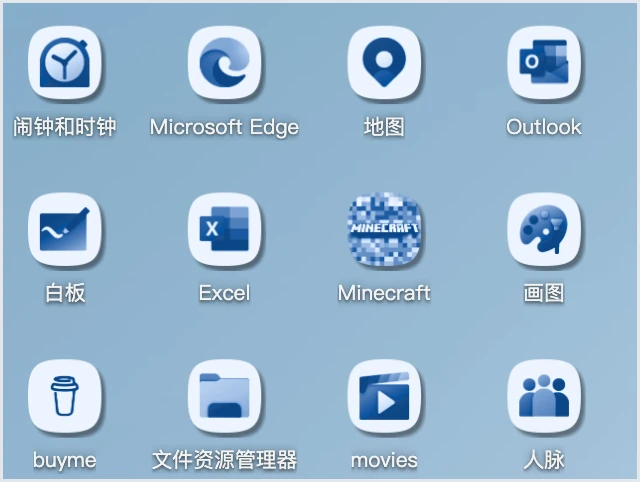 Blueprint monochrome ink |
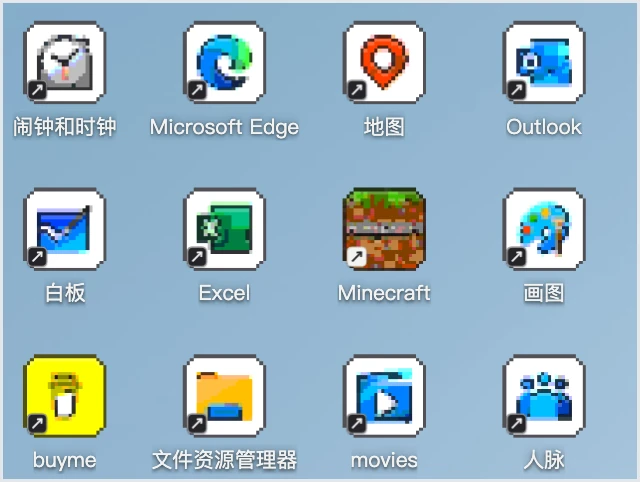 Pixel Era 8-bit afternoon |
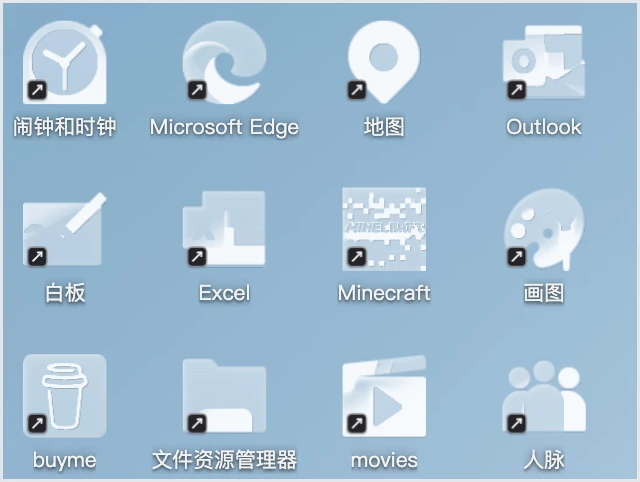 Gleam brushed with light |
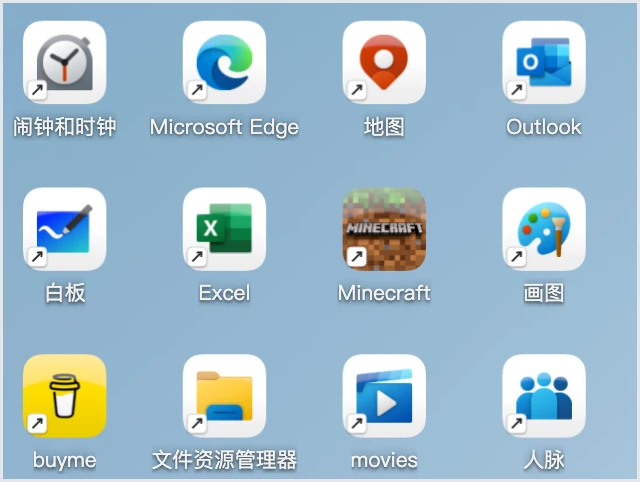 Glaze cool porcelain |
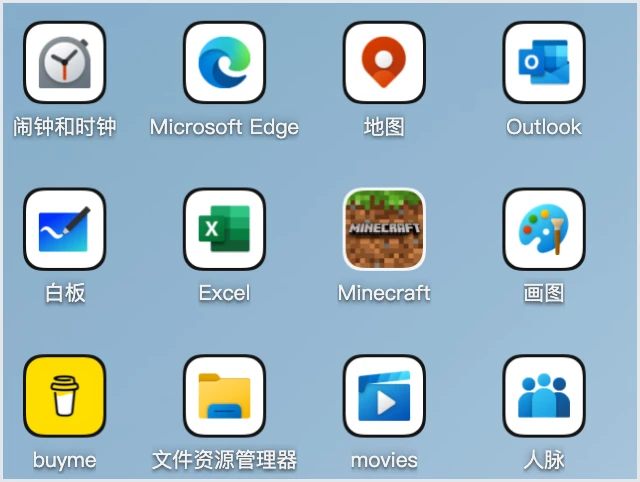 Die-Cut sticker outlines |
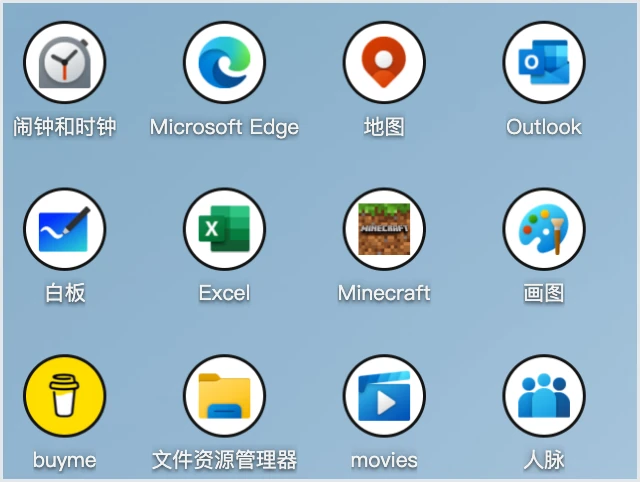 Porthole clean circles |
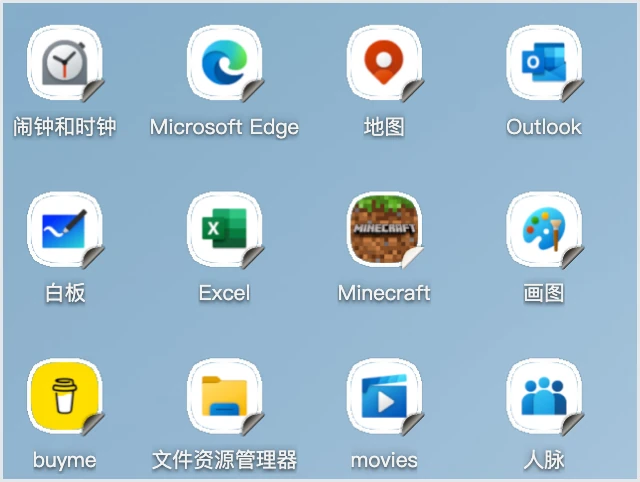 Scrapbook pasted by hand |
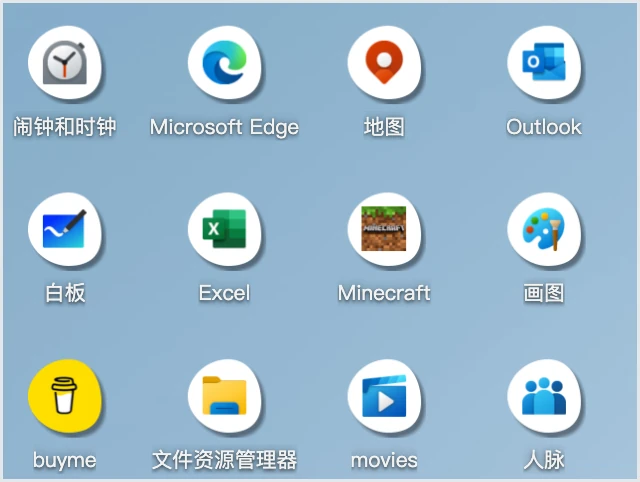 Creekstone river-worn stone |
🎨 Make every part yours
The nine are a starting point. Eleven icon shapes, plus coloring, plates, finishes, and shortcut marks, each adjustable on its own. Thousands of combinations:
- Apps, folders, and plain files can each wear their own look
- Hold to compare with the original, right-click to restyle a single icon, undo and redo freely
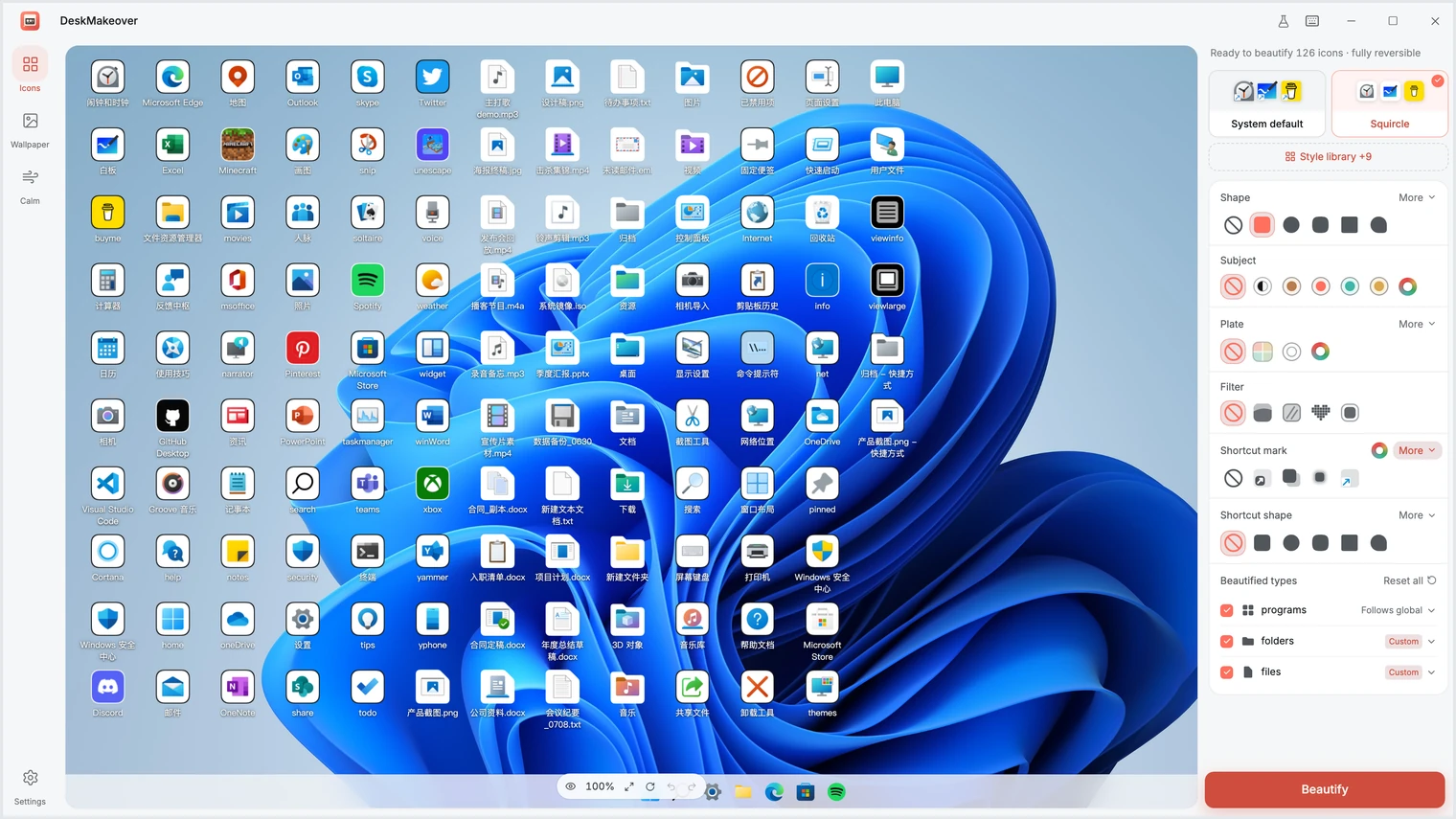
The live preview zoomed in on the left; every axis adjustable on the right.
🧩 Save it. Share it.
Landed on a combination you love? Save it as your own style and reuse it with a click. Export it as a file for a friend, or import style packs other people made.
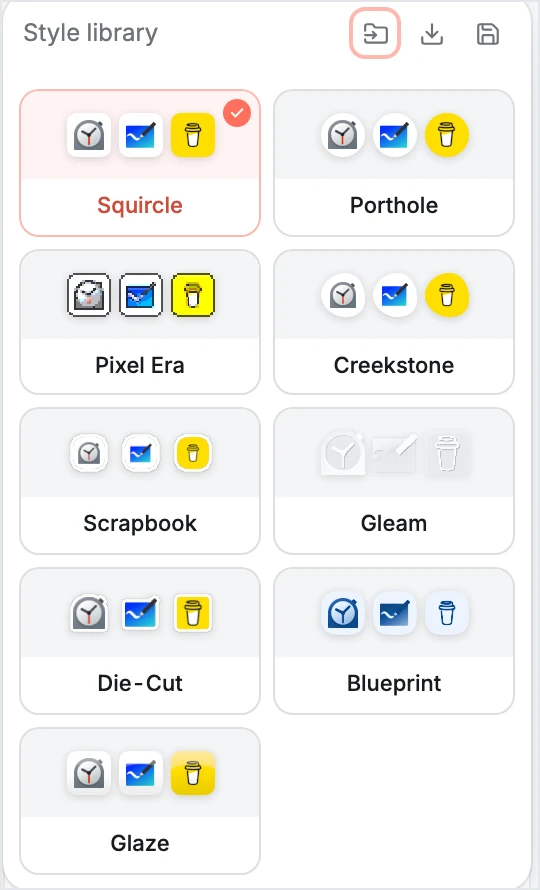
Your library lives next to the built-ins: save, export, import.
🗂️ Draw zones on your wallpaper
Icons piling into one big crowd? Draw translucent zones onto the wallpaper, one for work, one for fun. Drag them anywhere, size them however, five materials and four title styles, or lay down a ready-made layout template in one click. Your wallpaper is backed up; removing zones is one click.
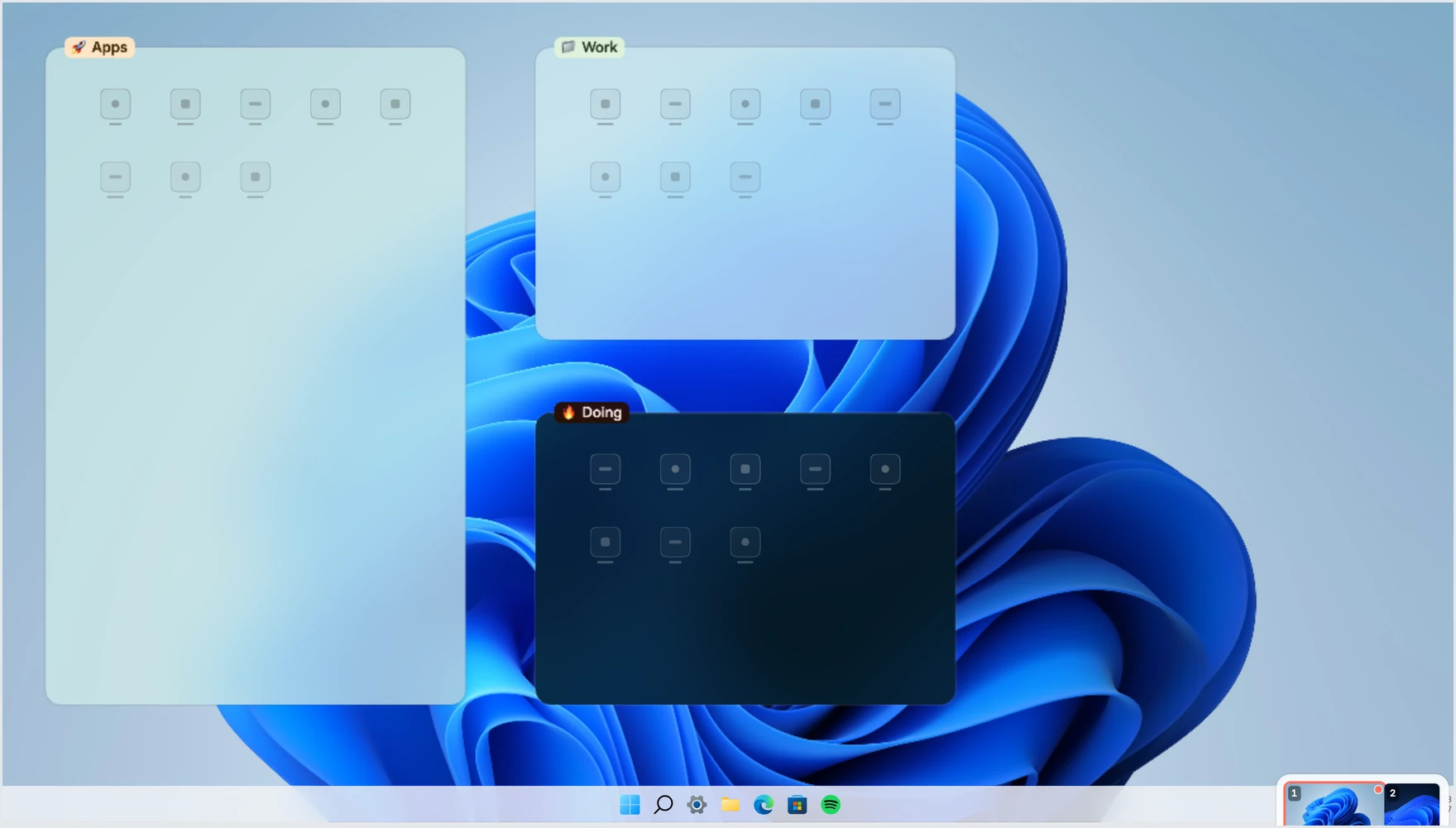
One click of a layout template put these three zones down.
✂️ The little shortcut arrow: swap it or remove it
Find that arrow ugly? Swap it for a cleaner mark, or remove it. The app does it for you; Windows asks once for permission and you click allow. Backed up first, one click brings it back.
There's also a built-in Calm helper that quiets some of Windows' noisier defaults. It asks before every change, and every change can be turned back.
🎛️ Inside the studio
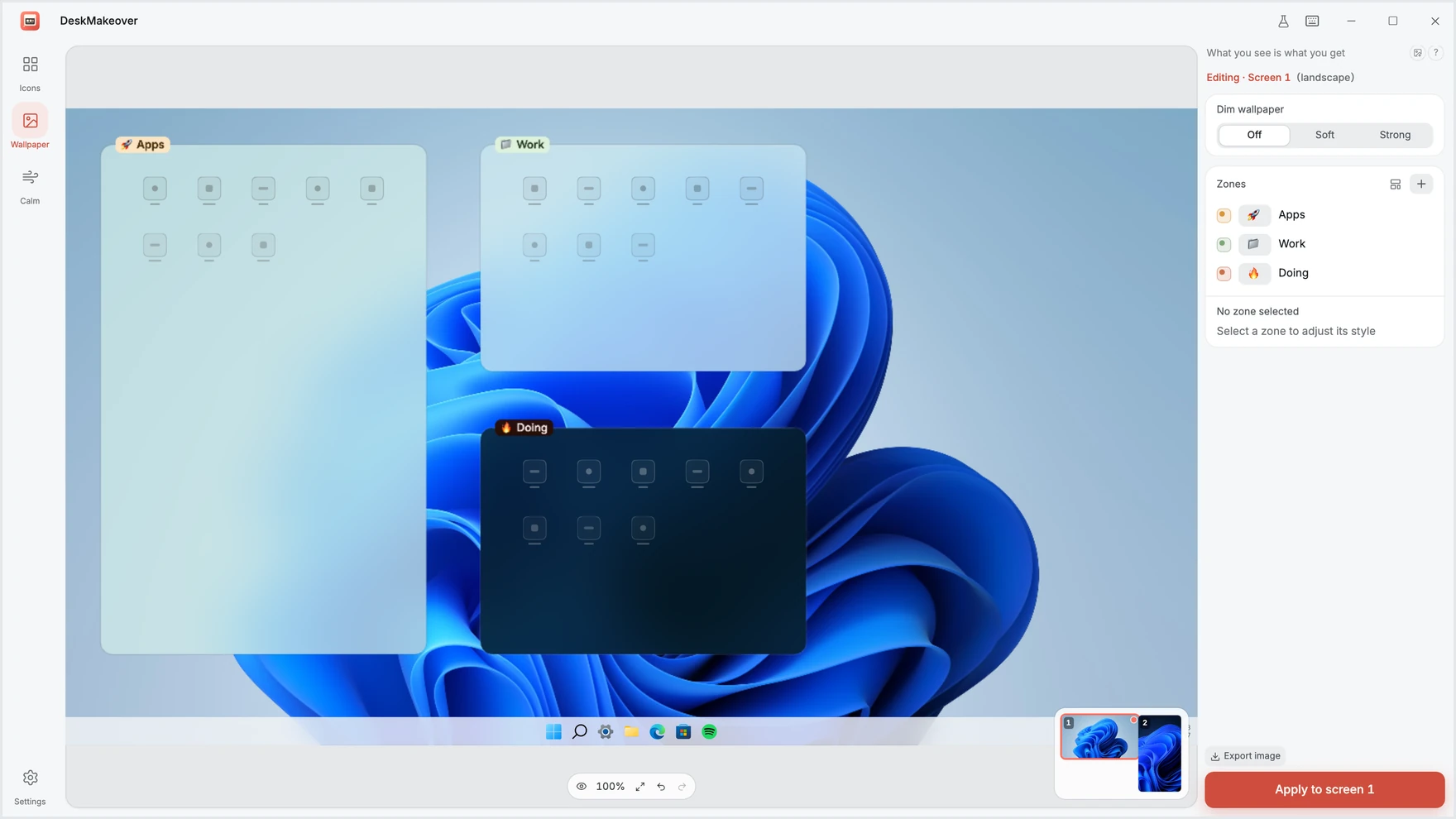
Every tab works the same way: adjust on the right, watch your real desktop change live on the left.
📦 How to install
The first installer is being prepared and will land on the Releases page. Then it's: download, double-click, done. It installs just for your account.
Want the full tour first? The official site is at dm.xiaominglab.com.
If Windows shows a blue "Windows protected your PC" screen, don't worry. It's not a virus warning, just Windows being cautious with newer software. Click More info, then Run anyway.
Runs on Windows 10 (1809 or newer) and Windows 11, 64-bit.
💬 Questions people ask
Can it break my PC, or leave me stuck? It backs up your desktop before changing anything, and every change is one click to undo, back to exactly how it was. Experiment freely.
Will it slow my PC down? Not noticeably. The heavy work happens once when you hit apply; the rest of the time it sits quietly, and puts your look back if Windows resets the desktop.
Will it survive a restart? Yes. Restyled icons are real image files. If a big Windows update resets some settings, re-apply with one click, or restore.
Is it free? Does anything get uploaded? Completely free and open source. Runs only on your computer, no account, nothing sent anywhere.
I'm not great with computers. Can I use it? Yes. Pick a look, check the preview, click apply. No commands, no technical settings, and restore is always one click away.
Straight talk: this is beta, the first installer is on the way, and there will be rough edges. It styles your icons and wallpaper zones; it isn't a full theme for all of Windows. Don't expect one-click perfection, but whatever you try, one click takes it back.
🧬 One pixel core, computed the same every time
Every look is rendered by dm-icon-core, a single ~12,000-line pure-Rust pipeline with no I/O and no platform dependencies. It reads each icon before touching it — classification, background detection, subject/background separation, dominant colour — then restyles it under hard rules. No ML, no cloud, no telemetry: the same input produces the same pixels, every time, offline.
- Preview = result, provably. The core compiles to WASM (live preview) and native (final bake); a determinism contract —
libm-only transcendentals, no FMA/SIMD, no order-dependent reductions — keeps both builds byte-for-byte identical, certified against a 1,487-icon corpus (tests/parity_determinism.rs). - Perception-first colour. All colour math runs in OKLab / linear-light sRGB. The auto-separation rescue that keeps a subject from melting into its plate uses paired colour-distance and lightness thresholds (
separation.rs) — because at the spatial frequency of a 32 px icon, the eye reads lightness far better than chroma. - Your brand colour stays your brand colour. A hard rule in
compose/field.rs: subject pixels are never recoloured. Icons are told apart by plate, outline, and shadow — and colliding plate hues are deterministically rotated apart (hue_spread.rs). - Standard methods, wired together deliberately. Otsu subject/plate splitting, IoU silhouette matching, linear-light premultiplied-alpha area resampling, and a faithful port of Figma's MIT corner-smoothing math (
shapes/smooth.rs) — composed, not reinvented. - Fails closed.
#![forbid(unsafe_code)]across the core; the only unsafe is the thin WASM FFI boundary, every allocation overflow-checked (dm-icon-wasm). Degenerate inputs return error codes, never panics — and the app snapshots your desktop before touching anything.
Watch the pipeline run step by step — and drive the same WASM build live in your browser — at dm.xiaominglab.com/engine.
🏗️ Architecture and tech choices
DeskMakeover is a Tauri 2 + Rust desktop app with a React 19 + TypeScript UI rendered in the system WebView (WebView2). The pixels are owned by one Rust icon core:
React UI ──(tauri-specta bridge)──▶ Rust host
  │                                   │
  │  live preview + design controls   ├─ dm-icon-core   one pixel truth
  │  WYSIWYG canvas (Pixi wallpaper)  │                 (WASM + native)
  └─ mock backend for browser dev     ├─ dm-windows     shell · registry · geometry
                                      ├─ dm-operations  snapshot · apply · restore
                                      ├─ dm-resident    tray + reconciler
                                      └─ dm-elevated    tiny whitelisted helper
Why these choices:
- Tauri 2 over Electron: the UI runs in the system's own WebView2, no bundled Chromium, so the installer and memory footprint stay an order of magnitude smaller.
- One Rust icon core:
dm-icon-corerenders the live preview (compiled to WASM) and bakes the final icons (native) from the same code. Preview pixels are the applied pixels by construction, not by luck. - Generated contracts: the TS↔Rust bridge is generated from
dm-contractsand locked by a bindings test in CI, so the two sides can't drift. - Web-first dev loop: the UI develops against a mock backend in a browser (
bun run dev, 600+ tests on bun), no Windows box needed; the Windows side only does shell writes, snapshot/restore, tray reconciling, and elevation. - Reversibility as an architectural constraint: every write goes through
dm-operations' snapshot + transaction ledger. Hiding the native shortcut arrow is the elevated helper swapping one Shell Icons registry value, snapshotted first and restored exactly like everything else.
The full picture lives in docs/development.md and the design specs under docs/specs/.
🛠️ For developers

You need Bun ≥ 1.1 and the Rust toolchain pinned in rust-toolchain.toml (installed automatically by rustup). Bun is the only JS toolchain here.
bun install
bun run dev          # web UI against a mock backend — any OS, browser + hot reload
bun run tauri:dev    # full desktop app (Windows) — compiles the Rust host, opens the window
The full dev runbook (dev modes, tests, packaging, signing) lives in docs/development.md; local builds are always unsigned and work anywhere.
🤝 Contributing
The React UI, the Rust core, docs, localization, and Windows compatibility testing all welcome help; most of the UI develops in a browser. Start with CONTRIBUTING.md and the good first issues. Security reports go through SECURITY.md.
📄 License
MIT © 2026 Jinming Yang. Free and open source.
Made your desktop nicer? Give it a ⭐ so more people find it.
DeskMakeover · 桌面美颜
dm.xiaominglab.com · Releases · Issues · English · 中文
more like this
TachiSnap
TachiSnap — Pixel Snapper for animation pixel artists. Rust + WebAssembly client-side tool for cleaning up AI-generated…
DailyWallpaperHub
多源壁纸聚合平台 · 自动归档 Bing + Unsplash 精选壁纸 · AI 视觉故事生成 · 企业微信推送 · GitHub Pages 在线画廊
bit_gossip
Pathfinding library for calculating all node pairs' shortest paths in an unweighted undirected graph.